Modern PCs are built to manage multiple tasks smoothly, but with time, many users begin to notice slower speeds, application lag, gaming performance problems, and occasional system crashes. While some people immediately consider hardware upgrades, there are simpler ways to improve performance without spending extra money. Two of the most effective methods are to update drivers regularly and check “Can I run it?” compatibility before installing software or games.
These small but important habits can improve stability, increase speed, and help avoid unnecessary technical problems.
Key Takeaways
- Regularly updating drivers enhances PC performance, stability, and security.
- Using ‘Can I run it’ helps ensure software compatibility and prevent performance issues before installation.
- Common mistakes like ignoring driver updates can significantly degrade system performance.
- Simple maintenance tips, such as freeing up storage and closing unnecessary applications, can boost responsiveness.
- Future advancements may include automatic driver updates and smarter compatibility detection for easier PC optimization.
Table of contents
Why It Is Important to Update Drivers
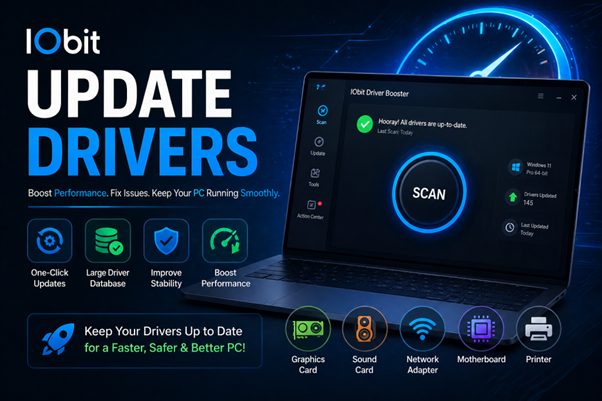
Drivers are essential software programs that help your computer communicate with hardware devices. Whether it is a graphics card, sound device, printer, or network adapter, drivers ensure every component works correctly with your operating system.
When drivers become outdated, hardware performance may decline. This can lead to lag, crashes, or compatibility problems that negatively affect your overall computer experience.
Choosing to update drivers regularly helps your system run more efficiently and keeps devices working properly.
Benefits of Updating Drivers
Many users overlook updates because their computer appears to be functioning normally. However, manufacturers continuously release updates to improve performance and fix issues.
Better System Speed and Efficiency
One major reason to update drivers is improved performance. Updated drivers often contain optimizations that allow hardware to operate more efficiently.
Improved Stability
Old drivers may cause random freezes, software crashes, or system errors. Installing updated versions can help create a more stable computing experience.
Better Gaming Performance
Gamers can especially benefit when they update drivers, particularly graphics drivers. Updated GPU software often improves frame rates, enhances visuals, and fixes compatibility issues in newer games.
Increased Security
Some driver updates contain important security patches that help protect your computer from vulnerabilities and system risks.
Regular updates can significantly improve both performance and reliability.
Signs That You Need to Update Drivers
Sometimes your PC clearly shows signs that updates are needed. Here are some common indicators:
Frequent System Crashes
Unexpected freezing or blue screen errors may suggest outdated hardware drivers.
Hardware Not Working Properly
If devices suddenly stop responding or function incorrectly, outdated drivers could be the cause.
Poor Gaming Experience
Games may suffer from lag, screen tearing, or visual glitches if graphics drivers are old.
Audio or Internet Problems
Poor sound quality or unstable network connections can sometimes be fixed when you update drivers.
Keeping drivers current helps prevent these issues before they become serious.
What Does Can I Run It Mean?
Before downloading a game or demanding software, many users ask an important question: Can I run it?
This means checking whether your computer meets the minimum or recommended system requirements needed to run a program smoothly.
Several hardware components determine whether software will work correctly.
Processor (CPU)
Your processor handles system tasks and determines how efficiently programs operate.
Graphics Card (GPU)
A strong graphics card is important for gaming, video editing, and visual-intensive software.
RAM (Memory)
More RAM allows your computer to multitask more smoothly.
Storage Space
Many applications require sufficient free disk space to install and perform properly.
Operating System Compatibility
Some software only supports certain Windows versions, making compatibility checks essential.
Before installing anything, asking Can I run it can help avoid major performance problems.
Why Checking Can I Run It Matters
Installing software without checking requirements often results in disappointment. Programs that exceed your system capabilities may run poorly or fail completely.
Prevent PC Performance Issues
Using Can I run it checks helps avoid freezing, lagging, and crashes.
Save Time and Storage
Large downloads consume valuable storage space. Checking compatibility first prevents wasting time on unsupported software.
Enjoy Better Gaming
Games run more smoothly when your PC meets recommended requirements.
Smarter Upgrade Planning
System compatibility checks can help users determine which hardware components may need upgrading to achieve better overall performance.
Making Can I run it checks a habit can save both time and frustration.
Simple Tips to Improve PC Performance
Maintaining a fast computer does not always require expensive upgrades. Here are some effective tips:
- Update drivers regularly to keep hardware optimized
- Free up storage space to improve responsiveness
- Close unnecessary background applications
- Use Can I run it tools before installing software
- Install Windows updates for better security and stability
These simple actions can help your computer perform much better over time.
Common Mistakes That Hurt Performance
Many users unintentionally reduce system performance. Avoid these common mistakes:
- Ignoring the need to update drivers
- Installing software without asking Can I run it first
- Running too many applications at once
- Using outdated graphics or hardware software
Preventing these habits can improve long-term system health.
The Future of PC Performance Optimization
Technology continues evolving, making computer maintenance easier than ever. In the future, users may benefit from:
- Automatic tools to update drivers
- Smarter Can I run it compatibility detection
- AI-powered performance optimization
- Faster troubleshooting systems
These improvements will simplify PC maintenance for everyday users.
Final Thoughts
Maintaining strong PC performance goes beyond deleting files or purchasing expensive upgrades. Choosing to update drivers regularly and checking Can I run it before installing software can greatly improve speed, compatibility, and stability.
Whether you use your computer for gaming, work, or browsing, these simple habits can help prevent crashes, reduce performance issues, and create a smoother overall experience. Staying proactive with updates and compatibility checks is one of the smartest ways to keep your PC running efficiently.