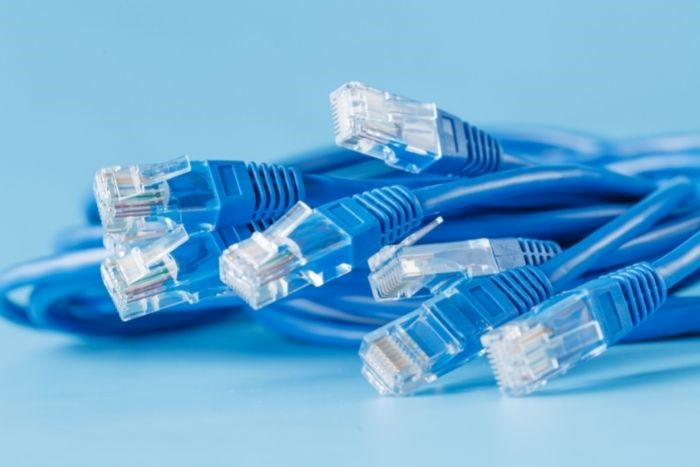
In the early days of the internet, Ethernet cables were made to simpler standards. These days, there’s an assortment of options to choose from. Whenever you find yourself in the market for a new computer or device that relies on a direct line hookup, you’ll know what to do if you know why there are different types of Ethernet cables and the differences in their applications.
Key Takeaways
- There are six different types of Ethernet cables, each designed for specific uses, including CAT-1 through CAT-6.
- Choosing the right cable depends on your setup; for simple tasks, CAT-5e suffices, but CAT-6 benefits high data transfer needs.
- When purchasing Ethernet cables, always check for quality markers such as UL certification, plenum rating, and pure copper construction.
- Broadband providers use coaxial or fiber-optic systems to deliver internet service, affecting data speed and reliability.
- Consider your network layout and cable length to avoid signal degradation, ensuring efficient and reliable connections.
Table of contents
Different Classifications
There are six different categories of Ethernet cables available to the public to access the internet. Each has different uses, as each was designed for a specific job. Here are the six categories and a description of what those cables are used for:
- CAT-1 cables are mainly used for the application of telephone lines or ISDN (Integrated Services Digital Network). While these cables are considered outdated for modern internet use, they still have limited applications in older communication systems.
- CAT-2 cables are used for 4 Mbps and token networks. These cables were once common in early networking environments but have largely been replaced by more efficient options.
- CAT-3 cables are often used in alarm systems or as default Ethernet source cables. They can also sometimes be found in older office buildings where basic voice communication is still required.
- CAT-4 cables are used for networks that only go up to 20 MHz. Although they are rarely installed today, they were an important stepping stone in network cable development.
- CAT-5 (5e) cables are the industry standard for Ethernet use. These are among the most commonly purchased cables for home offices, gaming systems, printers, routers, and smart televisions because they balance affordability with reliable speed.
- CAT-6 cables are used for high-speed internet at 10GBPS or higher. These cables are ideal for businesses, large households, and anyone transferring significant amounts of data on a regular basis.
Choosing the Right Cable for Your Setup
Not every user needs the fastest or most expensive cable available. Someone connecting a desktop computer to a router for browsing, streaming, or remote work may be perfectly satisfied with CAT-5e. However, users with smart home systems, multiple gaming consoles, or network-attached storage devices may benefit from upgrading to CAT-6.
It is also important to consider cable length. Longer cables can sometimes experience signal degradation, particularly if they are low quality or poorly shielded. Planning your network layout before purchasing cables can help you avoid unnecessary issues.
Quality First
Before you purchase any Ethernet cable, determine the quality of the unit by ensuring it meets five specific conditions. The first condition is the presence of a UL marking, which should be on the casing. The marking will say “UL” followed by a number; this will tell you whether the cable is authentic or not.
Second, on the cable itself, you should always look for what’s called a plenum rating, which denotes the presence of a special coating that reduces and eliminates fire and electrical hazards.
Third, it’s always a good idea to determine whether the inside of the cable is pure copper or copper-plated. You’ll want to go with pure copper for the best transfer rates, durability, and conductivity. Last, you’ll want to check for TIA and IEC standards. These are the corporations that set the standards for these cables, so these standards will need to be present as well.
Different Types of Ethernet Cables and Broadband Providers
While Ethernet cables help devices connect within a local network, broadband cable carriers are responsible for bringing internet service into homes and businesses. These providers maintain the infrastructure that delivers data from the internet to your modem or router.
Many broadband carriers still use coaxial cable systems because they are widely available and relatively inexpensive. These systems were originally designed for cable television before being adapted for internet service.
Fiber-optic broadband is another popular option that is becoming more widely available. Fiber carriers use light signals to transmit data, which allows for faster speeds, lower latency, and improved reliability. This makes fiber especially useful for households with multiple users streaming, gaming, and working online simultaneously.
Before selecting an internet provider, compare available speeds, pricing, customer support, and service reliability in your area.
Final Thoughts
These standards show why there are different types of Ethernet cables. Be especially careful when purchasing Ethernet cables for your home or business by running through this checklist first.
Now you can be sure of the category of Ethernet cable to look for depending on the device you’re using. You’ll also have the knowledge to ensure the quality of the product you intend to purchase, helping you build a network that is efficient, reliable, and ready for future technology upgrades.