
Today, video is the driver of engagement on almost every major digital platform. Brands, creators, and marketers need to have regular posting schedules to stay visible. But creating lots of videos can be costly and time-consuming. Quality, speed, and budget are big challenges. Seedance makes this easier by enabling efficient video creation workflows. This allows creators to produce several drafts from one idea, without having to spend more on production.
Key Takeaways
- Video drives engagement on digital platforms, but production can be costly and time-consuming.
- Seedance streamlines video creation, enabling efficient workflows for producing multiple drafts from a single idea.
- Seedance 2.0 Mini offers lower costs and higher processing speeds, allowing creators to maximize video output on a budget.
- To create more videos, use Seedance for efficient project setup, clip generation, and refinement.
- Smart planning and prompt management create a sustainable, high-volume content workflow with Seedance.
Table of contents
- Why Budget Efficiency Matters in AI Video Production
- Understanding How Seedance 2.0 Mini Maximizes Video Output
- Steps to Create More AI Clips Per Budget Cycle Using Seedance 2.0 Mini
- Strategies for Producing Multiple Video Variations from One Concept
- Smart Ways to Stretch Video Budgets With Seedance 2.0 Mini
- Key Content Types Suitable for Cost-Efficient Video Creation
- Building a Sustainable High-Volume Content Workflow With Seedance
- Conclusion
Why Budget Efficiency Matters in AI Video Production
The popularity of video continues to grow on social media, ecommerce sites, websites, and advertising sites. Traditional production techniques may require significant planning, shooting, editing, and revising. These are time-consuming and expensive measures. There can be multiple ideas for campaigns that need to be tested before they are accepted. Poor workflows can cost money when it comes to experiments. The cost savings of AI video creation enable organizations to create more content without exceeding their budgets. This way, it is scalable and provides for more creativity while keeping the production level low.
Understanding How Seedance 2.0 Mini Maximizes Video Output
Seedance allows creators to generate a draft video from a simple prompt, streamlining the content creation process. Seedance 2.0 mini lets you explore the different creative directions efficiently and then choose the one. The model is one that offers lower pricing, strong visual quality, and is cost-effective. The reported costs are about 40% less than the prior version. Performance is also indicative of higher processing speeds, T2V 720P at around 1.84-2.32 and R2V 720P at around 1.96-4.15. These benefits enable creators to experiment with product promotions, social clips, brand content, and visual concepts while keeping production costs in check.
Steps to Create More AI Clips Per Budget Cycle Using Seedance 2.0 Mini
Step 1: Set up a cost-effective video project
- Sign up for Seedance to access the home page.
- Click “Video” on the main dashboard or access “Video generator” in the left menu.
- Enter a text prompt and clearly describe the video style, tone, and angles you want.
Step 2: Generate multiple clips efficiently
- Click “+” and upload your image, video, file, or link that you want to use for the video.
- You can also click “Upload a reference video” and choose “Upload” to bring in a sample video, so the AI follows its style.
- Click “Dreamina Seedance 2.0 Mini” model from the list.
- Choose the video length, language, and aspect ratio.
- Click “Generate,” and Seedance starts creating a video based on your prompt.
Step 3: Refine and export for maximum value
- Select your video, and press the Play button to watch it.
- To make changes, click “Edit more” and use the tools to crop, stabilize, adjust colors, or change the background.
- Customize your video by editing captions manually, adding text, and adjusting size, alignment, filters, and effects.
- You can also add background music. When your video is ready, click “Export” in the top right corner.
- Select “Publish” to post directly to TikTok, Instagram, or Facebook, or click “Download” to save the video with your preferred format, resolution, frame rate, and quality.
Strategies for Producing Multiple Video Variations from One Concept
Several rounds of an idea improve the performance of the campaign and the decision-making process. Various openings may appeal to different audiences. Other formats of storytelling can be used to emphasize special product features. The versions for each platform are consistent between channels and meet the format requirements. The pacing and the scene changes can alter the level of involvement of the viewer. Risk can be minimised and better creative opportunities can be found by comparing several visual directions prior to selection.
Smart Ways to Stretch Video Budgets With Seedance 2.0 Mini
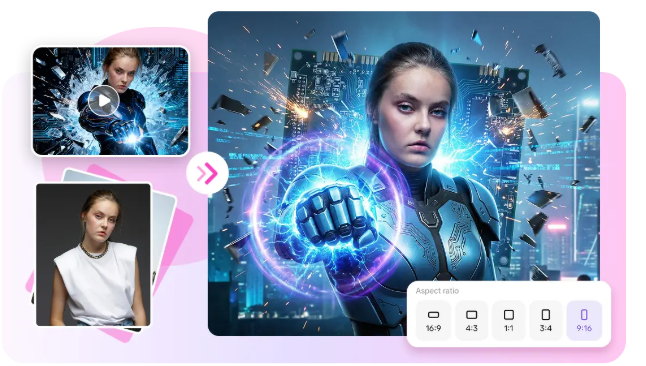
By planning efficiently and utilizing existing assets, creators can optimize their resources while sticking to a budget. There are several concepts for videos that can be supported by existing product photos, brand graphics, and marketing materials. Draft Generation enables teams to test concepts before putting in the effort to develop more in-depth edits. Fast preview views for stakeholders enable them to see campaign directions earlier. The same concept can even be adapted for different channels in multiple versions. These practices help to cut down on the need for large production setups and boost content production.
Key Content Types Suitable for Cost-Efficient Video Creation
- Social Media Teasers: Create campaigns that are engagement-focused and publish quickly.
- Product Demonstrations: Use visual storytelling to emphasize product features for e-commerce promotions.
- Brand Introductions: develop visual identity for awareness creation marketing activities.
- Launch Announcements: Build excitement around new products, services, and/or initiatives.
- Promotional Highlights: Promote offers, discounts, and important campaign messages.
- Story-Based Clips: Take ideas and make them into content experiences with a story.
Building a Sustainable High-Volume Content Workflow With Seedance
Structured planning and organized prompt management of the content is the beginning of a sustainable workflow. Prompt libraries help to create consistency and speed up future production. Review processes are effective and yield good ideas in a timely manner. Selected versions can then be further refined prior to publication. Seedance enables this transformation by providing creation, editing, and distribution all within one platform. In this manner, teams can maintain organized and manageable workflows, even as they create content on a larger scale.
Conclusion
The more video doesn’t always mean a bigger video production budget. The quicker drafts and efficient experimentation enable creators to test out more ideas before investing resources. Efficient production workflows allow for increased testing, more solid campaign building, and more scalable content. Seedance assists marketers and creators in keeping their publishing pipelines steady and opening the door to creative possibilities. The platform streamlines production steps, facilitates multiple drafts, and allows more video to be produced in each budget cycle.