Video is everywhere in 2026, but getting it to look good is still a challenge for most creators. One moment, your clip looks fine on your phone, and the next, it’s blurry after upload, grainy in low light, or heavily compressed by social media platforms. On top of that, not everyone has the time or editing skills to fix these issues using professional software.
That’s exactly why AI tools are becoming a go-to solution. Instead of spending hours fixing footage manually, creators and businesses are now turning to smart tools that enhance video quality in minutes.
One of the popular options in this space is Media.io and its Video Enhancer, designed to improve video quality directly in your browser using AI. In this article, we’ll break down its features, pros and cons, real workflow, practical use cases, and finally help you decide whether it’s really worth using in 2026.
Table of contents
What Is Media.io AI Video Enhancer?
Video Enhancer is a browser-based AI video enhancement tool to boost video quality rapidly without the need for software installation. It is all online, so you only need to open the tool, upload your video, and begin enhancing it immediately.
The best part about it is the ease of use of its interface. No experience or technical skills are required – just a few clicks, and your video is ready to be enhanced. It is designed for users who don’t want to invest time in complex editing programs.
The primary purpose of this tool is simple – to enhance video quality online in the easiest way possible.
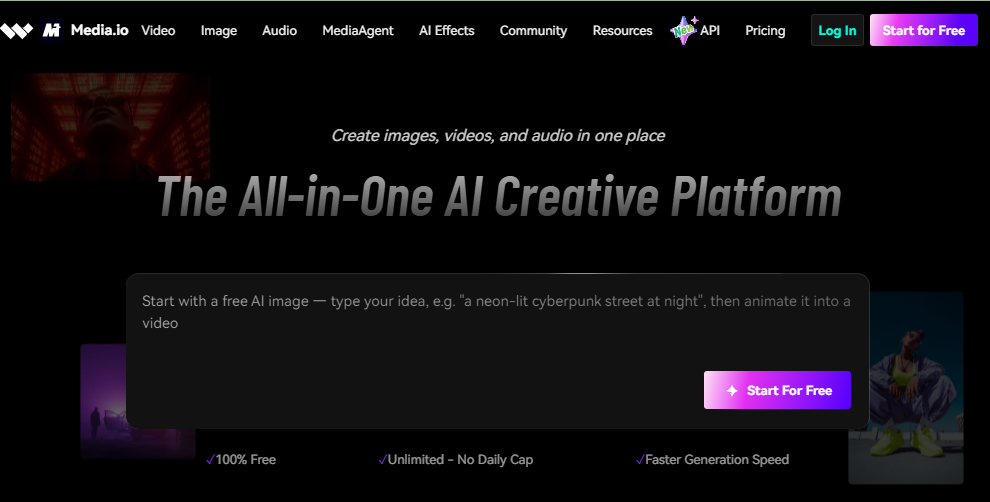
Media.io supports multiple content types, including:
- YouTube videos
- TikTok clips
- Instagram Reels
- Ecommerce product videos
- Marketing content
- Creator content
It’s also quite effective for video portrait enhancement, particularly selfie videos, interviews, talking-head content, and close-ups where facial clarity and detail matter most.
Key Features and How Media.io AI Video Enhancer Works
The video enhancer tool is designed to make video enhancement simple, even for users with no editing experience. You don’t have to use overly complicated editing software to get clean and professional-looking results. The AI will do most of the work for you in just minutes.
AI Sharpening and Video Quality Enhancement
One of the standout features is AI sharpening, which automatically restores blurry details and enhances overall video clarity without making the footage appear overly artificial. This technology is particularly useful for smartphone recordings, older videos, slightly out-of-focus clips, and social media content that has lost quality due to compression.
By intelligently improving sharpness and detail, the AI enhancement process helps videos look clearer, more polished, and more professional while preserving their natural appearance. For content creators and regular video editors, this type of video quality enhancement can significantly reduce editing time and streamline the production workflow.
Noise Reduction and Low-Light Improvement
Low-light recordings often introduce unwanted grain and visual noise. Media.io’s AI system helps reduce these distractions automatically. The tool can:
- Reduce grainy visuals
- Improve indoor recordings
- Enhance darker footage
- Recover visible details in shadows
This feature works particularly well for vloggers, livestream clips, podcasts, interviews, and creator videos filmed in less-than-perfect lighting conditions.
Instead of manually adjusting settings frame by frame, the AI handles most of the cleanup process automatically.
HD and 4K Upscaling
Another useful feature is video upscaling. Media.io can improve lower-resolution videos and make them look sharper for modern platforms.
This is useful when:
- Reusing old footage
- Uploading videos to YouTube
- Creating TikTok or Reels content
- Enhancing compressed social videos
The AI upscaling process helps preserve quality even after uploading to social platforms that typically reduce resolution. For creators looking for an AI video enhancer that simplifies HD improvement, this feature adds strong value.
Beginner-Friendly Online Workflow
The workflow is one of the biggest reasons many creators choose the media.io Video enhancer over traditional editing software. Here’s how the workflow works step by step.
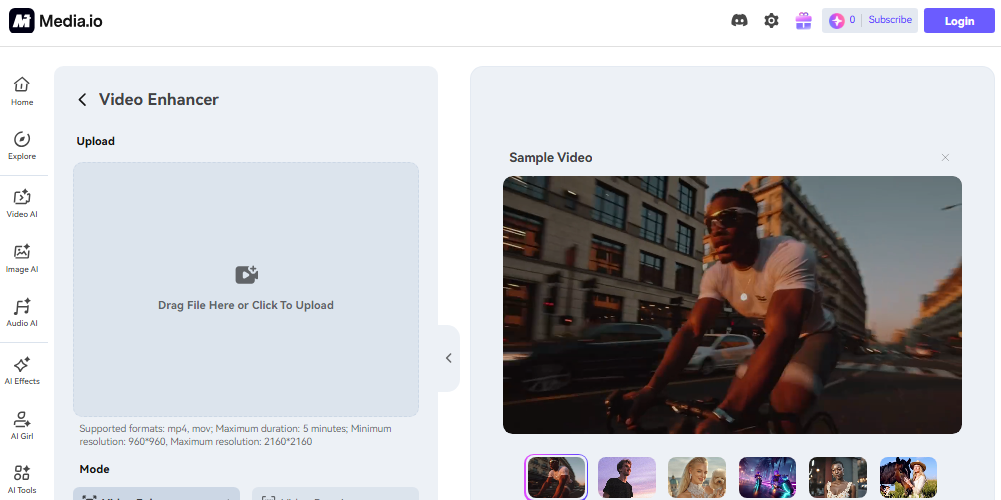
Step 1: Launch Media.io Site
Go to Google and search for the media.io Video Enhancer. Open the official website and start using the tool directly in your browser.
Step 2: Upload Your Video
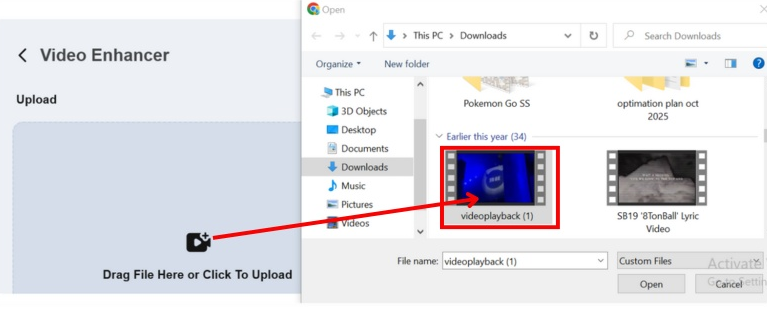
Drag a clip or upload a video from your computer. Media.io supports formats like MP4 and MOV, and makes it easy to work with every video file.
Step 3: Click Generate
Now, click the “Generate” button, and the AI will automatically enhance your video by improving clarity, sharpening blurry details, and making the colors look more vibrant and professional.
Step 4: Preview & Download
Once the enhancement process is complete, preview the results instantly. And when you feel satisfied, download the final version in high resolution. You can use it for social media posts, content creation, presentations, or professional video projects.
People searching for a video enhancer free online often prefer this browser-based workflow because it removes the complexity commonly associated with video editing software.
Pros and Cons of Media.io AI Video Enhancer
Pros
- Easy-to-use interface
- Fast online workflow
- No editing experience required
- Browser-based accessibility
- Helpful for creators and marketers
- Improves blurry videos quickly
- Beginner-friendly AI automation
- Works well for social media optimization
Cons
- Advanced editors may want more manual controls
- Processing speed can vary with large files
- Requires a stable internet connection
- Some professional workflows may still need desktop software
Is Media.io AI Video Enhancer Worth Using in 2026?
For most casual creators, marketers, and small businesses, Media.io offers a practical balance between simplicity and quality enhancement.
The biggest advantage is speed. Instead of spending hours manually editing footage, users can rely on AI automation to improve videos quickly.

This is particularly valuable for creators producing high volumes of content for:
- YouTube
- TikTok
- Instagram Reels
- Ecommerce ads
- Marketing campaigns
The platform also works well for beginners who may feel overwhelmed by advanced editing tools like Premiere Pro or DaVinci Resolve.
Media.io focuses heavily on:
- Simple workflows
- Fast AI processing
- Social media optimization
- Beginner-friendly editing
- Professional-looking results
While professional editors may still prefer full manual control, many creators simply need clean, polished videos without complicated workflows. Media.io works especially well for creators who want professional-looking videos without spending hours editing manually.
Best For
- YouTubers
- TikTok creators
- Instagram creators
- E-commerce brands
- Digital marketers
- Beginners learning content creation
Conclusion
In today’s content-driven era, the video enhancer provides a straightforward and easy-to-use method for enhancing video quality with AI, all while providing a fast and user-friendly solution. It helps creators in repairing the fuzzy footage and boosting clarity without any complex editing techniques.
While media.io is a great option for those who want a quick and professional-looking result without using advanced editing software. It fits perfectly into modern creator workflows where quick turnaround matters.
Looking to take your videos to the next level? Try Media.io now and experience their AI video enhancer feature, enhance your videos more sharply and professionally.
FAQs
1. Is Media.io AI Video Enhancer good for beginners?
Yes. Media.io’s workflow is intuitive to make it easy for beginners to use. Users can edit videos without professional editing experience.
2. Can Media.io improve blurry videos automatically?
Yes. The AI system automatically enhances blurry and poor-quality videos by sharpening and enhancing clarity.
3. Is Media.io AI Video Enhancer free to use?
Media.io’s browser-based accessibility also enables creators to try out its AI video enhancement tools online easily, providing them with a simple online workflow.