


Taking a video to a new global market looks simple on paper. You have a finished piece, a language you want to reach and a tool that promises to handle the conversion. Yet many teams discover, after publishing, that the translated version feels awkward, arrives with mismatched timing or leaves untouched text sitting on screen in the original language. Viewers notice these slips immediately, and they tend to read them as a lack of care.
This article is for course creators, marketing teams and channel owners who plan to localize existing videos. Rather than celebrating what automation can do, it focuses on where projects go wrong and how to prevent each problem before it reaches your audience. Work through these pitfalls in order, and your first localized release should look far more polished than most.
Key Takeaways
- Avoid treating translation as simple word swapping; focus on cultural context and idioms for better outcomes.
- Consider timing and lip movement; plan for differing lengths of sentences to ensure synchronized audio.
- Don’t neglect on-screen text; translate titles, labels, and captions to maintain coherence with spoken content.
- Create a glossary for key terms to ensure consistency across all localized videos; update it as needed.
- Always have a native speaker review the final product; they will catch nuances and errors that automation may miss.
Table of contents
- Global Pitfall One: Treating Global Translation as Word Swapping
- Global Pitfall Two: Ignoring Timing and Lip Movement
- Global Pitfall Three: Forgetting the Text on Screen
- Global Pitfall Four: Skipping a Glossary of Key Terms
- Global Pitfall Five: Publishing Without a Native Review
- How to Tell Whether the Localized Version Worked
- Go Global With Fewer Regrets
Global Pitfall One: Treating Global Translation as Word Swapping

A good video translator does more than replace words with their dictionary equivalents. Languages differ in structure, politeness, humor and idiom, so a literal conversion often produces sentences that are technically correct and still strange to a native listener. A cheerful marketing line can become stiff, and a casual tip can sound like a legal notice.
The fix starts before translation. Review your original script and flag idioms, wordplay and cultural references that will not travel well. Rewrite them in plain language, or prepare a note describing the intended meaning so the translated line can carry the same feeling. Simple source material gives automated tools a much better chance of producing natural results.
Global Pitfall Two: Ignoring Timing and Lip Movement
Different languages need different amounts of time to say the same thing. A short English sentence can stretch noticeably in another language, and if the new audio runs longer than the original scene, you get rushed speech or awkward pauses. When the speaker is visible, mismatched lip movement makes the problem even easier to spot.
Plan for this by leaving breathing room in your original script. Avoid cramming a scene with dense narration, and prefer shorter sentences that can expand without breaking the pacing. After translation, watch the video with the sound on and your eyes on the speaker’s mouth. If the audio drifts, trim the translated line instead of speeding up the voice, because an unnaturally fast delivery sounds worse than a slightly shorter message.
Global Pitfall Three: Forgetting the Text on Screen
Translating the voice is only half the job. Titles, lower thirds, product labels, interface screenshots and captions all carry meaning, and leaving them in the source language undermines the whole effort. Viewers who rely on subtitles may also find the on-screen text and the spoken audio telling slightly different stories.
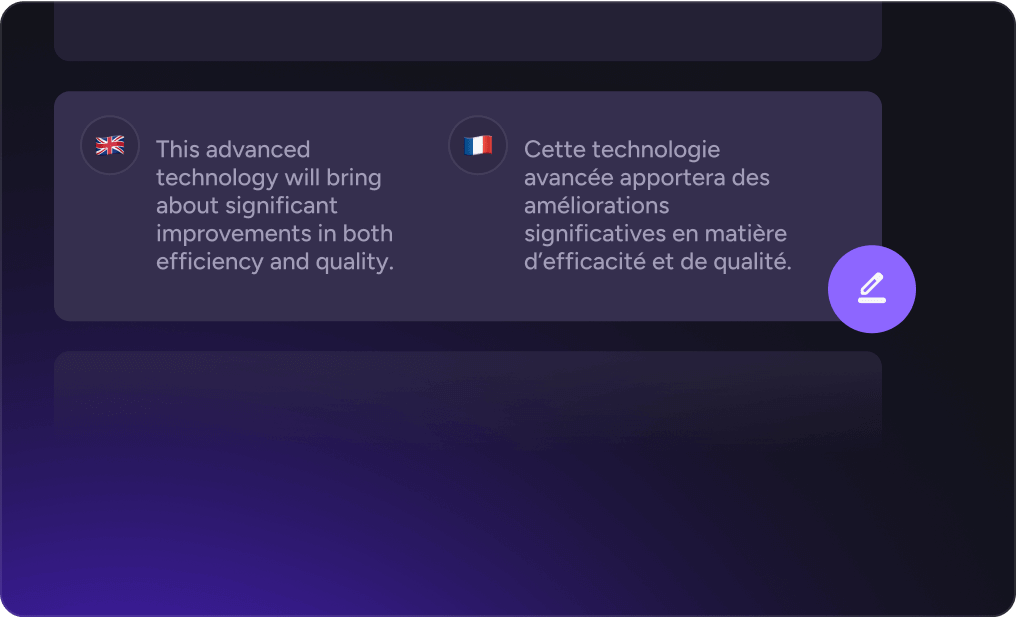
Make a list of every piece of visible text in the video before you begin. Decide which items need replacing, which can stay because they are brand names, and which should be redesigned to fit longer or shorter wording. Keep editable source files for graphics so you can swap text without rebuilding scenes. Tools like AKOOL combine translation with an editor, which helps when audio and on-screen text need to be adjusted together.
Global Pitfall Four: Skipping a Glossary of Key Terms
Product names, technical vocabulary and brand phrases should be handled consistently across every video you localize. Without guidance, the same term may be translated three different ways in three different clips, which confuses learners and customers alike. A glossary solves this by recording the approved translation, or the instruction to leave a term untouched, for each important word.
A useful glossary does not need to be long. Start with the terms that matter most:
- Brand and product names that should never be translated
- Feature names with an approved local equivalent
- Industry vocabulary where precision matters
- Phrases with a fixed tone, such as slogans or calls to action
Share the glossary with anyone who reviews the output, and update it whenever a new decision is made. Over time it becomes a shortcut that saves effort on every future project.
Global Pitfall Five: Publishing Without a Native Review
Automation gets you most of the way, but a fluent speaker should always watch the final version. They will catch phrasing that sounds off, regional differences that matter to your audience and small errors that software cannot judge. This review is usually quick, and it is the cheapest protection you have against publishing something embarrassing.
Give the reviewer clear instructions. Ask them to note anything that sounds unnatural, anything that could be misunderstood and anything that clashes with local expectations. Provide the original script alongside the translation so they can compare meaning, not just grammar. If a reviewer suggests a change, apply it to the glossary as well when it affects a recurring term.
How to Tell Whether the Localized Version Worked
Publishing is not the finish line. Track how viewers in the new market respond, and compare it with the original. Look at how long they keep watching, where they drop off and whether comments mention confusion or praise the clarity. A sharp drop at a specific moment often points to a timing issue or a confusing phrase worth fixing.
Treat the first localized video as a pilot. Collect feedback, adjust the glossary and refine your process, then apply those lessons to the rest of your library. Starting with a small, high-value video is wiser than translating an entire catalog before you know what works.
Read Next
A few related pieces worth your time:
- Why Willpower Falls Short: How to Identify Online Distractions
- How AI Voice Is Becoming a Capability in Enterprise Software
- Machine-Assisted Search Helps You Spot Great Toronto Listings Faster
Go Global With Fewer Regrets
Most localization problems are predictable. Literal wording, mismatched timing, untranslated on-screen text, inconsistent terminology and missing review are the same five traps that catch teams again and again. Each one can be avoided with a little preparation: simplify the source script, leave room for longer sentences, audit every visible word, keep a glossary and ask a native speaker to watch the result.
Begin with a single video, work through the checklist and learn from the response. A careful first release builds the habits you need to expand into more languages with confidence, and your audience will notice the difference in quality.