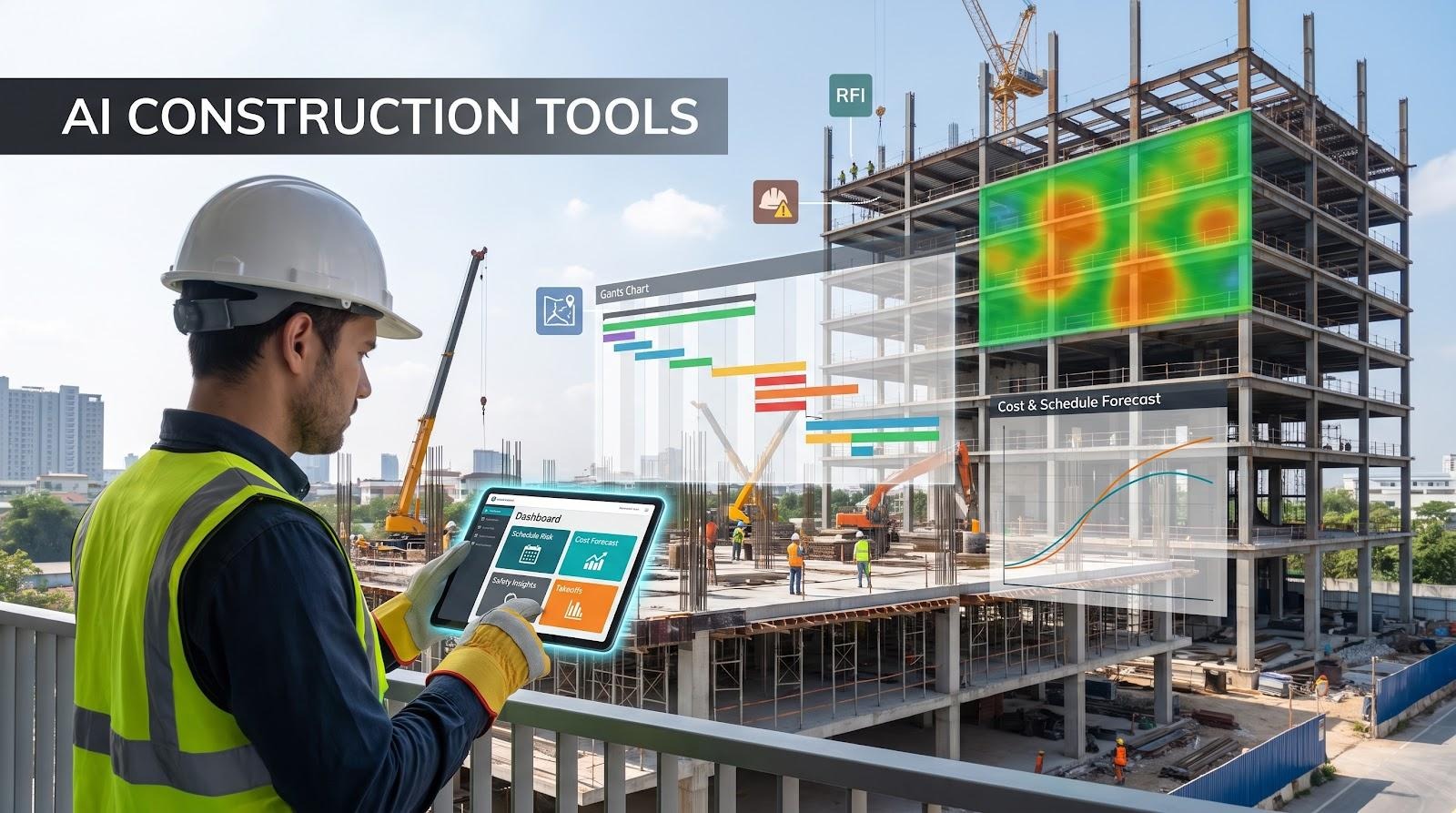
Most job sites are drowned in schedules, RFIs, photos, and cost reports yet 96 percent of that information never sees daylight, according to Procore.
That blind spot drains budgets, hides safety risks, and forces teams to hunt for answers already sitting in their files. A new wave of software tackles the gap by applying machine learning to everyday drawings, images, and logs, then surfacing patterns humans miss.
The stakes keep rising. The global AI in construction market, valued at $3.93 billion in 2024, will reach $22.68 billion by 2032 at a 24.6% CAGR. Fresh logos appear every quarter, each promising insight. We compared feature depth, customer traction, funding, and real-world ROI to separate proven tools from polished hype.
Every platform on our list clears three gates: genuine machine learning, a laser-focused AEC use case, and live deployments beyond the pilot stage. We then scored each one across five weighted factors, from AI maturity to support quality to build a data-driven leaderboard. Ready to see which platforms deserve a spot on your tech stack? Let’s get building.
Table of contents
- How we picked and scored each contender
- A quick look at the field
- 1. InEight: Turning mountains of project controls data into action
- 2. Procore: An all-in-one hub that now thinks for itself
- 3. Autodesk Construction Cloud: From design intent to field reality, guided by AI
- 4. Lark: The all-in-one productivity powerhouse for jobsite-to-office collaboration
- 5. OpenSpace: A 360° time machine for your jobsite
- 6. Buildots: BIM meets reality, down to the last light fixture
- 7. ALICE Technologies: Generative scheduling that finds weeks you didn’t know existed
- 8. nPlan: The AI risk advisor that reads a million schedules so you don’t have to
- 9. Togal.AI: One-click takeoffs that free estimators to focus on estimating
- 10. Document Crunch: Contract fine print, surfaced in minutes
- 11. Oracle Newmetrix: An always-on safety scout for every project photo
- Match the tool to your pain point
How we picked and scored each contender
We didn’t pull these names from a press release or an app-store popularity chart. We began with more than forty AI tools for construction teams, then ran each one through three non-negotiable gates.
First, the software must use machine learning that improves over time, not fixed if-this-then-that rules. Second, it has to solve a distinctly AEC problem (estimating, scheduling, safety, contract review) rather than acting as a generic AI wrapper. Third, real customers must already be live on the platform; future-ware and perpetual pilots were cut.
That left sixteen serious candidates. To separate great from merely good, we applied a five-factor rubric. Each factor carries weight, so a high score in one area can’t hide shortcomings elsewhere.
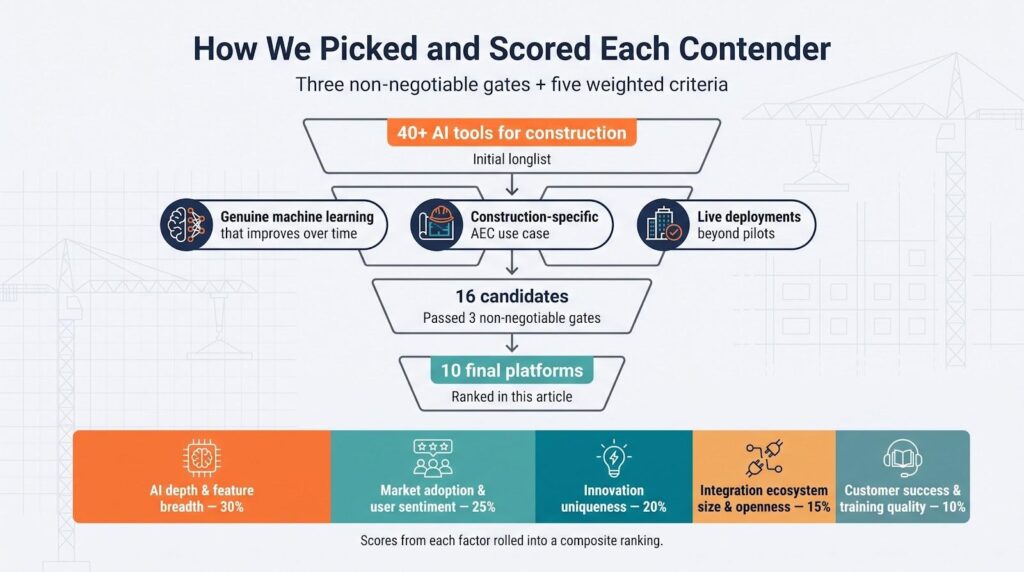
- AI depth and feature breadth (30 percent)
- Market adoption and user sentiment (25 percent)
- Innovation uniqueness: doing what rivals can’t (20 percent)
- Integration ecosystem size and openness (15 percent)
- Customer success resources and training quality (10 percent)
We reviewed product demos, funding announcements, case studies, and user reviews on G2 and Capterra. When possible, we spoke with project managers who run the tools in the wild. Scores from each category rolled into a composite that set the final ranking you’ll see next.
This isn’t a beauty contest; it’s a data-driven snapshot of which AI platforms bring measurable impact to active jobsites. With the ground rules set, here comes the first tool on the list.
A quick look at the field
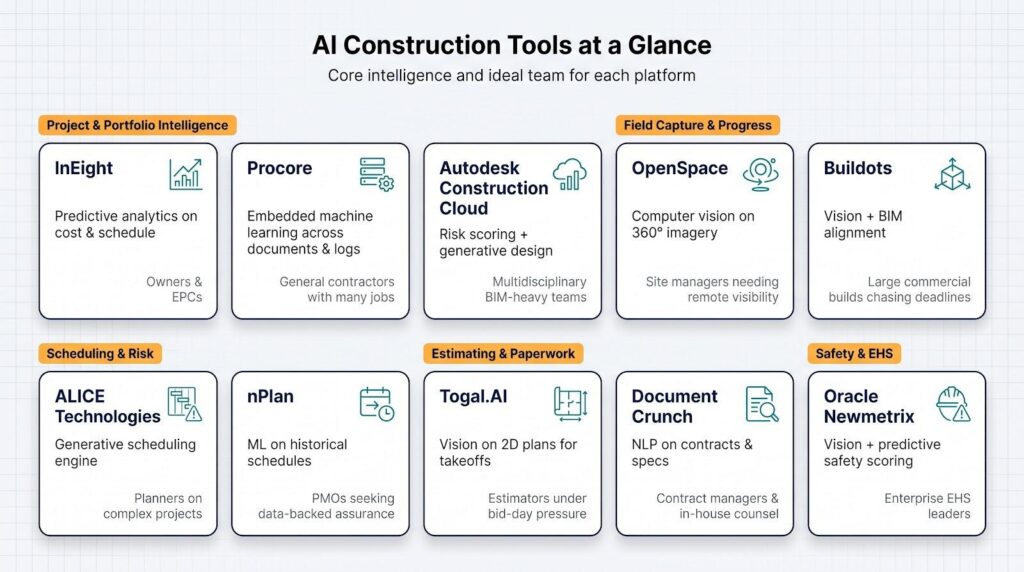
Before we reach the full reviews, it helps to see the whole picture on one page. The grid below shows what each platform does best and who benefits most. Skim it, spot the names that match your current pain points, and keep those targets in mind as we unpack the details later.
| AI tool | Core intelligence | Sweet-spot use case | Ideal team |
| InEight | Predictive analytics on cost and schedule data | Portfolio-level risk forecasting | Owners and EPC contractors |
| Procore | Embedded ML across documents and field logs | Unified project management with safety and quality insights | General contractors running many jobs |
| Autodesk Construction Cloud | Risk scoring and generative design tied to BIM | Design-to-field coordination and issue triage | Multidisciplinary BIM-heavy teams |
| Lark | Embedded AI workflow automation and AI knowledge base | Jobsite-to-office collaboration and reducing administrative overhead | Multidisciplinary construction teams |
| OpenSpace | Computer vision on 360° imagery | Hands-free site documentation and progress tracking | Site managers needing remote visibility |
| Buildots | Vision + BIM alignment | Automated install progress vs. schedule | Large commercial builds chasing deadlines |
| ALICE Technologies | Generative scheduling engine | Optimized what-if scenarios pre-bid or mid-course | Planners on complex, resource-dense projects |
| nPlan | ML on historical schedules | Probability-based delay predictions | PMOs seeking data-backed assurance |
| Togal.AI | Vision on 2D plans | Lightning-fast quantity takeoffs | Estimators under bid-day pressure |
| Document Crunch | NLP on contracts and specs | Rapid clause risk flagging | Contract managers and in-house counsel |
| Oracle Newmetrix | Vision + predictive safety scoring | Proactive incident prevention | Enterprise EHS leaders |
Treat this as a map, not a verdict. The ranking that follows weighs depth, adoption, innovation, integrations, and support. We start at the top.
1. InEight: Turning mountains of project controls data into action
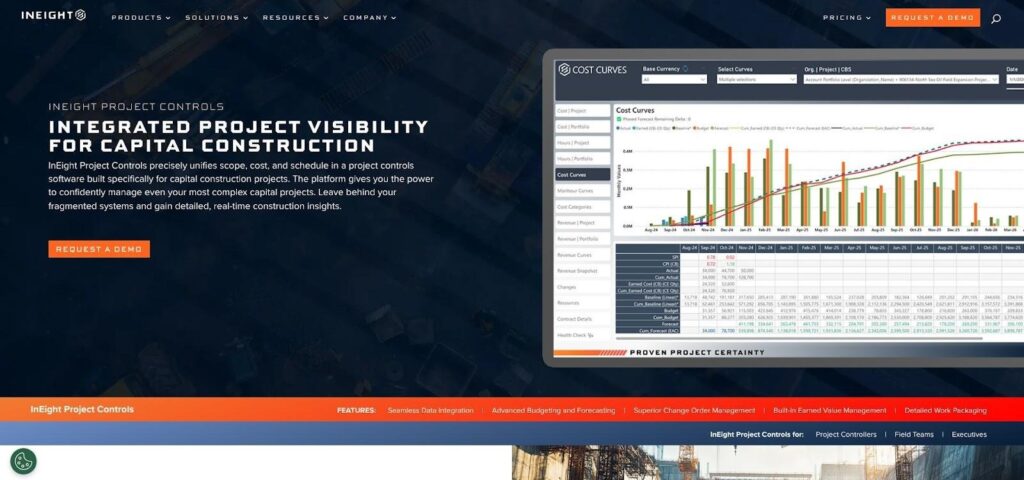
InEight tops our list because it solves two pain points at once: siloed data and hidden risk. According to the company, the platform already holds estimating, cost, schedule, and field reports for more than $1 trillion in managed project value. Its Intelligence engine studies that history, spots the early signals of an overrun, and alerts you long before the variance appears on a cost report.
Open the dashboard and you’ll see forecast curves that adjust in real time as field quantities land. If subcontractor productivity slips this week, the AI pushes a revised completion date and cost-to-complete, with no manual recalculation or spreadsheet gymnastics. Teams tell us that what-if reviews that once swallowed a Friday afternoon now wrap before the first coffee refill.
InEight project controls unifies estimate, schedule, cost, document, risk, and field management in one suite, unlike point solutions such as Primavera or Aconex, so its models draw on clean, connected data instead of loose CSV uploads. That tight loop means recommendations land with context: schedule tweaks come with cost deltas, and risk scores link back to the exact work packages driving exposure. For owners running multi-billion portfolios, that clarity is gold.
Training and support seal the deal. New customers get dedicated onboarding plus playbooks that translate AI findings into board-ready narratives. You spend less time persuading stakeholders the numbers are real and more time acting on them.
If your biggest headache is guessing where the budget will land six months from now, InEight’s predictive lens offers the clearest view available today.
2. Procore: An all-in-one hub that now thinks for itself
If InEight is the unified platform powerhouse, Procore feels like a multi-tool for day-to-day project tasks. Most teams already rely on it for RFIs, submittals, and cost tracking, and now its AI touches every corner of that workflow.
Upload a spec book and the new Copilot highlights must-know clauses in seconds. Log fifty site photos, and Construction IQ rates each image for safety or quality risk before lunch. Even global search has improved, surfacing the detailed drawing you need instead of eighty near-matches.
Because Procore already links schedules, financials, and field logs, the machine learning model sees the full picture rather than scattered snapshots. That scope helps it rank which projects, trades, or documents need attention first, sparing managers dashboard fatigue.
The payoff appears in two places: field crews close issues days sooner, and executives see a portfolio view that flags trouble spots without burying them in noise. For contractors juggling dozens of jobs, that clarity is tough to match.
3. Autodesk Construction Cloud: From design intent to field reality, guided by AI
Autodesk’s platform starts earlier than most. It watches designs take shape in Revit, tracks clashes in Navisworks, and follows every issue into Autodesk Build. That life-cycle view powers Construction IQ, the AI engine that labels each open item low, medium, or high risk.
Picture a hospital project with 1,200 unresolved clashes. Construction IQ highlights the thirty that share a pattern: same trade, same level, same history of construction rework so coordination teams fix the right issues before they snowball. By leaning on those cues, contractors can prioritize the RFIs most likely to hit cost and schedule, solving them before they touch the critical path.
The system also reads checklists, photos, and daily logs. If fall-hazard observations spike on Level 5, the risk score for that area climbs, and the superintendent gets an alert before Friday’s safety walk. Because the data lives in the same Common Data Environment, there’s no exporting, cleansing, or version drama.
Autodesk closes the loop with generative design. Change a corridor width, and the AI suggests layout options that cut material waste while keeping MEP zones clear, then pushes updated quantities downstream. Designers move faster, and the field avoids the classic “model says one thing, site shows another” headache.
Teams already deep in BIM often see Autodesk’s AI as a natural extension, with no extra logins just smarter prompts inside the tools they use every day.
4. Lark: The all-in-one productivity powerhouse for jobsite-to-office collaboration
Lark enters the field to solve the communication gap between the jobsite and the corporate office. While specialized software handles field data, acting on that information often requires jumping between scattered apps. Lark is an all-in-one productivity powerhouse that brings messaging, video conferencing, and a no-code database into a single environment.
Instead of adding AI as a feature layer, Lark embeds AI workflow automation directly into daily chats and documents. If a superintendent needs an urgent change order, they can route requests, enforce approvals, and track execution right inside their messenger without ever switching apps.
This unified workspace also functions as a powerful AI knowledge base for your firm’s standard operating procedures and project histories. Lark turns ideas into polished outputs, allowing teams to generate analysis reports and decks in one click with permission-aware access to the workspace context.
The payoff is a drastic reduction in administrative overhead. By combining communication, documentation, and data management into one intelligent workspace, Lark maximizes operational speed and helps multidisciplinary construction teams build faster together.
5. OpenSpace: A 360° time machine for your jobsite
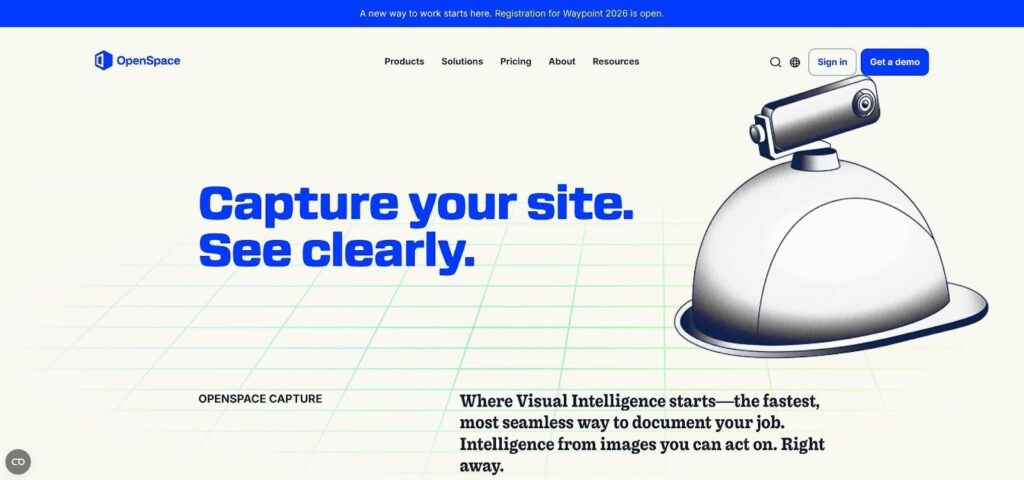
Site walks once meant stopping every few feet to snap photos and jot notes. OpenSpace replaces that routine with a hard-hat camera and computer vision. Press record, stroll the floor, and the platform stitches thousands of frames into a Street View-style replica mapped to your plan.
The payoff appears on the next visit. OpenSpace compares today’s imagery with last week’s and tags each area that moved forward or stalled. Drywall complete in Wing A? Green overlay. Are sprinkler heads missing in the electrical room? Red flag with a date stamp. Superintendents skim the heat map, know where to push crews, and share a link with owners who can “walk” the site from the office.
Progress is only half the story. The visual record settles disputes in seconds. When a trade claims a wall was framed straight before follow-on damage, you rewind the capture and show the studs bowing on day twenty. Insurance carriers value that audit trail, and some offer premium credits for projects that document weekly with OpenSpace.
Setup is quick, and integration is simple. Sync photos to Procore or BIM 360 with a click, and every RFI gains the context of a 360° snapshot. The payoff: fewer site visits, faster pay apps, and a culture of transparency everyone can support.
6. Buildots: BIM meets reality, down to the last light fixture
Buildots adapts OpenSpace’s capture method to your 4D schedule. Crews film their daily walk with a GoPro, and the AI aligns every pixel to the BIM model and Primavera activities, giving you a live planned-versus-actual dashboard.
On a recent commercial build, an ENR Top 400 contractor learned that bathroom fit-outs lagged six floors behind plan. Instead of spotting the gap at handover, managers saw it in week twelve, reshuffled crews, and gained back twenty days. That pattern repeats across installs because the system knows which ducts or fixtures belong in each room and flags anything missing or out of sequence.
Owners value objectivity. Contractors enjoy automated pay-app validation. Disagreements begin with evidence, not opinion.
7. ALICE Technologies: Generative scheduling that finds weeks you didn’t know existed
Most schedules are drafted once, nursed along, and finally rewritten when trouble strikes. ALICE flips that script. Feed the platform your BIM quantities, crew sizes, and construction logic, then watch it spin up thousands of valid sequences in minutes.
The engine relies on a search algorithm trained on real project heuristics, not sheer brute force. ALICE prunes plans that violate crew flow, crane capacity, or site logistics. What remains is a shortlist of options ranked by cost, duration, or carbon impact your choice. Planners tweak assumptions, press Run again, and review fresh scenarios before the coffee cools.
On average, contractors using ALICE have trimmed project durations by seventeen percent by letting the software reorder tasks and reassign crews only where value justifies overtime. That gain secures the bid and, more importantly, provides a buffer against change orders.
Because every scenario ties back to model elements, the 4D animation sells the plan to owners and subs in one meeting. If a storm wipes out week twelve, import actual progress and ALICE suggests a recovery path in hours instead of days.
For complex jobs with thin margins, generative scheduling moves from nice-to-have to a competitive edge. ALICE is the only tool on this list built solely for that purpose.
8. nPlan: The AI risk advisor that reads a million schedules so you don’t have to
Every contractor swears the critical path is realistic until week six proves otherwise. nPlan brings a colder, data-driven eye. The platform has ingested more than a million historical schedules. It reviews your P6 file, compares each activity to those past patterns, and assigns a probability of delay.
The insight arrives as a confidence curve. Maybe your June finish date shows a 40% likelihood. Drill down, and you’ll see which three earthwork tasks drag the odds down, how many days they typically overrun, and what impact that creates for structural steel.
Project controls teams use that report to focus mitigation where it counts. Owners use it to sanity-check contractor bids. One UK rail megaproject fed Plan a four-year baseline and learned that environmental permitting was twice as risky as the civil works everyone feared. They shifted resources, cut surprises, and stayed friends with regulators.
Because the engine improves with each new file, clients crowd-source better forecasts for future users and for their next job. When your margin rides on time, a second opinion this sharp is priceless.
9. Togal.AI: One-click takeoffs that free estimators to focus on estimating
Ask any precon manager where time disappears, and they will point to quantity takeoffs. Togal.AI attacks that bottleneck with computer vision trained on thousands of plan sets. Drag a PDF into the browser, wait a few seconds, and see walls, doors, fixtures, and areas pre-measured; even room names are parsed and tagged.
Accuracy lands at about 98% from the start. Every correction you make teaches the model your company’s symbols and conventions, so the second pass is faster and the third nearly turnkey. One Florida GC reported saving nearly 14,000 hours of work and close to $1 million in the first year by automating takeoffs.
Outputs flow straight to Excel, Procore, or your cost database. That means no re-keying, fewer fat-finger errors, and a clearer audit trail when owners question a unit price. Estimators spend their reclaimed hours refining production rates and scouting value engineering option work humans do better than any algorithm.
If bid deadlines rule your calendar, Togal feels like adding an extra estimator without expanding payroll.
10. Document Crunch: Contract fine print, surfaced in minutes
Contracts are thick, deadlines thin, and nobody enjoys combing sixty pages for a “pay-if-paid” clause. Document Crunch’s NLP engine handles that task for you. Upload the PDF and, moments later, a dashboard flags indemnities, no-damage-for-delay language, and notice windows shorter than a coffee break.
Instead of wading through boilerplate, project managers receive a color-coded risk list with plain-English summaries and suggested negotiation points. Balfour Beatty, for example, reported a 50 percent reduction in contract review time, allowing them to grow revenue without adding legal staff.
The tool lives inside Procore or Trimble Viewpoint, so flagged clauses travel with the project record. That means no surprises when a late-game dispute surfaces and the original team has moved on. If margin protection matters, Document Crunch keeps a steady eye on the fine print.
11. Oracle Newmetrix: An always-on safety scout for every project photo
Safety data lands daily: thousands of images from site cameras, mobile uploads, and drone flights. Humans can’t check them all, but Newmetrix’s AI, now inside Oracle Construction Intelligence Cloud, can. The 3D scanning of each frame for missing PPE, open edges, and housekeeping hazards, then rolls the findings into a predictive risk score for every project.
The score is no vanity metric. One ENR Top-100 contractor used it to flag five “red” sites each Monday. Targeted stand-downs and supervisor visits cut recordable incidents by nearly 30 percent in a year. Insurance carriers noticed, and renewal quotes followed.
Because Newmetrix connects to Oracle Aconex, Procore, and most common camera feeds, setup is mainly a permissions task. Photos you already captured flow to the model; insights return as a prioritized, color-coded list. Superintendents spend rounds coaching crews, not scrolling galleries.
When workers know the camera looks out for them and not for blame, conversations replace near misses, safer habits take root, and everyone heads home the way they arrived.
Match the tool to your pain point
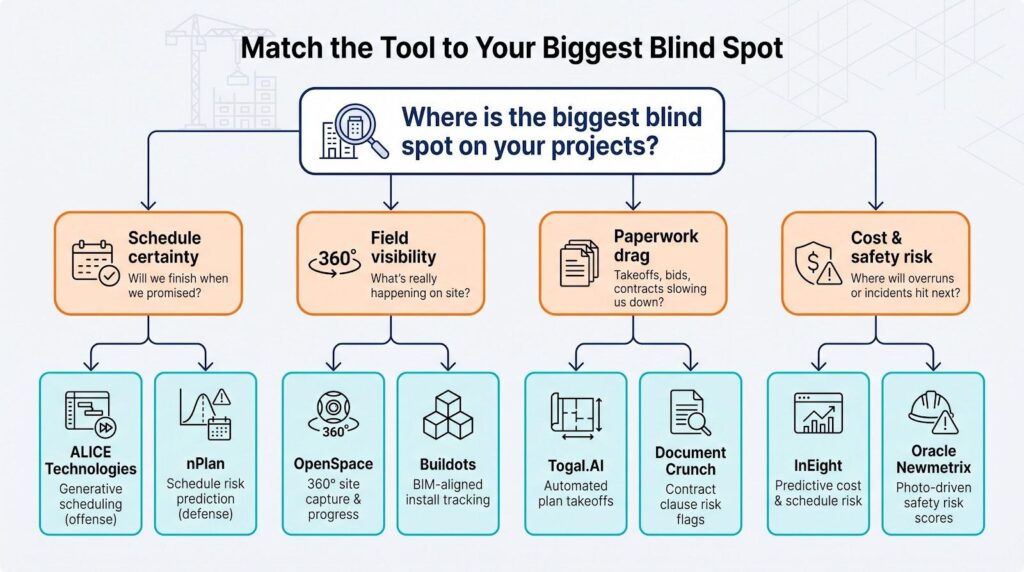
You don’t need ten new logins tomorrow; you need the one or two platforms that fix the headaches draining money this quarter. Use this quick decision path as a guide.
First, ask yourself, “Where is the biggest blind spot on my projects?”
If the answer is schedule certainty, the AI duo of ALICE and nPlan offers both offense and defense: ALICE finds faster ways to build while nPlan warns when reality drifts from promise.
If field visibility keeps you up at night, choose the lens-based pair, OpenSpace for holistic progress capture and Buildots for install-level precision. They pay off fastest on large, multi-trade jobs.
When paperwork slows productivity, deploy Togal.AI to trim takeoff hours and Document Crunch to surface contract traps. Neither requires cultural change; feed them files and go.
Finally, if risk hides in cost overruns or safety numbers, look to platform AI. InEight predicts budget hits early, while Oracle Newmetrix highlights sites most likely to record the next incident. Both convert raw data into action lists that leadership can fund.
Start where data already flows. The richer the history you feed an AI engine, the faster it pays for itself.