Virtual reality (VR) allows employees to interact with simulated environments using headsets, motion controllers, and specialized software. In business settings, these systems can be used to practise workplace procedures, evaluate designs, rehearse responses to unusual situations, and review virtual representations of physical spaces.
However, VR is not suitable for every training or operational task. Its usefulness depends on what employees need to learn, how accurately a simulation represents the real environment, and whether the benefits justify development, equipment, and maintenance costs. Understanding these factors helps organizations decide where VR fits into existing workflows.
Key Takeaways
- Virtual Reality (VR) enables employees to train in simulated environments, but it’s not suitable for every task.
- VR training systems combine headsets, software, and interactive controls, allowing for practice on various tasks without real consequences.
- To implement VR, organizations must consider hardware, software, content management, and training assessment criteria.
- Successful VR training depends on accurate simulations and clear learning objectives, requiring effective evaluations and quality content management.
- Costs of VR extend beyond equipment, including content development, IT support, and ongoing updates; pilot programs can help assess feasibility.
Table of contents
How VR Training Systems Work
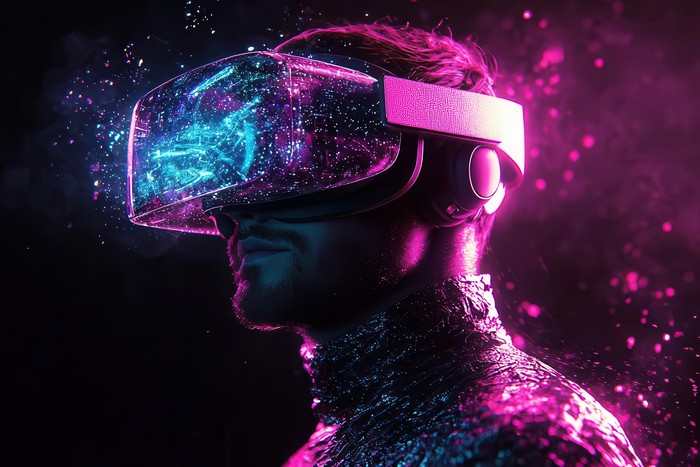
A workplace VR training system typically combines a headset, a simulated environment, interactive controls, and software that records user actions. Depending on the application, employees might operate virtual machinery, follow safety procedures, practice equipment inspections, or respond to a simulated workplace incident.
Training software defines the environment and the actions available to the user. For example, a maintenance simulation might require an employee to identify a faulty component, follow a shutdown procedure, and select the correct tools. The system can respond to each action, provide instructions when a step is missed, and record whether the employee completed the sequence correctly.
Some applications use branching scenarios, in which the environment changes according to the employee’s decisions. Others provide a fixed sequence of tasks with a score or completion record. More advanced systems can incorporate realistic equipment behaviour or connect to digital models of physical assets, although the level of simulation varies considerably between products.
VR training should be designed around specific learning objectives. A simulation intended to teach the location of emergency equipment, for instance, needs different interactions and assessments from one designed to teach a technician how to perform a complex maintenance procedure.
Hardware and Software Requirements
Enterprise VR deployments involve more than purchasing headsets. Organizations need to consider the equipment, software, content delivery, device management, and technical support required to operate a program consistently.
Enterprise VR headsets are among the hardware options available for workplace applications. Depending on the model, relevant features may include standalone operation, adjustable fit, hand tracking, controller support, device management tools, and compatibility with enterprise applications. These capabilities are not universal, so organizations should assess individual devices against the intended task.
The software layer is equally important. Training applications may be developed specifically for an organization or configured using a third-party platform. Some systems allow administrators to distribute content, manage user access, update applications, and review training results across multiple devices.
For larger deployments, device management becomes an operational requirement. IT teams may need to manage software versions, wireless connectivity, user accounts, security settings, battery charging, equipment storage, and replacement devices. Organizations should also check whether the training software works with existing learning management systems (LMS) or requires a separate reporting process.
Before purchasing hardware, a pilot program can help establish whether the chosen devices are comfortable for the intended users, suitable for the physical environment, and reliable enough for repeated sessions.
Using VR to Practise Workplace Procedures
One application of VR is training employees to carry out procedures that are difficult, expensive, hazardous, or disruptive to practise in real conditions.
In manufacturing, for example, a simulation can guide a worker through a machine inspection or equipment shutdown. The employee can practise the sequence and receive feedback without operating live machinery. The simulation is useful only if its instructions and equipment behaviour accurately reflect the approved procedure; it should not replace supervised practical training where physical competence is required.
In logistics and warehousing, VR scenarios can help employees learn site layouts, recognize hazards, or practise responses to workplace incidents. A simulated environment can be repeated under consistent conditions, allowing trainers to observe whether employees follow the expected steps.
Healthcare training can use VR to rehearse selected clinical procedures or decision-making scenarios. However, simulation quality, clinical validation, instructor oversight, and opportunities for hands-on practice remain important. A virtual exercise cannot fully reproduce every physical sensation or the complexity of working with a real patient.
These examples illustrate a general principle: VR is most useful when the learning objective can be represented meaningfully in a simulated environment and the employee’s actions can be assessed against clear criteria.
Applying VR to Design and Operational Planning
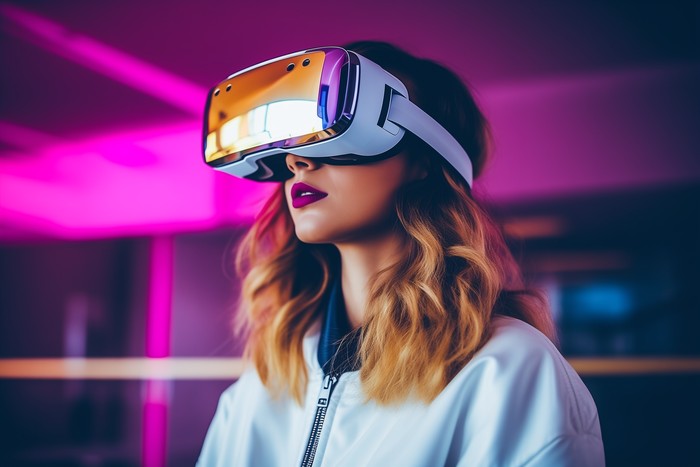
VR can also support work that takes place before a product, facility, or process is deployed. Engineers and designers may use immersive environments to examine three-dimensional models at human scale, inspect spatial relationships, and identify potential design issues.
For example, a project team planning a warehouse could use a virtual representation of the proposed layout to review aisle widths, equipment placement, visibility, and the movement of workers through different areas. The team can discuss potential problems before construction or installation begins.
These applications may use computer-aided design (CAD) models or digital twins, depending on the project. A CAD model represents a designed object or space. A digital twin may incorporate additional operational data and connections to a physical asset or process. Neither term automatically means that a model is accurate enough for every engineering decision; the model’s detail and data quality determine what it can reliably support.
VR can make spatial relationships easier to inspect, but it does not replace engineering calculations, safety assessments, or physical testing. Any issues identified in a virtual review should be checked through the relevant design and approval process.
Organizations can also use shared virtual environments for design reviews and remote collaboration. Participants in different locations may examine the same model and discuss proposed changes. The practical value depends on whether the application supports the required file formats, collaboration features, access controls, and level of visual detail.
Measuring Training Outcomes
A completed VR session does not necessarily demonstrate that an employee has learned a skill. Organizations need an assessment method that reflects the intended learning objective.
Possible measures include:
- Task completion: Whether the employee completes the required steps in the correct sequence.
- Error patterns: Which steps are missed, repeated, or performed incorrectly.
- Time to completion: How long the employee takes to complete a defined task, interpreted alongside accuracy and safety.
- Retention: Whether the employee can perform the task correctly after a period without practice.
- Transfer to the workplace: Whether the employee can apply the skill in a real or supervised working environment.
These measures should be selected before the training program begins. For example, reducing completion time may be useful for a routine procedure, but speed should not take priority over accuracy when the task involves safety-critical decisions.
Organizations can compare VR training with their existing approach, provided the groups, tasks, and assessment conditions are sufficiently comparable. Completion rates or satisfaction surveys alone are not enough to establish that VR improves performance. Evidence of learning transfer and workplace outcomes provides a stronger basis for deciding whether to continue or expand a program.
Where appropriate, VR training can be combined with instructor-led sessions, written procedures, conventional demonstrations, and supervised practice. This blended approach allows the organization to use simulation for rehearsal while retaining other methods for skills that require physical experience or direct assessment.
Managing Content Quality and Technical Reliability
The quality of a VR program depends on its content as well as its hardware. A visually detailed simulation may still be ineffective if it teaches an incorrect procedure, provides unclear instructions, or fails to respond appropriately to user actions.
Organizations should assign responsibility for approving training content and keeping it current. Subject-matter experts can verify procedures, while instructional designers can check whether the scenario supports the intended learning outcomes. Changes to workplace equipment, regulations, or internal procedures should trigger a review of affected simulations.
Technical testing is also necessary. Teams should check for software crashes, tracking problems, controller issues, inconsistent scoring, and accessibility barriers. A system should handle interruptions predictably and preserve training records where required.
VR may also cause discomfort for some users, including motion sickness, eye strain, or difficulty using a headset comfortably. Session length, movement design, headset fit, hygiene, vision correction, and alternative training options should be considered during deployment. Organizations should not assume that every employee can use the same equipment under the same conditions.
For shared devices, IT and training teams should establish procedures for cleaning, charging, storing, updating, and inspecting equipment. These tasks affect ongoing costs and availability, particularly when many employees need access to a limited number of headsets.
Costs, Integration, and Deployment Decisions
The cost of a VR program extends beyond the initial hardware purchase. Depending on the implementation, expenses may include software licences, scenario development, specialist modelling, integration, IT support, content updates, replacement equipment, and employee time.
Custom simulations can require significant work to represent a process accurately. A company may also need to update its content whenever equipment, procedures, or workplace layouts change. These requirements should be included in the cost assessment rather than treated as occasional exceptions.
Integration needs should be identified early. If training records must be stored in an LMS or reported to a human resources system, the organization should confirm how user identities, completion data, assessment results, and updates will move between systems. Some platforms offer direct integrations, while others may require exports or additional development.
A limited pilot can help test the proposed approach before a larger investment. A practical pilot should define:
- The task or skill the simulation is intended to support.
- The employees and work environment involved.
- The existing training method used as a reference.
- The performance measures and acceptance criteria.
- The equipment, software, support, and content costs.
- The accessibility, privacy, and safety requirements.
After the pilot, the organization can assess whether the results justify continued use. VR may be appropriate for repeated scenario practice or spatial design reviews, while a written checklist, video demonstration, or instructor-led session may be more efficient for simpler tasks.
Conclusion
Companies use VR for workplace training and operational planning when simulated environments provide a useful way to practise procedures, assess decisions, or examine designs. Its effectiveness depends on the accuracy of the simulation, the quality of instruction, the assessment method, and the way the technology fits into existing systems.
Organizations considering VR should begin with a clearly defined problem rather than a hardware purchase. Testing a limited use case, measuring performance against an existing approach, and accounting for maintenance, accessibility,
Read Next
A few related pieces worth your time:
- How AI Voice Agents Stop & Human Callers Take Over in Insurance Sales
- Block Annoying Ads and Stop Online Tracking with IObit Malware Fighter Browser Protection
- Why Rust Is the Future of Secure Enterprise Architecture