Most people grab whatever cable came in the box and move on. That works fine – until the connector starts fraying, the port gets snagged, or you’re blindly stabbing at your phone in the dark for the hundredth time. The debate between a magnetic cable and a regular Lightning or USB-C cable touches on how often you charge, what devices you own, and how much abuse your gear actually takes.
Both types have a real place in a modern setup. But they solve different headaches, and picking the wrong one means either overpaying for features you’ll never touch or wishing you’d spent a little more. This article breaks down exactly how each type works, how they stack up across the things that genuinely matter – speed, durability, convenience, and which one fits your situation best.
Key Takeaways
- Magnetic and standard cables offer different advantages: magnetic cables provide easier use and longer port health, while standard cables excel in data transfer speeds.
- Magnetic cables use a small magnetized tip and a receiver adapter, while standard cables plug directly into devices with a friction-fit connector.
- For charging, both types perform similarly, but standard USB-C cables support higher wattage for fast charging laptops.
- Durability favors magnetic cables, as they reduce wear on device ports by shifting stress to the swappable adapter.
- Choosing the right cable depends on individual needs: prioritize convenience with magnetic cables or opt for speed and direct connections with standard cables.
Table of contents
How Magnetic and Standard Cables Actually Work
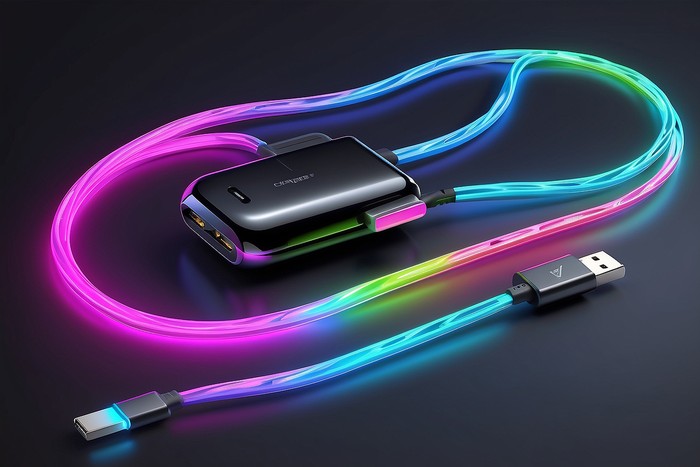
These two categories rely on completely different connection methods, and that gap shapes every tradeoff involved. Magnetic charging cables, such as STATIK’s, use a small magnetized tip that snaps onto a receiver adapter seated in a device’s port, so the cable never has to physically lock into the port itself. Standard Lightning and USB-C cables, by contrast, plug directly in with a friction-fit connector that holds through tension.
Neither approach wins across the board.
The magnetic system shifts where wear accumulates; instead of grinding against a phone’s internal port over thousands of insertions, the stress lives in a small, swappable adapter. Standard cables put that contact pressure on the device instead. Understanding this mechanical difference is the foundation for everything that follows, because it explains why magnetic cables tend to last longer than standard ones despite looking flimsier at first glance.
The Mechanics Behind a Magnetic and USB-C Connection
A magnetic cable system has two parts: the cable with a magnetized end and a tiny receiver tip you insert into your device’s Lightning or USB-C port once, then leave there. Bring the cable close, and the magnet snaps the connection shut in under a second. That translates to one-handed plug-ins, no squinting at ports in dim rooms, and no risk of jamming the connector in sideways.
The magnetic hold is strong enough to keep the cable steady during a charge but weak enough that a trip hazard – a pet, someone walking by – disconnects it cleanly rather than yanking your phone off the nightstand. Most quality magnetic cables also support 360-degree tip rotation, so your device can sit at any angle without the cable bending awkwardly against it. The receiver adapter does add a tiny bit of bulk to your port; some users barely register it, while others find it mildly annoying depending on their case setup.
What Standard Lightning and USB-C Cables Do Differently
Standard cables connect directly, with no adapters in the picture. Lightning connectors, exclusive to older Apple devices, use a proprietary 8-pin design that only works in one direction. USB-C is reversible and supports a much wider range of protocols – USB 3.2, Thunderbolt 3, USB 4 – which is why you’ll find it on MacBooks, Android phones, iPads, and most modern laptops.
A standard cable is a single, self-contained thing: buy it, plug it in, done. There’s nothing left behind in a port, nothing to misplace, and no adapter to track down when you switch phones. Data transfer is where standard cables hold their clearest edge.
USB-C cables with the right spec push data at speeds magnetic cables simply can’t match right now, because the magnetic interface introduces enough resistance to block full data-transfer operation. For someone charging a phone overnight, that gap is invisible. For someone moving large files between a laptop and an external SSD, it’s worth sweating.
Differences That Should Shape Your Decision
The choice between these cable types isn’t about which one is objectively superior, it’s about which tradeoffs you can live with. Both charge a phone effectively. The real differences surface in durability, speed ceilings, and how much friction you want baked into your daily routine.
Durability and Port Health Over Time
Here’s the thing: this is where magnetic cables earn their reputation. Standard cable connectors flex and compress with every plug-and-unplug cycle, and over months of daily use that stress gradually widens the port opening or wears down internal contacts. Lightning ports on older iPhones are especially prone to lint buildup and contact wear. A magnetic cable shifts nearly all that mechanical stress onto the receiver adapter, which runs just a few dollars to replace.
If you charge your phone twice a day with a standard cable, you’re racking up over 700 insertion cycles on your port every year. The magnetic approach drops that number to nearly zero once the adapter is in place. On the cable itself, military-grade reinforced braiding – common in higher-quality options on both sides – resists the fraying that kills cheaper cables within months. But even a reinforced standard cable bends and compresses at the connector end; a magnetic cable doesn’t, because that end never flexes inside a port.
Charging Speed and USB-C Data Transfer Compared
For charging speed, both cable types deliver comparable results at typical phone-charging wattages. Most current magnetic cable designs handle up to 60W, which covers every smartphone and a good number of smaller laptops. Standard USB-C cables with a Power Delivery rating can push to 100W or beyond – that matters if you’re fast-charging a MacBook Pro or a high-draw tablet. For phone charging alone, you won’t feel any difference between them. Data transfer is another story.
A USB-C cable certified to USB 3.2 Gen 2 moves files at up to 20 Gbps. Magnetic cables top out around USB 2.0 speeds – roughly 480 Mbps, because the magnetic interface can’t sustain the signal integrity that high-speed data protocols demand. So if your cable doubles as a data line for a camera, an SSD, or a laptop, that gap matters quite a bit. If it’s purely for charging and the occasional playlist sync, it doesn’t.
Conclusion
The right cable comes down to what you actually do with it. Charge constantly, care about port longevity, and want a one-handed snap-in? A magnetic cable is the stronger pick for day-to-day use. Need fast data transfers, connect to high-wattage laptops, or just prefer a no-adapter setup? A standard USB-C cable is the cleaner call.
And the truth is, plenty of people end up with both: a magnetic cable on the nightstand for nightly phone charges and a standard USB-C cable at the desk for laptops and file transfers. Neither type is going anywhere, and neither is always right. Match the cable to the task – rather than defaulting to whatever shipped in the box – and you’ll stop replacing frayed connectors, worn-out ports, and dead cables every few months.
Read next in Tech:
Upgrading Your TV Audio? Here’s What to Know About Sound Bars