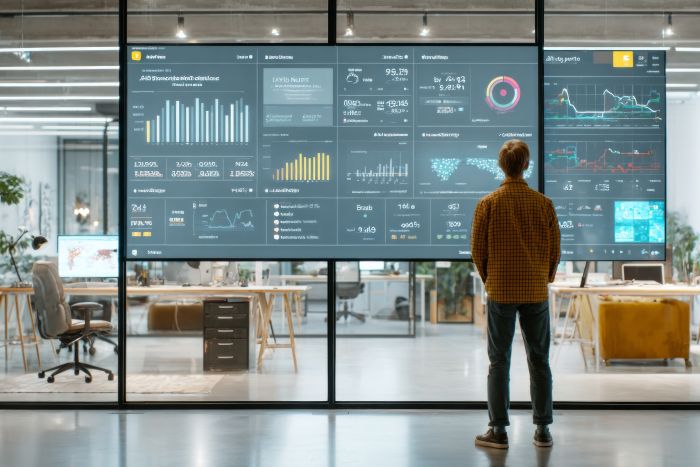
Many businesses invest in commercial displays without fully understanding which setup matches their operational needs. Poor screen placement, weak hardware choices, and limited planning can reduce communication quality and customer attention very quickly. Businesses also face challenges with compatibility, maintenance, and long-term performance after installation. Many companies now compare different types of digital signage hardware to improve customer communication and internal display management. The right screen setup helps businesses create stronger visibility, smoother operations, and more organized content delivery across multiple locations.
Key Takeaways
- Businesses must define the purpose of the screen setup to avoid unnecessary purchases and confusion.
- Evaluating the installation environment influences screen performance and visibility significantly.
- Comparing screen size and resolution ensures effective communication across different spaces.
- Analyzing connectivity and network access is crucial for smooth communication and content updates.
- Establishing a budget strategy helps businesses prioritize features and manage long-term costs effectively.
Table of contents
- Define The Purpose Of The Display
- Evaluate The Screen Setup Installation Environment
- Compare Screen Size And Resolution
- Review Media Player Compatibility
- Analyze Screen SetupConnectivity And Network Access
- Check Maintenance And Support Services
- Plan For Future Content Expansion on Screen Setup
- Establish A Realistic Budget Strategy
Define The Purpose Of The Display
Businesses should first identify the main purpose behind the screen setup. Retail stores may require promotional displays, while offices may need internal communication screens. Restaurants, healthcare facilities, and hotels also use commercial displays for different customer interactions and information sharing.
Clear goals help businesses avoid unnecessary purchases and technical confusion later. A display system designed for advertising may not suit meeting rooms or service counters. Therefore, defining the purpose creates a stronger foundation for the entire screen setup process.
Evaluate The Screen Setup Installation Environment
The display environment affects screen performance and customer visibility significantly. Bright outdoor locations require higher brightness levels, while indoor spaces may prioritize viewing angles and screen size. Businesses should compare lighting conditions, wall space, and customer movement before selecting display equipment.
Temperature and moisture levels also influence long-term hardware performance. Screens placed near entrances or kitchens may require stronger protection against environmental conditions. Hence, careful environment analysis improves display reliability and customer viewing experiences across commercial spaces.
Compare Screen Size And Resolution
Screen size and screen setup should match viewing distance and available installation space. Small screens may limit visibility in large areas, while oversized displays can overwhelm compact spaces. Businesses should compare resolution quality carefully because poor image clarity reduces communication effectiveness quickly.
High-resolution displays improve text readability and promotional presentation across commercial environments. Clear visuals also support stronger customer attention during advertising or informational campaigns. However, businesses should balance visual quality with practical budget considerations before final decisions.
Review Media Player Compatibility
Commercial displays depend on reliable media players for content delivery and screen control. Businesses should compare compatibility between displays, software platforms, and playback systems before installation begins. Poor compatibility may create operational problems and content interruptions later.
Modern media players also support remote updates and centralized content management across multiple screens. Strong compatibility improves long-term flexibility as business communication needs expand. Some companies combine advanced media systems with digital signage hardware to improve operational efficiency and display performance.
Analyze Screen Setup Connectivity And Network Access
Commercial displays require stable connections for smooth communication and content updates. Businesses should compare wired and wireless connectivity options based on installation requirements and network availability. Reliable connections improve content synchronization across multiple display locations.
Network access also affects remote management capabilities for larger organizations. Quick updates become easier when displays connect securely across business branches. So, strong connectivity planning supports smoother communication and reduces technical disruptions during daily operations.
Check Maintenance And Support Services
A commercial screen setup requires regular maintenance to maintain strong performance across busy environments. Businesses should compare warranty terms, technical support availability, and repair services before selecting hardware providers. Reliable support reduces downtime during technical issues or system failures.
Maintenance access also affects long-term operational costs for businesses with large display networks. Easy replacement parts and service availability improve system reliability over several years. Clear support services help businesses maintain smoother operations and better communication consistency.
Plan For Future Content Expansion on Screen Setup
Businesses should evaluate future growth before finalizing a commercial screen setup. A screen setup network that works for one location may require expansion across multiple branches later. Scalable systems allow additional screens, media players, and content management tools without major infrastructure changes.
Future-ready solutions help organizations avoid costly replacements as communication needs increase. Businesses that plan for expansion can maintain consistency across locations while simplifying content control. A scalable display strategy supports long-term operational efficiency and protects technology investments over time.
Establish A Realistic Budget Strategy
Budget planning plays an important role in selecting the right commercial display solution. Businesses should evaluate total ownership costs rather than focusing only on initial hardware expenses. Installation, software licensing, maintenance, content management, and network upgrades can significantly affect long-term costs.
A clear budget helps organizations prioritize screen setup features that support operational goals. Businesses can avoid overspending on unnecessary technology while still securing reliable performance. Careful financial planning creates a balanced solution that supports communication objectives without creating unexpected expenses in the future.
Businesses should compare purpose, environment, connectivity, compatibility, maintenance, and future scalability before selecting a commercial screen setup. Careful planning helps organizations avoid technical problems and improve communication quality across customer-facing environments. Reliable hardware and strong network support also improve long-term operational efficiency. A well-planned commercial display system supports stronger visibility, organized communication, and smoother business operations across different industries and locations.