Large-scale LED displays are increasingly used to communicate public information in transport hubs, commercial districts, road networks, and civic spaces. Unlike printed signs, digital displays can update their content without requiring physical replacement. When connected to reliable data sources and content-management systems, they can present changing information such as transit arrivals, road closures, weather warnings, and public-service announcements.
However, an LED display does not become a smart-city system simply because it can show digital content. Its usefulness depends on the software that manages messages, the data that informs them, the network connecting the components, and the procedures used to keep information accurate and accessible.
Understanding these elements helps explain where large-scale displays fit within a city’s wider digital infrastructure and what municipalities should consider before deploying them.
Key Takeaways
- Large-scale LED displays effectively communicate public information in smart cities through real-time updates.
- Their effectiveness relies on integrated software, data sources, and proper maintenance and monitoring processes.
- Key components include display hardware, content management systems, data integrations, and network infrastructure.
- These displays support various applications like public transport, traffic management, emergency alerts, and wayfinding.
- Before deployment, cities must consider communication needs, reliable data sources, energy use, and accessibility.
Table of contents
- What Are LED Displays for Smart Cities?
- How the Software Behind Smart-City Displays Works
- How Smart-City LED Displays Support Public Communication
- Turning Urban Data Into Public Information
- Energy Use and Environmental Considerations
- Security, Accessibility, and Maintenance
- What Is Next for Urban Digital Signage?
- Conclusion
What Are LED Displays for Smart Cities?
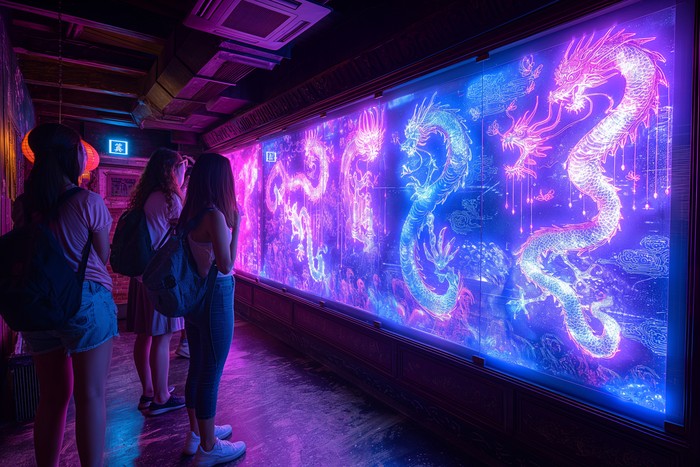
An LED display uses light-emitting diodes to produce text, images, and video. Outdoor systems typically combine many individual LEDs into modules that form a larger screen. Pixel pitch, brightness, viewing distance, resolution, and environmental protection all affect how well a display performs in a particular location.
For urban use, the display hardware is only one part of the system. A typical deployment may include:
- Display hardware: LED modules, a controller, power supplies, and protective enclosures.
- Content-management software: An interface for preparing, scheduling, approving, and distributing messages
- Data integrations: Connections to transport systems, traffic-management platforms, weather feeds, or municipal databases.
- Network infrastructure: Wired or wireless connections that allow authorized systems to deliver updates.
- Monitoring and maintenance tools: Systems for detecting device faults, checking connectivity, and tracking operational status.
Outdoor LED displays must also withstand factors such as rain, dust, temperature changes, and direct sunlight. Selection should account for the installation environment, expected operating hours, viewing distance, and maintenance requirements. For example, outdoor LED display technology is designed for environments where brightness and weather resistance are important considerations, although specifications vary by product.
How the Software Behind Smart-City Displays Works
A connected display system typically follows a sequence from data collection to message delivery. The exact architecture depends on the application and the systems already operated by the city.
1. Collecting Data From City Systems
Information may originate from public-transport databases, traffic sensors, parking systems, weather services, or municipal emergency-management platforms. These sources may update at different intervals and use different data formats.
A software integration layer can retrieve or receive the relevant information through application programming interfaces (APIs), data feeds, or other approved interfaces. The integration must account for differences in timestamps, field names, update frequency, and data quality.
For example, a public-transport display needs more than a scheduled departure time if it is intended to show live arrivals. It needs access to updated operational data and a method for handling delays, cancellations, or missing updates.
2. Processing and Validating Information
Raw data is not always suitable for direct publication. A system may need to check whether a value is current, whether required fields are present, and whether the information meets predefined rules.
A parking display, for instance, should not continue showing an old vacancy count as though it were current. The software can use timestamps and freshness thresholds to determine whether the information remains suitable for display. If a data source becomes unavailable, the system should have a defined fallback, such as showing a last-updated time, displaying a general message, or suppressing unreliable information.
Critical public-safety messages may require additional approval and verification rather than automatic publication from an unreviewed feed.
3. Managing and Distributing Content
A content-management system (CMS) lets authorized staff prepare messages, organize screens by location, set display schedules, and apply templates. More advanced deployments may use rules to select content based on time, location, or validated data.
The CMS then sends approved content to the relevant display controller. Depending on the architecture, this may happen through a central server, a cloud service, or locally managed equipment.
Role-based permissions, approval workflows, audit logs, and version control help organizations track who changed a message and when. These controls are especially important when displays communicate road closures, evacuation instructions, or other safety-related information.
4. Monitoring Displays and Connections

A display can fail even when its content-management software is operating correctly. Network outages, power interruptions, controller faults, and damaged LED modules can all affect what the public sees.
Monitoring tools can report device availability, communication failures, temperature warnings, or other supported equipment diagnostics. Maintenance teams can use these alerts to prioritize inspections and repairs.
A robust deployment also defines what happens when a screen loses connectivity. Depending on the use case, it may retain previously approved content, show a standard fallback message, or go blank. The correct choice depends on whether displaying outdated information would create confusion or risk.
How Smart-City LED Displays Support Public Communication
Public-Transport Information
Displays at bus stops, railway stations, and transit interchanges can show scheduled departures, estimated arrival times, service disruptions, platform changes, and alternative routes when those details are available from the transport operator.
The quality of the information depends on the underlying feed. If the feed is delayed or incomplete, the screen may provide misleading guidance. Operators should therefore define update intervals, display timestamps where useful, and communicate when live information is unavailable.
Digital signs can complement mobile applications and announcements, particularly for passengers who do not have internet access or prefer not to use a phone. They should not be treated as a replacement for every other communication channel.
Traffic and Parking Management
Roadside displays can communicate lane closures, incidents, diversions, speed restrictions, and other traffic instructions. Parking systems may also display occupancy estimates or direct drivers toward facilities with available spaces.
These applications depend on accurate and timely information from traffic-management systems, sensors, or parking operators. A screen showing available spaces can help drivers make decisions, but its effect on congestion depends on factors such as data accuracy, road layout, driver behaviour, and the availability of alternative parking.
Displays near roads must be positioned and operated according to relevant traffic-safety requirements. Brightness, message length, viewing time, and placement should be considered to avoid distracting drivers.
Emergency and Public-Service Alerts
Connected displays can provide information about severe weather, flooding, road closures, evacuation routes, and public-service disruptions. A centralized system may help authorized teams distribute consistent messages across multiple locations.
However, emergency communication requires more than rapid distribution. Messages must be accurate, understandable, appropriately localized, and coordinated with the relevant authorities. Systems should define who can issue urgent alerts, how messages are verified, and how outdated warnings are removed.
Redundant communication channels are also important. Public displays can support emergency notices, but they should not be the sole means of reaching residents because screens may be outside a person’s line of sight, inaccessible, or temporarily unavailable.
Wayfinding in Public Spaces
Large stations, hospitals, campuses, and civic buildings can use digital displays to show maps, directions, service locations, and changes to routes or facilities.
Software can organize information by screen location and update directions when access points or services change. More advanced systems may support multiple languages or integrate with accessibility services, depending on their capabilities.
Good wayfinding design prioritizes legible text, clear symbols, sufficient contrast, and concise directions. Where practical, information should be available through alternative formats for people who cannot easily read or view a public screen.
Turning Urban Data Into Public Information
Cities collect data about air quality, parking occupancy, energy consumption, transport operations, and other services. Much of this information is intended for internal analysis, so it may require processing before it can be presented to the public. Smart city visualization frameworks can help illustrate how complex information is presented through visual displays, although the specific capabilities depend on the technology and system design.
A public display can summarize a complex dataset using a clear label, a simple scale, or a short explanation. An air-quality display, for example, should identify the measure being shown, the relevant location, and the time of the latest update. Without that context, a number or colour alone can be difficult to interpret.
The same principle applies to parking occupancy and transport performance. Displays should communicate the source and limitations of information where these details affect how people interpret it. Data should be simplified for readability without changing its meaning or implying greater precision than the underlying system supports.
Energy Use and Environmental Considerations
LED technology can be efficient relative to some alternative display technologies, but large outdoor screens can still consume substantial electricity. Energy demand depends on screen size, brightness, content, operating hours, ambient conditions, and the equipment used.
Cities can assess energy use through several measures:
- Automatic brightness control: Sensors can adjust brightness to ambient light, subject to appropriate minimum and maximum settings.
- Operating schedules: Screens can reduce output or shut down during periods when public information is not required.
- Content design: Predominantly dark content may reduce power use on some LED systems, though the effect depends on the display and its operating conditions.
- Energy monitoring: Metering and equipment telemetry can help operators identify unusual consumption or compare operating settings.
- Lifecycle planning: Procurement decisions should consider electricity, replacement parts, maintenance, and eventual equipment disposal.
Light pollution also needs consideration. Excessive brightness, unsuitable placement, and unnecessarily long operating hours can affect nearby residents and the surrounding environment. Dimming schedules and site-specific limits should be part of the deployment plan rather than added only after complaints arise.
Security, Accessibility, and Maintenance
Connected public displays introduce operational responsibilities that extend beyond the physical screen.
Cybersecurity and Content Integrity
A compromised content-management account or poorly secured network could allow unauthorized changes to public messages. Systems should use appropriate authentication, role-based access, secure communication, software updates, and audit logging. Network segmentation can also help limit the impact of a compromised device.
Organizations should establish an incident-response process that explains how to disable unauthorized content, restore trusted messages, investigate the cause, and communicate with the public if necessary.
Accessibility and Readability
A screen is useful only if people can understand its content in the time and conditions available. Text size, contrast, language, viewing distance, glare, and the amount of information displayed all affect readability.
Important messages should use plain language and recognizable symbols. Public information should also be available through other channels so that people with visual impairments, limited literacy, or restricted viewing access are not excluded.
Maintenance and Reliability
Outdoor equipment is exposed to weather, vibration, pollution, and potential physical damage. Maintenance planning should include inspections, cleaning, spare parts, equipment diagnostics, and defined response times for faults.
Cities should also decide how screens behave when data feeds, networks, or power supplies fail. These decisions should reflect the purpose of the display: a minor service announcement may tolerate temporary unavailability, whereas a screen carrying safety-critical instructions requires a more carefully defined fallback.
What Is Next for Urban Digital Signage?
Future deployments may use advanced digital billboard technology to combine public displays with detailed transport data, environmental sensors, occupancy information, and other city systems. Software could use validated inputs to select location-specific messages or update route guidance when conditions change.
Interactive kiosks may provide maps, public-service directories, and reporting tools. Such capabilities introduce additional design questions around privacy, data retention, accessibility, and maintenance. Sensor-based personalization should be evaluated carefully, particularly if it involves identifying or tracking individuals.
The value of these developments will depend less on the number of connected devices than on the reliability of the data, the usefulness of the messages, and the city’s ability to maintain and govern the system over time.
Read Next
A few related pieces worth your time:
- Manufacturing Automation Roadmap: Do It in Stages, Not All at Once
- Inside the Creator Economy for Traders: Platforms That Pay You to Build Indicators
- Why SMS Verification Is Essential for Modern Online Platforms
Conclusion
Large-scale LED displays can support smart-city communication by presenting transport information, traffic updates, public alerts, wayfinding, and selected urban data in public spaces. Their effectiveness depends on the software and infrastructure behind the screen, including data integrations, content approval, connectivity, monitoring, and maintenance.
Before investing in a deployment, cities should define the communication problem, identify the people who need the information, establish reliable data sources, and decide how the system will behave during outages or emergencies. They should also account for energy consumption, accessibility, cybersecurity, and the availability of alternative communication channels.
When these requirements are addressed, LED displays can serve as one component of a wider urban information system rather than functioning as isolated digital billboards.