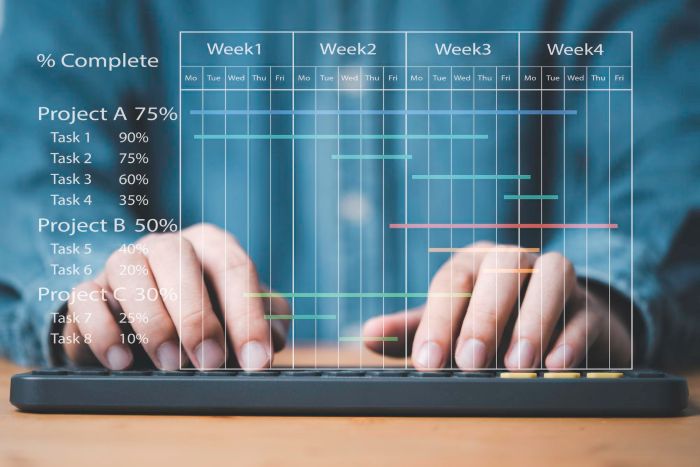
Real-time planning interfaces have quietly become one of the more demanding areas of frontend development. A few years ago, many business applications could get away with relatively static dashboards, simple task lists, or lightweight scheduling tools. That’s no longer the case.
Modern applications are expected to handle large volumes of changing data while multiple users interact with the same system simultaneously. Add AI-assisted workflows into the mix, and planning interfaces become significantly more dynamic than they used to be.
What makes this especially challenging is that users still expect everything to feel immediate and predictable. Delays, unstable updates, or confusing interactions become noticeable very quickly in systems people rely on every day.
Key Takeaways
- Real-time planning interfaces have evolved to handle dynamic data and multiple users, increasing their complexity.
- React is commonly used for these systems due to its ability to manage dynamic UI structures and component-based architecture.
- Specialized UI components, like React Gantt chart components, help teams focus on application behavior while managing frontend complexity.
- Real-time collaboration and AI features complicate the architecture, making coordination across systems and users essential for stability.
- Performance remains a key concern, as modern applications face challenges with real-time updates and large-scale data management.
Table of contents
Why Real-Time Planning Interfaces Have Become More Demanding
A planning UI rarely stays simple for long. What begins as a basic scheduling feature often grows into something much larger once teams start depending on it operationally. A single project may eventually involve dependencies, resource allocation, permissions, live updates, notifications, filtering systems, and collaborative editing across multiple users. At that stage, people stop treating the interface as a simple reporting layer. Day-to-day work starts happening directly inside it.
You notice this especially in systems where schedules shift frequently and teams constantly react to changing priorities. Small updates in one place can affect many other parts of the system, especially once timelines, dependencies, and shared resources are connected together. And because users are interacting with these systems continuously throughout the day, even relatively minor interface problems become difficult to ignore.
Why React Is Commonly Used for These Systems
A lot of teams end up building planning interfaces with React because it handles dynamic UI structures reasonably well. Once live updates, interactive timelines, filters, and shared state all start interacting with each other, component-based architectures become much easier to maintain than older page-oriented approaches. But React itself is only part of the equation.
The harder part is usually coordinating the amount of interconnected behavior happening around the interface. Large planning systems often involve constant synchronization between frontend state, backend updates, user interactions, and collaborative changes happening in real time. That’s one reason specialized UI tooling has become increasingly important in this area.
Where React UI Components Become Useful
As planning systems grow more advanced, teams often reach a point where building timeline functionality from scratch stops being practical. Timeline interfaces usually look deceptively manageable early on. Then teams start adding dependencies, drag-and-drop editing, zoom levels, shared scrolling, large datasets, mobile support, and all the smaller interaction details users immediately expect in planning software.
Rebuilding all of that internally can absorb a surprising amount of engineering time, which is why many teams rely on established React Gantt chart components instead of starting from zero. Mature solutions already handle much of the heavy UI work, allowing developers to focus more on product-specific concerns like workflow rules, collaboration behavior, synchronization, or domain-specific scheduling logic.
That distinction matters because in many modern systems, the real complexity no longer comes from rendering the interface itself. It comes from coordinating everything happening around it.

Why Real-Time Collaboration Changes the Problem
The moment multiple users begin interacting with the same planning environment simultaneously, the architecture becomes much more complicated. In larger systems, several things may happen at once. Someone edits task timing, another person reorganizes dependencies, while the application itself recalculates parts of the schedule in the background based on incoming data or automated suggestions. The interface has to keep all of that synchronized without becoming visually chaotic or difficult to trust.
In practice, this is where many real-time planning systems start exposing architectural problems that are less visible early on. The problem is rarely the timeline component alone. It is maintaining consistency across many moving parts while preserving a stable user experience.
Even well-optimized frontend systems still have to manage shared state across users, conflict resolution, permissions, backend recalculations, and collaborative editing behavior simultaneously. Those responsibilities extend far beyond the UI layer itself.
How AI Is Increasing Interface Complexity
AI is also changing the nature of planning systems in subtle ways. More planning systems now generate an initial structure automatically instead of relying entirely on manual setup. Some planning tools now generate draft schedules automatically, while others focus on spotting overloaded workloads or identifying timeline conflicts before they become visible to the team. But those suggestions still need human review. And that creates an interesting shift in interface design. The UI is no longer only a place where data is entered. It becomes the place where AI-generated recommendations are interpreted, adjusted, and validated collaboratively.
This is another reason visual planning systems remain important. Visual timelines make those automated changes easier to interpret because users can immediately see how adjustments affect the rest of the project rather than trying to piece everything together from isolated updates or generated outputs.
In many applications, ready-made React UI components help provide that visual coordination layer, making complex scheduling information easier to review and modify in real time.
Why Performance Still Matters
Even with modern UI tooling, real-time planning interfaces still place significant pressure on frontend architecture simply because of how much data and interaction they involve.
The difference is that specialized components already handle a large part of the rendering and interaction optimization internally. Features like virtualization, efficient timeline rendering, and dependency visualization are often built directly into mature planning components. That allows development teams to spend less time solving low-level rendering problems and more time focusing on application behavior and workflow logic.
Still, once applications reach large scale, performance becomes a broader system concern rather than only a UI concern. Real-time updates, shared collaboration, backend synchronization, and AI-driven recalculations can all contribute to increasing complexity across the application.
Conclusion
Real-time planning interfaces are becoming harder to build not because timeline components are ineffective, but because modern applications themselves are becoming more dynamic, collaborative, and data-intensive.
Specialized tools like React Gantt chart components help teams solve a substantial portion of the frontend complexity that comes with interactive scheduling systems. They provide stable foundations for handling timelines, dependencies, and large-scale visual planning workflows.
But as AI-assisted features and collaborative real-time behavior continue expanding, the larger challenge increasingly shifts toward coordination between systems, users, and constantly changing data. And that is ultimately what makes modern planning applications such an interesting area of web development right now.