
Customer support teams face a constant flood of repetitive questions. Slow response times frustrate buyers and burn out agents. Operational costs climb when businesses rely entirely on manual replies. Companies need a better way to manage their inboxes, and that’s where Arena Messaging can make a real difference.
Arena Messaging proposes a clear business communication system that transforms how organizations handle digital inquiries. By connecting data and communication channels, support teams resolve issues before frustration builds.
Automated workflows remove the mechanical steps from customer service. Agents stop sorting tickets and start solving complex problems. Organizations implement these specific Arena Messaging workflows to cut support response times in half.
Key Takeaways
- Arena Messaging streamlines customer support by automating repetitive tasks, which reduces response times and operational costs.
- It integrates communication channels, enhances data security, and supports high user volumes with real-time communication.
- Automation workflows, such as AI-powered ticket routing and FAQ self-service, significantly cut handling time and boost productivity.
- Best practices for implementing Arena Messaging include starting small, monitoring performance, and integrating with existing systems.
- The future of customer support lies in proactive, personalized service that builds deeper customer relationships through efficient automation.
Table of Contents
- Understand Arena Messaging
- The Power of Automation in Customer Support
- 7 Arena Messaging Automation Ideas That Cut Response Times
- 1. Automated Ticket Routing with Arena Messaging
- 2. AI-Powered FAQ Self-Service via Arena Messaging Channels
- 3. Automated Order Status Updates through Arena Messaging
- 4. Post-Resolution Follow-Up Automation with Arena Messaging
- 5. Spam & Bot Detection in Arena Messaging Workflows
- 6. Automatic Language Detection & Translation via Arena Messaging
- 7. Escalation Trigger Automation in Arena Messaging
- Implementing Arena Messaging Automation: Best Practices
- The Future of Customer Support
- Make Your Next Move With Arena Messaging
- FAQs
Understand Arena Messaging
Arena Messaging serves as a central hub for digital interactions. It connects teams directly to their audience with near-zero delay. The infrastructure handles massive traffic spikes securely.
Teams rely on specific features of the Arena platform to maintain high performance.
- Real-time Communication and Near-Zero Latency: Messages are delivered instantly. Arena Messaging’s real-time communication ensures agents and customers stay on the exact same page.
- Enhanced Security and Encryption: Built-in protections safeguard data against unauthorized access.
- High Scalability for Large User Volumes: The platform supports millions of concurrent users during peak events.
- Cross-Device Accessibility: Agents and customers connect easily from mobile, desktop, or web applications.
The Power of Automation in Customer Support
Why Automation is No Longer Optional
Buyers expect immediate answers. Waiting hours for a simple status update damages brand trust. Arena automation helps businesses meet these expectations while keeping support budgets in check.
The Three Pillars of Automated Customer Service
Effective Arena Messaging support automation tools focus on three distinct areas: intake, triage, and routing, and agent resolution. Systems gather the right details, send the ticket to the correct department, and supply agents with the exact context.
The Impact of AI on Response Times
Arena Messaging AI automation reduces the time required to classify and respond to tickets. Industry data shows automated systems deflect up to 80% of routine inquiries safely and accurately.
7 Arena Messaging Automation Ideas That Cut Response Times
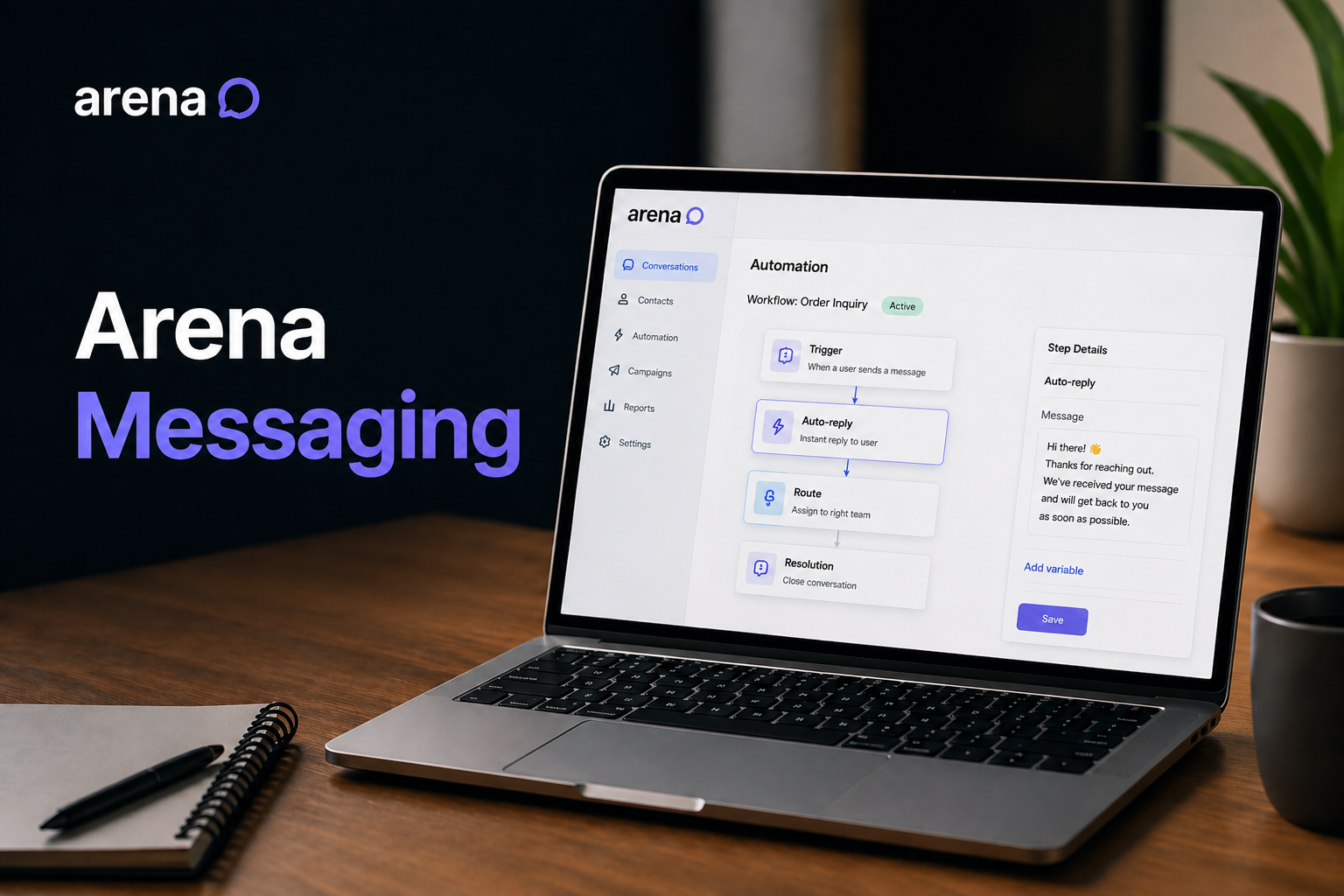
Utilize the following 7 Arena Messaging workflows automation examples to streamline daily operations and reclaim wasted hours.
1. Automated Ticket Routing with Arena Messaging
AI-Powered Classification and Smart Distribution
Manual sorting wastes valuable minutes. Arena automatically reads intent and routes the incoming message to the right specialist.
Impact on Response Time and Efficiency
This skips the manual triage queue entirely. Agents open pre-sorted inboxes and begin working immediately.
Example Scenario and Data
An incoming refund request goes straight to the billing team. Arena Messaging response time optimization cuts routing delays to absolute zero.
2. AI-Powered FAQ Self-Service via Arena Messaging Channels
Leveraging Chatbots and Knowledge Bases
Connect internal knowledge bases directly to the chat interface. Arena Messaging chatbot automation answers common questions instantly.
Deflecting Common Inquiries
Shoppers ask about shipping policies and return rules. Bots supply the answers immediately, saving human effort.
Metrics: Reduction in Handling Time
Teams report a massive drop in basic tickets. This directly boosts the support team’s productivity.
3. Automated Order Status Updates through Arena Messaging
Proactive Communication
Link logistics data to the chat window. Arena Messaging integration automatically pulls tracking numbers and delivery dates.
Enhancing Customer Satisfaction
Buyers receive proactive updates before they need to ask.
Quantifiable Savings
Retailers save hours every week by removing “where is my order” questions from the active queue.
4. Post-Resolution Follow-Up Automation with Arena Messaging
Streamlining Feedback Collection
Close a ticket and trigger a survey. Arena Messaging automates the CSAT or NPS collection process.
Ensuring Consistent Customer Engagement
Consistent follow-ups maintain high customer engagement with Arena.
Manual vs. Automated Follow-up
Manual follow-ups rarely happen consistently. Automated triggers guarantee a 100% send rate.
5. Spam & Bot Detection in Arena Messaging Workflows
Protecting Support Channels
Spam fills queues and distracts workers. Arena Messaging filters out unwanted traffic before it reaches the agent dashboard.
Saving Agent Time
Agents focus strictly on real buyers with real problems.
The Volume of Spam and Impact
Removing junk messages saves teams up to four hours a week.
6. Automatic Language Detection & Translation via Arena Messaging
Breaking Down Communication Barriers
Global businesses face language hurdles. The Arena multichannel system detects the user’s language and translates text instantly.
Accelerating Response for Global Audiences
Agents reply in their native language, and the customer reads the response in theirs.
Improved Response Times
This eliminates the need to copy and paste text into external translation tools.
7. Escalation Trigger Automation in Arena Messaging
Prioritizing Critical Issues
Certain keywords signal urgency. The Arena system identifies words like “cancel” or “legal” and flags the conversation.
Reducing Resolution Time for Complex Cases
High-priority tickets jump to the front of the line automatically.
How Keywords Drive Smart Escalation
Sentiment analysis reads frustration and alerts senior staff immediately.
| Automation Workflow | Estimated Weekly Hours Saved |
|---|---|
| AI-Powered FAQ Self-Service | 8 hours |
| Automated Ticket Routing | 6 hours |
| Automated Order Status Updates | 5 hours |
| Spam & Bot Detection | 4 hours |
| Post-Resolution Follow-Up | 3 hours |
| Language Detection & Translation | 2 hours |
| Escalation Triggers | 2+ hours |
Implementing Arena Messaging Automation: Best Practices
Successful deployments require strategy. Organizations must follow clear Messaging practices to maximize ROI.
- Start Small and Scale: Begin with the highest-volume, lowest-complexity inquiries. Implement an onboarding workflow or a simple FAQ deflection first.
- Monitor and Optimize: Regularly review transcripts and fallback rates. Expand the knowledge base to address unanswered queries.
- Train Your Team: Educate human agents on how to seamlessly take over escalated tickets from the automated system.
- Integrate with Existing Systems: Utilize Arena Messaging integration capabilities to connect the platform directly to existing CRMs, order management systems, and marketing platforms for complete Messaging campaign automation.
The Future of Customer Support
- Building Deeper Customer Relationships: Speed matters, but context resolves problems. Arena CRM integration gives agents complete historical context for every single interaction.
- Proactive and Personalized Support: Teams use Arena Messaging campaign automation to send targeted alerts. Proactive outreach stops problems before they start.
- Cornerstone of Digital Transformation: Arena communication workflows form the foundation of modern service. Organizations upgrade their entire operation by adopting these specific Messaging automation strategies.
Make Your Next Move With Arena Messaging
Arena Messaging customer support transforms slow, manual queues into highly efficient systems. Automated routing, AI triage, and instant language translation strip away hours of wasted effort. Arena use cases prove that companies handle higher volumes without hiring more staff. Adopt these workflows and give support teams the exact tools they need to succeed.
FAQs
Arena is a secure business communication platform that connects organizations directly with their audience through real-time, zero-latency chat.
It instantly categorizes tickets, answers routine questions via AI bots, and routes complex issues directly to the right specialist without manual sorting.
Yes. The Arena Messaging API allows direct connections with existing CRM systems, helpdesk software, and logistics tracking platforms.
No. It automates repetitive, low-value tasks so human agents have the time and focus to resolve complex customer issues.
Most customer service teams see a significant drop in initial response times within the first week of activating automated routing and FAQ deflection features.