A signed supplier agreement, a scanned invoice, and a 200-page regulatory filing share one defining quality. Each of them is finished. The PDF earned its place in enterprise architecture precisely because it refuses to shift between devices, operating systems, and decades.
That permanence carries a cost that rarely appears on any budget line. Information contained in a fixed layout cannot be questioned, compared, or used in decision-making without reading it. IDC estimated that a typical knowledge worker spends 2.5 hours in a day, or 30% of the workday, searching for information.
An AI document workflow addresses that gap without abandoning the format. The file stays exactly as issued, while the content inside it becomes searchable, summarizeable, and auditable.
Key Takeaways
- AI document workflow enhances the usability of PDFs by making content searchable and auditable without changing the fixed layout.
- Key steps in a genuine PDF workflow automation include OCR, AI analysis, verification, annotation, editing, conversion, redaction, and sharing.
- Most organizations rely on multiple tools, but integrated solutions like UPDF streamline the entire document management process.
- Businesses can benefit from AI document workflows in contract review, financial analysis, compliance, technical documentation, and HR tasks.
- Selecting an AI PDF editor requires careful evaluation, including checking OCR capabilities, audit trails, content redaction, and multi-platform support.
Table of contents
What an AI Document Workflow Actually Involves
Treating this as a single AI step is where most implementations stumble. Genuine PDF workflow automation comes from a sequence, and each stage depends on the one before it holding up:
- Optical Character Recognition: Scanned pages and photographed documents carry no text layer at all. OCR PDF software rebuilds the characters so everything downstream has something real to work with.
- AI Analysis: A language model reads the recovered content, summarizes long sections, answers questions about specific clauses, and surfaces figures buried in appendices.
- Verification: Outputs are checked against the source page before anyone relies on them. This stage is not optional.
- Annotation and Review: Colleagues comment, highlight, and markup the same file, keeping discussion attached to the document rather than scattered across email.
- Editing: Figures, clauses, and images are corrected in place, so a small change does not require rebuilding the page.
- Conversion: Tables move into a spreadsheet and narrative sections into a word processor, with structure intact rather than flattened into loose text.
- Redaction: Confidential figures and personal data are removed before distribution, which means deleting the underlying content rather than covering it.
- Sharing: The finished document goes out with permissions, signatures, or expiry controls attached to it.
Where the Tooling Fits
Most organizations assemble this chain from several products, which introduces handoffs at every stage. A smaller set of tools now covers the whole sequence, and UPDF is one example of that consolidation.
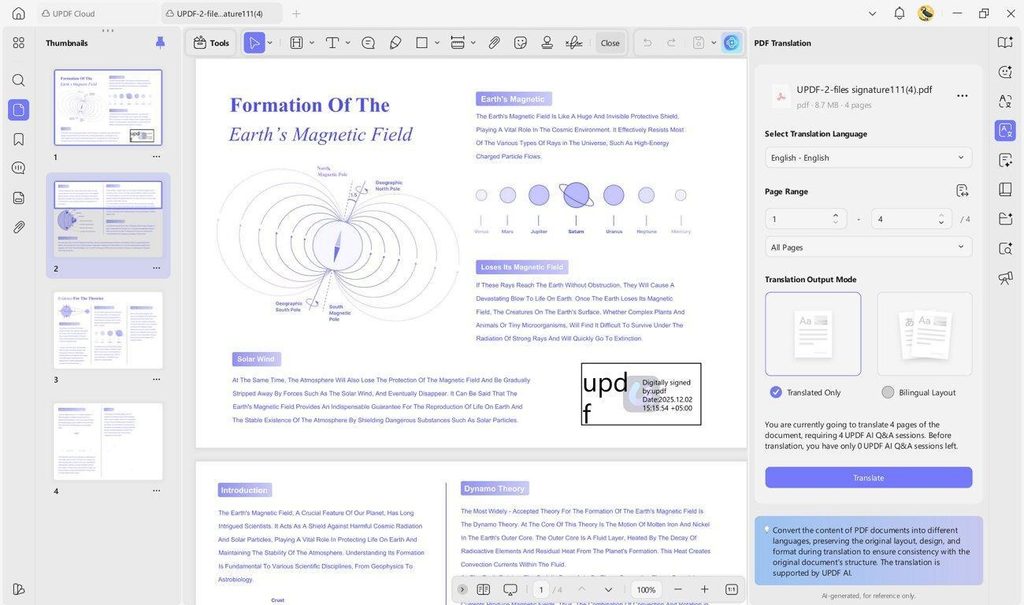
A July 2026 upgrade put GPT-5.6 behind its analysis and question-answering layer. Around that sit OCR across dozens of languages, in-place editing, structured conversion, permanent redaction, and signing. The practical argument for an integrated AI PDF editor is not feature count. It is that a summary and the edit it prompts happen against the same file, so nothing is exported or re-imported in between.
5 Business Use Cases Worth Piloting
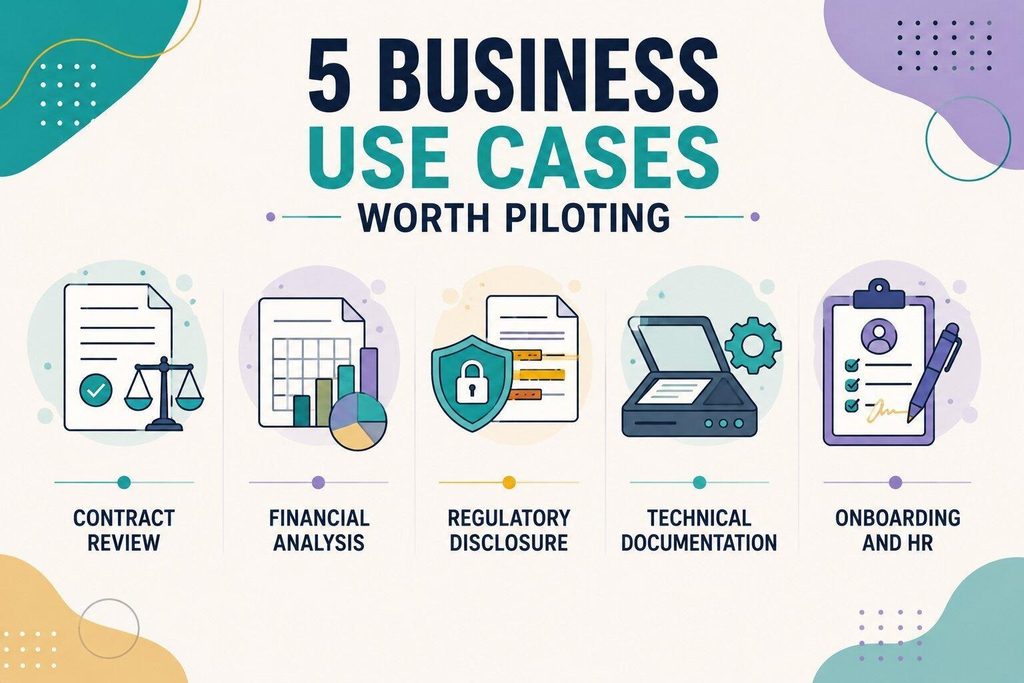
- Contract Review: Legal teams find important contract details, such as duties, renewal dates, and payment limits, and check them against the original agreement.
- Financial Analysis: Analysts copy tables from reports into spreadsheets, saving time and avoiding mistakes caused by typing the numbers again.
- Regulatory Disclosure: Compliance teams remove private or sensitive information before sharing documents and keep a record of everything that was removed.
- Technical Documentation: Engineering teams use OCR to turn old paper documents into digital files that are easier to search, read, and manage.
- Onboarding and HR: HR teams prepare forms, collect signatures, manage policy documents, and store completed employee records in one place.
A Short Checklist for Selecting a Tool for PDFs
Evaluating an AI PDF editor for business comes down to 6 questions, and vendors rarely answer all of them on a feature page:
- Does OCR handle the languages and scan quality your archive actually contains?
- Can every AI answer be traced back to a specific page and paragraph?
- Do confidential files stay on local infrastructure rather than a third-party server?
- Does redaction genuinely delete content, or does it merely draw a box over it?
- Does 1 license cover the operating systems and devices your teams already use?
- Do exports preserve table structure, or arrive as unformatted text?
Try it against your own documents. Download UPDF for free for desktop or mobile, then run the 3-step test above on a file that actually matters.
Read Next
A few related pieces worth your time:
- Unlock Hidden Details: AI Guide to Restoring Old Family Photos
- From Fields to Child’s Drug Dose: What Models Get Right & Wrong
- The Human Flow Framework: StarWriter AI Produces Humanized Content
A 3-Step PDF Test Before You Commit
Demonstrations use clean documents. Your archive does not, so test against the awkward cases first:
- Start With Your Worst Scan: Take the most degraded document you own, run OCR, and read the output against the original. Recognition accuracy on difficult pages predicts everything that follows.
- Ask a Question You Can Already Answer: Pose something you know the answer to, then check whether the tool cites the correct page. A right answer from the wrong source is a warning, not a pass.
- Try to Defeat Your Own Redaction: Redact a figure, save the file, reopen it, and attempt to select or copy what you removed. Anything recoverable was never redacted.
AI document management has quietly become a governance question rather than an administrative one. Organizations that make their archives queryable and their AI outputs checkable will move faster than those still reading page by page.