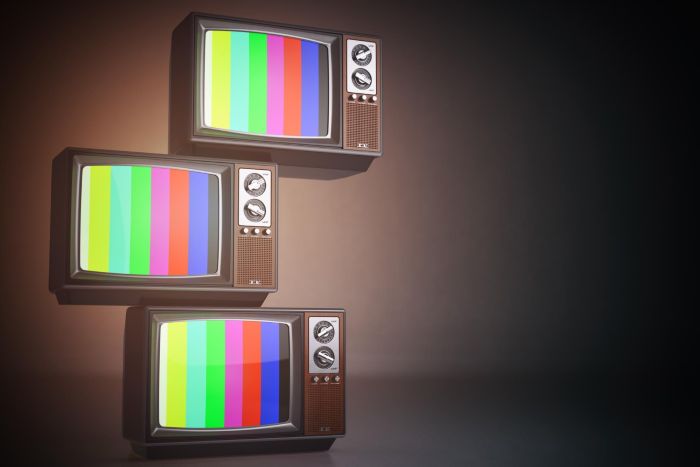
You see custom TV launchers every time you turn on a hotel room TV, a hospital bedside screen, or a telecom set-top box. These systems replace the standard Android TV home screen with a branded interface built for a specific business.
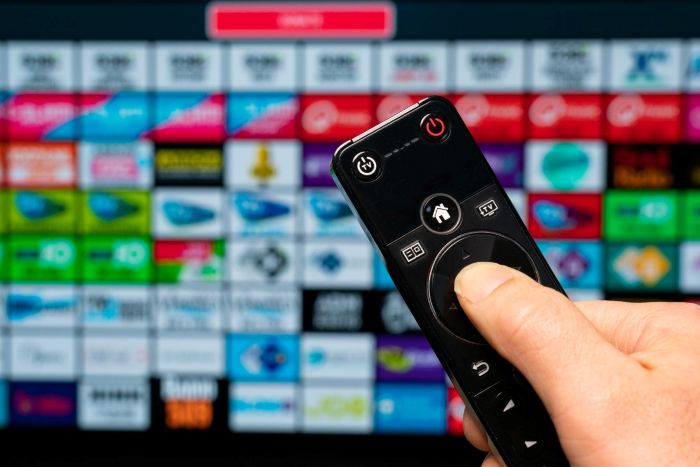
“Custom TV launcher technology works by placing a tailored software layer on top of the device’s operating system, giving you controlled access to apps, content, and services that match the organization’s needs.”
In hospitality, you get a home screen that connects to property systems, supports streaming, and highlights hotel services. In healthcare, you access patient education, meal ordering, and communication tools in a secure setup. In telecom, you move through live TV, on‑demand content, and bundled apps inside a unified interface designed for subscribers.
You control the experience from design to deployment. Behind the screen, you manage branding, app integration, device settings, and remote updates at scale. This article breaks down the core technology, how it functions, and how different industries use it to deliver consistent, managed TV experiences.
Key Takeaways
- Custom TV launchers replace standard interfaces with tailored solutions for hotels, hospitals, and telecom operators.
- These launchers integrate with backend systems like PMS, IPTV, and OTT services to provide a cohesive user experience.
- They offer features like personalized content access, interactive functions, and seamless navigation for both guests and patients.
- Managing thousands of devices is simplified with centralized control for updates, app installations, and security measures.
- Deploying TV launchers at scale is feasible using device management tools and smart protocols for efficient system integration.
Table of contents
- Core Components and Functionality of Custom TV Launchers
- Industry Applications Across Hospitality, Healthcare, and Telecom
- Frequently Asked Questions
- How does a TV launcher work on Android TV and Google TV devices?
- How can a hospitality or healthcare provider deploy a branded TV launcher across hundreds of rooms?
- How do you change the default launcher on Google TV or Android TV without breaking updates?
- What integrations should a custom TV launcher support for IPTV, channel lineups, and content recommendations?
- How do premium launchers like Projectivy, Catapult, or Whale TV Open Launcher differ for commercial deployments?
- What security and privacy controls are required when a TV launcher is used in hospitals, hotels, or telecom set-top boxes?
- Conclusion
Core Components and Functionality of Custom TV Launchers
Custom TV launcher technology runs on defined platform layers, service integrations, and device controls. You rely on Android TV frameworks, Operator Tier rules, and tight system links to PMS, IPTV, and OTT systems to deliver stable, branded in-room entertainment and interactive TV services.
Android TV Operator Tier and Operator Tier Custom Launchers
You build most hospitality, healthcare, and telecom deployments on Android TV. Google’s Android TV Operator Tier program lets you ship a certified device with access to Google Play, Google Assistant, and key apps while still controlling the user interface.
With a standard Operator Tier setup, you can apply branding, content rows, and service integrations on top of Google’s requirements. This path often simplifies Netflix certification and other OTT approvals because you follow defined compliance rules.
An Operator Tier custom launcher gives you deeper control. You design the full home screen, navigation flow, and content discovery logic. You decide how live TV, VOD, OTT streaming apps, and hotel services appear.
You must still meet Google’s technical and security standards. That includes performance targets for app launch, stream start time, and system updates. When you manage these elements well, your Android TV launcher becomes a controlled gateway to every service on the device.
Integration with PMS, IPTV, and OTT Services
A custom launcher connects directly to your backend systems. In hospitality, this often starts with PMS integration.
Through PMS links, you can:
- Display the guest name on the hotel TV
- Enable room charges for VOD or OTT rentals
- Sync check-in and check-out status
- Reset the TV automatically after checkout
For live channels, you integrate with IPTV middleware. The launcher pulls channel lists, EPG data, and stream URLs from your IPTV platform. It then displays them in a unified guide next to OTT TV and app content.
You also integrate major OTT streaming services such as Netflix or regional apps. In telecom, you may combine operator-managed OTT with third-party apps in one search layer. The launcher can support single sign-on, deep linking, and unified search across IPTV, VOD, and OTT content.
When you structure these integrations well, users see one interface instead of separate systems.
User Experience and In-Room Entertainment Features
Your user experience design shapes how guests or subscribers interact with the TV. A custom TV launcher lets you control layout, content rows, language settings, and remote navigation.
In a hotel TV setup, you can feature:
- Live TV and IPTV channels
- On-demand VOD libraries
- OTT apps
- Hotel services such as dining, spa booking, or messaging
You can also support interactive TV functions. For example, guests can order room service, check their bill, or request housekeeping through the screen.
In healthcare, you may add patient education videos, meal ordering, or hospital information. In telecom, you may focus on content discovery, promotions, and subscription upgrades.
You design the Android TV launcher to reduce steps. Clear categories, large tiles, and consistent navigation improve speed and ease of use. This approach lowers support calls and increases content usage.
Lifecycle Management and Device Control
You must manage thousands of devices across rooms, wards, or subscriber homes. Strong lifecycle management tools allow you to control each Android TV device from a central system.
Key controls often include:
- Remote software updates
- App installation and removal
- Launcher configuration changes
- Device health monitoring
- Factory reset triggers at checkout
In hospitality, you automate data wipes after each guest stay. This protects personal data from OTT streaming logins and viewing history.
In telecom, you push firmware updates and new Android TV service features without sending a technician. In healthcare, you restrict app access and lock system settings.
Your custom launcher works with device management platforms and certification rules to maintain stability, security, and compliance across the full service life of each device.
Industry Applications Across Hospitality, Healthcare, and Telecom
Custom TV launcher technology adapts to the needs of hotels, hospitals, and telecom operators. You control branding, content access, and system integration through one managed interface built on Android TV and IPTV platforms.
Hospitality: Personalized Guest Engagement and Hotel Branding
In hotels, you use a custom launcher to turn your in-room TVs into a hospitality TV solution that becomes an interaction hub for hotel guests. The home screen can show your logo, welcome message, promotions, and local guides. This replaces the default Android TV layout with an experience designed for your property.
You connect the launcher to your PMS integration so the screen greets guests by name and displays stay details. The system can reset automatically at checkout. This protects privacy and prepares the room for the next guest.
Many hotels combine IPTV, OTT streaming, and VOD in one interface. With proper Netflix certification and app controls, you allow secure streaming without exposing system settings.
You can also add:
- Room service ordering
- Spa and facility booking
- Interactive TV messaging
- Multilingual support
This setup supports both luxury and limited-service models. You keep control over content, layout, and updates through a centralized management platform.
Healthcare: Patient-Centered Experiences and Automation
In healthcare settings, you focus on patient comfort and operational efficiency. A custom Android TV launcher can provide interactive TV, live channels, educational content, and on-demand video from a secure IPTV system.
You can connect the TV launcher to hospital systems to display patient names, care team details, or meal plans. Access controls prevent changes to clinical settings or network tools.
Many facilities use bedside Android TV devices or smart displays. The launcher limits navigation to approved apps and services. This protects the network while giving patients simple access to:
- Entertainment and OTT TV
- Video calls with family
- Hospital service requests
- Health education videos
You also gain remote device management. IT teams can update apps, push alerts, or troubleshoot devices without entering the room. This reduces service calls and improves response time.
Telecom: Operator Control, Monetization, and Content Delivery
Telecom operators use an operator tier custom launcher to control the full Android TV experience. With Android TV Operator Tier, you replace the standard interface with your own branded TV launcher.
You decide which apps appear on the home screen, how content rows display, and how recommendations work. This supports IPTV, OTT streaming, and hybrid broadcast models.
An operator tier setup allows you to:
- Preload partner apps
- Promote subscription upgrades
- Integrate VOD catalogs
- Control firmware and updates
You can combine linear IPTV channels with OTT TV services under one billing system. This creates a unified Android TV service for residential or enterprise customers.
With centralized device management, you maintain control over content delivery, advertising space, and user data policies. This structure supports long-term service revenue while keeping the user experience consistent across devices.
Frequently Asked Questions
Custom TV launchers control the home screen, app access, content feeds, and system behavior on smart TVs and set-top boxes. In hotels, hospitals, and telecom deployments, you use them to manage branding, integrations, security, and large-scale device control.
How does a TV launcher work on Android TV and Google TV devices?
A TV launcher replaces or overrides the default home screen on Android TV or Google TV. When the device boots, the system loads the launcher app as the main interface.
The launcher displays rows, tiles, or menus that link to live TV, IPTV streams, apps, or web content. It uses Android system APIs to pull installed apps, input sources, and content metadata.
On commercial devices, you can lock the launcher as the default interface. This setup prevents users from exiting to the standard consumer home screen.
How can a hospitality or healthcare provider deploy a branded TV launcher across hundreds of rooms?
You deploy launchers at scale using device management tools such as Android Enterprise, zero-touch enrollment, or a mobile device management (MDM) platform. These tools let you preconfigure devices before they reach the room.
Once connected to the network, each TV or set-top box downloads your branded launcher and settings from a central server. You can push updates, change menus, or adjust language settings remotely.
IPTV systems commonly support this model. Many hotel and hospital TV platforms already use IP-based delivery, which allows centralized control of content and interface settings across all rooms.
How do you change the default launcher on Google TV or Android TV without breaking updates?
You set your launcher as the default home app through system configuration or device owner permissions. On managed devices, you apply this setting through MDM or custom firmware.
You avoid modifying core system files. Instead, you rely on supported Android APIs and provisioning methods to maintain compatibility with system updates.
Before rolling out updates, you test new Android or Google TV versions in a staging group. This step reduces the risk of conflicts between the OS and your launcher.
What integrations should a custom TV launcher support for IPTV, channel lineups, and content recommendations?
You should support IPTV middleware integration through APIs or middleware platforms. This connection enables live TV streams, electronic program guides (EPGs), and video-on-demand libraries.
Channel lineups must map to user profiles or room types. For example, you may show different packages for standard rooms, premium rooms, or patient wards.
Content recommendations should pull metadata such as genre, language, and watch history, if allowed. In hospitality settings, you may also integrate property management systems to show guest names, folio details, or targeted promotions.
How do premium launchers like Projectivy, Catapult, or Whale TV Open Launcher differ for commercial deployments?
Consumer-focused launchers often prioritize personalization and streaming app discovery. Commercial launchers focus on control, branding, and device management.
Platforms such as Catapult or Whale TV Open Launcher target operators and OEMs. They support white-label branding, operator billing, and deep IPTV integration.
For hospitality or healthcare, you need features like kiosk mode, remote configuration, and restricted app access. These controls matter more than consumer-style recommendations.
What security and privacy controls are required when a TV launcher is used in hospitals, hotels, or telecom set-top boxes?
You must restrict user access to system settings, external inputs, and app installation. Kiosk mode or device owner mode helps enforce these limits.
In hospitals, you need strong network separation and encrypted data transport. If you display patient information, you must follow healthcare privacy rules and limit data retention.
For hotels and telecom operators, you should clear personal data at checkout or account reset. Automatic session wipe and remote device reset protect the next guest or subscriber.
Conclusion
Custom TV launcher technology gives you direct control over how users interact with screens in hotels, hospitals, and telecom environments. You shape the home screen, manage content, and connect key systems such as PMS, billing, or IPTV platforms.
In hospitality, you can link the TV to guest services, casting, and room controls. In healthcare, you can provide patient education, communication tools, and controlled entertainment. In telecom, you can manage live TV, apps, guides, and subscriptions through a branded interface.
Key advantages include:
- Centralized device management and updates
- Integration with billing and backend systems
- Branded user interfaces
- Controlled app access and content delivery
You can also support features such as secure login, remote updates, and usage tracking. Many solutions run on Android TV devices or custom set-top boxes, which makes large-scale deployment practical.
If entertainment matters to you as a guest, check what the property offers before you book. Look for smart TVs, reliable internet, and casting support so you can stream from your own accounts.
When you use the right launcher strategy, you turn the TV into a managed service platform. You support business goals while giving users a simple and familiar experience.