
NPCI launched on-device biometric authentication for UPI payments on October 8, 2025. Users can now opt in to authenticate payments using fingerprint or face unlock instead of the UPI PIN. Biometric data is stored encrypted on the device and never transmitted externally. The PIN remains available and the feature is fully optional.
Since October 8, 2025, every UPI pay transaction in India can be completed without typing a PIN. The feature is already live, already available on supported devices, and most users have not switched it on because they do not know it exists.
NPCI launched on-device biometric authentication for UPI at the Global Fintech Festival in Mumbai. The update allows users to opt in and use their smartphone’s fingerprint sensor or face unlock as the payment authentication method. The PIN still works for anyone who prefers it. The choice is the user’s to make, once, in the UPI settings.
For UPI payments and bill settlements, Bajaj Pay, the Bharat Connect payments platform on Bajaj Finance, shows the exact amount before you confirm, through UPI, cards, or net banking.
Key Takeaways
- NPCI launched on-device biometric authentication for UPI payments on October 8, 2025, enabling fingerprint or face unlock options.
- Biometric data stays encrypted on the device, ensuring security while the PIN remains available as an alternative.
- The update benefits users like seniors and those with lower digital literacy by simplifying payment authentication.
- Users can opt in for biometric authentication, but the PIN option is still fully available and functional.
- The biometric feature works within existing UPI apps, streamlining the payment process without requiring new applications.
Table of contents
What Launched on October 8, 2025
NPCI introduced three features simultaneously. Understanding which one does what removes the confusion that has followed the October launch.
On-device biometric authentication is the feature that replaces the PIN during a payment. The user opts in through the UPI app settings. When making a payment, instead of seeing a PIN entry screen, the phone prompts for a fingerprint or face scan. Authentication happens on the device. The biometric data never leaves the phone.
Aadhaar face authentication for UPI PIN is a separate feature. This uses Aadhaar’s face database to verify identity when a user needs to set or reset their UPI PIN. It is useful for new account holders who do not have a debit card to complete the standard PIN setup.
UPI-based cash withdrawal via Micro ATMs is the third feature. This allows cash withdrawal at Micro ATM terminals using a UPI transaction, extending banking access to areas without traditional ATMs.
How the Biometric Payment Works
The process follows the same sequence a regular UPI payment uses, except the authentication step changes.
A user initiates a payment by scanning a QR code or entering a number. At the authentication stage, the phone prompts for fingerprint or face verification. The biometric input is matched against the data stored on the device. If it matches, the payment is approved and sent to the bank for processing. The bank performs cryptographic verification before debiting the account.
Nothing in this sequence transmits biometric data to a server. It stays on the device throughout. NPCI has confirmed that biometric-authenticated transactions are independently verified by the issuing bank using the same security procedures applied to PIN-authenticated transactions.
No new app is needed. The update works within existing UPI apps as a backend enhancement. Users with supported devices see the opt-in option in their UPI security settings.
Who Benefits Most from Biometric Recognition
Biometric authentication removes two friction points that affect specific groups of users disproportionately.
Senior citizens often struggle with remembering and entering a 4-to-6 digit PIN accurately, particularly on small keyboards in low-light conditions. A fingerprint or face scan removes the memory and manual input requirement entirely.
Rural users and those with lower digital literacy face similar challenges with PIN management. The face scan specifically, which works through Aadhaar’s existing database of facial recognition data, allows payment authentication without device-based setup for users who have Aadhaar-linked accounts.
UIDAI recorded 186 million face authentication transactions in August 2025 alone. On September 1, 2025, over 15 million face authentications were completed in a single day. The infrastructure behind the UPI biometric feature was already processing at scale before the payment application launched.
The PIN Is Not Going Anywhere
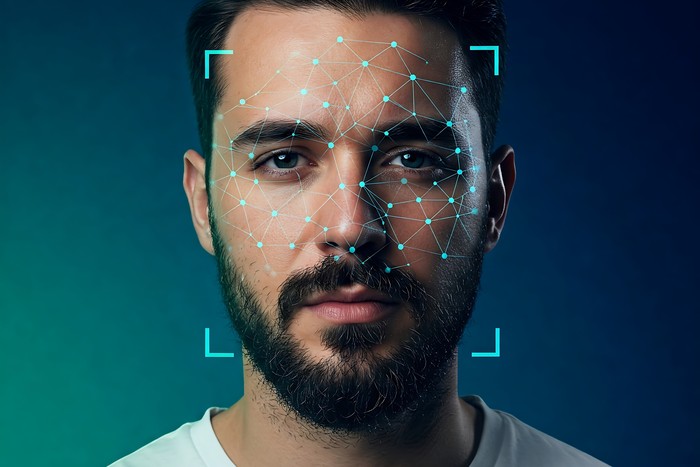
The NPCI circular published on October 7, 2025 is explicit on this point. The biometric option is additional, not mandatory. “These additional methods are optional for the user, and he/she may continue to use the existing methods.”
Users who prefer the PIN keep it. Users who want the biometric option can switch on. Users who switch on can switch back. RBI’s April 2026 requirement for two-factor authentication with at least one dynamic element is met by both methods. Neither approach is being phased out.
Pay With UPI on Bajaj Finance
Whether authenticating with a PIN or biometrics, Bajaj Finance shows the exact payment amount before any UPI pay transaction is confirmed.
Steps to pay with UPI on Bajaj Finance:
- Open the Bajaj Finance app or visit the website and log in
- Go to Bills and Recharges and select the relevant category
- Enter the required details and fetch the current outstanding amount
- Select UPI as the payment method
- Confirm the exact amount before proceeding
- Authenticate using your UPI PIN or biometric if you have opted in, and receive an instant Bharat Connect receipt
UPI’s biometric authentication is not a future announcement. It launched on October 8, 2025 and is available on supported devices today. The PIN is not being replaced. A faster, more accessible alternative is being offered alongside it. Users who opt in skip the PIN entry entirely. Users who do not opt in see no change. The infrastructure supporting the feature already processes hundreds of millions of authentications every month. The switch, when the user decides to make it, takes a few seconds in the app settings.