A good CI/CD platform gives developers fast feedback, scales with the codebase, and automates the path from commit to release without turning pipeline upkeep into a second job.
Most platforms are strong in one or two of those areas, not all of them.
This guide compares five credible options on speed of feedback, scalability, automation, and developer experience, along with how each one bills.
The right pick depends on where your code lives, how large your test suite is, and who on your team will own the CI/CD setup.
Key Takeaways
- A good CI/CD platform should provide fast feedback, scalability, and automation for developers.
- The article compares five CI/CD platforms: GitHub Actions, GitLab CI/CD, Semaphore, CircleCI, and Jenkins based on speed, scalability, automation, and user experience.
- GitHub Actions is ideal for teams using GitHub, while GitLab CI/CD consolidates source control and CI in one product.
- Semaphore offers fast feedback and automated pipeline upkeep, whereas CircleCI focuses on reducing test execution time.
- Jenkins gives full control to teams that can manage their CI while requiring significant maintenance effort.
Table of contents
How we compared
We reviewed each platform’s official documentation and pricing pages rather than running our own benchmarks.
Treat the notes below as a shortlist to test, not a speed ranking. Prices are in USD and were checked on October 22, 2026. Vendors change plans often, so confirm current rates before you budget.
For a wider view of the toolchain around CI/CD, see this roundup of DevOps tools for engineering teams.
1. GitHub Actions
Best for: Teams that already host their code on GitHub
Pros
- Workflows live in the repository next to pull requests
- Matrix builds run one workflow across multiple versions and operating systems
- Runs on GitHub-hosted or self-hosted runners
Cons
- Private-repository usage beyond the included minutes is billed
- macOS and Windows jobs use up included minutes faster than Linux jobs
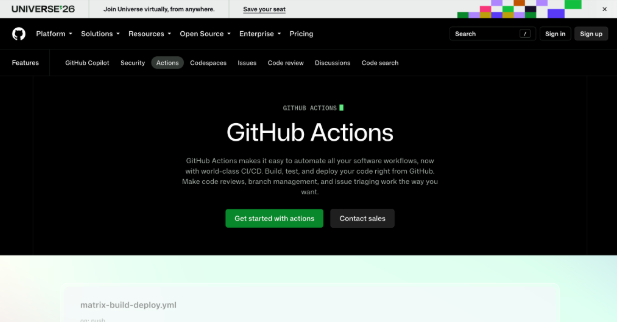
Why it made the list: Actions removes the need for a separate CI integration when your repositories, reviews, and issues already sit on GitHub.
Matrix builds help with speed by spreading a single workflow across several environments. Self-hosted runners let you add capacity on your own machines.
Standard GitHub-hosted runners are free for public repositories, which makes Actions an easy default for open-source work.
Pricing: For private repositories, GitHub Free includes 2,000 Actions minutes and 500 MB of artifact storage per month.
GitHub Team includes 3,000 minutes and 2 GB. Usage on self-hosted runners is free. Included minutes can’t be spent on larger runners, so heavier jobs are billed separately.
2. GitLab CI/CD
Best for: Teams consolidating source control and delivery in one platform
Pros
- Source control and CI/CD in one product
- Pipelines defined in a version-controlled .gitlab-ci.yml file
- Available on GitLab.com or as a self-managed installation
Cons
- The Free tier caps private groups at five users
- Premium is priced per user and billed annually
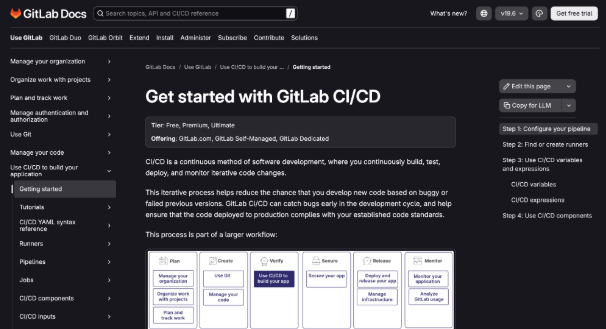
Why it made the list: GitLab suits teams that want one tool instead of a chain of integrations. Stages, jobs, and dependencies live in .gitlab-ci.yml alongside the code, so pipeline changes go through the same review as application changes.
For scale, teams can use GitLab-hosted runners or their own infrastructure. The self-managed edition keeps everything in-house when policy requires it.
Pricing: GitLab.com Free includes 400 compute minutes per month. Premium costs $29 per user per month, billed annually, and raises the allowance to 10,000 compute minutes. Ultimate pricing is available through GitLab’s sales team.
3. Semaphore

Best for: Teams that want fast feedback loops and automated pipeline upkeep without per-seat fees
Pros
- Coding agents can set up and maintain CI through the sem-ai plugin for Claude Code and Codex
- Changes can be checked before pushing in a sandbox that mirrors the CI environment
- Agents spot and fix slow steps and flaky tests as the codebase grows
Cons
- Usage-based billing means monthly spend moves with build volume
- Self-hosting the open-source edition means running and maintaining the infrastructure yourself
Why it made the list: Semaphore is built around the feedback loop. Coding agents can run changes before pushing in a sandbox that uses the same machine, image, secrets, and cache as CI.
As code grows, the agent spots slow steps and flaky tests and fixes them to keep pipelines quick.
For security reviews, it lists SOC 2 Type II certification, SAML SSO, role-based access control, audit logs, and managed secrets. The full platform is open source and can be self-hosted.
Pricing: Every organization gets $15 of free usage each month. After that, billing is pay-as-you-go for the CI/CD you run, with no per-user fees and no idle charges. Teams that self-host the open-source edition pay for their own infrastructure instead.
4. CircleCI

Best for: Teams whose main bottleneck is test execution time
Pros
- Splits tests across parallel nodes
- Reruns only failed tests instead of the whole suite
- Docker, Linux VM, Windows, Arm, macOS, and GPU execution, plus self-hosted runners
Cons
- Credits map to resource usage rather than build minutes, which takes planning
- Test impact analysis and dynamic test splitting are paid features
Why it made the list: CircleCI’s Smarter Testing is aimed at cutting the time a test suite takes. The free tier covers test running, static splitting across parallel nodes, and rerunning only failed tests.
Paid features add test impact analysis, dynamic splitting, automatic reruns, and a test analytics dashboard. Combined with a wide range of resource classes, this gives growing teams several ways to speed up their suites.
Pricing: The Free plan includes 30,000 credits per month and up to five active users.
The Performance plan starts at $15 for 25,000 credits, keeps the 30,000 free monthly credits, and charges credits for each active user beyond five.
Scale plans are custom-priced. Each resource class has its own credits-per-minute rate.
5. Jenkins
Best for: Teams with the skills to run and customize their own CI/CD
Pros
- Pipelines written as code in a Jenkinsfile kept in source control
- Pipelines survive planned and unplanned controller restarts
- Optional pauses for human input or approval before a run continues
Cons
- Controller, agent, and plugin upkeep needs a clear owner
- Scaling means provisioning and managing more agents yourself
Why it made the list: Jenkins gives teams full control over where and how builds run. Jenkins Pipeline is itself a suite of plugins, which explains both its flexibility and its maintenance load.
Durable pipelines and approval pauses suit release processes that need manual gates.
Teams with existing Jenkins expertise can adapt it to unusual workflows, as long as someone owns upgrades and node management.
Pricing: Jenkins is free, open-source software. The real cost is in controller and agent machines, storage, and the engineering hours spent on upgrades and plugin maintenance. Count those hours when you compare it with a managed service.
Read Next
A few related pieces worth your time:
- Federal Reserve Decisions Market Update: Key Outcomes
- Modernizing ACH: Why the Workhorse Rail Needs a New Engine
- The Hidden Control Room Of VPS Hosting: Why Your Server Panel Matters
Conclusion
No single platform wins on every axis. GitHub Actions and GitLab CI/CD fit teams that want CI inside their existing code platform.
CircleCI targets test-heavy pipelines, and Jenkins suits teams with in-house administration skills. The third option on this list fits teams that want quick pre-push feedback and usage-based billing without seat fees.
Shortlist your two closest fits and run a representative repository on each for a couple of weeks.
Then compare time to feedback, effort spent debugging failures, maintenance hours, and the final bill. When estimating costs, keep per-user subscriptions, credits, and compute minutes separate.