
Ask ten people what an AI avatar is and you will get four different answers. One means a profile picture. One means a VRChat model. One means an anime character. One means a digital presenter reading a script on camera. All four are correct, and almost no tool serves more than two of them well.
That fragmentation is the reason most avatar comparisons are unhelpful. Ranking a 3D model exporter against an enterprise video platform tells you nothing, because they are not competing for the same job.
So we split the market into its four working categories, then tested nine tools inside them using identical inputs. Every text-based generator received the same character brief. Every photo tool got the same selfie. Every video platform got the same 60-word script. What follows is what each tool actually produced, what it costs to get an output you would keep, and which lane it genuinely belongs in.
Key Takeaways
- AI avatars have multiple definitions, leading to confusion in comparisons and requirements.
- The article categorizes avatars into four types: static portraits, stylized character avatars, 3D models, and talking-head video avatars.
- Nine tools were tested across these categories, scoring on aspects like visual quality, customization, and output resolution.
- Different tools serve specific needs: Synthesia excels in training videos, Phot.ai perfects professional headshots, and 3D Avatar Maker specializes in gaming models.
- Consider privacy, data retention, and licensing before using avatar tools, as these aspects vary greatly between platforms.
Table of contents
- Static, Stylized, 3D or Video: Which Avatar Type Do You Need?
- Our Testing Method: Same Inputs, Nine Tools
- Side-by-Side: AI Avatar Generator Pricing, Output and Use Case
- 1. Synthesia: The Enterprise Standard for Training Video Avatars
- 2. Akool: Multilingual Marketing and Streaming Avatars
- 3. Colossyan: Courses Built to Run Inside an LMS
- 4. Phot.ai: Turn Your Selfie into 110+ Avatar Styles
- 5. HailuoAI: Rapid-Fire Character Concepting in Seconds
- 6. 3D Avatar Maker: Free VRM Models for VRChat and Streaming
- 7. 3DAI Studio: From Concept Art to Game-Engine-Ready Models
- 8. Morphic: Deep Anime and Fantasy Style Understanding
- 9. Zoice: 4K Talking AI Avatar Videos with Voice Cloning
- Write Better Avatar Prompts: 6 Techniques That Actually Work
- Which AI Avatar Generator Fits Your Use Case?
- Privacy, Data Retention and Licensing: What to Check First
- When AI Avatars Are Not the Right Solution
Static, Stylized, 3D or Video: Which Avatar Type Do You Need?
Getting this wrong is the most expensive mistake in the category, because a tool that excels in one lane is usually useless in another. Work out which of the four you need before you look at a single price page.
- Static portrait avatars are one image doing one job: a profile picture, a team page, a byline. Everything rides on skin texture, eye clarity and whether the lighting looks like it came from a camera rather than a render. Phot.ai lives here.
- Stylized and character avatars trade realism for artistic coherence. Anime, fantasy, game art and illustration all have visual grammar that general-purpose models tend to flatten, which is why specialists like Morphic still exist.
- 3D model avatars are not pictures at all. They are rigged, exportable geometry in VRM, FBX, GLB or OBJ, destined for a game engine, a streaming overlay or a virtual production pipeline. 3D Avatar Maker and 3DAI Studio are built for this and nothing else.
- Talking-head video avatars pair a digital face with a voice, lip-sync and facial animation to deliver a script on camera. This is the enterprise end of the market, where Synthesia, Akool, Colossyan and Zoice compete.
The practical test is simple. A studio shipping a game needs geometry it can rig. A consultant refreshing their LinkedIn needs one convincing photograph. A compliance team needs thirty minutes of narrated video in nine languages. Those are three unrelated purchases.
Our Testing Method: Same Inputs, Nine Tools
Controlled inputs were the point. Every tool that accepts a prompt receives the same character brief covering a photorealistic professional portrait, an anime character, a stylized 3D figure and an illustrated concept. Photo-based tools got one well-lit selfie. Video platforms got one 60-word script.
We then scored on six things:
- Visual quality and detail how skin, hair, eyes and lighting hold up under scrutiny rather than at thumbnail size.
- Style range and consistency whether the same tool can shift styles without losing the character identity underneath.
- Output resolution that comes out natively, before any upscaling step flatters the result.
- Customization depth how much control you get over pose, expression, wardrobe, background and props.
- Downstream usability whether the output feeds a pipeline: animation, 3D export, or a consistent series.
- Cost per usable output is the number that matters. Total spend divided by the outputs you would actually publish without regenerating.
That last metric reorders the field more than any other. A cheap generator that needs six attempts per keeper is not cheap.
Side-by-Side: AI Avatar Generator Pricing, Output and Use Case
| Tool | Type | Styles | Input | Output | Free Option | Best For |
|---|---|---|---|---|---|---|
| Synthesia | Video avatar | Realistic | Text script | MP4 | Free plan | Enterprise training content |
| Akool | Video avatar | Realistic | Script / video | MP4, 4K | Free trial | Multilingual marketing video |
| Colossyan | Video avatar | Realistic | Text script | MP4, SCORM | Free trial | LMS-based course modules |
| Phot.ai | Static | 110+ presets | Photo upload | 4K PNG | $0.02/photo | Photo-based social avatars |
| HailuoAI | Static | Realistic, anime, 3D | Text prompt | PNG | Free tier | Quick character prototyping |
| 3D Avatar Maker | 3D model | Anime, realistic, gaming | Browser tool | PNG, FBX, VRM | 3 free/day | VRChat, streaming, gaming |
| 3DAI Studio | 3D model | Anime, 3D | Text / image | GLB, FBX, OBJ | Paid only | Game-engine-ready assets |
| Morphic | Static | Anime, fantasy | Text prompt | PNG | Free tier | Anime and fantasy illustration |
| Zoice | Video avatar | Custom / library | Script + avatar | 4K video | Paid only | Talking avatar video at scale |
1. Synthesia: The Enterprise Standard for Training Video Avatars
Synthesia is the most established platform for enterprise-grade talking avatar video, used by corporate training, HR and internal communications teams. The editor works like a slide deck rather than a video suite, so it requires no production skills, and SCORM export publishes straight into an LMS.
Scale is where it separates from the field. The platform carries more than 240 stock avatars, over 1,000 voices, and coverage across 160+ languages and accents, with AI Dubbing reaching 140+ languages when the source is footage you have already filmed.
Four avatar routes exist, and the choice is a budget decision as much as a creative one. Stock avatars need no setup whatsoever. Customizable avatars take a written description of an outfit, a setting or an on-screen action and generate the scene through Veo 3. Personal avatars build a likeness from one photograph, with voice cloning optional. Studio avatars involve a filmed capture session and produce the highest fidelity available.
The finding that mattered most in testing was endurance. Most avatar tools look convincing for ninety seconds and start drifting somewhere past the five-minute mark. Synthesia held its delivery across a full-length module, which is the difference between a usable compliance course and one nobody finishes.
Key avatar generation strengths:
- 240+ stock avatars with gesture, expression and lip-sync working out of the box
- 160+ languages and accents drawn from a library of over 1,000 voices, several offering multiple emotional registers
- Personal avatars generated from a single photograph, with optional voice cloning
- Prompt-driven customizable avatars covering wardrobe, environment and on-screen action
- Brand Kit pushes logos, colors and fonts across every video without manual setup
- SCORM export straight into an LMS, with view, watch-time and completion analytics attached
Pros:
- Held delivery quality across long-form video better than anything else tested
- Actors behind stock avatars consent and are paid every time their likeness is used, which is rare enough to be a genuine differentiator
- Personal avatars demand a live on-camera consent recording that cannot be faked with an upload
- Certified against SOC 2 Type II, ISO 27001, ISO 42001 and GDPR, with Content Authenticity Initiative membership
- Free plan covers stock and customizable avatars without a card
Cons:
- Studio-grade avatars mean booking a shoot, which adds both cost and calendar time
- The house style reads corporate, which works against playful or artistic briefs
- Interactive Avatars have not left beta
- Covers one of the four categories in this guide, with no static portrait or 3D export
Best for: learning and development, HR and internal communications teams shipping training, onboarding and announcements across multiple languages.
2. Akool: Multilingual Marketing and Streaming Avatars
Akool is unusual in running two avatar engines side by side. One renders a script into finished video the way every platform here does. The other streams an AI avatar live, so the same digital presenter can host a webinar or staff a support desk in real time.
Translation is the reason marketing teams shortlist it. Language coverage is broad, lip-sync tracks the new audio rather than the original, and a cloned voice carries one speaker identity through every version, so a campaign does not sound like it was dubbed by nine different people.
Pros:
- Pre-rendered and live streaming avatars in a single subscription
- Very broad translation coverage with lip-sync matched to translated audio
- 4K output available
- Voice cloning holds one speaker identity across languages
Cons:
- Face swap and character replacement features are worth running past legal before rollout
- The complete model library only opens up on the professional tier
- Weaker fit for long-form training than platforms built for it
Best for: global marketing teams shipping localized campaigns and social video.
3. Colossyan: Courses Built to Run Inside an LMS
Colossyan approaches the problem from the instructional design side rather than the video side. The output is a course, not a clip, and the feature set reflects that with interactive elements and knowledge checks layered on top of the AI avatar.
It carries over 300 stock avatars and more than 700 voices, exports SCORM, and reserves higher-resolution output for Enterprise. For a team turning policy documents into modules, that authoring layer saves more time than any rendering improvement would.
Pros:
- 300+ stock avatars paired with a 700+ voice library
- SCORM export with interactive elements and knowledge checks built in
- Purpose-built for compliance, onboarding and certification content
Cons:
- A number of advanced options sit behind higher tiers
- Higher-resolution export requires the Enterprise plan
- The training focus makes it a poor choice for marketing or creative work
Best for: compliance, onboarding and certification content published through an LMS.
4. Phot.ai: Turn Your Selfie into 110+ Avatar Styles
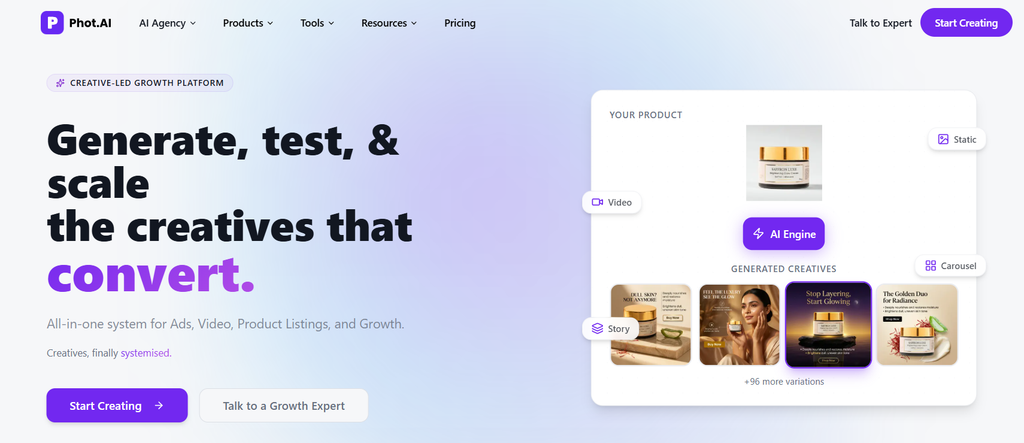
Everything else on this list invents a face. Phot.ai keeps yours. Upload one clear photograph and it returns a hundred or more variations, running from straightforward corporate headshot treatments through to anime, pop art and outright abstraction.
That distinction decides whether it suits you. A generated portrait can look excellent and still be a stranger. If the point of the AI avatar is that colleagues recognize you in it, a likeness-preserving tool is the only category that works.
Pros:
- 110+ presets at 4K, the broadest style range among photo-based tools
- Facial likeness survives even the heavily stylized treatments
- Roughly $0.02 per image, cheap enough that failed attempts cost nothing
- Uploads deleted inside 24 hours, which is stronger than most competitors disclose
Cons:
- Needs a clear, well-lit source photo and offers no prompt-based generation
- Fixed presets mean limited creative direction
- A poor input photo produces poor output regardless of preset
- No animation or video capability at all
Best for: anyone who wants stylized avatars that still read as them across social and professional profiles.
5. HailuoAI: Rapid-Fire Character Concepting in Seconds
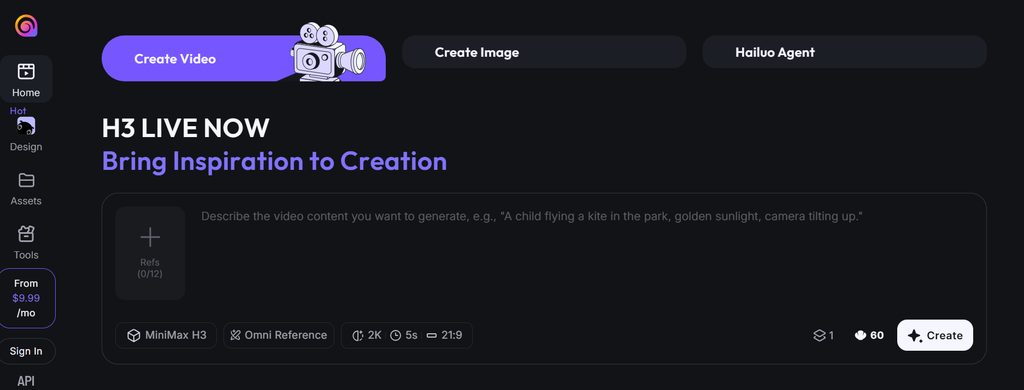
HailuoAI optimizes for one thing: turnaround. Type a description, get a character in seconds, adjust, repeat. Realistic, stylized 3D and anime all sit in the same interface.
That speed changes how you use it. Rather than crafting one careful prompt and hoping, you run twenty rough variations to find the direction, then take that direction to a tool with more finish. It belongs at the front of a project, not the end.
Pros:
- Generation measured in seconds, which makes iteration genuinely cheap
- Realistic, stylized 3D and anime handled in one place
- Free tier sufficient for testing and personal projects
Cons:
- Fine for exploration, short of production polish
- Little control over specific details such as accessories or wardrobe
- Thin documentation and a small community compared with larger platforms
- No video output and no 3D export
Best for: exploring character directions quickly before committing to a final look.
6. 3D Avatar Maker: Free VRM Models for VRChat and Streaming
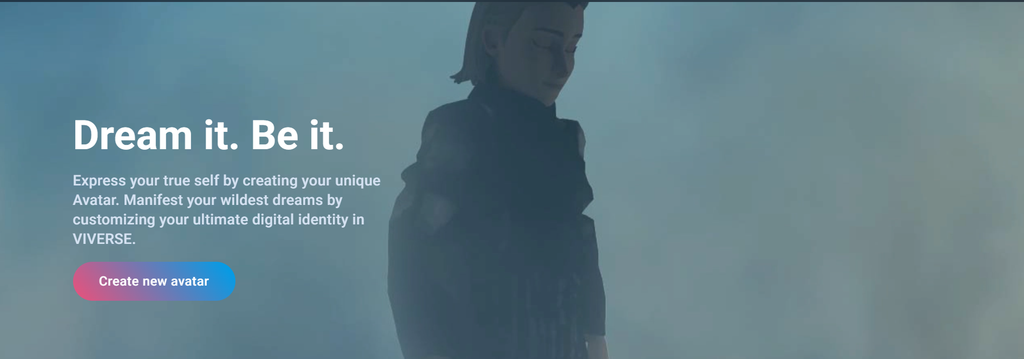
This one runs entirely in a browser and asks nothing of you beyond a login. Three AI avatars a day, free, with full-body customization across anime, realistic and gaming styles, and VRM export at the end of it.
VRM is the detail that matters. Drop the file straight into VRChat or VSeeFace and it works, no conversion step, no cleanup pass. Most avatar generators cannot produce anything a virtual platform will accept, which makes this a narrow tool that is genuinely irreplaceable in its niche.
Pros:
- Browser-based with no installation required
- VRM export lands ready for VRChat, VSeeFace and streaming setups
- Photo-to-3D conversion builds an approximate likeness from a selfie
- Full-body customization covering clothing, accessories and hair
Cons:
- Three free AI avatars daily constrains heavy iteration
- Fidelity suits gaming and streaming rather than photorealistic work
- Pose and expression controls are basic
- Models often need cleanup before professional engine use
Best for: VTubers, streamers and VRChat users who need VRM files without paying for them.
7. 3DAI Studio: From Concept Art to Game-Engine-Ready Models
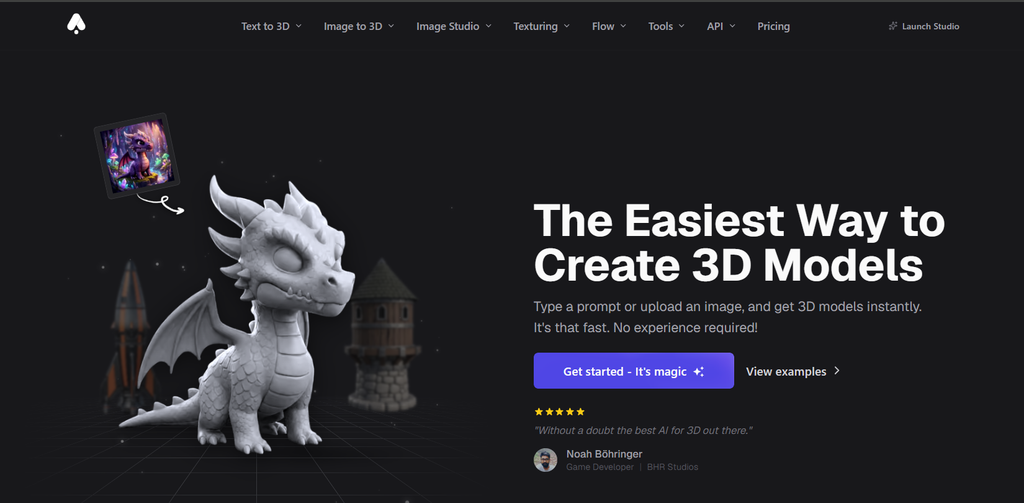
Where most tools here output pictures, 3DAI Studio outputs geometry. Clean topology, physically based rendering materials, and files that import into Unity, Unreal or Godot without a Blender detour in between.
Its most distinctive feature is the anime-to-3D route, which takes flat 2D illustration and returns a rigged model. For a small studio sitting on a folder of concept art and no character artist, that pipeline compresses weeks into an afternoon. Exports arrive with UV mapping and materials already assigned.
Pros:
- Genuine 3D models with clean topology and PBR materials
- GLB, FBX and OBJ export compatible with the major engines
- Anime-to-3D conversion turns concept art into rigged characters
- UV mapping and material assignment included rather than left to you
Cons:
- Paid only, so there is no free path to evaluate it
- Assumes 3D literacy, which makes the learning curve steep for everyone else
- Ornate characters with detailed armor or props still need manual cleanup
- Characters only, with no environment or scene generation
Best for: game developers who need character assets faster than a modeler can build them.
8. Morphic: Deep Anime and Fantasy Style Understanding
Anime has conventions, and general-purpose image models mostly do not know them. Ask a broad generator for a shonen protagonist and it returns something literal and slightly wrong. Morphic returns something that reads as belonging to the genre.
That specialization is the entire proposition, and it comes with a matching limitation. The free tier handles personal work, while paid plans add the commercial licensing indie developers need before shipping a generated character as a game asset.
Pros:
- Genre fluency in anime, fantasy and game art that general models lack
- Free tier for personal use with detailed prompt control
- Commercial licensing on paid plans, aimed at game and brand assets
Cons:
- Poor fit for photorealistic portraits or professional headshots
- Small user base and correspondingly thin documentation
- 2D output only, with no 3D, animation or video path
- Lower maximum resolution than general-purpose generators
Best for: illustrators, anime fans and indie developers producing character art and concepts.
9. Zoice: 4K Talking AI Avatar Videos with Voice Cloning
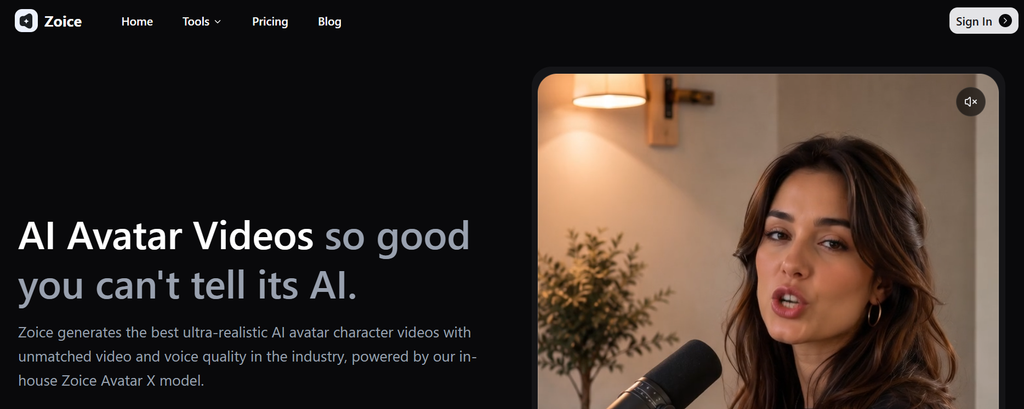
Zoice covers the full path from a script to a finished 4K video. Bring your own character or pick from the library, generate the voice through text-to-speech or clone a real one, and the presenter delivers the copy.
Two things stand out. The 4K ceiling is higher than most talking-avatar competitors manage, and the cloned voice means a company can put the same recognizable presenter in front of every video it publishes, which is harder to achieve than it sounds once you are producing at volume.
Pros:
- Complete pipeline from AI avatar creation through to voiced video
- 4K output, above most competitors in this lane
- Consistent character identity across a growing library
- Built to scale to hundreds of videos rather than dozens
Cons:
- No free tier, so evaluation costs money
- Close-up shots can slip into uncanny valley territory
- Video only, with no static or 3D output
- Fewer templates than the established enterprise platforms
Best for: businesses standardizing on one virtual presenter across a large video library.
Write Better Avatar Prompts: 6 Techniques That Actually Work
Prompt quality accounts for more variance in output than the choice between two comparable tools. These six apply anywhere you are typing a description rather than uploading a photo.
- Specify the shot type and framing. Close-up from the shoulders up and full-body standing produce entirely different images. Leave it out and most models default to a mid-shot you did not ask for.
- Include lighting direction. Soft Rembrandt light from the left, or hard rim lighting against a dark background, gives the model something to work with. Good lighting gives it nothing, and you get flat results.
- Name the art style explicitly. Photorealistic portrait photography, digital concept painting and cel-shaded anime are three different instructions. Vague style words produce averaged-out output.
- Add material and texture details. Worn leather with visible grain beats wearing a jacket every time. Materials are where an image stops looking generated and starts looking photographed.
- Use resolution and quality keywords. Terms like 8K and ultra-detailed push the model toward finer detail. This matters most on faces, where pores, stray hairs and catchlights do the work of realism.
- Describe expression and mood. A confident half-smile with direct eye contact lands better than a smiling person. Emotional direction is what stops an avatar looking vacant.
Which AI Avatar Generator Fits Your Use Case?
Matched to the job rather than ranked overall, the field sorts cleanly.
- Corporate training and e-learning. Synthesia when videos run long and consistency matters. Colossyan when the deliverable is a course with knowledge checks rather than a video.
- Marketing and sales video. Akool for campaigns that ship in many languages. Zoice when 4K and one recurring presenter are the priorities.
- Professional headshots and LinkedIn. Phot.ai, because the AI avatar needs to look like the actual person.
- Gaming and VRChat. 3D Avatar Maker for free VRM files. 3DAI Studio when the model has to survive an engine import.
- Social media profiles. Phot.ai again, for stylized variations that still read as you.
- Anime and fan art. Morphic, for genre conventions general models get wrong.
- Rapid concepting. HailuoAI, when the goal is twenty rough directions rather than one finished asset.
Privacy, Data Retention and Licensing: What to Check First
Uploading a selfie hands biometric data to a third party. That deserves more attention than a comparison table usually gives it.
Retention terms diverge sharply. Phot.ai deletes uploads within a day. Others hold images indefinitely and may use them for model training unless you find and switch off the setting. Read the retention clause before the upload, not after, and look specifically for language about using your likeness to improve future models.
Prompt-based tools sidestep the question entirely. HailuoAI and Morphic never see your face, which removes the biometric issue rather than managing it.
Licensing varies just as much. Commercial use is usually permitted on paid plans, but restrictions cluster around regulated industries, training other models, and depicting real public figures. Check the clause that covers your actual distribution channel.
Then there is misuse. Talking-head video is the format most easily turned into impersonation, and the attack that follows is rarely subtle: a cloned executive voice, an urgent wire transfer, a face mapped onto a source actor frame by frame. Security teams tracking deepfake phishing report that voice clones need remarkably little training audio, which is exactly why avatar consent controls belong in a procurement conversation rather than a legal appendix.
When AI Avatars Are Not the Right Solution
Four situations where the answer is a photographer, an illustrator or a different class of software entirely.
- You need a verifiable likeness. Generated portraits approximate a face. Passports, government identification and anything with legal weight still require a real photograph of a real person.
- Your brand needs identical output across dozens of assets. Generation introduces variation by design. Where guidelines demand pixel-level consistency across a large library, a human illustrator or modeler remains the more controllable option.
- The work sits in a regulated sector. Financial services, healthcare and legal communications increasingly carry synthetic media obligations. Check the rules that govern your industry before anything customer-facing goes out.
- You need the avatar to respond in real time. Almost everything here renders in advance. Live presenters and interactive support agents need a streaming platform, which is a different product category with different economics.