If you want to run OpenClaw properly in 2026, basic shared hosting is not enough. OpenClaw is an open-source AI agent framework that needs stable resources, persistent storage, secure access, and always-on availability. That means the best OpenClaw hosting providers’ matter. Pick the wrong one and your agent may break, lose data, fail channel connections, or turn into another half-working “AI project” collecting dust in your browser tabs.
OpenClaw can run on a VPS, cloud platform, or managed hosting service. The best option depends on how much control you want, how technical you are, and whether you want to manage Docker, SSH, SSL, updates, backups, and server security yourself.
In this guide, we’ll compare the best OpenClaw hosting providers in 2026, including their features, benefits, weak points, and ideal use cases so you can choose the right setup.
Table of contents
Best OpenClaw Hosting Providers for 2026
1. Ampere.sh: Best Overall OpenClaw Hosting Provider
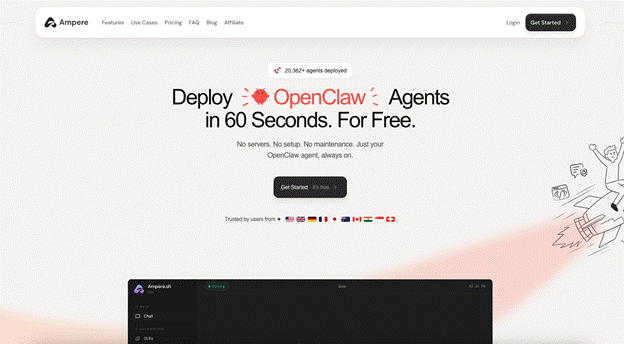
Ampere.sh is the best openclaw vps hosting for users who want to run OpenClaw without managing servers, Docker, SSH, SSL, uptime, and manual channel setup.
Instead of spending time configuring infrastructure, you can focus on building useful OpenClaw workflows. Revolutionary concept, apparently: using the tool instead of becoming its unpaid mechanic.
Why Ampere.sh Is Best for OpenClaw
- Built specifically for OpenClaw hosting
- Fast setup for non-technical users
- No manual VPS configuration
- No need to manage Docker, SSL, or server updates yourself
- Better for users who care about workflows, not infrastructure
- Useful for teams, creators, founders, and business users
- Strong choice for anyone who wants OpenClaw running quickly
Best For
- Beginners
- Business users
- Teams
- Creators
- Founders
- Non-technical users
- Anyone who wants OpenClaw live without server maintenance
Weak Point
Ampere.sh gives you less raw server control than a full VPS. Advanced developers who want root access, custom networking, and full backend control may prefer a VPS provider.
Verdict
Choose Ampere.sh if you want the simplest way to deploy and run OpenClaw without managing the backend yourself.
2. Hostinger VPS: Best Beginner-Friendly VPS for OpenClaw
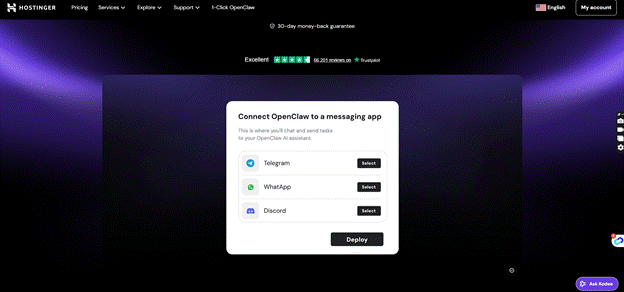
Hostinger VPS is a good option if you want more control than managed hosting but still want a simpler VPS experience. It gives you dedicated server resources, root access, and Docker support, which makes it more suitable for OpenClaw than normal shared hosting.
It is not as easy as Ampere.sh, but it is less painful than starting from a bare Linux server with zero guidance, which is a charming way to ruin a weekend.
Why Hostinger VPS Works for OpenClaw
- Beginner-friendly VPS dashboard
- Full root access
- Docker support
- Good option for private OpenClaw deployment
- Better control than managed hosting
- Suitable for users who want VPS ownership
- More guided than many raw VPS providers
Best For
- VPS beginners
- Solo users
- Small teams
- Users who want control with less complexity
- People who are comfortable learning basic server management
Weak Point
You still need to manage security, backups, updates, uptime, and server configuration yourself. Hostinger makes VPS hosting easier, but it does not remove server responsibility.
Verdict
Choose Hostinger VPS if you want a beginner-friendly VPS option for OpenClaw and are comfortable handling basic infrastructure work.
3. Railway: Best for Quick Cloud Deployment
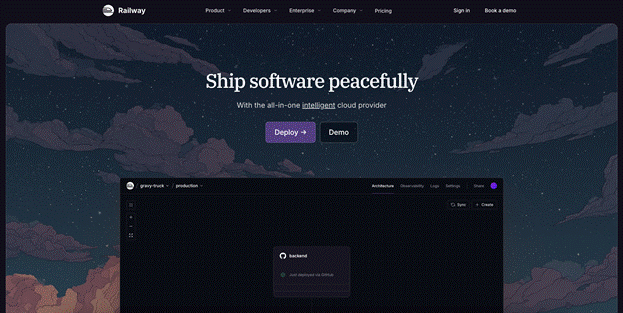
Railway is useful for users who want to deploy OpenClaw quickly without setting up a traditional VPS. It is a good fit for testing, prototypes, lightweight workflows, and users who prefer a cloud app platform over manual server management.
Railway is not the strongest long-term production option for every OpenClaw setup, but for fast deployment, it can save time.
Why Railway Is Good for OpenClaw
- Fast cloud deployment
- Simple environment variable setup
- Easier than manual VPS setup
- Useful for testing OpenClaw workflows
- Good for lightweight projects
- Better for prototypes and early experiments
Best For
- Developers testing OpenClaw
- Small projects
- Lightweight workflows
- Users who want fast deployment
- People who do not want to configure a full VPS at the start
Weak Point
Railway pricing can become less predictable as usage grows. Persistent storage, production setup, and long-running services also need careful configuration.
Verdict
Choose Railway if you want a fast way to test OpenClaw or deploy a lightweight cloud version without full VPS setup.
4. DigitalOcean: Best OpenClaw VPS for Developers
DigitalOcean is a strong option for developers who want a clean VPS platform with full control. It works well for users who understand Linux, Docker, SSH, firewalls, environment variables, and server monitoring.
In other words, great for people who don’t panic when a terminal window looks back at them.
Why DigitalOcean Works for OpenClaw
- Clean VPS dashboard
- Full server control
- Docker-friendly environment
- Good documentation ecosystem
- Useful firewall, snapshot, and backup options
- Good for developers and technical founders
- Suitable for more serious self-hosted setups
Best For
- Developers
- Technical founders
- SaaS teams
- Advanced OpenClaw users
- Users who want full VPS control
Weak Point
DigitalOcean is not ideal for beginners. You need to manage server setup, security, updates, SSL, backups, logs, and troubleshooting yourself.
Verdict
Choose DigitalOcean if you want a developer-friendly VPS for OpenClaw and you are comfortable managing the infrastructure.
5. Hetzner: Best Low-Cost VPS for Technical Users
Hetzner is a strong choice if you want low-cost VPS hosting with good raw performance. It is best for technical users who want value, control, and strong server specs without paying premium cloud prices.
The tradeoff is simple: you save money, but you do more work. Capitalism, but with SSH keys.
Why Hetzner Is Good for OpenClaw
- Strong price-to-performance
- Good VPS specs for the cost
- Full root access
- Suitable for Docker-based OpenClaw setup
- Good for always-on workflows
- Strong option for technical self-hosting
Best For
- Technical users
- Developers
- Budget-conscious builders
- Advanced self-hosters
- Users comfortable with Linux and Docker
Weak Point
Hetzner is not beginner-friendly. You need to handle setup, firewalls, security, SSL, backups, updates, monitoring, and troubleshooting yourself.
Verdict
Choose Hetzner if you want affordable VPS power for OpenClaw and you are comfortable managing the full server setup.
Managed OpenClaw Hosting vs VPS Hosting
Choose the Best OpenClaw Hosting Providers If You Want Simplicity
Managed hosting is the better choice when you want to run OpenClaw without handling server setup yourself.
- Managed hosting helps you deploy OpenClaw faster.
- You do not need to configure a VPS manually.
- You do not need to manage Docker, SSH, SSL, or server updates.
- It is easier to connect channels like Telegram, Discord, Slack, or WhatsApp.
- It reduces the chance of security mistakes during setup.
- It is better for beginners, founders, creators, and teams.
- It lets you focus on building OpenClaw workflows instead of fixing server issues.
- It is usually the best option if you want OpenClaw running quickly with less maintenance.
Choose VPS Hosting If You Want More Control
VPS hosting is the better choice when you want full control over your OpenClaw server.
- VPS hosting gives you root access to the server.
- You can create a custom Docker setup for OpenClaw.
- You can configure your own reverse proxy, domain, SSL, and firewall rules.
- You can choose your own backup system and storage setup.
- You can control server resources like CPU, RAM, storage, and bandwidth.
- It is better for developers and technical users.
- It gives you more flexibility for advanced OpenClaw workflows.
- It also means you are responsible for updates, security, uptime, logs, and troubleshooting.
How to Choose the Best OpenClaw Hosting Providers
1. Choose VPS or Managed Hosting
OpenClaw needs stable server resources, root-level access, and always-on availability. Shared hosting is not a good fit because it cannot reliably run AI agents, Docker, background tasks, and connected channels.
2. Check Docker Support
OpenClaw usually needs Docker or container-based deployment. Pick a provider that supports Docker properly, so you can install, update, and run OpenClaw without fighting the server like it personally wronged you.
3. Use Persistent Storage
Your OpenClaw setup should keep workspace files, config, channels, and agent data saved after restarts. Without persistent storage, your setup can reset or lose important data.
4. Match Server Specs to Your Workload
For basic OpenClaw workflows, start with at least 4 GB RAM. For browser automation, multiple channels, and heavier AI workflows, choose 8 GB RAM or more for better stability.
5. Check Security Features
Your provider should support HTTPS, firewall rules, environment variables, secure token storage, and private access controls. OpenClaw may connect to important apps, so weak security is not a cute little mistake.
6. Compare Setup Difficulty
Managed hosting is better if you want faster setup and less maintenance. VPS hosting is better if you want full control, custom configuration, and do not mind handling server work yourself.
7. Look for Backup and Monitoring Options
A good OpenClaw host should support backups, logs, uptime monitoring, and snapshots. This helps protect your setup if something breaks, updates fail, or the server decides to become modern art.
8. Pick Based on Your Skill Level
Beginners should choose managed OpenClaw hosting. Developers can choose VPS providers like DigitalOcean, Hetzner, or Hostinger if they want more control over infrastructure.
FAQs About the Best OpenClaw Hosting Providers
What is the best hosting provider for OpenClaw?
Ampere.sh is the best option for most users because it is built for OpenClaw hosting and removes most server setup work. VPS providers like DigitalOcean, Hostinger, and Hetzner are better if you want more control.
Can I host OpenClaw on a VPS?
Yes. You can host OpenClaw on a Linux VPS using Docker. Providers like Hostinger, DigitalOcean, and Hetzner can work if you are comfortable managing the server.
Is managed hosting better than VPS for OpenClaw?
Managed hosting is better for beginners and business users because it reduces setup, updates, security, and maintenance work. VPS hosting is better for technical users who want full control.
What server specs does OpenClaw need?
For light usage, start with at least 2 vCPU and 4 GB RAM. For more stable production workflows, 4 vCPU and 8 GB RAM is safer.
Can I run OpenClaw for free?
Yes. You can test OpenClaw using free tiers or credits from platforms like Ampere.sh. But free hosting usually comes with limits on uptime, storage, and performance. For serious workflows, use a reliable VPS or managed hosting option.If you want to run OpenClaw properly in 2026, basic shared hosting is not enough. OpenClaw is an open-source AI agent framework that needs stable resources, persistent storage, secure access, and always-on availability.
That means your hosting choice matters. Pick the wrong one and your agent may break, lose data, fail channel connections, or turn into another half-working “AI project” collecting dust in your browser tabs.
OpenClaw can run on a VPS, cloud platform, or managed hosting service. The best option depends on how much control you want, how technical you are, and whether you want to manage Docker, SSH, SSL, updates, backups, and server security yourself.
In this guide, we’ll compare the best OpenClaw hosting providers in 2026, including their features, benefits, weak points, and ideal use cases so you can choose the right setup.