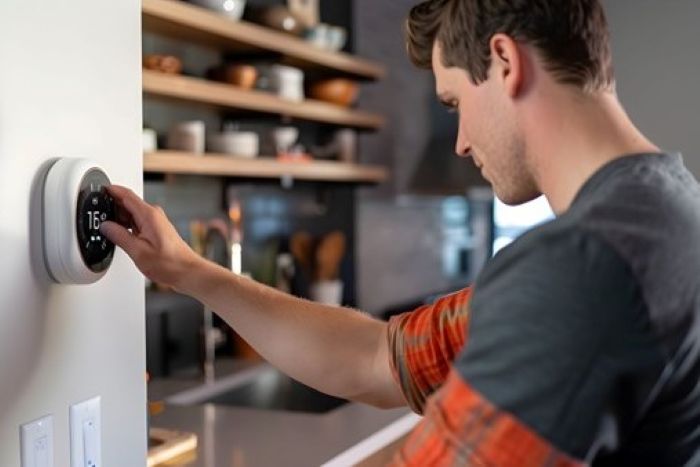
Contractors who handle HVAC, plumbing, and electrical work often say that homeowners wait too long to get HVAC service, usually until something breaks in January at midnight. Swapping out your old thermostat for a smart one is one of those rare upgrades that’s both Preventive and well worth the trouble. However, there is some background information to go over before you put one in your cart.
On a Sunday afternoon, I anticipated that the installation of my first smart thermostat would take thirty minutes. Three hours later, I’d learned what a C-wire was. That experience taught me that smart thermostat installation has a few real gotchas, none of them complicated, but all of them worth knowing upfront.
This guide is written for people who want to make a smart decision before spending $150–$300 on a device. Whether you’re going DIY or calling someone in, the same fundamentals apply.
Key Takeaways
- Installing a smart thermostat can save homeowners 10–23% on energy costs while offering remote control features.
- Check for a common wire (C-wire) before purchasing a smart thermostat, as many models require it for power.
- Ensure compatibility with your HVAC system using manufacturer checkers, especially for older or complex systems.
- Follow a straightforward installation process, labeling wires and using adaptors if needed, to avoid issues later.
- Observe the smart thermostat’s performance in the first two weeks to fine-tune settings and take advantage of alert features.
Table of contents
Benefits of Installing a Smart Thermostat
The energy savings pitch is real. Most households see somewhere between 10–23% reductions in heating and cooling costs once they’re running on a proper schedule. That adds up fast.
Beyond the costs, smart thermostats allow you to operate them remotely via your phone, which is really helpful if you travel or have irregular hours. It never gets old to arrive home to a warm home because you turned it on during your commute. Many models also track usage patterns and flag when your HVAC system is working harder than usual, an early warning sign worth having.
Pre-Purchase Considerations
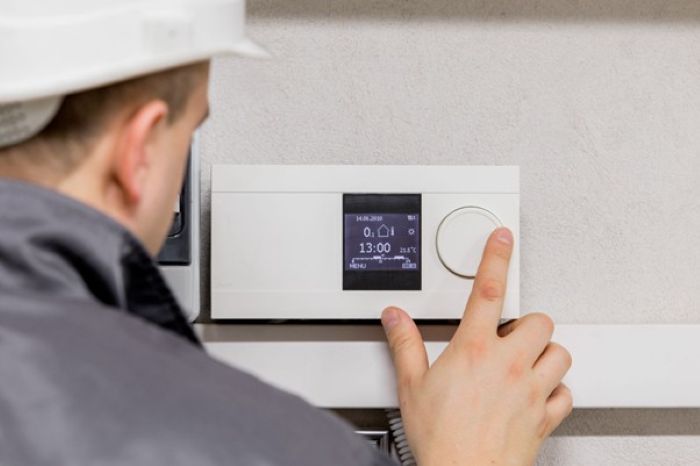
Start with your wiring. The single biggest pre-purchase thermostat tip that almost no one mentions upfront: check whether your system has a common wire (C-wire). Without one, many smart thermostats can’t draw the continuous power they need. Some older systems simply don’t have it. You can check by removing your current thermostat from the wall and looking at the wire terminals — a wire labeled “C” is what you’re after.
Also, confirm that your HVAC system is compatible. Most forced-air systems are fine. Multi-stage or heat pump systems, electric baseboards, and radiant heat can be more challenging. Use the compatibility checkers that manufacturers post on their websites before making a purchase.
Another important pre-purchase thermostat tip is to choose your habitat as soon as possible. If you’re already in Google Home or Apple HomeKit, buy accordingly. Mixing ecosystems becomes a headache later.
Installation Process Overview
This is a do-it-yourself project that most individuals can handle. Turning off the power at the breaker, taking a picture of your current wiring before making any changes, disconnecting the old thermostat, connecting the wires to the new base plate (labels important R, G, Y, W, and C), attaching the display unit, restoring power, and following the app setup are the essential stages. That’s the whole job when things go smoothly.
A few DIY smart thermostat tips that actually help: use painter’s tape to label each wire before disconnecting it, not just your photo. Phones get dropped. Additionally, if a wire won’t seat properly, remove a new quarter-inch of insulation instead of cramming it in; avoid forcing wire connectors.
Most manufacturers offer adaptor kits if you come into a C-wire issue and don’t want to install new wiring. They work well. That said, if you’ve got an older system or something more complex than a single-zone setup, it’s worth having a pro take a look. Bad thermostat wiring can stress your HVAC components over time.
Post-Installation Tips
Don’t set it and forget about it right away. Observe how your system responds throughout the first two weeks before establishing a regimen. Since some homes heat or cool more quickly than others, the geofencing or auto-scheduling features work better if the device has some usage data to learn from.
Check the app for system alerts seriously, and enable notifications. This is one of the underused features. If your furnace is short-cycling or the runtime suddenly spikes, you’ll want to know before it turns into a repair bill.
Frequently Asked Questions
Do I need an electrician to install a smart thermostat?
Not usually. Most smart thermostat installation jobs are genuinely DIY-friendly if you have a standard forced-air system. The exception is when your wiring setup is unusual or you’re dealing with a heat pump with auxiliary heat, which has more wires and more things that can go wrong.
What if my system doesn’t have a C-wire?
You can run a new wire if you’re familiar with it, utilize a C-wire adaptor (the majority of brands sell one), or select a model made to function without one. For example, Ecobee comes with an adaptor.
Will a smart thermostat work with my old HVAC system?
Probably, but verify first. Systems older than 15–20 years may have compatibility quirks. Run the manufacturer’s compatibility checker with your system’s make and model before purchasing anything.
In Conclusion
Long-term benefits from a smart thermostat include more convenience, lower energy use, and fewer unpleasant surprises from the HVAC system. It’s important to verify your wiring, make sure the gadget works with your existing smart home setup, and spend five minutes researching before you buy. Get that right and the rest is straightforward. These are good DIY smart thermostat tips to carry into your shopping process. The install itself rarely takes more than an hour once you know what you’re walking into.