
Building and maintaining modern websites requires seamless collaboration between designers, developers, marketers, QA teams, and clients. Yet many teams still rely on screenshots, email chains, spreadsheets, and endless meetings to communicate web development changes and report bugs.
Fortunately, visual feedback and bug-tracking platforms have transformed how web teams collaborate. These tools allow stakeholders to leave comments directly on live websites, automatically collect technical details, streamline revisions, and accelerate development cycles.
If you’re looking for the best website feedback and visual collaboration tools in 2026, here are five platforms that stand out.
Key Takeaways
- Teams need better ways to communicate website changes; visual feedback and bug-tracking tools help streamline collaboration.
- Webvizio stands out as the best overall website feedback tool, offering live visual feedback, automated bug-reporting, and AI developer prompts.
- BugHerd excels at collecting client feedback directly on websites, making client communication seamless and organized.
- Marker.io specializes in technical bug reporting, helping developers with detailed reports and strong integration capabilities.
- Usersnap captures customer feedback while zipBoard facilitates content review, catering to various team needs.
Table of contents
- 1. Webvizio – Best Overall Website Feedback and Bug Reporting Tool
- 2. BugHerd – Best for Client Feedback Collection on Web Development
- 3. Marker.io – Best for Technical Bug Reporting Web Development
- 4. Usersnap – Best for Customer Feedback Web Development Programs
- 5. zipBoard – Best for Creative and Content Review Workflows
- How to Choose the Right Web Development Feedback Tool
1. Webvizio – Best Overall Website Feedback and Bug Reporting Tool
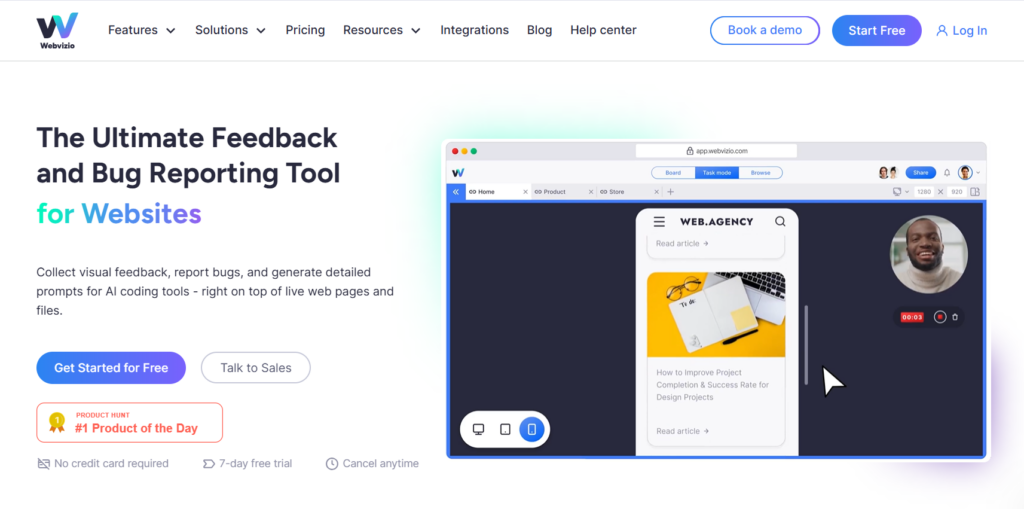
Webvizio has rapidly emerged as one of the most comprehensive visual collaboration platforms for websites and web applications. Instead of relying on screenshots or lengthy explanations, users can click directly on live web pages to leave feedback, report bugs, and assign tasks.
One of Webvizio’s biggest advantages is its ability to automatically capture technical information such as browser details, screen resolution, console logs, and reproduction steps. This helps developers resolve issues much faster without additional back-and-forth communication. The platform also supports annotations on websites, PDFs, images, and Figma files, creating a centralized workspace for digital teams. Additionally, Webvizio now includes AI-powered prompt generation for coding assistants like Cursor and Windsurf, helping developers move from bug reports to code fixes more efficiently.
Key advantages:
- Visual feedback directly on live websites
- Automated bug-reporting data collection
- AI-ready developer prompts
- Integrations with Jira, Trello, ClickUp, and Slack
- Support for websites, web apps, PDFs, images, and Figma files
2. BugHerd – Best for Client Feedback Collection on Web Development
BugHerd has long been a favorite among agencies and web development teams. The platform allows clients and stakeholders to leave contextual feedback directly on websites, making it easier for developers to understand requested changes.
Its task management system automatically converts feedback into actionable tasks, helping teams organize revisions and prioritize work. BugHerd is particularly popular among agencies managing multiple client projects simultaneously.
Key advantages:
- Simple client onboarding
- Visual website commenting
- Built-in task management
- Agency-friendly workflows
- Easy issue prioritization
3. Marker.io – Best for Technical Bug Reporting Web Development
Marker.io focuses heavily on streamlining bug reporting for development teams. Users can capture screenshots, annotate issues, and automatically send detailed bug reports into project management systems such as Jira, Azure DevOps, and Linear.
The platform excels at collecting technical diagnostics automatically, reducing the time developers spend reproducing issues. For teams already invested in professional development workflows, Marker.io offers strong integration capabilities.
Key advantages:
- Detailed technical bug reports
- Powerful issue-tracker integrations
- Browser metadata collection
- Screenshot annotation tools
- Developer-focused workflows
4. Usersnap – Best for Customer Feedback Web Development Programs
Usersnap extends beyond bug tracking by enabling businesses to collect customer feedback throughout the product lifecycle. Teams can gather feature requests, bug reports, satisfaction surveys, and usability feedback from real users.
This makes Usersnap particularly valuable for SaaS companies and product teams seeking to improve customer experience while maintaining a structured feedback process.
Key advantages:
- Customer feedback collection
- Feature request management
- User satisfaction surveys
- Bug reporting capabilities
- Product improvement insights
5. zipBoard – Best for Creative and Content Review Workflows
zipBoard combines website feedback capabilities with broader content review functionality. Teams can annotate websites, design files, PDFs, videos, and documents from a centralized platform.
Creative agencies, marketing departments, and content teams often choose zipBoard because it simplifies approval processes across multiple asset types. Rather than switching between separate review tools, stakeholders can collaborate within a single environment.
Key advantages:
- Multi-format review platform
- Website and document annotations
- Creative asset collaboration
- Approval workflow management
- Centralized project reviews
How to Choose the Right Web Development Feedback Tool
The best platform depends largely on your team’s workflow and priorities.
If you need an all-in-one solution that combines website feedback, bug tracking, task management, and AI-assisted development workflows, Webvizio offers one of the most complete feature sets available today. Its visual collaboration approach helps reduce misunderstandings while speeding up bug resolution and project delivery.
For agencies focused on client collaboration, BugHerd remains a strong option. Development-heavy organizations may prefer Marker.io’s technical reporting capabilities, while product teams often benefit from Usersnap’s customer feedback features. Creative teams managing multiple asset formats can find substantial value in zipBoard’s review environment.
As websites and web applications become increasingly complex, visual collaboration tools are no longer a luxury—they are essential infrastructure. The right platform can reduce revision cycles, improve communication, and help teams deliver higher-quality digital experiences faster than ever before.