Looking for the best focus app for iPhone to help you stay focused and cut down on distractions?
Here are the best options for iPhone to help you protect your attention and create more space for deep work:
🎯 Floviu → Best Focus App for iPhone for Deep Work
🎧 Endel → Best Focus App for iPhone for Personalized Focus Soundscapes
🧘 one sec → Best Focus App for iPhone for Breaking Distracting Habits
💻 Freedom → Best Focus App for iPhone for Cross-Device Distraction Blocking
🫘 Focus friend → Best Focus App for iPhone for a Cozy and Motivating Focus Experience
🚫 Opal → Best Focus App for iPhone for Blocking Distractions
🌳 Forest → Best Focus App for iPhone for Gamified Focus and Motivation
Key Takeaways
- The best focus app for iPhone options include Floviu, Endel, one sec, Freedom, Focus Friend, Opal, and Forest, each designed to enhance focus in unique ways.
- Floviu stands out for deep work, while Opal and Freedom excel at distraction blocking, and one sec helps build intention with app usage.
- Gamification in apps like Forest and Focus Friend makes focusing more enjoyable, appealing to users who prefer a fun approach.
- Pricing varies across apps, with many offering free plans or trials, ensuring users can find a suitable option.
- Ultimately, the best focus app for iPhone depends on individual focus challenges and preferences.
Table of contents
Quick Comparison of the Best Focus Apps for iPhone
| Tool | My favorite feature | Where it stands out | Price |
| Floviu | AI Focus Insights | Combines focus sessions, gentle blocking, insights, and progress | Free / From $9.99/mo |
| Endel | Adaptive soundscapes | Creates a personalized audio environment for concentration | Free / From $6.99/mo |
| one sec | Mindful Interventions | Adds friction instead of simply blocking distracting apps | Free / From $19.99/yr |
| Freedom | Cross-device Sync | Blocks distractions across iPhone, computer, and other devices | Free / From $3.33/mo |
| Focus friend | Bean Companion | Makes focus feel like working alongside a friendly companion | Free / From €3.99/mo |
| Opal | Deep Focus | Gives you extensive control over apps, websites, schedules, and blocking difficulty | Free / From $8.29/mo |
| Forest | Growing virtual forest | Turns every focus session into visible progress and rewards | Free / $3.99 |
A Closer Look at Each iPhone Focus App
Floviu
Best Focus App for iPhone for Deep Work
🎯 Best for:
Building sustainable focus habits and understanding your personal focus patterns
🚫 Not ideal if:
You only want a basic Pomodoro timer
⭐ Biggest advantage:
Combines deep work sessions, gentle distraction protection, AI-powered insights, and visual progress
⚠️ Main tradeoff:
Its broader feature set may be more than you need if you want a minimalist timer
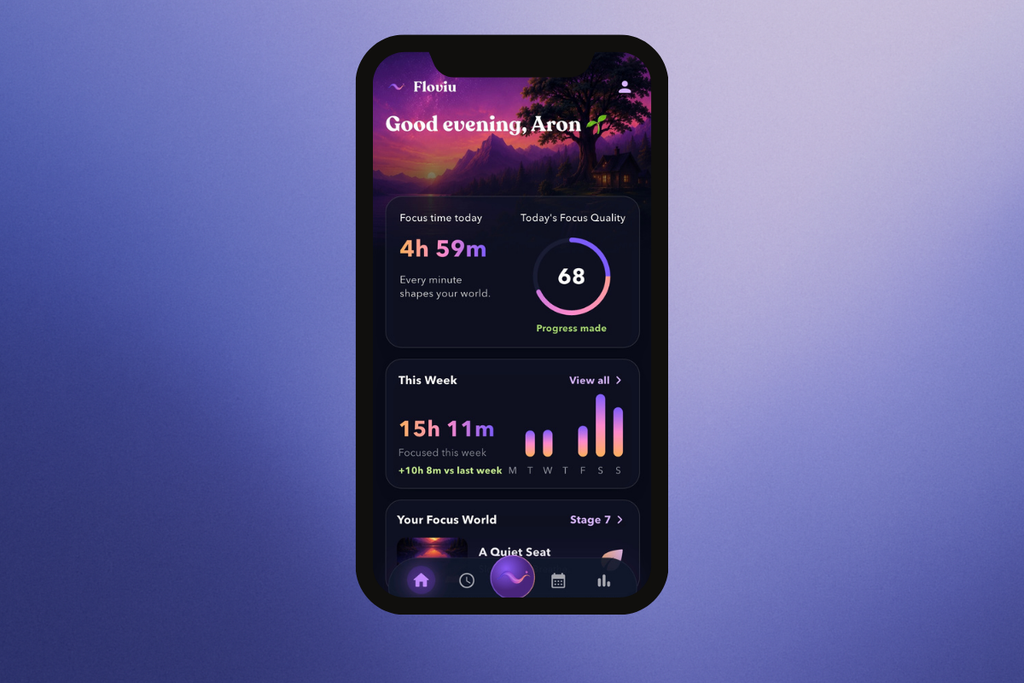
Floviu is a focus app designed to help you build sustainable deep work habits, understand your distraction patterns, and create a calmer environment for focused work. It combines focus sessions, gentle distraction protection, personalized insights, and long-term visual progress in one experience.
How Floviu’s Features Performed During My Testing
Floviu’s Strengths
- Combines several focus and attention-management tools in one app
- Goes beyond time tracking with personalized focus insights
- Soft blocking encourages intentional decisions instead of strict restrictions
- Focus World makes long-term progress visible
- It’s focus timer supports both structured Pomodoro sessions and longer deep work
- Calm interface and soundscapes create a supportive focus environment
Short wrap-up: Floviu is ideal for people who want to understand their focus patterns, reduce distractions without feeling restricted, and gradually build more sustainable deep work habits.
Floviu’s Limitations
- May feel too feature-rich if you only want a minimalist Pomodoro timer
- No web application.
Short wrap-up: Users who simply want a straightforward timer with minimal features may want to skip Floviu in favor of a more focused Pomodoro app.
Floviu pricing
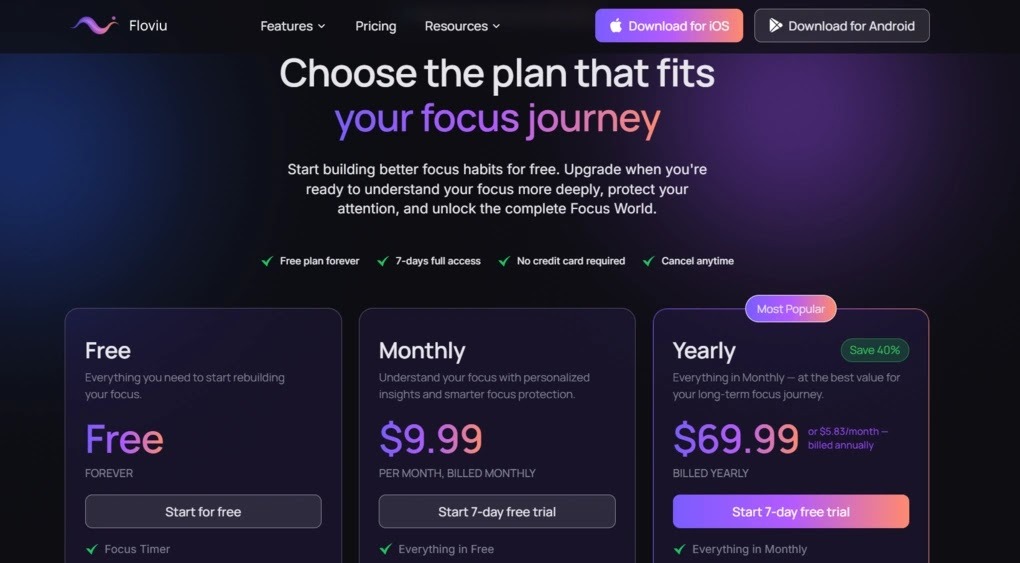
- Free plan available
- Monthly plan: $9.99/user
- Yearly plan: $69.99/user
- 7-day trial available with no credit card required
Endel
Best Focus App for iPhone for Personalized Focus Soundscapes
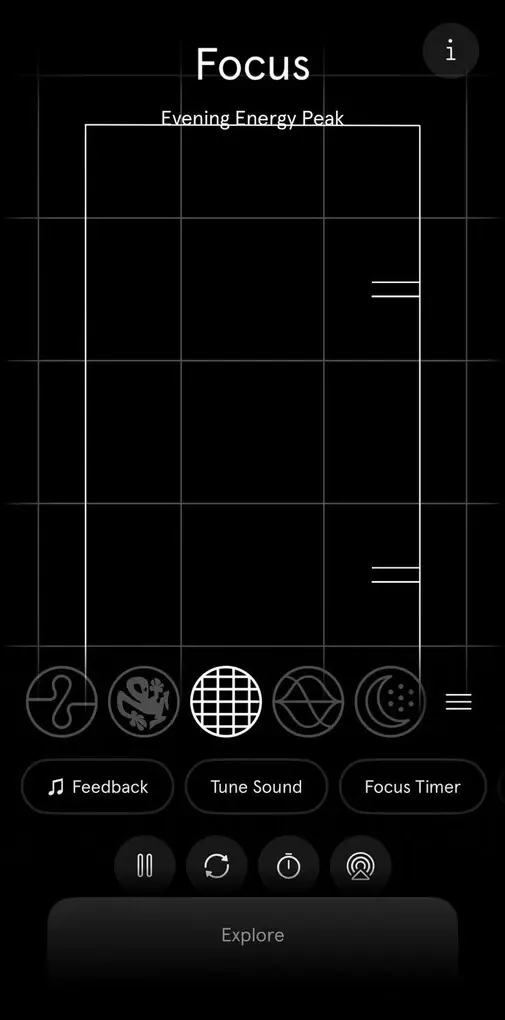
Endel is a sound-based focus and wellness app that uses AI-powered soundscapes to help you concentrate, relax, and sleep. Rather than relying primarily on timers or app blocking, it creates adaptive audio environments designed to support different activities and states.
Best for:
Creating a personalized audio environment for focus
Not ideal if:
You want strong app blocking or detailed focus habit tracking
Biggest advantage:
Adaptive soundscapes designed around your environment and activity
Main tradeoff:
Its focus tools are more centered around sound than active distraction management
How Endel’s Features Performed During My Testing
Endel’s Strengths
- Excellent choice for sound-based focus
- Adaptive soundscapes create a more personalized experience
- Offers both focus and relaxation features in one app
- Focus Timer combines structured sessions with sound
- Works across iPhone, iPad, Mac, Apple Watch, and other Apple devices
Short wrap-up: Endel is ideal for people who focus better with background sound and want an adaptive, polished audio environment that can support concentration.
Endel’s Limitations
- Less focused on distraction blocking and attention management
- Limited emphasis on long-term focus analytics compared with more comprehensive focus apps
- Many of its more advanced soundscapes and features require Premium
Short wrap-up: Users who need strong app blocking, detailed focus analytics, or a more comprehensive system for building focus habits may want to skip Endel in favor of a more feature-rich focus app.
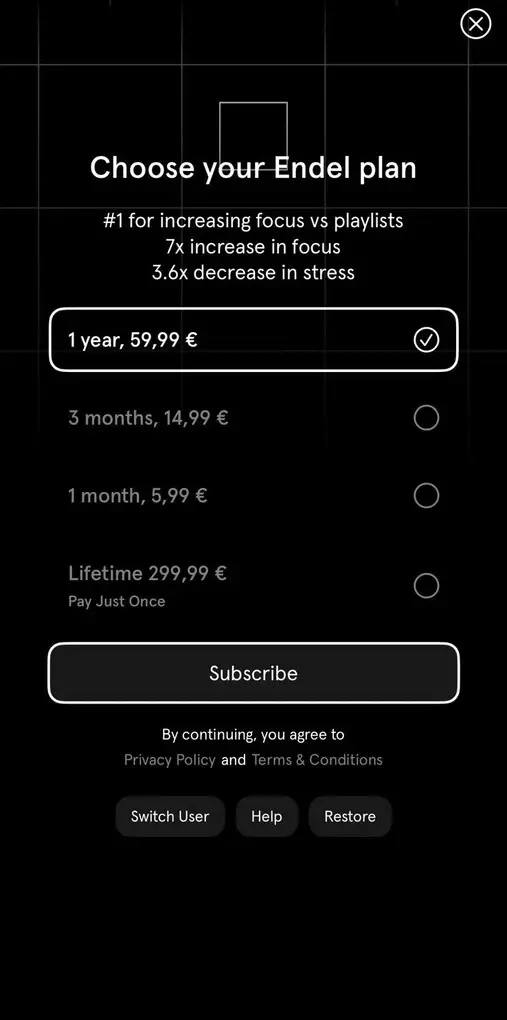
Endel Pricing
- Free plan available, as well as a 7-day free trial
- 12 months plan: $39.99
- 3 months plan: $19.99
- 1 month plan: $6.99
- Lifetime plan: $249.99
one sec
Best Focus App for iPhone for Breaking Distracting Habits
one sec takes a different approach to focus than traditional app blockers. Instead of blocking distracting apps, it adds a short interruption that breaks the habit of opening them automatically and gives you a moment to reconsider.
Best for:
Breaking automatic scrolling habits and using distracting apps more intentionally
Not ideal if:
You want a traditional focus timer or detailed productivity analytics
Biggest advantage:
Its friction-based interventions make you pause before opening distracting apps
Main tradeoff:
The approach is designed more around changing screen-time habits than managing structured deep-work sessions
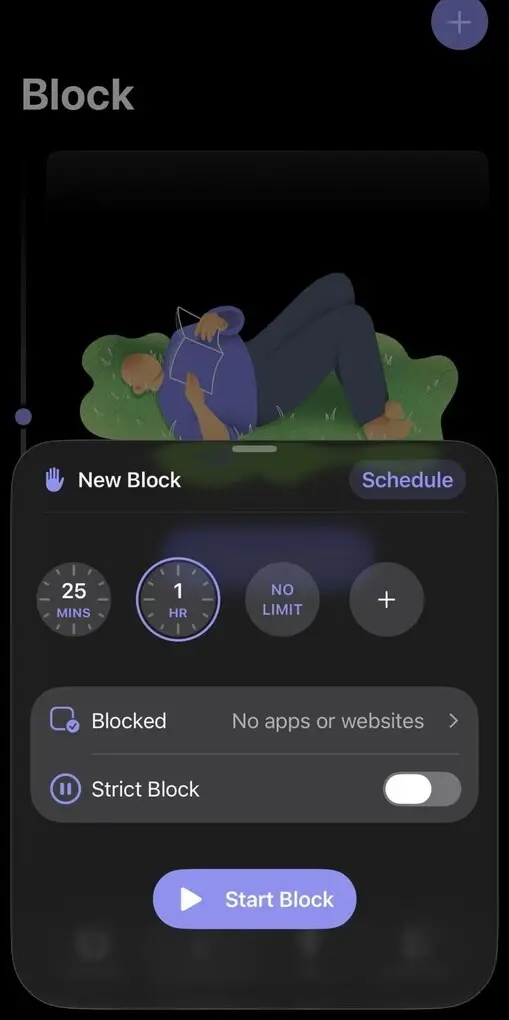
How one sec’s Features Performed During My Testing
one sec’s Strengths
- Uses friction instead of immediately blocking distracting apps
- Helps break automatic scrolling habits
- Offers several types of customizable interventions
- Re-Intervention can interrupt extended scrolling sessions
- Pro includes blocking sessions for stronger distraction protection
- Works across iPhone, iPad, Mac, Android, and computers through its browser extension
Short wrap-up: one sec is ideal for people who repeatedly open distracting apps without consciously deciding to do so and want a gentler, habit-focused alternative to traditional app blockers.
one sec’s Limitations
- Less focused on structured focus sessions than apps such as Floviu or Forest
- Its screen-time approach may not appeal to users looking for detailed productivity analytics
- Some of the more advanced features require Pro
- The intervention can feel repetitive if you already have strong control over your app usage
Short wrap-up: Users who primarily want Pomodoro sessions, deep-work tracking, or a comprehensive focus dashboard may want to skip one sec in favor of a more productivity-focused app.
one sec Pricing
- Free plan available, as well as a 7-day free trial
- one sec Pro: $19.99/year
- Lifetime: $99.99
Freedom
Best Focus App for iPhone for Cross-Device Distraction Blocking
Freedom is a focus and distraction-blocking app that lets you block distracting apps, websites, or even the entire internet during focus sessions. Its biggest advantage is that sessions can sync across your iPhone, iPad, and computer.
Best for:
Blocking distractions across multiple devices
Not ideal if:
You want personalized focus insights or a softer approach to distractions
Biggest advantage:
Syncs distraction blocking across your devices
Main tradeoff:
Its stronger blocking approach can feel restrictive compared with apps that focus on habit awareness
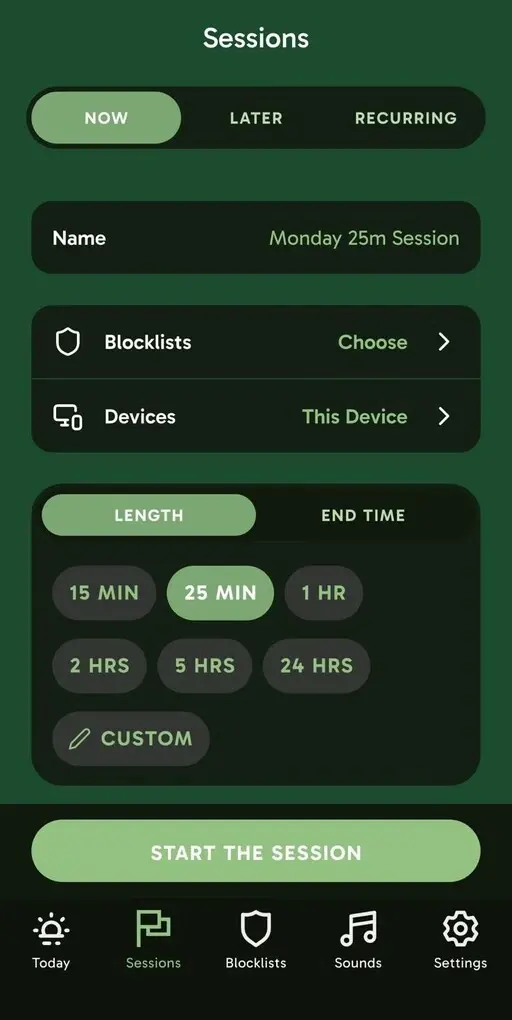
How Freedom’s Features Performed During My Testing
Freedom’s Strengths
- Blocks distracting apps, websites, or the entire internet
- Syncs focus sessions across multiple devices
- Flexible scheduling and recurring sessions
- Locked Mode provides stronger distraction protection
- Includes focus sounds
- Free plan available
Short wrap-up: Freedom is ideal for people who want strong distraction blocking that follows them across their iPhone, computer, and other devices.
Freedom’s Limitations
- Strong blocking can feel restrictive
- Less focused on personalized focus insights or habit analysis
- Many of the most useful scheduling features require Premium
- May be more than you need if you only want a simple iPhone focus timer
Short wrap-up: Users who prefer a gentler approach to distractions or want deeper insights into their focus habits may want to skip Freedom in favor of a more personalized focus app.
Freedom Pricing
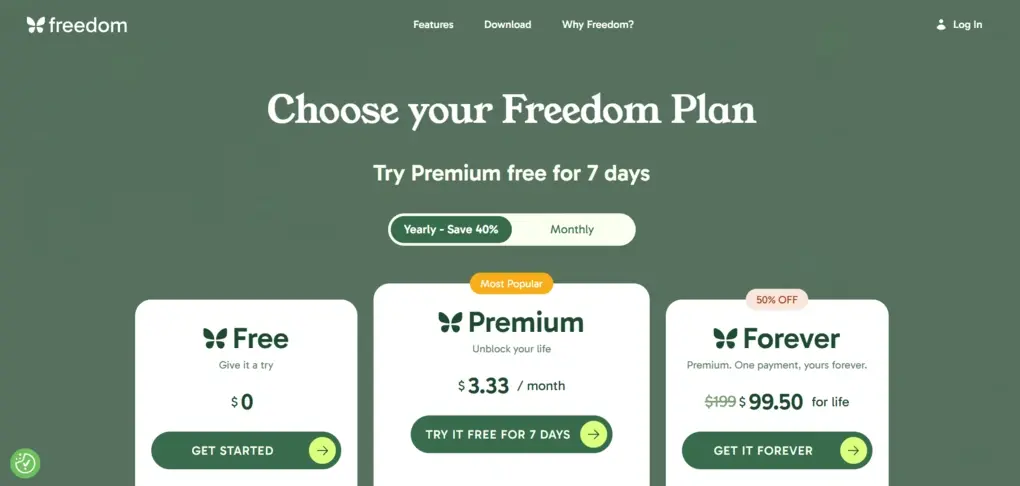
- Free plan available
- Premium: $3.33/month
- Freedom Forever: $99.50 one-time payment
- Premium includes advanced scheduling, recurring sessions, Locked Mode, and longer sessions.
Focus friend
Best Focus App for iPhone for a Cozy and Motivating Focus Experience
Focus Friend is a gamified focus timer that gives you a cute Bean companion to work alongside you. As you focus, your Bean works too, and completing sessions earns rewards you can use to decorate its room.
Best for:
Staying motivated through gamification and a sense of companionship
Not ideal if:
You want detailed focus analytics or advanced productivity features
Biggest advantage:
Turns focus sessions into a fun and rewarding experience
Main tradeoff:
Its playful approach may not appeal to users who prefer a more serious or minimalist focus app
How Focus Friend’s Features Performed During My Testing

Focus Friend’s Strengths
- Makes focusing more engaging through gamification
- Bean companion creates a sense of accountability
- Simple and approachable interface
- Deep Focus Mode can block distracting apps
- Pomodoro-style breaks are built in
- Rewards and room customization provide visible progress
Short wrap-up: Focus Friend is ideal for students, professionals, or anyone who finds it easier to stay focused when there is a fun, motivating element and a sense of companionship.
Focus Friend’s Limitations
- Less suitable for users who want detailed focus analytics
- Gamified design may feel too playful for some users
- Fewer advanced productivity features than more comprehensive focus apps
- Its strongest appeal depends on enjoying the Bean and reward system
Short wrap-up: Users who prefer analytical focus tracking, personalized insights, or a more minimalist productivity experience may want to skip Focus Friend in favor of a more feature-rich focus app.
Focus Friend Pricing
- Free plan available
- Focus Friend Pro: €3.99/month (€22.99/year)
- Lifetime plan: €34.99
Opal
Best Focus App for iPhone for Blocking Distractions
Opal
Opal is a focus and screen-time app for iPhone that helps you reduce distractions by blocking apps and websites during the times you want to focus. It combines customizable blocking, focus sessions, screen-time insights, and progress tracking to make it easier to stay away from distracting apps.
Best for:
Blocking distracting apps and reducing screen time
Not ideal if:
You want a focus app centered on personalized insights or soundscapes
Biggest advantage:
Gives you extensive control over when and how distracting apps are blocked
Main tradeoff:
Its stronger blocking approach can feel more restrictive than apps that encourage a softer pause before opening distractions
How Opal’s Features Performed During My Testing
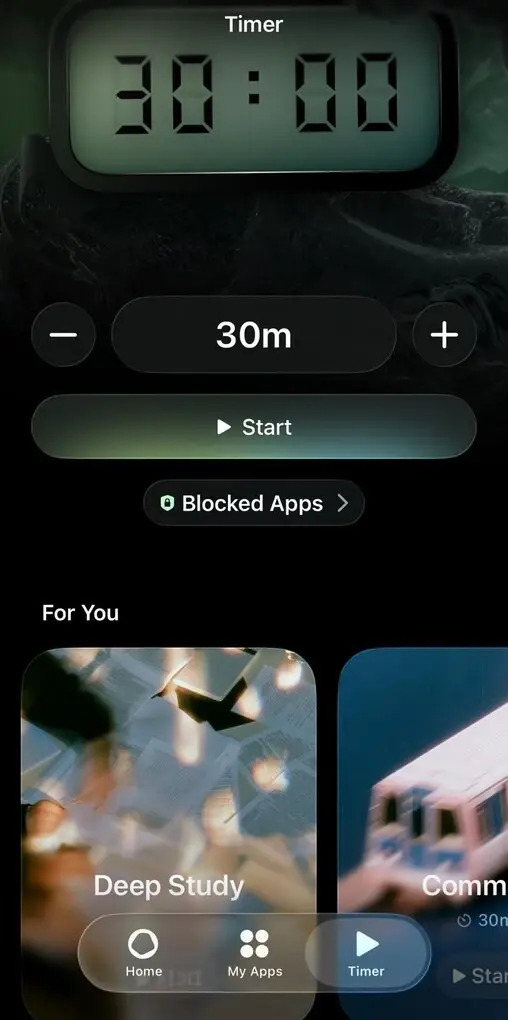
Opal’s Strengths
- Powerful app and website blocking
- Highly customizable Rules and schedules
- Deep Focus provides strong protection against distractions
- Detailed screen-time and focus tracking
- Integrates with iPhone Focus Mode and Shortcuts
- Rewards and milestones add a motivational element
Short wrap-up: Opal is ideal for people who know exactly which apps distract them and want strong, customizable tools to keep those distractions out of reach while they work, study, or follow a daily routine.
Opal’s Limitations
- Strong blocking can feel restrictive
- Less focused on understanding the personal causes and patterns behind distraction
- Its screen-time approach may be more useful for managing phone habits than analyzing deep-work performance
Short wrap-up: Users who prefer a gentler approach to distraction or want detailed personalized insights into how and when they focus may want to skip Opal in favor of a more comprehensive focus app.
Opal Pricing
- Free plan available, as well as a 7-day free trial
- Opal Pro plan: $8.29/month with annual billing
- Teams Pro plan: Custom pricing
Forest
Best Focus App for iPhone for Gamified Focus and Motivation
Forest is a gamified focus app that turns focused time into a growing virtual forest. Its combination of a simple focus timer, app blocking, visual progress, and rewards makes staying away from your phone feel more like a game than a productivity task.
Best for:
Staying motivated through gamification and visual progress
Not ideal if:
You want detailed personalized insights into your focus patterns
Biggest advantage:
Turns every completed focus session into visible progress
Main tradeoff:
Its gamified approach may not appeal to users who prefer a more minimal or analytical focus experience
How Forest’s Features Performed During My Testing
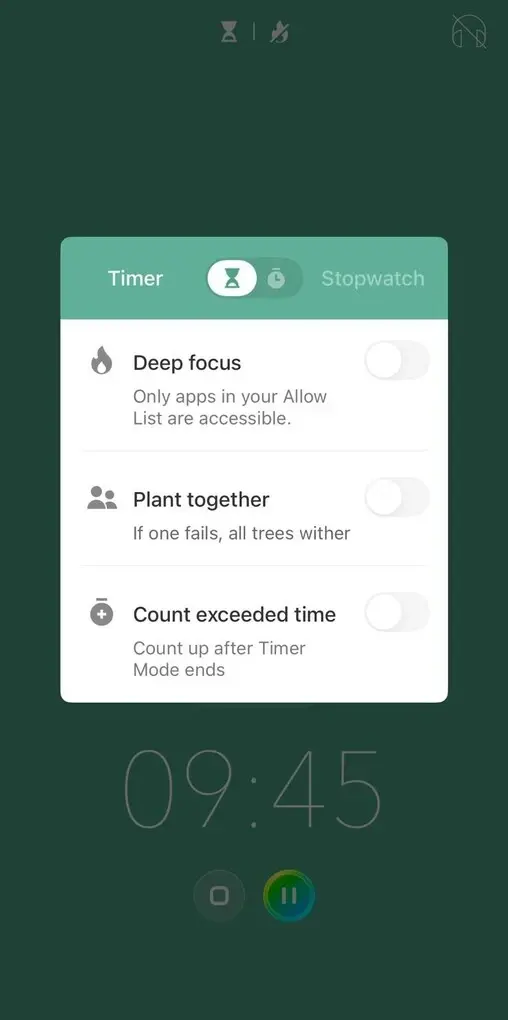
Forest’s Strengths
- Makes focus sessions engaging through gamification
- Visual forest provides an immediate sense of progress
- App blocking adds practical distraction protection
- Time Guard supports scheduled phone-free periods
- Detailed focus history and custom tags help track progress
- Shared sessions add a social motivation element
- Real tree planting gives the gamification a tangible purpose
Short wrap-up: Forest is ideal for students, professionals, or anyone who finds visual rewards motivating and wants a more engaging way to build a consistent focus routine.
Forest’s Limitations
- Gamification may feel unnecessary if you prefer a minimalist focus timer
- Focus analytics are more about tracking your time and progress than understanding deeper personal focus patterns
- Some of the more advanced features are part of the paid offering
Short wrap-up: Users who are looking for personalized focus insights, a calmer sound-first experience, or a comprehensive system for understanding why they get distracted may want to skip Forest in favor of a more analytical focus app.
Forest Pricing
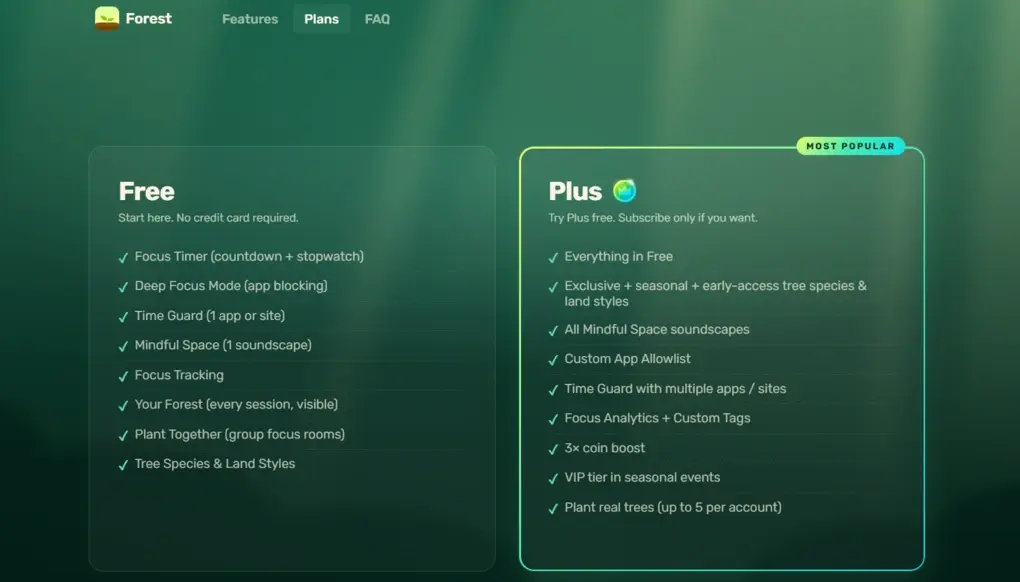
- Free plan available, as well as a 14-day free trial
- Forest Plus: $3.99
Summary
After testing all seven apps, I found that they’re surprisingly different despite having the same goal: helping you focus. Some are better at blocking distractions, some make focusing more enjoyable, and others help you understand your habits.
Floviu stood out as the most well-rounded option, but the best choice really comes down to what tends to get in the way of your focus in the first place.
Read Next
A few related pieces worth your time:
- The New W-2 Reporting Requirement Most Employers Are Underestimating
- More Than Music: Creative Ways to Use an MP4 to MP3 Converter
- Tech Is Reshaping Sexual Abuse Prevention and Reporting
Frequently asked questions
What is the best focus app for iPhone?
Floviu is the most well-rounded for building focused work habits, while Opal and Freedom are better for distraction blocking, and one sec helps you become more intentional with distracting apps.
Do I need a focus timer to stay focused?
Not necessarily. A focus timer can help you dedicate focused time to one task, while the Pomodoro Technique uses 25 minutes of focused work followed by a short break. Other apps rely on sound, blocking, or gamification instead.
How do focus apps help with minimizing distractions?
They help you stay focused by blocking distracting apps, adding pauses before opening them, or creating distraction-free sessions. This makes it easier to concentrate on one task instead of constantly switching between distractions.
Can I use an iPhone focus app across multiple devices?
Some apps support multiple devices, letting you protect your focus across iPhone, iPad, Mac, Windows, Android, and Chromebook. Freedom is particularly useful for this, while Endel works across several Apple devices.