Every SaaS company sits on a pile of product screenshots nobody watches move. A dashboard screenshot in a pitch deck. A feature comparison image on a landing page. A UI walkthrough buried three pages deep in documentation nobody reads past the first paragraph. All of it stays static, frozen at a single moment, asking the viewer to imagine the rest.
That’s a problem, because buyers increasingly expect to see a product in motion before they ever book a demo call. A prospect evaluating three competing platforms in the same afternoon isn’t going to mentally animate a screenshot for each one. They’re going to click through to whichever product actually shows them the workflow, and move on from the ones that don’t.
Key Takeaways
- Static screenshots fail to demonstrate product functionality, leading to buyer disengagement.
- Prospects prefer seeing products in motion, which static images cannot provide, especially for complex software.
- Pollo AI’s image to video tool transforms screenshots into short animated demos, streamlining video creation.
- InVideo AI allows teams to refine demo videos, ensuring they highlight key features effectively.
- Regularly generating demo videos with Pollo AI can keep marketing materials up-to-date and compelling.
Table of contents
Why Static Screenshots Undersell Modern Software
A screenshot shows what a product looks like. It rarely shows what a product actually does. Buyers evaluating enterprise software, fintech platforms, or SaaS tools want to see a workflow in action — a form being filled, a report generating, a dashboard updating in real time. A still image they have to mentally animate themselves doesn’t communicate any of that, no matter how clean the UI design is.
This gap matters more than most product marketing teams admit. Analyst research on buyer behavior consistently shows that B2B buyers complete a large share of their evaluation before ever speaking to sales, which means the static assets on a website and in a deck are often doing more persuasive work than the actual sales team. A screenshot-only feature page is asking a self-serve buyer to take the product’s usefulness on faith.

Marketing Studio’s image to video tool solves this directly. Pollo AI takes existing product screenshots and turns them into a short animated walkthrough — no screen recording software, no scheduling a designer’s time, no waiting on a video production request that competes with a dozen other priorities. A product marketing team can turn a static feature page into something that actually demonstrates the workflow in minutes, using assets that already exist in a design library rather than commissioning anything new.
From a Screenshot Library to a Demo Reel
Most product teams already have a large library of screenshots sitting in a design tool, a documentation folder, or an old sales deck nobody’s touched in months. What’s usually missing isn’t the material — it’s the time to turn any of it into video content that’s actually worth publishing.
That gap has real consequences. A sales deck or a landing page deserves more than a folder of screenshots, especially when a competitor down the search results page has invested in motion. But asking an already-stretched marketing team to produce a full video for every feature has never been realistic, so most companies end up reserving video for the two or three flagship capabilities that can justify a dedicated production budget, while everything else stays static indefinitely.
Marketing Studio changes that math. A handful of existing screenshots can become a short product demo video in a single working session, without a separate production request or a new line item in the marketing budget. A team that used to rely on static images for every feature announcement can now add motion with Pollo AI as a routine part of the announcement itself, rather than a follow-up project that gets deprioritized the moment the next sprint starts.
Refining the Walkthrough With InVideo AI
A first generated video usually covers the core workflow well — the sequence of clicks, the key screen transitions, the moment where the product’s value becomes obvious. But some teams want more control over pacing or emphasis before a video goes into a sales deck or a paid campaign, particularly when a specific screen or interaction is the one buyers ask about most in demo calls.
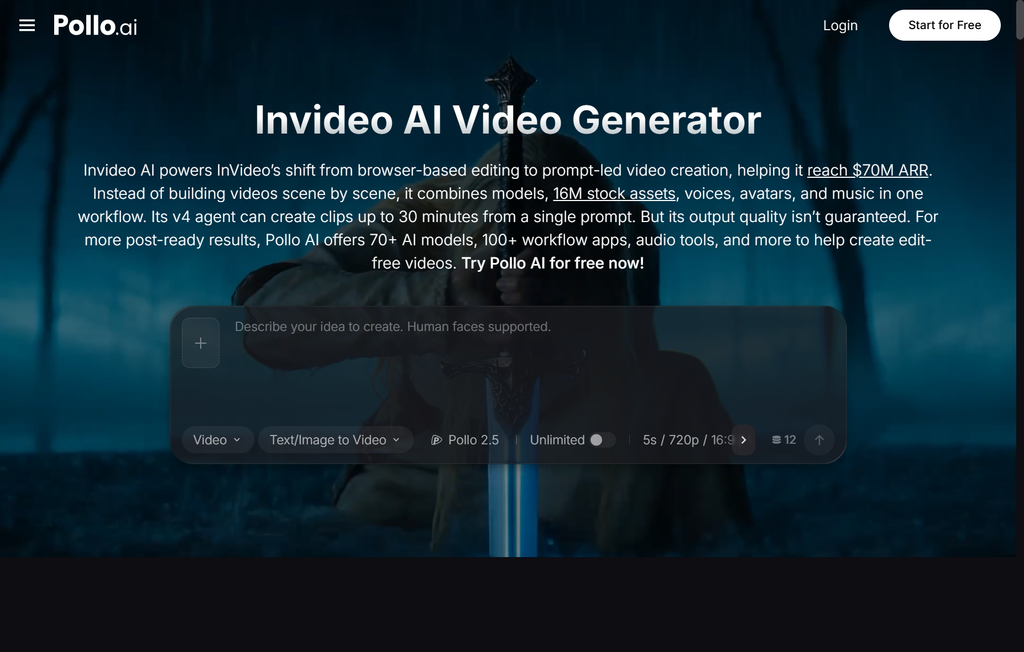
InVideo AI, built directly into Marketing Studio, handles that refinement step. Using InVideo AI fits naturally right after the first draft comes back: a team reviews the initial video, slows down the section that matters most to buyers, tightens the pacing on a step that felt rushed, or adjusts the sequence to lead with the feature that closes the most deals. Everything stays inside Pollo AI, from the original screenshots to the finished demo, which means no exporting files between separate apps and no handoff to a video specialist who has to be briefed from scratch on what the product even does.
Why This Matters More for Technical Products
Enterprise software often has the hardest job in marketing. A complex workflow needs to look simple enough to grasp in thirty seconds, without oversimplifying what the product actually does or misrepresenting a capability a technical buyer will scrutinize closely. Static screenshots struggle with this balance — they either show too little to be convincing or require enough captions and callouts that they start to look like documentation rather than marketing.
Motion helps a viewer follow a sequence of steps the way they’d actually use the product, which is precisely the kind of comprehension a single frozen image can’t deliver. Removing the production cost of video changes what’s realistic for a product marketing team to attempt. A company can now produce a demo video for every major feature, not just the flagship ones that historically justified a dedicated production budget and a place on the homepage.
That shift matters competitively. When video production was expensive, the advantage went to whichever company had the biggest marketing budget, regardless of how good the underlying product actually was. As that cost comes down, the advantage shifts back toward products that are genuinely well built and well designed — a good workflow can finally look as good as it works, without needing a six-figure production budget to prove it.
Building This Into Every Product Release
Teams that keep their marketing current tend to treat this as a standard step after every feature ships, not a special initiative that gets planned separately from the release itself. A new screenshot becomes a short demo video the same week it’s captured, published alongside the release notes and the landing page update, rather than sitting in a folder while a proper video gets scheduled for some future quarter that never quite arrives.
Over a few release cycles, that habit compounds. A product marketing team that treats video generation as a five-minute step in the release checklist ends up with a growing library of current, accurate demo content — instead of the more common outcome, where the only video assets on a website are two years old and demonstrate a UI the product has long since redesigned.
Getting Started
Pick one feature that’s currently represented by static screenshots alone, ideally one that’s frequently asked about in sales calls but hasn’t earned a dedicated production budget. Generate a short demo video through Marketing Studio, refine it with InVideo AI if the pacing needs a pass, and add it to the feature’s landing page or the next sales deck that goes out.
For most tech companies, the real shift isn’t a single polished demo video. It’s finally being able to show, not just describe, every feature that ships — from the flagship capability that closes deals to the smaller workflow improvement that never quite made it into a video before. Pollo AI removes the production lag that used to make that unrealistic for anything short of a major launch, which means the gap between what a product actually does and what buyers can see it doing keeps getting smaller.