

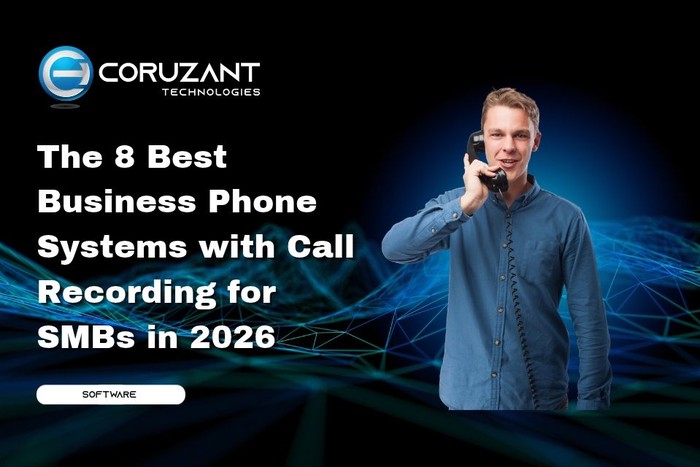
Call recording is a baseline feature for SMB business phone systems in 2026, but the practical differences between providers (which plan tier it ships on, how long storage lasts, whether AI transcription is bundled or an add-on, whether recordings actually flow into the CRM) decide the real monthly cost and the operational value. We tested 8 business phone systems with built-in call recording across the dimensions that matter for SMB sales and support operations: recording capture mechanics, AI transcription quality, CRM data flow, storage retention, pricing shape at 10 users, and compliance posture.
Key Takeaways
- In 2026, call recording is essential for SMB phone systems, but provider differences impact costs and operational value.
- We tested 8 systems for features like call recording mechanics, AI transcription, CRM integration, and compliance.
- CloudTalk stands out as the best option for SMBs needing automatic recording and multilingual AI transcription at $38/user/month.
- Dialpad excels in real-time AI transcription for English-speaking teams, while Nextiva is great for all-in-one solutions.
- Ultimately, choose a system based on your specific team needs, CRM integration, language capacity, and compliance requirements.
Table of contents
- TL;DR
- How We Tested
- The 8 Best Business Phone Systems with Call Recording for SMBs Compared
- Key Features of the Best Business Phone System with Call Recording for SMBs
- How to Choose the Best Business Phone System with Call Recording for Your SMB
- Conclusion
- Frequently Asked Questions
- What is the best business phone system with call recording for SMBs in 2026?
- How much does a business phone system with call recording cost for SMBs?
- Does every business phone system include call recording?
- What’s the cheapest business phone system with call recording for a 2-person SMB?
- Which SMB phone system has the best AI transcription?
- Does SMB phone system call recording comply with GDPR and HIPAA?
- Do business phone systems push call recordings into the CRM automatically?
- What’s the typical total cost for a 10-agent SMB with call recording and AI?
TL;DR
1. CloudTalk: Best overall for SMB sales and support teams needing bundled AI transcription in 60+ languages at a flat $9/user/month.
2. RingCentral: Best for mid-market SMBs scaling toward enterprise with broadest compliance coverage.
3. Nextiva: Best all-in-one SMB platform with built-in CRM alongside phone and recording.
4. Aircall: Best for HubSpot, Intercom, or Zendesk-committed SMBs prioritizing fast setup.
5. Dialpad: Best for English-first teams wanting real-time AI transcription during the call.
6. OpenPhone: Best for modern small teams wanting a lightweight business phone with call recording.
7. GoTo Connect: Best for SMBs wanting unified voice-video-messaging with call recording.
8. JustCall: Best for budget-conscious outbound SMB sales teams.
How We Tested

Every platform below was evaluated on six criteria that decide real deployment outcomes for SMB sales and support operations.
Recording capture mechanics. Whether recording triggers on call connect automatically or requires agent click. Dual-channel recording (agent and customer on separate audio tracks) vs. mono. Mid-call pause and resume as a single-recording operation (PCI compliance requirement). Codec quality (Opus and G.722 wideband vs. narrowband G.711).
AI transcription pricing shape and language coverage. Flat per-seat add-on on any plan vs. bundled into base tier vs. gated to premium tier. Specific languages supported with usable accuracy, verified against vendor documentation and real user reviews rather than country-code claims.
CRM data flow depth. Whether transcripts, AI summaries, sentiment, extracted topics, and tags write onto the HubSpot, Salesforce, Pipedrive, or Zendesk record automatically. Metadata-only call logging scored lower than full AI data push.
Recording storage retention. Unlimited from the main tier vs. capped retention (30, 90, 365 days). For compliance-driven workflows and coaching libraries, unlimited retention from an affordable tier beats tier-locked storage over 24 months.
Pricing shape and seat minimums. Entry pricing, seat minimums, hidden costs (recording retention upgrades, SSO tier gating, AI add-ons), and real monthly cost at a 10-rep SMB team.
Compliance posture. SOC 2 Type II baseline. GDPR with EU data residency. HIPAA with BAA for healthcare SMBs. PCI DSS for payment handling. SAML SSO on an affordable plan tier.
Where capability or pricing was material, we cross-checked vendor claims against published documentation, G2 and Capterra reviews, and real deployment feedback from SMB sales and support teams.
The 8 Best Business Phone Systems with Call Recording for SMBs Compared
1. CloudTalk
CloudTalk is cloud call center software built for SMB sales and support teams, with automatic call recording from Starter at $25/user/month, unlimited recording storage from Essential at $29/user/month, and AI transcription in 60+ languages via a flat $9/user/month add-on on any plan. Dual-channel recording with Opus and G.722 wideband codecs. Native CRM push writes transcripts, summaries, sentiment, and extracted topics onto the HubSpot, Salesforce, Pipedrive, or Zendesk record automatically.
Who is CloudTalk best for?
SMB sales, support, and customer-success teams of 1 to 100 reps needing automatic recording plus multilingual AI transcription plus searchable archive plus automatic CRM push, without an enterprise contract.
What are the key features of CloudTalk?
- Automatic call recording from Starter at $25/user/month (1-licence minimum)
- Dual-channel recording with Opus and G.722 wideband codecs
- Mid-call pause and resume on desktop and mobile (PCI compliant)
- Unlimited recording storage from Essential tier
- AI transcription in 60+ languages at a flat $9/user/month on any plan
- Native CRM push via Conversation Intelligence Data Export (HubSpot, Salesforce, Pipedrive, Zendesk, Intercom)
- 160+ countries with local-presence calling
- SOC 2 Type 1 and Type 2, GDPR, HIPAA with BAA since Q1 2025, SAML SSO on every plan
- 14-day free trial, no credit card required
What are the pros and cons of CloudTalk?
Pros:
- Automatic recording from Starter with 1-licence minimum (no seat-minimum penalty for sub-3 user teams)
- Dual-channel recording with Opus and G.722 wideband codecs for best transcription accuracy
- AI transcription in 60+ languages at a flat $9/user/month on any plan (broadest multilingual footprint on this list)
- Unlimited recording storage from Essential tier (beats tier-locked alternatives over 24 months)
- Native CRM push writes full AI output onto the contact record automatically
- Mid-call pause and resume on both desktop and mobile for PCI compliance
- SAML SSO included on every plan including Starter at $25
- 160+ countries with local-presence calling
- SOC 2 Type 1 and Type 2, GDPR, HIPAA with BAA since Q1 2025
- 14-day free trial with 50 AI voice agent minutes, no credit card required
Cons:
- AI capabilities sit in a separate add-on ($9/user/month) rather than bundled into seat pricing
- Expert tier has a 3-licence minimum
- No live in-call AI coaching prompts (post-call analysis only)
How much does CloudTalk cost?
- Starter: $25/user/month (basic recording, 1-licence minimum)
- Essential: $29/user/month (unlimited recording storage, full CRM integrations)
- Expert: $49/user/month (3-licence min, Salesforce CTI, Power Dialer, wallboards)
- AI Conversation Intelligence add-on: $9/user/month on any plan
- AI Voice Agent add-on: from $99/month (200 minutes)
What is CloudTalk’s G2 rating?
4.4/5 from 1,702+ reviews.
2. RingCentral

RingCentral has the broadest capability footprint on this list and the largest enterprise customer base, with call recording landing on Advanced tier at $25/user/month and AI capabilities typically requiring Ultra at $35/user/month or RingCX add-ons. Mature workforce management and quality assurance tooling. Scales from SMB to full contact center on the same stack. Setup overhead higher than SMB-focused tools.
Who is RingCentral best for?
Mid-market SMBs of 50+ users scaling toward enterprise contact center operations with broad compliance requirements (HIPAA, PCI DSS, FINRA).
What are the key features of RingCentral?
- Automatic call recording on Advanced tier and above
- Conversation analytics with sentiment and intent on Ultra
- Mature workforce management and quality assurance tooling
- 300+ pre-built integrations
- Native CRM integrations across Salesforce, HubSpot, Zendesk, Microsoft Dynamics
- Enterprise compliance: HIPAA, PCI DSS, SOC 2 Type II, FINRA
What are the pros and cons of RingCentral?
Pros:
- Broadest capability footprint on this list
- 300+ pre-built integrations
- Mature workforce management and quality assurance tooling
- Scales from SMB to enterprise on the same stack
- Broadest compliance coverage on this list (HIPAA, PCI DSS, SOC 2 Type II, FINRA)
Cons:
- Call recording not on base Core tier ($20/user/month); requires Advanced at $25/user/month
- AI capabilities typically require Ultra tier or RingCX add-ons
- Setup and administration overhead heavier than SMB-focused tools
- Overkill for teams under 25 agents
- G2 4.0 rating reflects billing complexity and support response times
How much does RingCentral cost?
- Core: $20/user/month (no recording)
- Advanced: $25/user/month (recording, 300+ integrations)
- Ultra: $35/user/month (advanced analytics, device management)
- RingCX contact center: from $65/agent/month
What is RingCentral’s G2 rating?
4.0/5 from 1,000+ reviews.
3. Nextiva
Nextiva is a VoIP-first business communications platform with call recording on Core at $30/user/month and AI capabilities on Power Suite CX at $60/user/month. Platform strength is breadth (phone, video, messaging, built-in CRM) packaged for small-business budgets. 24/7 US-based support widely praised in reviews. Primarily US and Canada focused.
Who is Nextiva best for?
US-centric small businesses of 10 to 50 employees wanting one vendor for phone, chat, email, and built-in CRM alongside call recording.
What are the key features of Nextiva?
- All-in-one platform with built-in CRM
- Call recording from Core tier
- 24/7 US-based support widely praised
- Native integrations with Salesforce, HubSpot, Zendesk, Microsoft Dynamics
- Unlimited US and Canada calling on all plans
- SOC 2, HIPAA, PCI compliance on specific plans
What are the pros and cons of Nextiva?
Pros:
- All-in-one platform with built-in CRM (unique on this list)
- Reliable call quality widely cited in reviews
- Strong 4.5/5 G2 rating from 3,000+ verified reviews
- 24/7 US-based support widely praised
- Transparent per-user pricing
Cons:
- Call recording not on base Digital tier ($20/user/month); requires Core at $30/user/month
- AI transcription and voice analytics gated to Power Suite CX at $60/user/month
- Built-in CRM lighter than purpose-built tools (teams often still use HubSpot or Salesforce alongside)
- Primarily US and Canada focused, with weaker international coverage
- Outbound dialer capabilities thinner than CloudTalk or JustCall
How much does Nextiva cost?
- Digital: $20/user/month (no recording)
- Core: $30/user/month (call recording)
- Engage: $40/user/month (IVR, voice analytics, CRM integrations)
- Power Suite CX: $60/user/month (AI transcription, voice biometrics, WFM)
What is Nextiva’s G2 rating?
4.5/5 from 3,000+ reviews.
4. Aircall
Aircall is a cloud phone system with the fastest first-day setup in the SMB category and deep native integrations with HubSpot, Intercom, and Zendesk. Automatic call recording on Essentials, dual-channel supported. AI transcription via AI Assist is a $9/licence/month add-on on Essentials or bundled into Professional at $50/licence. Three-licence minimum on all self-serve plans.
Who is Aircall best for?
3+ user SMB teams fully committed to HubSpot, Intercom, or Zendesk workflows prioritizing fast setup over feature breadth.
What are the key features of Aircall?
- Fastest first-day setup in the SMB category
- Dual-channel recording with Opus codec
- Deep HubSpot, Intercom, Zendesk integrations
- Live in-call coaching prompts available (AI Assist Pro, $49/licence add-on)
- 100+ native integrations
- SOC 2 Type 2, GDPR, HIPAA BAA available
What are the pros and cons of Aircall?
Pros:
- Fastest first-day setup in the SMB category
- Deep HubSpot, Intercom, Zendesk native integrations
- Dual-channel recording for speaker separation
- Live in-call coaching prompts available (AI Assist Pro, unique capability on this list)
- Clean modern interface widely praised in reviews
- 100+ native integrations
Cons:
- Three-licence minimum on all self-serve plans ($90/month entry invoice even for 2-person teams)
- AI transcription is a paid add-on on Essentials ($9/licence); bundled only on Professional at $50/licence
- Recording retention capped at 1 year on Essentials
- No mid-call pause and resume (PCI compliance gap vs. CloudTalk)
- SAML SSO gated to 25-licence Custom tier
- AI language coverage narrower than country footprint
How much does Aircall cost?
- Essentials: $30/licence/month (3-licence min, recording 1-year retention)
- Professional: $50/licence/month (AI Assist bundled, unlimited retention)
- Custom: Quote-based (25-licence min, SAML SSO)
What is Aircall’s G2 rating?
4.3/5 from 1,200+ reviews.
5. Dialpad
Dialpad bundles business phone, video meetings, and messaging into one platform with industry-leading real-time AI transcription for English-language calls. Call recording and transcription included on Standard rather than priced as separate add-ons. Live transcript surfaces to agents during the call, which few platforms on this list offer. Three-licence minimum on Standard. AI accuracy drops noticeably outside English.
Who is Dialpad best for?
English-first mid-market SMB teams of 10 to 50 users wanting unified voice, video, and messaging with real-time AI transcription bundled.
What are the key features of Dialpad?
- Real-time AI transcription during the call with sentiment indicators
- Call recording bundled on Standard tier
- Unified voice, video, messaging platform
- Native Salesforce and HubSpot integrations
- Strong English-language AI accuracy
- SOC 2 Type II, GDPR, HIPAA compliant on specific plans
What are the pros and cons of Dialpad?
Pros:
- Real-time transcription during the call, not just post-call
- Strong AI accuracy for English-language conversations
- AI Call Summary and action items automatically generated
- Unified voice, video, and messaging on one platform
- Native Salesforce and HubSpot integrations
- AI bundled on Standard tier (no separate add-on)
Cons:
- AI transcription accuracy drops noticeably outside English
- Three-licence minimum on Standard
- Pro tier required for international SMS and multiple office locations
- Enterprise features (SSO, advanced analytics) gated to higher tiers
- Can feel heavy for teams that only need phone, not video and messaging
How much does Dialpad cost?
- Standard: $27/user/month (3-licence min, recording and AI bundled)
- Pro: $35/user/month (international SMS, multiple office locations)
- Enterprise: Custom (100-licence min, SAML SSO, advanced analytics)
What is Dialpad’s G2 rating?
4.4/5 from 2,000+ reviews.
6. OpenPhone
OpenPhone is a modern cloud business phone system designed for lightweight small team deployments, with call recording on Business tier at $33/user/month and clean modern UX widely praised in reviews. Deploy in minutes rather than hours. Lighter on advanced features (dialer, IVR depth, AI transcription) than voice-first platforms but adequate for most small team use cases.
Who is OpenPhone best for?
Modern small teams of 1 to 25 users wanting a lightweight business phone with call recording, shared inboxes, and clean UX.
What are the key features of OpenPhone?
- Clean modern UX widely praised in reviews
- Call recording on Business tier and above
- Shared inboxes for team phone number collaboration
- Native integrations with HubSpot, Salesforce, Slack, Zapier
- One-user minimum (lower than most SMB platforms)
- Deploy in minutes
What are the pros and cons of OpenPhone?
Pros:
- Clean modern UX widely praised in reviews (4.7 G2)
- One-user minimum (lower than most SMB platforms)
- Fastest deployment on this list (minutes)
- Shared inboxes for team phone number collaboration (unique on this list)
- Native integrations with HubSpot, Salesforce, Slack, Zapier
- Mobile and desktop apps included
Cons:
- Call recording not on Starter tier ($19/user/month); requires Business at $33/user/month
- No real AI transcription at SMB tier (lighter than CloudTalk or Dialpad)
- Lighter on advanced features (dialer, IVR depth) than voice-first platforms
- International coverage narrower than CloudTalk
- SAML SSO gated to Scale tier (custom pricing)
How much does OpenPhone cost?
- Starter: $19/user/month (no recording)
- Business: $33/user/month (call recording, CRM integrations, advanced analytics)
- Scale: Custom (SAML SSO, dedicated support)
What is OpenPhone’s G2 rating?
4.7/5 from 1,500+ reviews.
7. GoTo Connect

GoTo Connect unifies cloud VoIP, video meetings, and messaging into one platform with call recording bundled on Standard tier and visual dial-plan editor for IVR routing. Positioned for SMBs wanting one vendor for voice-video-messaging rather than three separate tools. 99.999% uptime SLA. Pricing transparency weaker than CloudTalk or OpenPhone.
Who is GoTo Connect best for?
SMB teams of 10 to 50 users wanting unified voice, video, and messaging with call recording in one platform.
What are the key features of GoTo Connect?
- Unified voice, video, messaging platform
- Call recording bundled on Standard tier
- Visual dial-plan editor for IVR configuration
- 99.999% uptime SLA
- Native integrations with Salesforce, HubSpot, Zoho CRM
- International calling to 50+ countries bundled on Standard
What are the pros and cons of GoTo Connect?
Pros:
- Unified voice, video, messaging platform
- 99.999% uptime SLA (strongest on this list)
- Visual dial-plan editor for IVR configuration
- International calling to 50+ countries bundled on Standard tier
- Native integrations with Salesforce, HubSpot, Zoho CRM
Cons:
- Pricing transparency weaker than CloudTalk or OpenPhone (specific plan prices not consistently published)
- AI capabilities require higher-tier plans
- Interface feels less modern than CloudTalk or OpenPhone
- Advanced analytics gated to higher tiers
- Call recording tier gating varies by region
How much does GoTo Connect cost?
- Basic: $27/user/month (voice-only, limited recording)
- Standard: $32/user/month (full call recording, video, messaging, international)
- Premium: Custom (contact center features)
What is GoTo Connect’s G2 rating?
4.4/5 from 1,300+ reviews.
8. JustCall
JustCall is cloud VoIP positioned for outbound sales teams, with automatic call recording on Essentials at $29/user/month and AI Copilot (transcription, summaries, sentiment) on Team tier. Dialer capabilities (power, predictive, parallel) on mid tiers. Native CRM integrations across the SMB stack. G2 reviews flag occasional call quality issues under high load.
Who is JustCall best for?
Budget-conscious outbound SMB sales teams of 5 to 25 reps needing dialer capability alongside basic call recording.
What are the key features of JustCall?
- Automatic call recording from Essentials at $29/user/month
- AI Copilot on Team tier (transcription, summaries, sentiment)
- Dialer capabilities (power, predictive, parallel) on mid tiers
- Native integrations with HubSpot, Salesforce, Pipedrive, Zoho
- Two-user minimum (lower than Aircall’s three)
- SOC 2 Type II, GDPR, HIPAA compliant
What are the pros and cons of JustCall?
Pros:
- Competitive pricing for outbound-heavy teams
- Dialer capabilities (power, predictive, parallel) available on mid tiers
- Native CRM integrations with the SMB stack
- Two-user minimum (lower than Aircall’s three)
- Dual-channel recording supported
Cons:
- Call quality inconsistent under high volume per G2 reviews
- AI transcription accuracy inconsistent across languages
- Reporting and analytics less mature than CloudTalk or Dialpad
- Dialer features overkill cost for inbound-only CS teams
- International footprint weaker than CloudTalk or Aircall
How much does JustCall cost?
- Essentials: $29/user/month (recording, 2-user minimum)
- Team: $49/user/month (AI Copilot, power dialer)
- Pro: $89/user/month (predictive dialer, advanced analytics)
- Business: Custom
What is JustCall’s G2 rating?
4.3/5 from 1,000+ reviews.
Key Features of the Best Business Phone System with Call Recording for SMBs
Six technical criteria to verify on the vendor’s pricing page before signing. Automatic recording should trigger on call connect without agent action, from the entry paid tier. Platforms requiring agents to click “record” lose 15 to 30% of calls to simple forgetfulness, which breaks every downstream workflow (QA, coaching, dispute resolution, CRM archive). Dual-channel recording (agent and customer on separate audio tracks) dramatically improves AI transcription accuracy; mono recording caps the quality of the whole stack before transcription even runs.
AI transcription pricing shape decides most of the real cost. Platforms with a flat per-seat add-on on any plan (CloudTalk at $9/user/month, 60+ languages) are typically cheaper over 24 months than platforms that gate transcription to a premium tier (Nextiva Power Suite CX, Aircall Professional). Language coverage matters as much as price: CloudTalk’s 60+ languages is the broadest here, while Dialpad is strongest in English but drops materially outside it.
Native CRM data push turns recording from a storage dump into an operational tool. Platforms that write transcripts, summaries, sentiment, and tags onto the HubSpot, Salesforce, Pipedrive, or Zendesk record automatically (CloudTalk’s Conversation Intelligence Data Export is the deepest implementation here) deliver materially more operational value than platforms that log only call metadata.
Finally, confirm storage retention and compliance before signing. Unlimited or multi-year recording storage from the main tier beats tier-locked retention over 24 months. SOC 2 Type II is baseline; HIPAA with BAA matters for healthcare SMBs (CloudTalk since Q1 2025); SAML SSO should be available on an affordable plan tier rather than gated to a 25-licence enterprise contract.
How to Choose the Best Business Phone System with Call Recording for Your SMB
Four variables settle the shortlist for most SMB teams.
Team size and seat minimums. Under 3 users, pick a platform without a 3-licence minimum. CloudTalk Starter and Essential, OpenPhone, and JustCall all offer 1 to 2 user minimums, which saves $60 to $90/month compared to 3-licence platforms (Aircall, Dialpad) at the entry tier. 10 to 50 users, every platform here is viable, so the decision moves to CRM, languages, and AI needs. 50+ users scaling toward enterprise, RingCentral or Dialpad Enterprise fit.
CRM commitment. HubSpot or Zendesk-centric SMB workflows, Aircall ships deepest native integration at Professional pricing or CloudTalk delivers broader data push at Essential pricing. Salesforce-centric teams, CloudTalk Expert bundles Salesforce CTI from $49/user/month; Dialpad has strong Salesforce integration on Standard. Teams needing built-in CRM alongside phone, Nextiva is the only platform here that includes one.
Transcription language requirements. English-only teams, any platform with AI transcription on the plan tier they can afford works. Multilingual teams, CloudTalk covers 60+ languages at a flat $9/user/month; Dialpad is strong in English but drops materially outside; Aircall and JustCall have narrower AI language footprints than their country coverage suggests. For SMBs with international customers, this variable usually eliminates more options than any other.
Retention and compliance. Teams with regulated workflows (healthcare, financial services, insurance) or multi-year client contracts need recordings to live well past 90 days. CloudTalk and Dialpad ship unlimited storage from the main tier. Aircall Essentials caps at 1 year. For HIPAA with BAA, CloudTalk, RingCentral, Dialpad, Nextiva (higher tiers), and Aircall cover the use case.
Short decision tree:
- 1 to 10 user SMB on HubSpot or Salesforce with multilingual customers and standard compliance: CloudTalk Essential + AI at $38/user/month total
- English-first mid-market team wanting unified comms with AI bundled: Dialpad Standard at $27/user/month
- HubSpot or Zendesk-committed 3+ user team prioritizing fast setup: Aircall Essentials at $30/licence/month
- Modern small team of 1 to 25 users wanting clean UX: OpenPhone Business at $33/user/month
- Unified voice-video-messaging for 10 to 50 user SMB: GoTo Connect Standard at $32/user/month
- US-centric all-in-one with built-in CRM: Nextiva Core at $30/user/month
- 50+ user mid-market SMB scaling toward enterprise: RingCentral Advanced at $25/user/month
- Outbound-heavy SMB sales team on a budget: JustCall Team at $49/user/month
Conclusion
The 8 platforms above cover the realistic spectrum of SMB business phone systems with call recording in 2026. The practical trade-off is not call quality or recording mechanics (most are competitive) but how the AI transcription layer is priced over 24 months, how deeply recordings flow into the CRM, and whether seat minimums match your team size.
CloudTalk is the strongest fit for SMB sales and support teams needing automatic recording plus multilingual AI transcription plus native CRM push plus unlimited storage at 38/user/monthtotal(29 Essential + $9 AI add-on) with a 1-licence minimum. Dialpad fits English-first unified comms needs. RingCentral fits mid-market SMBs scaling toward enterprise. Nextiva fits US-centric all-in-one needs. Aircall fits HubSpot or Zendesk-committed teams. OpenPhone fits modern small team deployments. GoTo Connect fits unified voice-video-messaging. JustCall fits budget outbound sales.
Pick based on the capability shape that matches your actual workflow (team size, CRM, language footprint, retention requirements), not the biggest brand in the search results.
Read Next
A few related pieces worth your time:
- How AI Voice Is Becoming a Capability in Enterprise Software
- Top 6 CCTV Redaction Tools for Schools and Colleges in 2026
- Training Management System: How the Data and Security Fit Together
Frequently Asked Questions
What is the best business phone system with call recording for SMBs in 2026?
The best business phone system with call recording for SMBs depends on team size and CRM. For SMB teams of 1 to 100 users needing multilingual AI transcription and native CRM push, CloudTalk at $29/user/month on Essential (plus $9/user/month AI add-on) is the strongest overall fit. For English-first teams wanting unified comms with AI bundled, Dialpad Standard at $27/user/month. For HubSpot or Zendesk-committed teams, Aircall Essentials at $30/licence/month.
How much does a business phone system with call recording cost for SMBs?
SMB business phone systems with call recording typically range from $19 to $50 per user per month. OpenPhone Business at $33/user/month, CloudTalk Essential at $29/user/month, Nextiva Core at $30/user/month, and Dialpad Standard at $27/user/month are competitive mid-range options. Enterprise-tier platforms (RingCentral Advanced, Aircall Professional) start at $25 to $50 per user per month depending on seat minimums.
Does every business phone system include call recording?
No. Entry tiers often skip recording to anchor the headline price. Nextiva Digital at $20/user/month, OpenPhone Starter at $19/user/month, Ooma Office Essentials, and RingCentral Core all exclude call recording. CloudTalk Starter at $25/user/month, Aircall Essentials at $30/licence/month, Dialpad Standard at $27/user/month, and JustCall Essentials at $29/user/month all include automatic recording from the entry paid tier.
What’s the cheapest business phone system with call recording for a 2-person SMB?
CloudTalk Starter at 25/user/month(50/month total for 2 users with 1-licence minimum met) is cheapest. OpenPhone Starter at $19/user/month is cheaper per seat but skips recording. 3-licence minimum platforms (Aircall, Dialpad) force 2-person teams to pay for 3 seats, which eliminates the price advantage.
Which SMB phone system has the best AI transcription?
CloudTalk covers 60+ languages at a flat $9/user/month on any plan, the broadest multilingual footprint on this list. Dialpad has the strongest English-language real-time transcription accuracy, with live transcript during the call. Aircall AI Assist and JustCall AI Copilot cover English well but have narrower language footprints than CloudTalk.
Does SMB phone system call recording comply with GDPR and HIPAA?
CloudTalk ships SOC 2 Type 1 and Type 2, GDPR with EU data residency, and HIPAA with BAA since Q1 2025, on all plans. Dialpad, RingCentral, Nextiva (higher tiers), and Aircall also support HIPAA with BAA. For regulated SMB workflows, confirm current certifications and BAA terms with each vendor during procurement.
Do business phone systems push call recordings into the CRM automatically?
CloudTalk’s Conversation Intelligence Data Export is the deepest implementation here, writing transcripts, AI summaries, sentiment, extracted topics, and tags onto the HubSpot, Salesforce, Pipedrive, Zendesk, or Intercom record automatically. Dialpad delivers similar depth. Aircall logs lighter data by default. OpenPhone, Nextiva, and JustCall vary by tier.
What’s the typical total cost for a 10-agent SMB with call recording and AI?
CloudTalk Essential + AI add-on: 380/month(29 + $9) x 10. Dialpad Standard with AI bundled: 270/month(27 x 10). Aircall Professional with AI Assist bundled: 500/month(50 x 10). Nextiva Power Suite CX with AI: 600/month(60 x 10). RingCentral Advanced with Ultra AI: 350/month(35 x 10, without conversation analytics add-ons).