If you are asking, “Is MetaMask safe?”, the more accurate answer is that MetaMask provides multiple security protections, but no self-custody crypto wallet is completely risk-free.
MetaMask has built-in security protections, phishing warnings, transaction checks, hardware wallet support, and threat monitoring. However, your security also depends heavily on how you use the wallet.
MetaMask is a self-custody wallet, meaning you control the credentials that control your assets. If your Secret Recovery Phrase is exposed or you approve a malicious transaction, MetaMask may not be able to recover your funds.
Table of contents
What Is MetaMask? Is It Safe?
MetaMask is an established self-custody wallet, but it is better to think of it as a security tool rather than a guarantee against crypto theft.
Its current security features include phishing protection, security alerts, transaction information, transaction simulations, threat monitoring, and hardware wallet integrations. MetaMask also provides security guidance for risks such as signature phishing, address poisoning, and clipboard attacks.
The important distinction is that these protections reduce risk but cannot eliminate it.
For example, a user can still approve a transaction after receiving a warning. A compromised computer can also put wallet activity at risk. That is why understanding what you are signing matters as much as choosing a reputable wallet.
MetaMask is a self-custody crypto wallet available through browser extensions and mobile apps. It allows users to store, send, receive, swap, and manage digital assets while connecting to blockchain applications.
It originally became known for Ethereum and EVM-compatible networks, but its supported network range has expanded significantly.
MetaMask currently supports networks including Ethereum, Bitcoin, Solana, Base, Linea, Polygon, BNB Chain, Arbitrum, Avalanche, and others.
This is an important update for anyone reading older MetaMask reviews: claims that MetaMask does not support Bitcoin or Solana are now outdated. MetaMask’s current documentation confirms native support for both networks.
How Does MetaMask Protect Your Crypto?
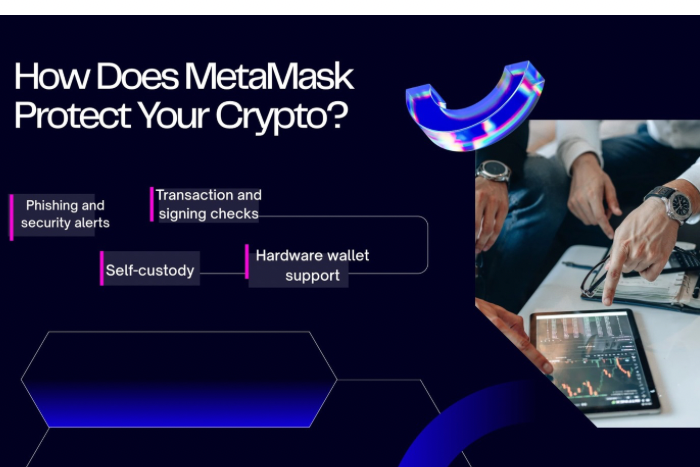
MetaMask’s security comes from several layers rather than one feature.
Phishing and Security Alerts
MetaMask can display security alerts for potentially suspicious websites, addresses, tokens, and other activity. Its protection uses threat intelligence and security providers to identify potentially harmful interactions.
These warnings are useful, but they are not a guarantee. If MetaMask identifies an interaction as potentially malicious, the safest choice is to stop rather than continue.
Transaction and Signing Checks
One of the biggest Web3 risks is approving something without understanding what it does.
MetaMask provides transaction information, simulations, and security checks designed to help users understand what they are signing. This makes transaction review an important part of wallet security.
Before approving a request, check:
- The website or dApp
- Recipient address
- Amount
- Token permissions, where applicable
- Transaction or signature details
Never approve something simply because the website looks legitimate.
Hardware Wallet Support
MetaMask supports hardware wallets including Ledger and Trezor, along with several other hardware wallet providers.
Hardware wallets keep key material more isolated from an internet-connected device and can require physical confirmation for transactions. This can provide an additional layer of protection when managing higher-value holdings.
However, a hardware wallet does not automatically make every transaction safe. You still need to verify what you are approving.
MetaMask supports hardware wallets including Ledger and Trezor. If you’re comparing these two options, see our Ledger vs Trezor comparison to understand the differences in security, transaction verification, privacy, and usability.
Self-Custody
With MetaMask, you control the wallet instead of leaving assets under an exchange’s custody.
Because MetaMask is self-custodial, MetaMask cannot reset your wallet or reverse blockchain transactions on your behalf. This removes certain exchange-related risks, but it also gives you more responsibility for protecting your credentials and approving transactions.
Secret Recovery Phrase: The Biggest Security Responsibility
Your Secret Recovery Phrase (SRP) is the foundation of a traditional MetaMask wallet. You can use it to restore your wallet and access the accounts derived from it. Anyone who obtains the phrase may be able to control the associated assets.
For traditional SRP-based wallets, MetaMask cannot recover the SRP if you lose it.
MetaMask also supports wallet access through Google, Apple, or Telegram on supported setups. In these setups, the Secret Recovery Phrase is encrypted and split into shards, with access requiring the linked account and MetaMask password. The practical rule is simple:
Never give your Secret Recovery Phrase or private keys to anyone claiming to be MetaMask support.
What Are the Biggest MetaMask Risks?
Security risks can arise from phishing, malicious websites, compromised devices, unsafe approvals, and exposed wallet credentials.
1. Phishing Websites
A fake MetaMask website can look almost identical to the real one. Scammers may ask for your SRP, password, or wallet connection. Always use official MetaMask websites and support pages instead of links sent through random messages.
2. Malicious dApps and Smart Contracts
Connecting your wallet to a decentralized application does not automatically mean the application is trustworthy. A malicious dApp can attempt to trick you into approving a harmful transaction or giving a smart contract permission to access tokens. Check the domain carefully and understand what you are approving.
3. Signature Phishing
Not every attack requires a normal token transfer.
Attackers can use deceptive signature requests that appear harmless but may later be used to authorize harmful activity. MetaMask specifically identifies signature phishing as a wallet security risk.
If you do not understand a signing request, do not approve it.
4. Address Poisoning and Clipboard Attacks
Attackers can create addresses that look similar to addresses you have previously used. They may then send a tiny transaction to make the malicious address appear in your transaction history.
If you copy the wrong address, you could send funds to the attacker. Always verify the destination address before sending crypto, especially for large transfers.
5. Fake Support Agents
Crypto users are frequently targeted by people pretending to be wallet support staff.
MetaMask states that it does not have a phone number and will never ask for your Secret Recovery Phrase. Official support is available through its Help Center and designated support channels.
6. Compromised Devices
Malware, malicious browser extensions, keyloggers, and other device-level threats can put wallet activity at risk. Keep your operating system, browser, and MetaMask software updated, and avoid installing unknown extensions.
How to Make MetaMask More Secure
Follow these practices to reduce your risk:
- Never share your Secret Recovery Phrase or private keys.
- Download MetaMask only from official sources.
- Use a strong, unique password.
- Check the website URL before connecting your wallet.
- Read transaction and signature requests before approving them.
- Review token approvals and permissions where applicable, and revoke unnecessary approvals using a trusted tool.
- Consider using a hardware wallet when managing higher-value holdings.
- Verify wallet addresses before sending crypto.
- Ignore unsolicited MetaMask support messages.
- Keep your computer, browser, and wallet software updated.
MetaMask’s security guidance also recommends considering hardware wallets for users managing larger amounts of crypto.
Is MetaMask Safe for Large Amounts of Crypto?
MetaMask can be used to manage valuable assets, but storing large amounts in a software wallet increases the importance of device and account security.
For substantial holdings, a hardware wallet connected to MetaMask can provide an additional security layer.
It can also make sense to separate your funds. Keep only the amount needed for regular DeFi, NFT, or Web3 activity in an active wallet and use stronger storage for long-term holdings.
This can limit the amount that could be exposed if an active wallet is compromised.
Is MetaMask Safe for Bitcoin and Solana?
Yes. This is one of the biggest areas where older MetaMask articles can mislead readers.
MetaMask now supports Bitcoin and Solana natively, alongside Ethereum and many other networks. Its current network documentation specifically lists both Bitcoin and Solana among supported networks.
MetaMask also supports additional non-EVM networks through Snaps. These can involve third-party developers, so users should evaluate individual integrations before using them.
Common MetaMask Alternatives
The right alternative depends on what you need.
| Wallet | General positioning |
|---|---|
| Rabby | Web3 wallet with transaction-risk and security features |
| Trust Wallet | Multi-chain self-custody wallet |
| Base App | Wallet and app experience focused on the Base and Coinbase ecosystem |
If your main priority is offline key storage, a hardware wallet may be a better complement to MetaMask than replacing it entirely.
Who Should Use MetaMask?
MetaMask can be a good fit for users who:
- Regularly interact with DeFi and Web3 applications
- Need Ethereum and multiple supported networks
- Want self-custody instead of exchange custody
- Understand transaction approvals
- Are willing to manage their own security
Beginners can use MetaMask, but they should learn the basics of recovery phrases, phishing, wallet approvals, and transaction verification before moving significant funds.
Final Verdict
MetaMask is an established self-custody wallet with multiple security protections, but it is not risk-free.
Its current security system includes phishing protection, security alerts, transaction checks, threat monitoring, and hardware wallet support. MetaMask also continues to develop security features as crypto scams and attack methods evolve.
However, these features cannot protect you from every mistake or attack.
A leaked recovery phrase, malicious approval, fake website, compromised device, or careless transaction can still result in permanent loss.
The safest approach is to treat MetaMask as one part of your security setup. Verify what you sign, protect your recovery credentials, consider hardware protection for larger holdings, and never trust unsolicited support requests.
FAQs
Can MetaMask Be Hacked?
MetaMask users can lose funds through phishing, malware, malicious dApps, compromised devices, or exposed recovery credentials. Its security features reduce some risks but cannot prevent every attack.
Can MetaMask Recover Stolen Crypto?
Generally, no. Because MetaMask is self-custodial, unauthorized blockchain transactions generally cannot be reversed by MetaMask. If your recovery phrase or private key is compromised, you should act quickly to secure any remaining assets.
Does MetaMask Support Bitcoin and Solana?
Yes. MetaMask currently supports both Bitcoin and Solana natively, in addition to Ethereum and many other networks.
Does MetaMask Have Customer Support?
Yes. MetaMask provides official support through its Help Center and support channels, but it does not have a phone number. MetaMask also warns users about fake support agents and says it will never ask for a Secret Recovery Phrase.