

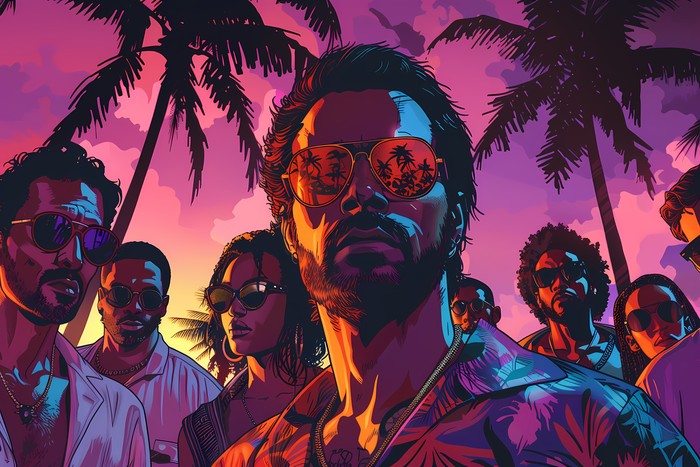
Grand Theft Auto 6 has finally arrived on PlayStation 5 and Xbox Series X/S, 13 years after its predecessor. The map is big, and some players have reportedly taken time off work just to explore Leonida. If you can’t stay parked in front of the TV, you can stream GTA 6 to a phone, tablet or computer instead, as first reported by Engadget.
The method isn’t new, and it doesn’t need a subscription. Both Sony and Microsoft build remote play into their consoles, and the setup takes a few minutes. Here’s how it works, what you need to stream GTA 6 remotely, and where the rough edges are.
Key Takeaways
- Grand Theft Auto 6 is now available on PS5 and Xbox Series X/S, and you can stream GTA 6 to various devices without a subscription.
- Remote play uses your console to run the game, while cloud gaming relies on remote servers, making them different services.
- For smooth streaming, ensure you have a stable internet connection, a compatible controller, and the game installed on your console.
- Setting up PS5 requires enabling Remote Play and installing the app, while Xbox users can stream directly through a web browser.
- Overall, remote play offers a practical solution for gaming on the go, but a wired connection improves the experience.
Table of contents
Remote play is not cloud gaming

The distinction matters, because it changes what you’re paying for. Cloud gaming runs the game on remote servers and often comes with a subscription. Remote play uses your own console to run the game and sends the video and audio to another device.
That means your console stays at home, powered on or in a low-power state, doing the heavy lifting. Your iPhone, iPad, Mac, Android phone or Windows PC simply acts as a screen and input device. If you want to stream GTA 6 this way, the game must already be bought and downloaded on the console.
What you need before you stream GTA 6
The requirements are short, but the internet connection deserves attention.
- A PlayStation 5 or Xbox Series X/S with GTA 6 purchased and installed
- A phone, tablet or computer: iPhone, iPad, Mac, Android or Windows all work
- A fast, stable internet connection on both ends
- Ideally, a compatible controller such as a DualSense or an Xbox controller
You don’t have to be on the same network as the console. Still, a weak link on either side will show up as input lag and dropped connections, which is the last thing you want in a game with this much going on. Sony recommends 15 Mbps. Xbox suggests a 5GHz Wi-Fi network running at no less than 7 to 10 Mbps.
On-screen controls may be available, but they’re a compromise. A real gamepad makes a noticeable difference in a game this detailed.
Setting up PS5 to stream GTA 6
Sony’s route goes through its PS Remote Play app, which is available for Android, iOS, macOS and Windows. Before installing anything, you need to prepare the console itself.
On the PS5, go to Settings, then System, then Remote Play, and switch on Enable Remote Play. Next, go back to Settings and open Power Saving, then Features Available in Rest Mode. Turn on both Stay Connected to the Internet and Enable Turning on PS5 from Network. Those two options let you wake the console remotely, so it doesn’t have to stay fully powered on while you’re out.
Then install the app on your device and sign in with the same PlayStation account you use on the console. Your PS5 should appear in the list. Select it, wait a moment while the session connects, and you’ll see the console’s interface on your screen. From there, open your library and launch GTA 6.
What Engadget found in testing
Engadget’s testing was encouraging. When it tried to stream GTA 6 on Android and iPhone over the same network, the game ran well and input lag wasn’t noticeable. The one catch was the DualSense. Its haptics and adaptive triggers didn’t seem to work on the phones, though they did work on Mac and Windows over a wired connection.
To pair a DualSense, hold the PS and Create buttons together until the light flashes blue. Then open Bluetooth settings on your device and pick DualSense Wireless Controller from the list.
The Xbox route needs only a browser
Xbox owners get a simpler start, since there’s nothing to install. On the console, go to Profile & system, then Settings, then Devices & connections, then Remote features. Switch on Enable remote features, and under Power options choose Sleep.
After that, open a browser on your phone, tablet or computer and visit the Xbox remote play website. Sign in with your Microsoft account, pick your console, and select the Remote play on this device button. The same controller advice applies when you stream GTA 6 on Xbox. To pair an Xbox controller, hold the Pair button for three seconds, then add it through your device’s Bluetooth settings.
What about Xbox One owners?
GTA 6 runs natively only on current-generation consoles from Sony and Microsoft. Xbox One owners who want to stream GTA 6 aren’t locked out entirely, though. They can play through Xbox Cloud Gaming, but they still have to buy the game digitally.
There’s also a cost to watch. Game Pass Ultimate now includes only 15 hours of cloud playtime each month. For a game people are sinking dozens of hours into, you’ll probably end up paying for extra cloud time.
Read Next
A few related pieces worth your time:
- CrowdStrike Zscaler Acquisition Could Be Near, Report Says
- Elastic Earnings Beat Estimates, but Guidance Sinks the Stock
- Payhawk Funding Hits $280M as Valuation Reaches $2B
Why this matters beyond the setup steps
For a game of this scale, remote play is a practical answer to a real problem. Players who want to stream GTA 6 for more hours than a living-room schedule allows can use a console that’s already paid for. It also avoids the extra cost that cloud services can add.
The trade-offs are clear, though. Your experience depends on your home connection and the one wherever you are. Mobile also loses some of the DualSense’s tactile features, at least in Engadget’s testing. If those details matter to you, a Mac or Windows PC with a wired connection looks like the better choice.
The setup takes only a few minutes and costs nothing beyond the game itself. Check your connection speeds, configure your console’s rest mode, pair a controller, and you can stream GTA 6 from just about anywhere with decent internet.
Source: Engadget – Technology News & Expert Reviews