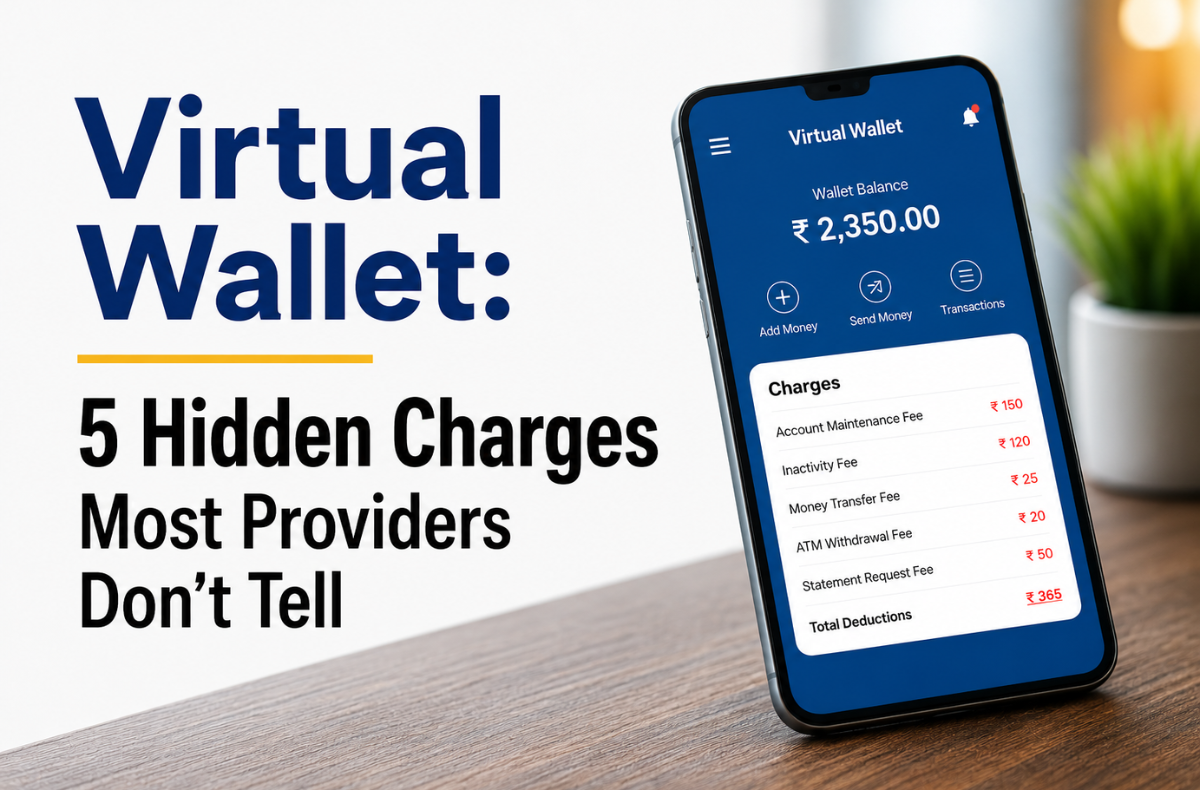
Virtual wallets have genuinely changed the way we handle online payments. Apps like PayPal, Venmo, Cash App, and Google Wallet make it effortless to pay, transfer, and store funds without ever touching a physical card. Most accounts cost nothing to open, which is exactly how providers want us to think about them. In fact, it is crystal clear that “Free to Join” does not mean “Free to Use“.
The business model is quietly brilliant. PayPal alone processed $1.68 trillion in payment volume in 2024, and a meaningful slice of that figure came from users who had no idea they were being charged. Providers don’t hide fees in a technical sense. They simply place them at the precise moment we’re least likely to stop: mid-transaction, when our recipient is waiting and backing out feels awkward.
These charges don’t announce themselves upfront. They activate when we choose a funding source, request a withdrawal, cross a border, or leave our balance untouched for too long. By the time the fee appears, we’ve already committed.
If your virtual wallet feels free, it is worth reading on. Because free and feeling free are rarely the same thing.
Key Takeaways
- Virtual Wallets offer convenient online payments but often include hidden fees that users may not realize.
- Common hidden charges include instant transfer fees, international fee stacking, and dormancy fees for inactivity.
- Many Virtual Wallets do not provide FDIC insurance, putting stored balances at risk.
- Zelle is an excellent choice for free, instant transfers, while PayPal is best for online purchases with buyer protection.
- Users should avoid storing large balances in non-bank wallets to mitigate financial risks.
Table of Contents
- What Are the 5 Hidden Virtual Wallet Charges?
- What Are PNC Virtual Wallet’s Monthly Fees by Tier?
- How Do You Add Money to a Virtual Reward Card in a Digital Wallet?
- Are Virtual Wallets Safe? Security Risks and Privacy Concerns
- Which Virtual Wallet Apps Are Best in 2026?
- Which Wallet is Worth Using in 2026?
- Conclusion
- FAQs
What Are the 5 Hidden Virtual Wallet Charges?
Five charges do most of the quiet damage: instant transfer fees, international fee stacking, dormancy fees, the peer-to-peer scam refund gap, and missing FDIC insurance on stored balances. All five live in the fine print, and none are explained at signup.
Hidden Charge 1: The Instant Transfer Fee
The instant transfer fee is what you pay to receive your money in seconds, instead of waiting 1 to 3 business days. Choosing instant activates these digital payment processing fees, the most common of the peer-to-peer payment charges buried in the apps. At 1.75%, a single $1,500 transfer costs $26.25 on PayPal or Venmo, while Zelle and tap-to-pay wallets charge nothing for the same speed.
Here’s how instant transfer fees compare across the major platforms:
- Zelle: free, instant, backed by your bank
- Apple Pay and Google Wallet: no instant transfer fee
- PayPal: 1.75% (min $0.25, max $25)
- Venmo: 1.75% (min $0.25, max $25)
- Cash App: 0.5%–1.75% (min $0.25)
Bankrate’s 2025 study found that out-of-network virtual wallet withdrawal fees hit a record $4.86, up from $4.77 the year before. When stacked with instant transfer charges, the free service quietly costs far more than users realize.
Hidden Charge 2: International Fee Stacking
International fee stacking is the practice of charging two fees on a single cross-border payment. PayPal and Venmo add a 4% currency conversion spread on top of a 5% international transaction fee charge, which can reach 9% combined. On a $1,000 transfer, that is $90 gone, for a job, a service like Wise does for under $5.
Here’s how the total cost stacks up by platform on a $1,000 international payment:
| Platform | Currency Conversion Markup | International Transfer Fee | Total Estimated Cost | Cost on $1,000 Sent |
|---|---|---|---|---|
| Wise | None (real mid-market rate) | 0.4% – 0.6% (variable + fixed fee) | 0.4% – 0.6% | ~$4 – $7 |
| Credit Card (Avg) | ~0.5% – 1% (often hidden in exchange rate) | 1% – 3% Foreign Transaction Fee | 1% – 3% | $10 – $30 |
| PayPal | 3% – 4% (added to exchange rate) | 5% (min $0.99, max $4.99) funded by bank or PayPal balance | ~3.5% – 5% | $35 – $55 |
| Apple Pay / Google Wallet | Set by the underlying card issuer | Set by the underlying card issuer | Varies by card | Varies by card |
| Venmo (New Feature) | Uses PayPal rates (3%–4%) | PayPal international fee applies (waived through Aug 24, 2026) | Varies by destination | Varies (Highly limited) |
| Zelle | N/A | Domestic only | $0 | Not available |
Hidden Charge 3: Inactivity and Dormancy Fees
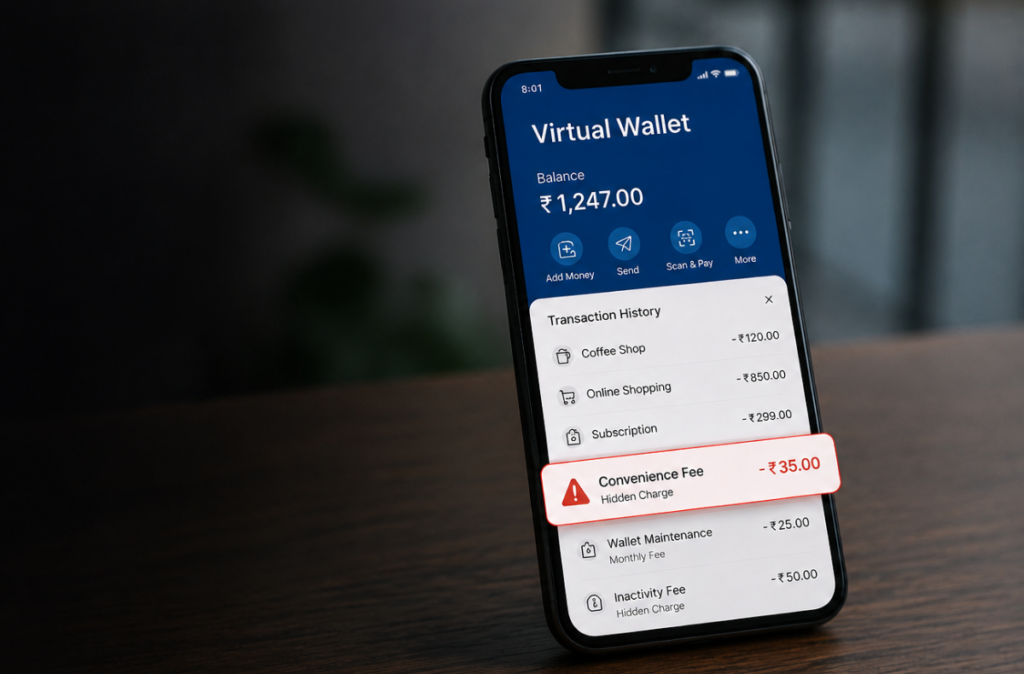
A dormancy fee is a monthly penalty for not using an account. It typically starts after about 12 months of inactivity and runs up to $4.95 per month until the balance hits zero, with no warning. These e-wallet maintenance charges drain forgotten accounts the fastest.
The accounts most at risk are:
- Virtual reward cards from retail promotions or loyalty sign-up bonuses
- App-issued prepaid cards tied to employee spending or customer programs
- Old payment accounts that were opened once and never formally closed
- Employer-issued virtual cards with inactivity policies buried in program documents
Hidden Charge 4: The P2P Scam Liability Gap
The P2P scam refund gap is the rule that leaves you liable for money you send to a scammer. Because you approved the transfer, most apps treat it as your choice rather than fraud. Consumer losses through payment apps and transfers hit $2.09 billion in 2024, up 13%: “unauthorized fraud” must be refunded, while an “authorized scam” you approved usually is not.
Zelle shows how far this goes. It has long refused to reimburse users who paid fake vendors, and in December 2024, the CFPB sued its owner banks for over $870 million in losses. Virtual wallet scam protection only covers eligible checkout purchases, never person-to-person sends, so verify a recipient before you pay and never send to a stranger.
Hidden Charge 5: The FDIC Insurance Void on Stored Balances
This one is not a fee at all; it is the risk of losing your whole balance. Consumers who keep money in PayPal, Venmo, or Cash App do not receive FDIC insurance protection. If these providers fail, freeze accounts, or go bankrupt, consumers cannot rely on a federal safety net as the one banks provide for deposits up to $250,000 per depositor. The scale is staggering: about $893 billion flowed through nonbank apps in 2022, projected to reach nearly $1.6 trillion by 2027, much of it sitting uninsured.
Federal oversight is shrinking, not growing: a 2024 rule to regulate these apps was repealed in May 2025, shifting responsibility back to you. The safest habit is to treat a payment app as a pass-through and move money to a bank after each transfer. A virtual wallet checking account from PNC shows the contrast, because as an FDIC-insured bank, it guarantees balances up to $250,000.
What Are PNC Virtual Wallet’s Monthly Fees by Tier?
PNC Virtual Wallet is a full FDIC-insured checking account from PNC Bank, not a standalone app like PayPal or Venmo. Its main checking sub-account is the Virtual Wallet Spend, and the product comes in three tiers costing $7, $15, or $25 per month, each of which is fully waivable if you meet that tier’s balance or direct deposit threshold.
The base account, Performance Spend, and Performance Select each have different waiver conditions, so choosing a tier you can’t waive means paying a monthly fee you wouldn’t otherwise have to.
| Tier | Monthly Fee | Waiver Condition | ATM Policy | International Fee |
|---|---|---|---|---|
| Base | $7 | $500 average balance (Spend/Reserve) or $500 monthly direct deposit | $3 per non-PNC ATM (US); $5 per non-PNC ATM abroad | 3% per transaction |
| Performance Spend | $15 | $2,000 average balance or $2,000 monthly direct deposit | 2 free non-PNC ATM uses per cycle | 3% per transaction |
| Performance Select | $25 | $5,000 monthly direct deposit, $5,000 average checking balance, or $25,000 combined deposit and investment balances | Unlimited free non-PNC ATMs, up to $10 surcharge rebate per cycle | 3% per transaction |
Choosing the virtual wallet with Performance Select vs Spend comes down to your realistic average balance and direct deposit. Virtual wallet Performance Spend suits steady mid-range balances, while Performance Select pays off only if you clear its $5,000 deposit or $25,000 combined threshold. All three tiers charge the same 3% international transaction fee, so upgrading never reduces cross-border costs.
How Do You Add Money to a Virtual Reward Card in a Digital Wallet?
Here’s how to add money to a virtual reward card in a digital wallet: open the issuer’s app or website, then load the card before using it. The usual steps are:
- Sign in to the card issuer’s app or website and select the reward card
- Choose the reload, add funds, or transfer option
- Link a bank account or debit card as the funding source
- Enter the amount and confirm, then check that the new balance posts
Note: Many virtual reward cards are prepaid and cannot be topped up once the original balance is spent, so check the card’s terms first. There is also a hidden benefit to loading or using the card. Any activity resets the inactivity clock and stops the dormancy fees covered above. If a card cannot be reloaded, spend the balance before monthly fees quietly erode it to zero.
Are Virtual Wallets Safe? Security Risks and Privacy Concerns
Yes, virtual wallets are safe for everyday payments with a biometric lock and a strong password enabled. The real risks are virtual wallet privacy concerns and uninsured balances. Consumer Reports found that Cash App, PayPal, Samsung, and Venmo share your data with advertisers, while Apple Pay and Google Wallet do not. Non-bank balances also lack FDIC insurance.
What Are the Main Virtual Wallet Security Risks?
Payment apps are high-value targets, packing money, data, and login credentials into a single device that can be lost or stolen. The most common virtual wallet security risks include:
- Phishing through fake emails and spoofed login screens
- SIM swapping to intercept SMS two-factor codes and hijack your account
- Device theft exposing stored card data without a screen lock
- Credential stuffing using passwords leaked from other breaches
- Unauthorized contactless payment fees if a stolen device bypasses the lock screen
To protect yourself: enable biometric authentication, use a unique password per app, and never store large balances on a device without encryption and a fast screen lock.
What Are the Real Virtual Wallet Privacy Concerns
The real concern is data traded for marketing. Cash App, PayPal, Samsung, and Venmo share your transaction data with advertisers, while Apple Pay and Google Wallet keep it private. Stored balances in non-bank apps also carry no FDIC insurance. The table compares each app on data sharing, biometric lock, and FDIC coverage.
| App | Shares Data for Marketing | Biometric Lock | Stored Funds FDIC-Insured? |
|---|---|---|---|
| Apple Pay | No | Yes | Yes (funds stay in your linked bank) |
| Google Wallet | No | Yes | Yes (funds stay in your linked bank) |
| PayPal | Yes | Yes | No (stored balance) |
| Venmo | Yes | Yes | No (stored balance) |
| Cash App | Yes | Yes | No (stored balance) |
| Zelle | No (handled by your bank) | Varies by bank app | Yes (bank to bank) |
Which Virtual Wallet Apps Are Best in 2026?
The best virtual wallet apps depend entirely on what you’re using them for. Zelle is the only major option that offers free, instant transfers and FDIC protection through your linked bank. Apple Pay and Google Wallet virtual cards lead for tap-to-pay with zero fees and no data sharing. PayPal is strongest for purchase protection. PNC is the only full bank account in this comparison.
Here’s how they compare.
| App | Monthly Fee | Instant Transfer Fee | FDIC Protection | Best For |
|---|---|---|---|---|
| Zelle | Free | Free | Yes (via linked bank) | Personal transfers to trusted contacts |
| Apple Pay | Free | Free | No (card issuer handles it) | In-store tap-to-pay, Apple ecosystem users |
| Google Wallet | Free | Free | No (card issuer handles it) | Android tap-to-pay, transit cards |
| PayPal | Free | 1.75% (max $25) | No on stored balance | Online purchases with buyer protection |
| Venmo | Free | 1.75% (max $25) | No on stored balance | Social payments, splitting bills |
| Cash App | Free | 0.5%–1.75% | No on stored balance | P2P payments, small stock purchases |
| PNC (bank-backed) | $7–$25/month | Free (bank transfer) | Yes (FDIC-insured bank) | Full checking account with P2P features |
Which Wallet is Worth Using in 2026?
- For everyday tap-to-pay: Apple Pay or Google Wallet virtual cards. No fees, no stored balance risk, no data sharing.
- For sending money to people you know: Zelle. Free, instant, and backed by your bank’s FDIC protection.
- For online shopping and buyer protection: PayPal. Stronger purchase protection than peer-to-peer apps, but avoid storing large balances.
- For a full-featured bank account with digital tools: PNC’s tiered checking account. A monthly fee applies, but you get FDIC insurance and a proper checking account structure.

Conclusion
Most virtual wallet providers are not doing anything unlawful by charging these fees. They’re working on the fact that you signed up, linked your bank account, and moved on without reading the fine print. The fees are real, the insurance gap is real, and a federal lawsuit filed in December 2024 highlights the P2P scam loophole. When we understand these five virtual card wallet charges, we can stay one step ahead of most users, who discover them only after losing their funds.
Switch to standard transfer speeds whenever speed isn’t critical, and you’ll cut transfer fees completely. Use Zelle for direct bank transfers, or for regular personal payments to sidestep the P2P scam liability gap. Never leave large balances sitting inside a non-FDIC-insured payment app. The platform that actually serves you best is the one you understand completely before you ever use it.
FAQs
They store your card details or actual funds electronically, enabling contactless payments and P2P transfers. Some, like PNC’s bank-backed accounts, also offer full checking features with FDIC deposit insurance.
The highest mobile wallet hidden costs include 1.75% instant transfer fees on PayPal and Venmo; international fee stacking up to 9%; dormancy fees after 12 months of inactivity; out-of-network ATM fees averaging $4.86; and monthly charges of $7–$25 on tiered accounts like PNC.
Only if you consistently qualify for the fee waiver ($5,000 monthly direct deposit or $25,000 across PNC accounts). At $25/month without the waiver, most users are better off on a lower tier or a free P2P app.
Yes, if your bank supports it. Check through your issuing bank’s app. Not all prepaid or reward cards support Apple Wallet, so confirm with your card issuer before assuming.
No, not for standalone apps like PayPal, Venmo, or Cash App. Stored balances there are not federally insured. Only bank-backed accounts, such as PNC, carry the standard $250,000 FDIC protection.