
According to Gallup, nearly 28% of the American workforce now works fully remotely, indicating that virtual meetings have become the heart of business collaboration. Yet, such emerging modes of communication leave many professionals unsure about proper virtual meeting etiquette, leading to reduced productivity and damage to professional relationships.
Poor virtual meeting etiquette can create awkward moments and undermine team morale, directly translating into a 25% reduction in meeting effectiveness. It can even substantially damage your professional reputation. Whether you’re hosting a client presentation or in your weekly team standup, knowledge of virtual meeting etiquette has never been more vital than it is now.
Here is the ultimate guide to mastering proper virtual meeting etiquette and avoiding common mistakes that can ruin a professional meeting call. You’ll discover tangible techniques to enhance your professional presence and facilitate more successful conversations for everyone.
Key Takeaways
- Virtual Meeting Etiquette is crucial for professional relationships, as it impacts team morale and effectiveness.
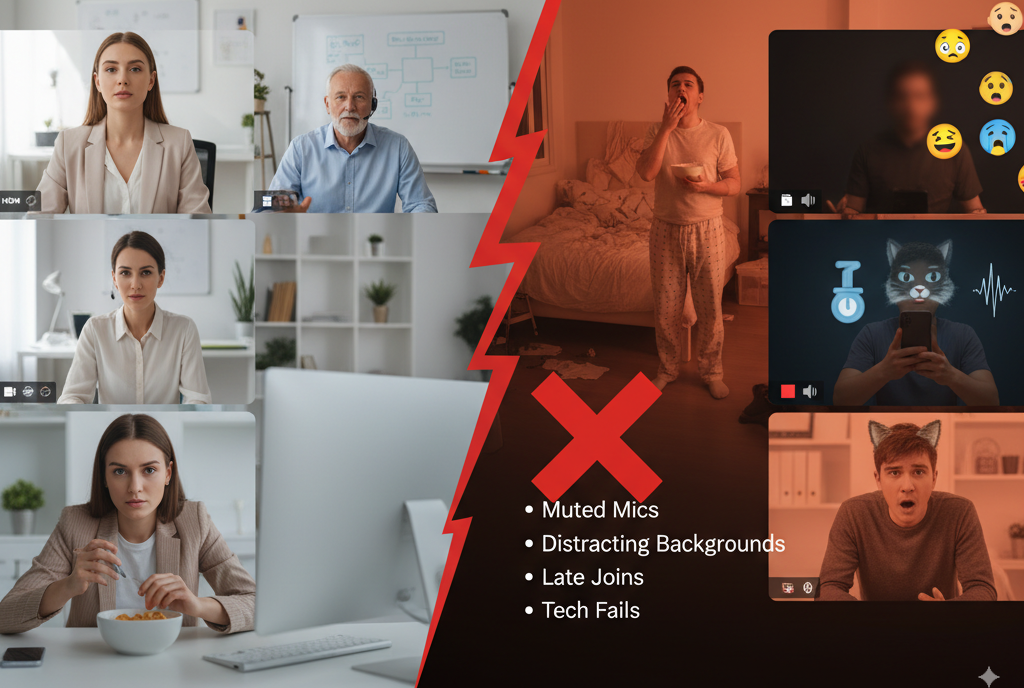
- Common mistakes include a lack of preparation, poor lighting, multitasking, and interrupting others during calls.
- Preparing an agenda, testing technology, and dressing appropriately enhance the professionalism of meetings.
- Cultural differences influence expectations around punctuality and communication styles in virtual meetings.
- Practicing good etiquette leads to higher meeting satisfaction and measurable productivity improvements.
Table of Contents
- The Psychology Behind Virtual Meeting Mistakes
- Most Common Virtual Meeting Mistakes to Avoid
- Pre-Meeting Virtual Meeting Etiquette Rules
- During-Meeting Virtual Meeting Etiquette
- Post-Meeting Virtual Meeting Etiquette Excellence
- Cultural Considerations in Virtual Meeting Etiquette
- Virtual Meeting Etiquette Impact on Career Success
- The ROI of Proper Virtual Meeting Etiquette
- Technology Integration and Virtual Meeting Etiquette
- Virtual Communication for Long-Term Success
- FAQs
The Psychology Behind Virtual Meeting Mistakes
Understanding the adverse effects of poor virtual meeting etiquette reveals why such behavior significantly harms our professional relationships. When these behaviors occur repeatedly, such as team members who constantly show up late, seem unprepared, or appear to be multitasking during calls, they spark negative sentiments that extend well beyond the call.
A general sense of disrespect often arises from attendees’ rude behavior in virtual meetings. Members of the team begin to question whether their time and contributions are valued, which leads to disengagement and apathy. This psychological battering persists over a series of meetings, ultimately degrading overall team morale and individual confidence.
The online environment amplifies these adverse effects, as participants often feel more isolated and distant than in in-person meetings. Without that natural buffer of in-person interaction, etiquette violations feel far more personal and disruptive.
A study on meeting improvement, conducted by Hardward, shows that when employees follow detailed guidelines for virtual meeting etiquette, they report 62% to 92% more satisfaction with meetings and complete tasks more effectively. These benefits directly translate to business results, including improved teamwork and performance.
Most Common Virtual Meeting Mistakes to Avoid
Lack of Preparation
If you’re joining virtual meetings unprepared, it’s disrespectful to others’ time and damages your professional credibility. It’s essential to prepare by reviewing the agenda, bringing any necessary materials, and understanding your purpose.
Try testing your tech 15 minutes early before crucial meetings. Develop a pre-meeting checklist to ensure your audio is secure, your camera is turned on, and your screen-sharing options are verified, minimizing technical distractions.
Poor Lighting and Camera Angles
Your well-designed appearance conveys your professionalism before a word even comes out of your mouth. Inadequate lighting or backlighting from windows can make it difficult for others to see you and may lead to negative perceptions of your readiness and attention to detail.
Set up light sources in front of you. That means a window or desk lamp. Don’t sit in front of harsh lights that will silhouette you. Your camera should be at eye level for natural eye contact and professional framing.
Not Muting When Not Speaking
Overkill with background noise is one of the most annoying offenses of virtual meetings. The sound of typing, home activities, and background noise can ruin entire conversations and irritate participants.
Train yourself to be the one who speaks, not the silent one. Remain muted and unmute only when you have something to contribute.
Multitasking and Distractions
Knowing you are working on multiple screens for other tasks during virtual meetings is visually disrespectful to speakers and diminishes meeting productivity. Looking at email, visiting websites, or working on something else while on camera erodes trust and connection.
Close unnecessary apps and push mobile devices out of hand’s reach in meetings. If you need to type digital notes, inform participants at the start of the meeting so that they understand the purpose of your typing.
Interrupting Others
Conversing naturally in a virtual room can be challenging due to audio delays and differences in connection quality. It’s even more rude and bizarre to talk over someone else in a virtual room than it is in real life.
Be patient with speaker transitions and a slight pause after questions/comments. These breaks allow for technical delays and time-consuming response processing.
Inappropriate Attire
Virtual meetings have meeting etiquette, which means, gentlemen, wearing a suit if that’s how you would dress for an in-person meeting. Wearing casual or improper clothes can reduce your credibility and show disrespect to others.
Keep the context of your meeting in mind when deciding on your attire. For client presentations, dress more formally than for internal team check-ins; however, all meetings, regardless of type, should adhere to professional standards.
Pre-Meeting Virtual Meeting Etiquette Rules
- Test Your Tech Beforehand
- At least 15 minutes before your meeting, test your camera, microphone, and internet connection to ensure they are working correctly in case of any technical issues.
- Check the sound levels, camera angle, and laptop/PC height if you are using a riser desk, and screen-sharing ability, using a checklist.
- Choose a Professional Background
- Keep your background clean and free from distractions. Consider using a virtual background or blur feature when necessary.
- Avoid backlighting by positioning yourself in good light, such as near a window or a desk lamp.
- Dress Appropriately
- Dress professionally, as this will help maintain the right mindset and show respect for the people you are meeting with.
- Way more professional: solid colors are the ones to choose, while wild patterns or bright colors should be avoided.
- Prepare an Agenda
- Please submit an agenda in advance, outlining objectives, discussion points, and estimated time allocations.
- Relevant materials should accompany the agenda so that participants can prepare and keep the meeting on track.
- Join Early and Set Up Properly
- Arrive at the meeting 2-3 minutes before it begins to address any last-minute technical issues and to show your respect for participants’ time.
- Use this time to greet everyone and warmly welcome them.
During-Meeting Virtual Meeting Etiquette
- Master Camera Presence and Positioning:
- For a real sense of eye contact, position the camera at eye level.
- Frame yourself from the chest up with room above your head.
- When in discussion, look into the camera lens to establish rapport with the participants.
- Practice Strategic Muting:
- Keep your mute button on when you are not speaking to avoid distractions for the rest.
- Unmute as you are set to contribute to a discussion.
- When something loud happens in the background, mute immediately.
- Maintain Full Attention and Engagement:
- Focus entirely on the meeting to show respect and contribute effectively.
- Show engagement: facial expressions, nods, verbal “yes” acknowledgments.
- Be sparing with reaction features, as they can be distracting.
- Speak Clearly with Appropriate Pacing:
- Speak slowly and clearly; this is undoubtedly important, as your audience might hear audio delays.
- Pause briefly after a posed question or an important idea to allow time to process and answer.
- Use Interactive Features Thoughtfully:
- Use the chat to share links, ask clarifying questions, or offer supportive comments.
- Avoid side conversations or off-topic discussions.
- Manage Transitions Between Speakers:
- Clearly pass the floor for speaking either to a specific individual or back to the facilitators.
- Say things like “I’ll turn it over to Sarah” or “That covers my update; who has questions?”
Post-Meeting Virtual Meeting Etiquette Excellence
- Provide Timely Follow-Up Communications:
- The meeting summary, action items, and any relevant resources should be sent out within 24 hours.
- Clear deadlines, responsible parties, and specific next steps should be included.
- Follow-ups become particularly important in video conferencing guidelines, where distractions or technical difficulties may arise.
- Share Recordings and Documentation:
- The recording should be shared immediately with all relevant participants, whether captured using a Microsoft Teams recorder or another conferencing platform.
- Include timestamps for crucial discussions to facilitate easy navigation and reference.
- Written summaries should also be provided to accompany recordings, taking into consideration different preferences and time restraints.
- Implement AI Tools with Transparency:
- Always let participants know when AI tools will be used.
- Explain the function of the AI tool and how the content generated by it will be shared or stored.
- Transparency means that participants are fully informed, which is key to maintaining trust and privacy.
Cultural Considerations in Virtual Meeting Etiquette
Virtual meeting etiquette varies significantly across cultures, and global teams must convey respect in ways that are meaningful and respectful. What one culture considers good manners in virtual meetings may be perceived as bad manners in another.
Time and Punctuality Expectations
In some societies, punctuality is almost vital (it’s a matter of respect), and you are expected to arrive at least 5 minutes before the appointment begins. Being mindful of these expectations can help build an inclusive environment through virtual meetings.
Consider including some buffer time for international meetings to accommodate different cultural attitudes towards punctuality and potential setup issues.
Communication Styles and Hierarchy
The etiquette of virtual meetings for students and junior colleagues can differ significantly from that expected of senior team members in a hierarchical culture. In some cultures, the right to speak and how people present their arguments are emphasized; in others, discussion is encouraged.
Set clear expectations at the start of meetings so that all attendees understand how to contribute and what type of communication is expected.
Technology Comfort Levels
Different cultures and generations exhibit varying levels of comfort with technology, and these differences must be taken into account when developing virtual meeting etiquette guidelines. Some attendees may require extra help with platform features or troubleshooting connection problems.
Orientation sessions for team members who are less comfortable with the virtual meeting technology would improve overall meeting quality for all involved.
Virtual Meeting Etiquette Impact on Career Success
| Etiquette Behavior | Career Impact | Professional Perception |
|---|---|---|
| Consistent punctuality | 35% improvement in reliability ratings | Highly professional |
| Professional camera presence | 28% increase in leadership perception | Executive potential |
| Active participation | 42% better collaboration scores | Team player |
| Technical preparedness | 31% reduction in meeting frustration | Competent and organized |
| Thoughtful follow-up | 39% improvement in project completion | Reliable and thorough |
The ROI of Proper Virtual Meeting Etiquette
Training in workplace virtual meeting etiquette leads to noticeable improvements in productivity and employee satisfaction within an organization. According to Booqed, almost 72% of the professionals say that “clear objectives” is the most critical factor in a successful meeting, while 67% emphasize “a clear agenda.” That means teams that have and enforce etiquette guidelines observe shorter meeting times and superior decision-making results.
| Meeting Metric | Before Etiquette Training | After Etiquette Training | Improvement |
|---|---|---|---|
| Average meeting duration | 52 minutes | 37 minutes | 29% reduction |
| Participant satisfaction | 6.2/10 | 8.7/10 | 40% increase |
| Action item completion | 63% | 87% | 38% improvement |
| Technical issues per meeting | 3.4 | 1.1 | 68% reduction |
| Meeting effectiveness rating | 5.8/10 | 8.3/10 | 43% increase |
These enhancements directly contribute to business value through lower meeting costs, better project outcomes, and higher employee engagement.
Technology Integration and Virtual Meeting Etiquette
Virtual etiquette of the future must also consider AI and automation tools to optimize meeting efficiency. And knowing how to use these technologies professionally is quickly becoming the new etiquette for virtual team meetings.
AI-based meeting assistants can automatically transcribe text, identify action items, and create summaries. Yet there is still a need for transparency regarding the role of AI and consideration of participants who may feel uncomfortable if analyzed or recorded in automated ways.
Think about creating team policies regarding the use of AI tools, regulations around retention of data, and how participants will be asked for their consent. This is a great preemptive measure to avoid confusion and build confidence in your virtual meeting space.
Virtual Communication for Long-Term Success
Much more than simply correcting mistakes, excellent etiquette for virtual meetings is about fostering engaging, productive, and inclusive meeting experiences that yield business growth. Individuals who develop mastery of the above skills position themselves for leadership opportunities in a world where remote work seems commonplace.
Apply the virtual meeting etiquette dos and don’ts starting from your next video call. Not everything is worth focusing on, so try to concentrate on one or two areas for improvement. By practicing these principles consistently, you will enhance your professional presence and meeting effectiveness.
Virtual meeting etiquette is still a work in progress. Improvements are made as technology grows and remote working practices get established, thanks to feedback and results, as well as emerging best practices. Your commitment to giving these skills the utmost attention will distinguish you as a professional and help all parties involved conduct successful, engaging meetings.
FAQs
The most crucial rule is to test the equipment first! Technical hiccups that disrupt meetings frustrate participants more than any other etiquette violations.
Mute the mic whenever background noise arises; attend to the source of the disturbance, and offer a brief apology upon unmuting. Always better to fix them beforehand than later.
Eating during regular business meetings is frowned upon; lunch meetings are a different story altogether. If eating cannot be avoided, one must be mindful and choose light foods that won’t stand out as distracting.
Use private chat for minor disruptions. In more persistent cases, either discuss the issue privately with the person after the meeting or have the meeting host address it.
Position the camera at eye level, light the space from in front of you, look directly at the camera lens as you speak, and frame your image from the chest up with a bit of headspace.