
QR codes are everywhere, and attackers know it. A huge surge in QR code phishing was reported in late 2025, which means every scan your users make carries real risk. Building secure QR journeys in .NET is no longer optional for modern apps.
Developers who treat QR codes as simple image generators miss the bigger picture. Secure QR journeys combine code generation, validation, encryption, and user-flow design. Let’s break down how to do it right.
Key Takeaways
- QR journeys are vulnerable to phishing attacks, necessitating secure design in .NET applications.
- Developers must use short-lived, signed tokens and server-side validation to protect user data.
- Monitoring and validating every scan with dynamic mechanisms reduces risks of replay and credential theft.
- Employ user education and clear destination previews to combat QR phishing effectively.
- Regularly rotate and revoke QR codes to maintain security and prevent long-term vulnerabilities.
Table of contents
Why Secure QR Journeys in .NET Matter
QR usage keeps growing across payments, onboarding, ticketing, and device-pairing. According to research compiled by LinkScan, nearly 100 million users in the United States scan QR codes, and adoption keeps climbing. More scans mean more exposure points inside your app.
Security teams are also seeing a spike in QR-driven phishing. A late 2025 report from Kaspersky found a dramatic rise in QR-based phishing campaigns.
Enterprise apps built in .NET often sit behind login walls. But QR entry-points can quietly bypass traditional safeguards if not designed carefully.
Secure QR journeys protect authentication flows, payment redirects, and API calls. Strong architecture turns each scan into a controlled handshake instead of a blind redirect.
Designing a Secure QR Architecture in .NET
Security begins before the QR image is even generated. Treat the QR payload as sensitive data, not just a URL string.
In .NET applications, structure the QR journey around:
- Short-lived, signed tokens instead of static URLs
- Server-side validation before any redirect or action
- Encrypted payloads for sensitive identifiers
Each scan should trigger backend verification using ASP.NET Core middleware or API gateways. Avoid embedding raw database IDs or permanent links inside the code image.
Time-bound tokens tied to user sessions reduce replay attacks and credential-harvesting attempts.
Developers looking for ways to C# generate QR code for systems often focus on rendering speed and image quality.
Iron Software provides flexible barcode and QR generation libraries for .NET environments, which can integrate directly into ASP.NET and enterprise systems. Pairing generation tools with secure token design ensures functionality does not outpace protection.
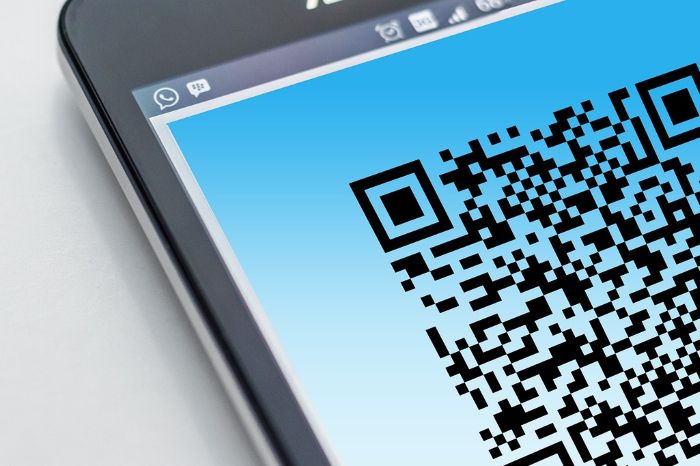
Use Signed and Time-Limited Tokens
JWT or HMAC-signed tokens add a validation layer to every scan. Expiration claims should be short, especially for login or payment flows.
Backend services must reject expired or tampered tokens immediately. Logging each validation attempt helps detect repeated probing from malicious actors.
Validate Every Redirect Server Side
Client-side redirects feel convenient but create blind spots. Routing every QR scan through a validation endpoint allows inspection of device data, IP patterns, and token integrity before forwarding the user.
ASP.NET Core middleware can intercept these requests and enforce rate-limiting. Structured logging tools make anomaly detection easier across distributed systems.
Preventing Quishing Attacks
QR phishing, sometimes called quishing, is designed to trick users into scanning malicious codes. QR codes appear in a growing share of phishing campaigns targeting mobile users in particular. Mobile-first attack surfaces should shape how you design defensive layers.
Security is not just about encryption. User education and interface cues play a role in secure QR journeys in .NET environments.
Display Clear Destination Previews
Before redirecting users, show a confirmation screen with the destination domain and context. Transparent messaging reduces impulsive taps and builds trust.
Internal systems should whitelist approved domains. Unexpected or modified URLs must trigger a hard stop.
Monitor Behavioral Signals
Anomalies often appear in patterns rather than single events. Multiple scans from different regions using the same token can signal replay attacks.
Enterprise-grade monitoring tools can integrate with .NET logging frameworks. Correlating scan attempts with authentication logs reveals suspicious behavior early.
Hardening Mobile and Enterprise QR Workflows
Mobile devices remain the primary scanning tool. Malicious URLs, including QR-driven ones, increasingly bypass traditional email filters. Many enterprise users scan codes from laptops or printed documents, then complete actions on phones.
Cross-device authentication flows must assume that attackers may intercept or replicate codes. Device-binding techniques reduce that risk.
Bind QR Sessions to Devices
When possible, tie QR tokens to device fingerprints or pre-authenticated sessions. If a token created on a desktop is scanned by an unexpected device type, it should require additional verification.
Multi-factor authentication can trigger automatically during high-risk scans. Conditional access policies add another layer without disrupting low-risk workflows.
Rotate and Revoke Codes Frequently
Static QR codes printed on posters or badges create long-term vulnerabilities. Dynamic QR generation allows administrators to rotate codes and revoke compromised tokens quickly.
Administrative dashboards should support instant deactivation. Audit trails provide accountability and forensic insight when incidents occur.
Building Trust Through Secure QR Journeys in .NET
Secure QR journeys in .NET demand more than a working image generator. Things like thoughtful architecture, short-lived tokens, server-side validation, and real-time monitoring turn a simple scan into a protected interaction.
If you found this post to be useful, take a look at our other content!