
Your product just passed all internal testing. QA signed off. Developers are confident. Then User acceptance testing starts and everything falls apart. Users can’t figure out basic workflows. Critical scenarios weren’t tested. Stakeholders question whether the team understands their actual needs.
User acceptance testing should catch these problems before release. Instead, it becomes damage control for issues you should’ve found weeks ago. The challenges in user acceptance testing show up predictably on every project. This guide shows you what breaks and how to fix it, starting with a solid user acceptance test plan and tools like aqua cloud to keep everything organized.
Table of contents
What Is User Acceptance Testing (UAT)?
UAT is when real users test whether your software actually works for their jobs. Not whether it meets technical specs. Not whether it does what developers assumed users need. Whether it solves real problems users face every day.
This comes after you’ve finished functional and system testing. You’re not hunting bugs at this point. You’re checking if the solution makes sense to the people who’ll use it. Can they complete their work without getting confused? Does it fit their actual workflow?
Good UAT catches the gap between what you built and what users needed. It tells you if people will actually accept this software when it goes live. Skip it or rush through it and you ship something that works technically but fails practically.
Why UAT Is Important
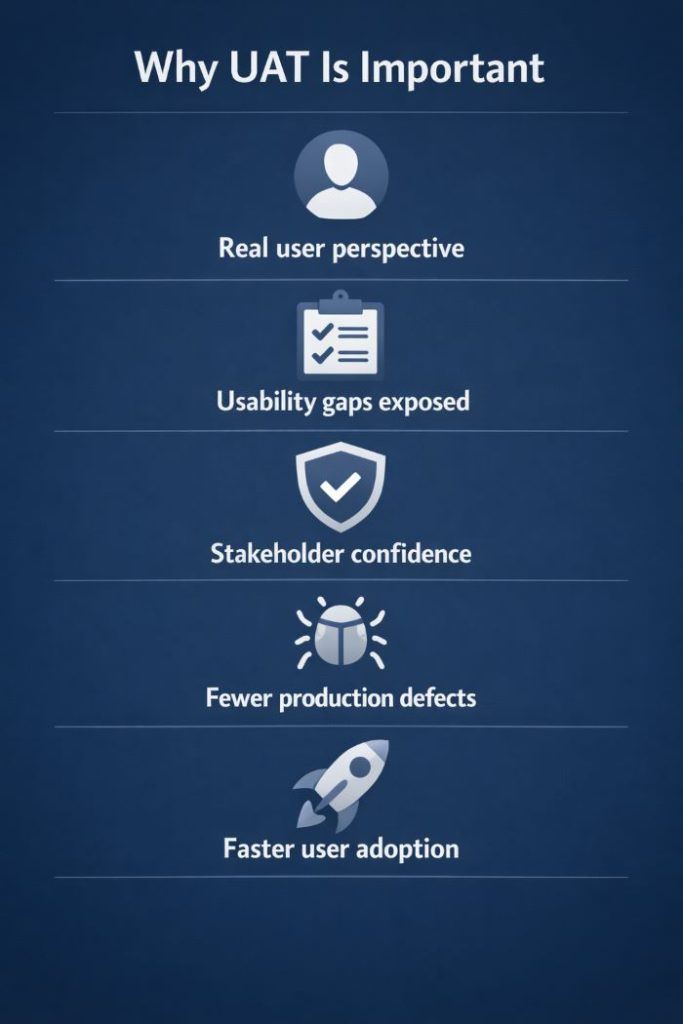
User acceptance testing shows you how software performs from the user’s perspective, not the developer’s view. QA tests against written requirements. UAT tests against reality.
Real users spot usability problems that technical testers miss. Something might check every box in the spec but still confuse the people who need to use it daily. UAT surfaces these disconnects before launch.
Stakeholders feel more confident releasing software when actual users have validated it. Without UAT, you’re asking executives to trust internal testing alone. That’s a harder sell.
Production defects drop when UAT works right. Users find workflow gaps, edge cases the technical team never considered, and integration issues that only show up in real usage.
User adoption gets easier with proper UAT involvement. When users participate in testing, they already understand the system at launch. Training goes smoother. People resist change less.
Common User Acceptance Testing Challenges
Nobody defining what “passing” looks like makes UAT chaotic. Testers don’t know what success means. Different stakeholders expect different things. Tests become subjective gut checks instead of measurable validation. You need specific, measurable acceptance criteria documented before UAT starts. Write down what success looks like for each user story.
Business users don’t have time for testing. They’ve got day jobs. When operational work piles up, testing gets pushed aside. UAT drags on for weeks with no progress. Get management commitment upfront. Block time on calendars. Secure dedicated hours from users before you start.
Test environments that don’t match production waste everyone’s time. Configuration is different. Integrations don’t work right. Test data doesn’t look like real data. Users spend time troubleshooting environment problems instead of validating functionality. Build UAT environments that mirror production. Set up integrations properly. Use realistic test data.
Vague test instructions frustrate participants. Users get unclear directions. Test cases don’t explain what to do or what should happen. People waste time figuring out how to test instead of actually testing. Write detailed test scripts with clear steps. Add screenshots. Spell out what results you expect.
Untrained testers miss critical scenarios. Users click around randomly instead of following structured test paths. Important workflows get skipped. Train UAT participants on basic testing concepts before they start. Show them how to execute test cases properly and log issues correctly.
Poor communication between testers and developers creates endless loops. Users describe issues vaguely. Developers can’t reproduce what went wrong. Defects bounce back and forth unresolved. Set up clear communication channels. Use structured defect templates. Require screenshots, reproduction steps, and clear descriptions of what should happen versus what actually happened.
Project delays squeeze UAT into rushed approvals. When projects run late, UAT gets compressed into a few days. Users rubber-stamp approval without thorough testing because there’s no time. Build realistic UAT timelines into your project plan from the start. Cutting corners on UAT just moves problems to production.
Best Practices for Successful UAT
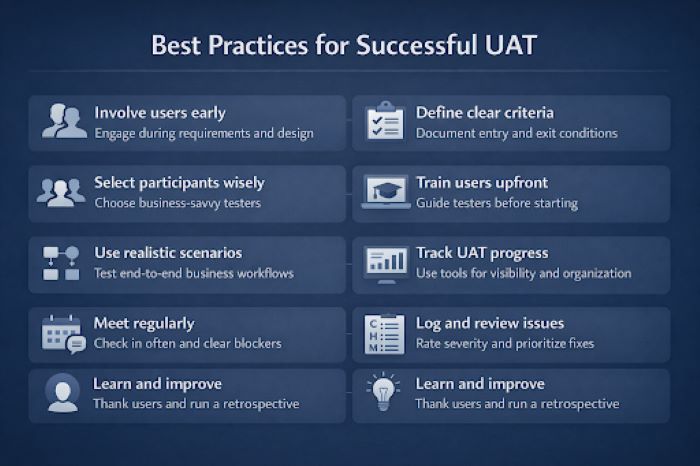
Get users involved before user acceptance testing even starts. Waiting until UAT to ask for user input is too late. Bring them into requirements gathering and design reviews. When users help shape the solution early, UAT becomes confirmation instead of surprise discovery.
Write down what needs to happen before UAT can start and what needs to happen before it can end. Document the conditions that must be met. This stops premature UAT that wastes time and gives you clear standards for when you’re actually done.
Pick UAT participants carefully. You need people who know the business processes, can commit real time, and can explain problems clearly. Mix experienced users with newer ones to get different perspectives on the same workflows.
Train users before testing begins. Walk them through the test environment. Show them how to run test cases. Demonstrate how to log defects. Answer their questions upfront so they’re not figuring things out during testing.
Build test scenarios around real business processes, not isolated features. Create end-to-end workflows that match how users actually work. Include common variations and edge cases they’ll hit in production.
Use proper tools to track UAT progress. Spreadsheets don’t scale. You need visibility into what’s been tested, what’s still pending, and what issues exist. The right tooling keeps UAT organized and gives everyone transparency.
Meet regularly while UAT is running. Don’t send users off to test and hope for the best. Check in daily or every other day. Clear blockers fast. Keep things moving forward.
Log every issue with a clear severity rating. Not everything should block release. Define what makes an issue critical versus major versus minor. Use those criteria to decide what must be fixed now versus what can wait.
Thank participants when UAT finishes and learn from the experience. Recognize the time users invested. Run a retrospective on what worked and what didn’t. Apply those lessons next time.
Conclusion
The same user acceptance testing challenges hit every project. So do the solutions. Most problems trace back to poor planning, fuzzy expectations, or leaving users out until it’s too late. Fix those fundamentals and UAT stops being a bottleneck. Start with one thing. Better acceptance criteria. More realistic test environments. Actual user training. Each improvement makes the next one easier. When UAT consistently gives you valuable feedback instead of last-minute panic, you’ve figured it out.