How about creating a product demo that wins people over? Let’s talk about the tools that make it easy.
We all know a great recorded demo can change everything. It turns interest into action, confusion into clarity, and questions into trust. Instead of telling people what your product does, you can show them. And in 2025, that’s not just nice to have; it’s how you cut through the noise.
If you’ve ever tried to explain your product with just text or screenshots, you know the struggle. But a smooth, watchable demo? That’s a game-changer. Customers get it faster, your team saves endless time on explanations, and your conversion story gets a whole lot stronger.
The catch? There are a ton of screen recording tools out there. Which one actually helps you make something polished, without needing a film degree?
After testing and tinkering, I’ve narrowed it down to six standout options for this year. Right at the top is a tool I keep coming back to: PuppyDog.io. It’s built for one thing: turning a simple recording into a pro-level demo, almost automatically making it one of the most effortless Product Demo Video makers you can use today.
Let’s break them down.
What Makes a Recorded Demo So Effective?
Simply put, a Product Demo Video Maker helps create a recorded demo—a ready-to-watch video showing your product in action. No live scheduling required; it’s always on, always consistent, and ready to share.
Why bother?
- Speed: People grasp visual steps way faster than written instructions.
- Trust: Showing the real interface builds more credibility than a screenshot ever could.
- Reusability: Use one video for onboarding, sales pitches, support, and social clips.
- Scale: Frees you up from repeating the same explanations day after day.
- Conversion: A clear, outcome-focused demo can turn a prospect into a customer before they even talk to sales.
In short, if you want people to understand what you offer truly, a demo video is your best storyteller.
The 6 Tools You Should Know in 2025
Here’s my take on the current lineup, starting with my favorite for effortless, quality results.
1. PuppyDog.io:

Perfect for: SaaS founders, educators, marketers, or anyone who wants a pro result without the pro effort.
PuppyDog.io feels like it was designed by people who hated editing. You record your screen once, and it magically adds the polish, zooming in on clicks, highlighting actions, smoothing transitions, and even suggesting captions. There’s no timeline to wrestle with. It just makes your recording look thoughtful and clean.
What makes it shine:
- Automatic zooms and highlights that follow your cursor.
- An enhancement pipeline that adds a “finished” feel.
- Almost no manual editing, excellent if you’re short on time.
- Clean audio with built-in noise reduction.
- Exports are ready for anywhere (MP4, GIF).
Why it’s my top pick:
While other tools record your screen, PuppyDog.io actually crafts a story from your recording. It’s perfect for customer-facing videos where clarity and polish matter. Use it for sales sequences, onboarding emails, tutorial pages, or even internal training. If you want people to focus on your product, not on choppy editing, this is the tool.
2. Loom:
Perfect for: Async team updates, fast feedback, and casual explanations.
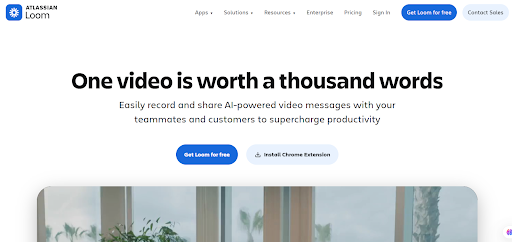
Loom is the tool you use when speed is everything. Hit record, talk through your screen, and get a shareable link in seconds. It’s straightforward and works beautifully for internal communication.
Keep in mind:
- Super fast to start and share.
- Shows you who watched and for how long.
- Great for daily check-ins or quick walkthroughs.
- But… editing is minimal, and videos can look casual. It’s a messaging tool first, a demo polish tool second.
For polished, customer-ready demos, I’d look elsewhere. But for quick clarity inside your team, Loom is a staple.
3. OBS Studio:
Perfect for: Power users, streamers, and technical creators who love customization.
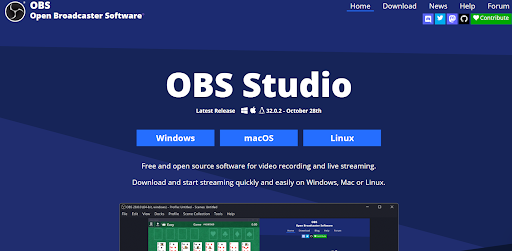
OBS is free, open-source, and incredibly powerful. You can build complex scenes with overlays, switches, and custom layouts. If you can imagine it, OBS can probably do it.
The trade-off:
- Endless flexibility and completely free.
- Ideal for live demos or multi-source recordings.
- However, the learning curve is steep. There’s no automation. You control every detail. If you enjoy tweaking settings, it’s a masterpiece. If you want a clean demo fast, it might feel like overkill.
4. Snagit:
Perfect for: Tutorials and documentation that mix images and short clips.
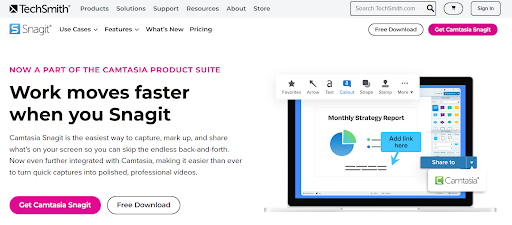
Snagit has been a reliable favorite for capturing screens and adding annotations. Its video recording is straightforward, making it ideal for step-by-step guides where each click needs a comment or arrow.
Just know:
- It’s excellent for hybrid content (images + short video).
- Very simple and stable.
- But it’s not built for flowing, narrative-style demos. The editing is basic, and you won’t find automated polishing features here.
5. Camtasia:
Perfect for: Professional course creators and trainers who need deep control.
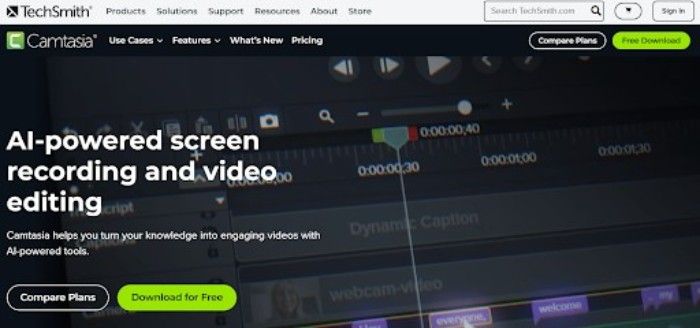
Camtasia combines recording with a robust video editor. You get timelines, multiple tracks, transitions, callouts, and audio cleanup tools. If you want to produce highly customized, studio-style videos, this is a solid choice.
The catch:
- It’s powerful but pricey.
- Takes time to learn and use well.
- It can feel like using a bulldozer to plant a flower if all you need is a simple demo.
For elaborate training videos, it’s terrific. For quick, beautiful product demos, it’s often more tool than you need.
6. FocuSee:
Perfect for: Beginners looking for automatic zoom and visual effects.
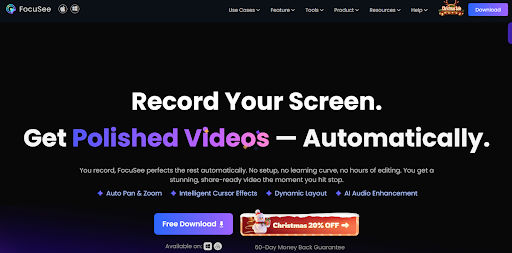
FocuSee made waves by offering auto-zooming and simple styling right out of the gate. The interface is clean, and you can quickly get a visually engaging video.
My take:
- Really simple to use and great for starting.
- Automatic zooms add nice visual emphasis.
- However, customization is limited, and the editing tools are pretty basic. Compared to PuppyDog.io, the automation feels lighter and less refined.
A good starting point, but you might outgrow it if you want more control or deeper enhancement.
How to Pick What’s Right for You
Think about a few key things:
- Your patience for editing: Do you want to fine-tune every second, or have the tool make you look good automatically?
- Where it’s going: Is this for customers (polish matters) or your team (clarity and speed matter)?
- Your workflow: Are you making one-off explainers or reusable assets for marketing?
- Your skill level: Are you comfortable with advanced software, or do you need something that works?
If you want my straightforward advice:
For customer-facing demos where quality creates trust, try PuppyDog.io. It removes the friction between recording and sharing something you’re proud of. For quick team communication, Loom is unbeatable.
And if you’re a control-loving power user, OBS or Camtasia gives you all the levers to pull.
The Bottom Line
Any of these tools can record your screen. But if you want a demo that looks and feels thoughtfully made, without spending hours editing, PuppyDog.io is the one to beat in 2025. It turns a simple recording into a clear, engaging story, which is exactly what your product deserves.