
Finding a truly reliable unblocked browser that protects your privacy while managing multiple accounts is challenging. Many users struggle with geo-restrictions, tracking, and account bans when using standard browsers.
RoxyBrowser claims to solve these problems through advanced fingerprint technology and unlimited profile creation. But does it actually deliver? This comprehensive review examines whether RoxyBrowser is the right choice for your needs in 2025 or even for 2026.
Key Takeaways
- RoxyBrowser is a reliable unblocked browser that enables multi-account management with advanced fingerprint technology.
- It offers features like unlimited profiles, built-in proxy management, and team collaboration tools for users.
- RoxyBrowser provides a permanent free plan and supports multiple platforms, including Windows and macOS.
- While relatively new, it delivers strong performance and privacy protection, making it suitable for various users.
- RoxyBrowser stands out for its affordability and effective handling of privacy needs, including accessing geo-restricted content.
Table of contents
What is RoxyBrowser
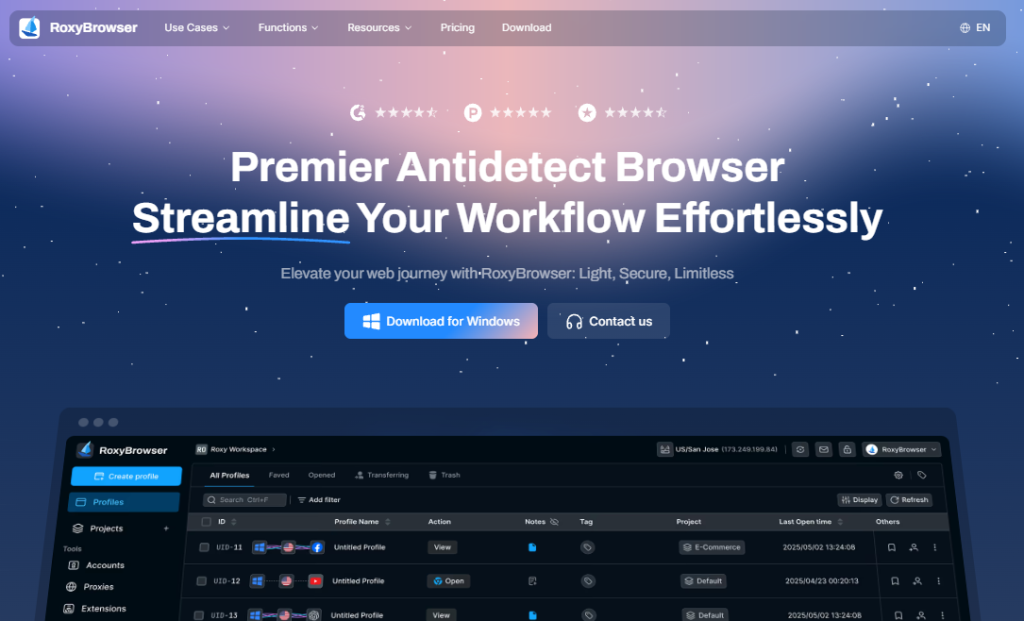
RoxyBrowser is an antidetect browser designed for users who need to manage multiple online identities without detection. It creates isolated browsing environments with unique digital fingerprints, allowing you to access restricted content and run multiple accounts safely. The platform serves businesses, marketers, and privacy-conscious individuals worldwide.
What are the Features of RoxyBrowser?
1. Advanced Fingerprint Technology
RoxyBrowser generates authentic browser fingerprints for each profile. It customizes GPU data, fonts, canvas elements, WebGL parameters, and system settings. This makes every session appear as a unique, real user to websites.
2. Unlimited Browser Profiles
Create as many isolated browser profiles as needed. Each profile operates independently with separate cookies, cache, and local storage. This prevents cross-contamination between accounts and eliminates detection risks.
3. Built-in Proxy Management
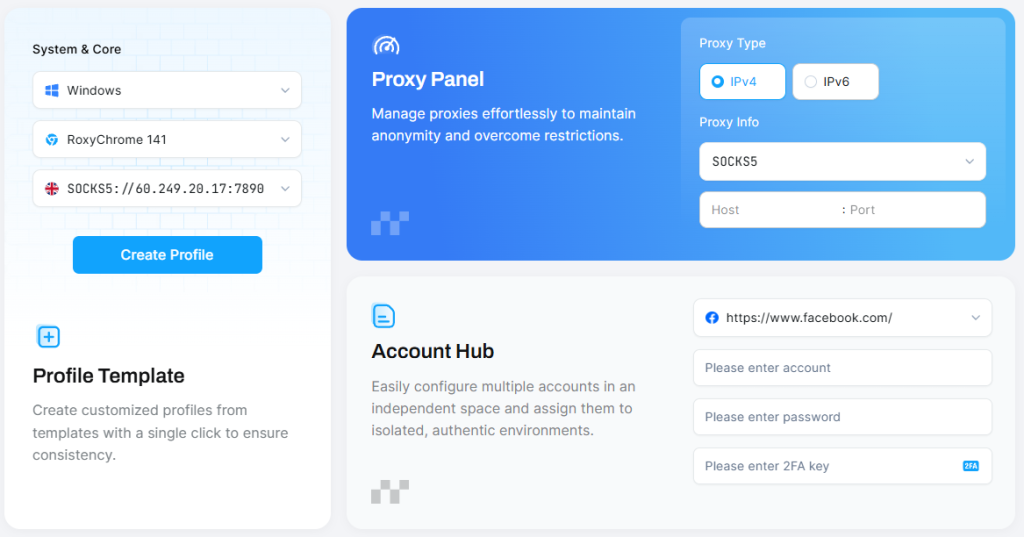
The proxy panel supports all proxy types, including residential, mobile, and datacenter proxies. You can configure proxies from 195+ countries, ensuring your IP matches your target location perfectly for authentic browsing.
4. Team Collaboration Tools
RoxyBrowser includes workspace features for team management. Assign role-based permissions, share profiles securely, and organize projects efficiently. Multiple team members can access shared profiles without triggering security alerts.
5. Profile Templates
Create customized profile templates with pre-configured settings. Deploy new accounts instantly using templates, ensuring consistency across your operations and reducing setup time significantly.
6. Window Synchronization
Perform identical actions across multiple browser windows simultaneously. This feature saves time when managing bulk operations like posting content or updating multiple accounts at once.
7. Cross-Platform Compatibility
RoxyBrowser works seamlessly on Windows and macOS. The lightweight design ensures smooth performance even when running dozens of profiles simultaneously without slowing down your system.
How RoxyBrowser Works to Unblock Websites
RoxyBrowser functions as a relaible unblocked browser by combining proxy technology with fingerprint spoofing. When you access restricted content, it masks your real IP address while simultaneously generating a matching digital fingerprint. Websites see a legitimate local user instead of detecting your actual location or device characteristics.
RoxyBrowser’s Pros and Cons
Pros:
- Unlimited profiles for multi-account management
- Advanced fingerprint customization options
- Strong encryption and privacy protection
- Intuitive interface suitable for beginners
- API support for automation tasks
- Permanent free plan available
- Bypasses detection on major platforms
Cons:
- Relatively new in the market, there aren’t many customer reviews.
RoxyBrowser Subscription Plans
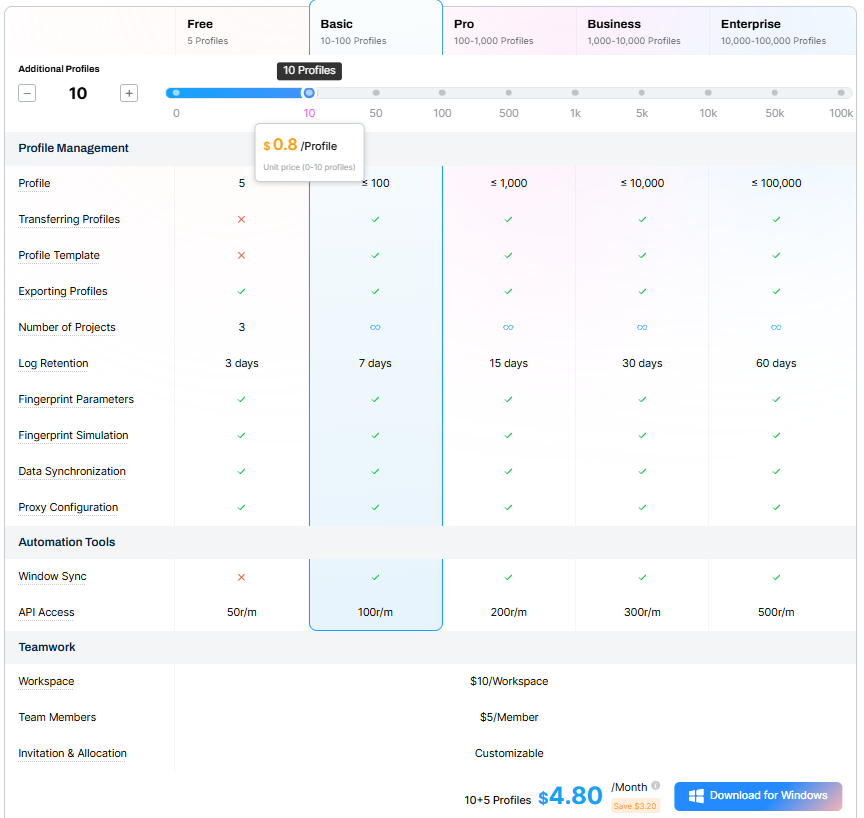
RoxyBrowser offers a permanent free plan with 5 profiles for individual users.
Paid plans provide unlimited profiles, team workspaces, and priority support. A 7-day free trial is available for premium features, letting you test the full platform before committing financially.
How to Set Up and Use RoxyBrowser
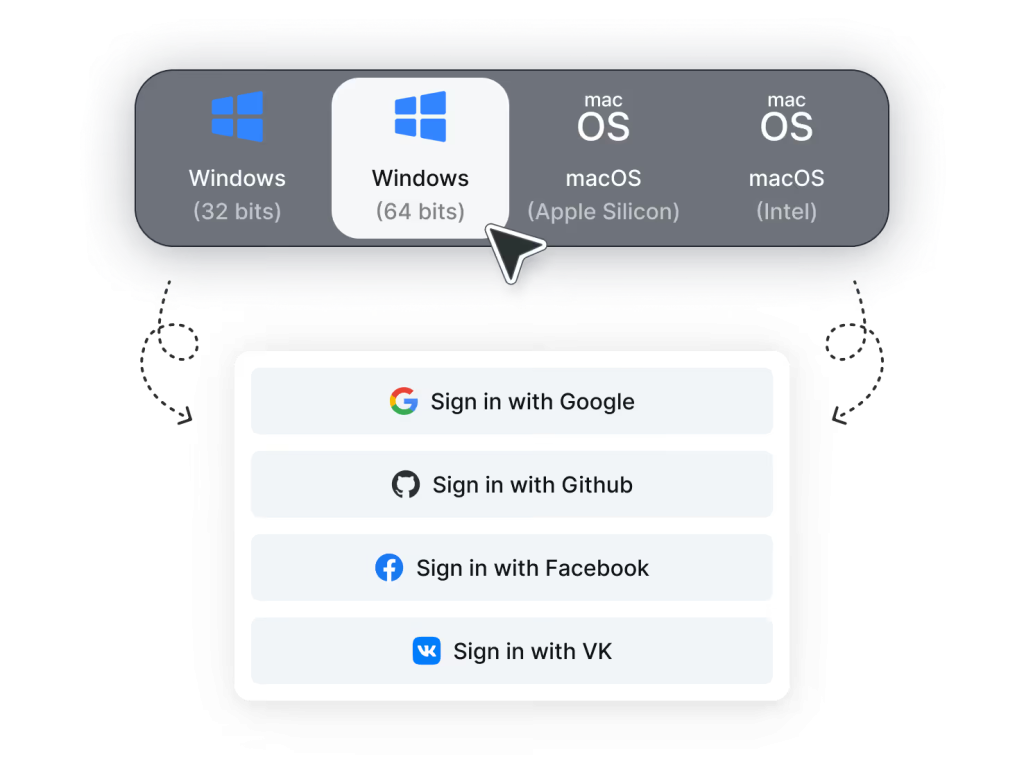
Step 1: Download RoxyBrowser from the official website and install it on your device. Create your account and log in to the dashboard.
Step 2: Click “Create Profile” and configure your browser fingerprint settings, including operating system, screen resolution, and timezone. If you also want to change your IP, simply add a proxy to keep all identity markers consistent and secure.
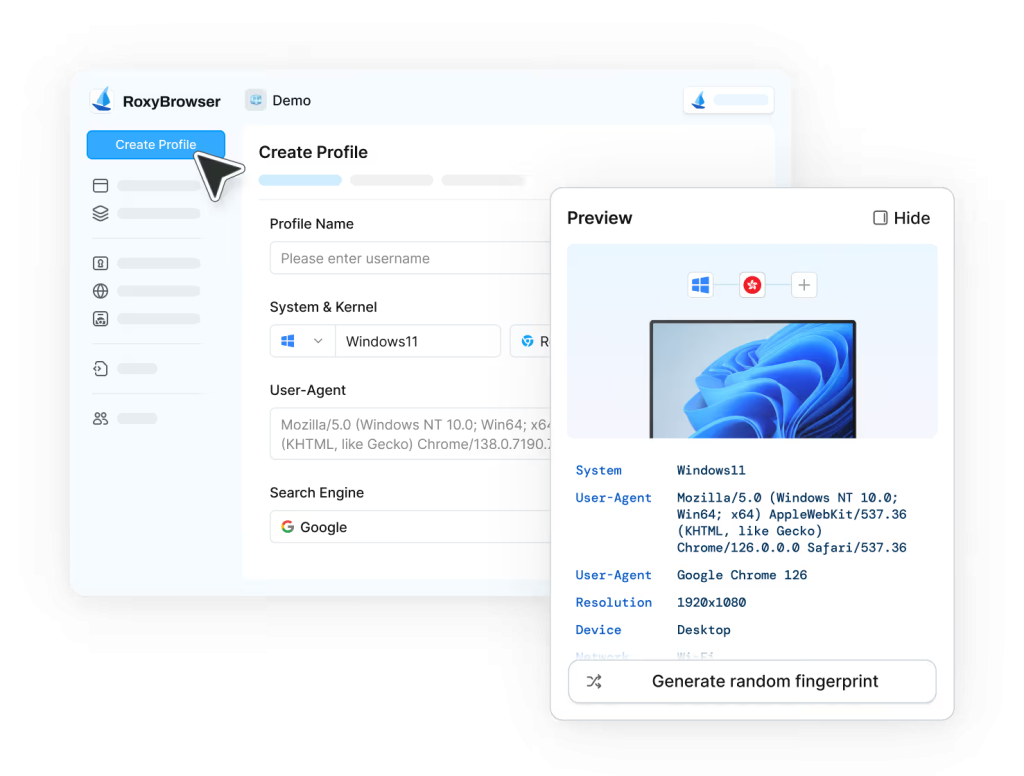
Step 3: Save your profile and click “Open” to launch a new browser window with your configured identity.
You can now browse websites with complete anonymity and isolation from your other profiles.

Customer Support
RoxyBrowser provides technical support through multiple channels, including live chat and email assistance. The team offers professional integration guidance and troubleshooting help. API documentation is available for developers implementing automation solutions. Response times are generally quick for urgent issues.
RoxyBrowser vs Other Alternative Reliable Unblocked Browsers
| Feature | RoxyBrowser | AdsPower | GoLogin | Multilogin |
| Free Plan | ✅ 5 profiles permanent | ✅ 2 profiles | ✅ 3 profiles for 7 days | ❌ No free plan |
| Starting Price | Competitive | Higher | Moderate | Premium pricing |
| Fingerprint Quality | Advanced customization | Good | Standard | Industry-leading |
| API Support | ✅ Full support | ✅ Available | ✅ Available | ✅ Advanced |
| Team Features | Flexible workspaces | Available | Basic | Enterprise-grade |
| Platform Support | Windows, macOS, Linux | Windows, macOS | Windows, macOS, Linux | Windows, macOS, Linux |
| Proxy Integration | All types supported | All types | All types | All types |
| Ease of Use | Beginner-friendly | Moderate learning curve | User-friendly | Complex interface |
| Customer Support | Good | Standard | Standard | Standard |
RoxyBrowser stands out as a reliable unblocked browser by offering a permanent free plan and competitive pricing while maintaining strong fingerprint technology. AdsPower focuses on marketing automation with mobile app support. GoLogin provides cloud-based profiles for access anywhere. Multilogin offers the most advanced technology, but at premium enterprise pricing.
For most users seeking a balance between features and affordability, RoxyBrowser delivers excellent value. It functions effectively as both an anonymous browser and a private web browser without the enterprise-level costs.
Why Choose RoxyBrowser?
RoxyBrowser excels as the best privacy browser for several reasons. First, the permanent free plan removes financial barriers for individuals testing multi-account management. Second, the advanced fingerprint technology rivals more expensive alternatives while remaining accessible to non-technical users.
The platform’s lightweight design ensures fast performance even with numerous active profiles. Unlike virtual machines or slower alternatives, RoxyBrowser maintains native browser speed while providing complete isolation. This makes it an ideal reliable unblocked browser for users who need both efficiency and security.
Conclusion
RoxyBrowser proves to be a reliable unblocked browser solution. It successfully combines privacy protection, multi-account management, and a user-friendly design at competitive pricing. The platform handles everything from social media marketing to e-commerce management effectively.
While newer competitors continue entering the market, RoxyBrowser’s balance of features, performance, and affordability makes it a strong choice. Whether you need anonymous browsing for personal privacy or managing hundreds of business accounts, RoxyBrowser delivers the tools necessary for success without compromising security.
FAQ
Is RoxyBrowser legal to use?
Yes, RoxyBrowser is completely legal. It’s a privacy tool, known as a reliable unblocked browser, designed for legitimate multi-account management and protecting your digital identity online.
Can RoxyBrowser bypass all geo-restrictions?
When properly configured with appropriate proxies, RoxyBrowser can access most geo-restricted content by appearing as a local user in your target region.
How many accounts can I manage with RoxyBrowser?
The free plan supports 5 profiles. And all the premium features for the profiles only last for 7 days. Paid plans offer unlimited profiles, allowing you to manage as many accounts as your operations require.
Does RoxyBrowser slow down my computer?
No, RoxyBrowser is optimized for performance. It runs efficiently even with multiple profiles open simultaneously without significant system resource usage.