Playing games should feel smooth and fast. If your screen freezes or lag ruins your match, it is time to look at your settings. You can make a few quick changes to get better frame rates. These steps help you optimize your computer better without buying new parts right away. You only need a little bit of time to see a difference.
Key Takeaways
- Adjust your power settings to High Performance for better frame rates.
- Upgrade to a solid-state drive (SSD) to reduce loading times and improve performance.
- Fine-tune graphics settings for a balance between visual quality and game speed.
- Increase RAM to at least 16GB for smoother multitasking and responsiveness.
- Make minor tweaks and clean your hardware to enhance gaming experience.
Table of contents
Prioritize Your Power Settings
Your laptop or desktop might be holding back power to save energy. Changing your plan to High Performance tells the hardware to run at full speed. Making this simple switch can give you a nice boost in frames. It stops the system from slowing down the CPU to save on your battery or electric bill.
You should look in your control panel to optimize your computer for these options. Most modern systems hide these settings under a sub-menu. Once you find them, select the fastest mode available. You might notice your fans spin a bit louder – this means your system is working at its peak.
Upgrading Your Storage Hardware
Building a custom rig is a fun hobby for many people. Picking the right gaming PC takes time and effort. You want a build that handles the latest releases without any trouble. Solid-state drives are much faster than old hard drives. Moving your library to an SSD will cut down on those long loading screens.
A tech guide suggests leaving at least 20% of your drive empty. This helps the drive stay fast and reliable. It prevents the slowdown that happens when storage gets too full. You want to have plenty of room for updates and temporary files.
A recent report mentions that the hardware market grew by 35% lately. This shows how many people are looking for better ways to play. You can join them by tweaking your software today. Having a fast drive to optimize your computer is one of the best ways to keep up with new trends.
Fine-Tuning Graphics and Visuals
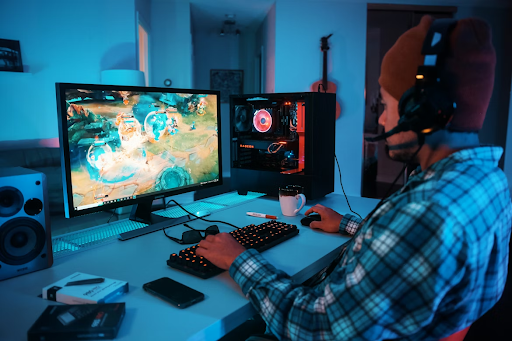
Lowering your resolution or shadow quality can make a big difference. You do not always need the highest settings to have fun. Finding a balance between looks and speed is crucial for a steady experience. Many titles have an auto-detect feature that picks the best settings for you.
A recent study notes that game state info comes through visual inputs that match real-world perception hurdles. Keeping your screen clear of lag helps you react to these visual cues. This keeps your focus on the action rather than the stuttering. You want your eyes to see the game world as clearly as possible.
Market data shows that GPUs led the hardware acceleration market with a 43.6% share in 2025. This shows how much we rely on our graphics cards. Keeping your drivers updated makes sure your card can handle the latest visual effects. You should check for updates to optimize your computer at least once a month.
- Clear out temporary files
- Disable startup apps
- Use game mode settings
- Check for Windows updates
- Close web browsers
Selecting the Right System Memory
RAM helps your computer handle multiple tasks at once. If you have 8GB, you might see some stuttering in modern titles. Jumping up to 16GB or 32GB makes everything feel much snappier. It allows your system to hold more data ready for the processor.
Some experts point out that DDR5-6000 is currently the best choice for speed. It offers a great balance for most people looking to build a new machine. Having fast memory helps the CPU get data when it needs it. This reduces the time your system spends waiting on data transfers.
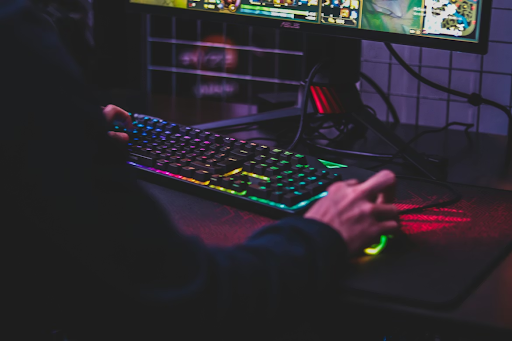
Memory speed matters more than most people think. You should check your BIOS to make sure your RAM is running at its rated speed. Sometimes the default settings are much slower than what you paid for. A quick toggle in the settings can unlock hidden power.
Balancing Immersion and Playability
Heavy graphics can look great, but might affect how you play. Sometimes a simpler look makes it easier to track your goals. You should choose settings that let you see enemies clearly. This is very true for competitive matches where every frame counts.
One research paper mentions that deep immersion is great, but it can increase cognitive load. This might actually make it harder to learn new game mechanics. Setting your visuals to be clear rather than just pretty can help your score. You want to stay sharp and focused on your goals.
Small changes lead to a much better time at your desk. You do not need to be a tech expert to make these tweaks to optimize your computer. Just take a few minutes to check your settings and clean your hardware. Soon, your computer will feel like new. You will enjoy smoother movement and better response times in every session. It is worth the effort to get the most out of your hardware.