AI PDF editors are no longer just about opening a file and adding comments. In 2026, the best tools can summarize long documents, handle OCR on scanned files, rewrite text, translate content, and make everyday PDF work much faster. As AI becomes more deeply integrated into document workflows, over 55% of professionals now use it weekly, and adoption in document tools has grown 5× in just one year. The problem is that many products now claim to be “AI-powered,” but the real experience varies a lot.
To help narrow the field, we compared four popular options: Wondershare PDFelement, HiPDF, ChatGPT, and Adobe Acrobat. Each one can help with PDF tasks, but they are built for different kinds of users.
Table of contents
The 4 Best AI PDF Editors
1. Wondershare PDFelement (Best Overall)
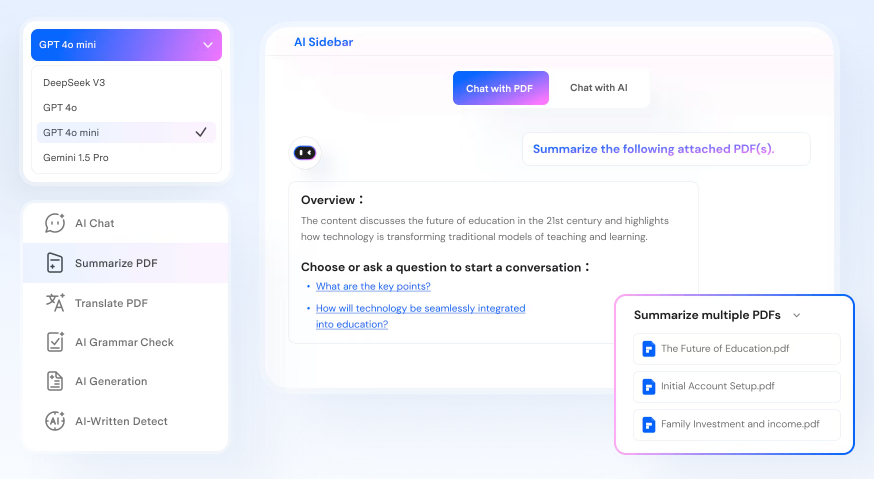
Wondershare PDFelement is the most balanced pick for most people because it combines strong PDF editing with a growing set of AI tools in one product. It supports core PDF work such as editing text, converting files, OCR, creating PDFs, handling forms, organizing pages, and e-signing. On top of that, it adds AI features like PDF summarizing, rewriting, translation, grammar checking, and PDF explanations.
What makes it stand out is that the AI tools feel connected to real document workflows instead of bolted on as a separate chatbot. If you work with reports, contracts, research PDFs, or scanned files, that combination is practical. It is especially strong for users who want one tool for both classic PDF tasks and newer AI-assisted work.
Its main limitation is that it is still a full desktop-style PDF tool, so it may feel like more software than a casual user needs for occasional quick edits.
2. HiPDF (Best for Web-based Tools)
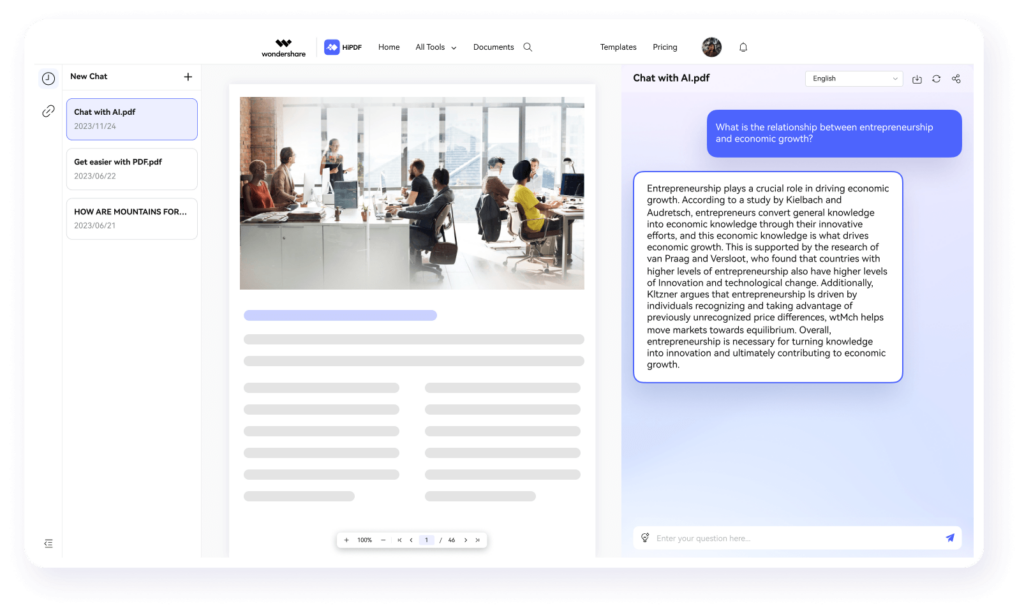
HiPDF is a good choice if you want to stay in the browser. It offers a wide set of online PDF tools, including editing, conversion, compression, merging, cropping, OCR, and AI features such as chat with PDF, summarizing, rewriting, explaining, and translation.
The biggest advantage is convenience. There is no heavy setup, and it is easy to use across different devices. That makes it attractive for quick tasks, remote teams, and users who prefer lightweight web workflows over installing desktop software.
The tradeoff is depth. HiPDF is flexible and accessible, but browser-based tools usually feel less robust than dedicated desktop software when you are handling large files, advanced editing, or more demanding workflows.
3. ChatGPT (Best for Basic Editing)
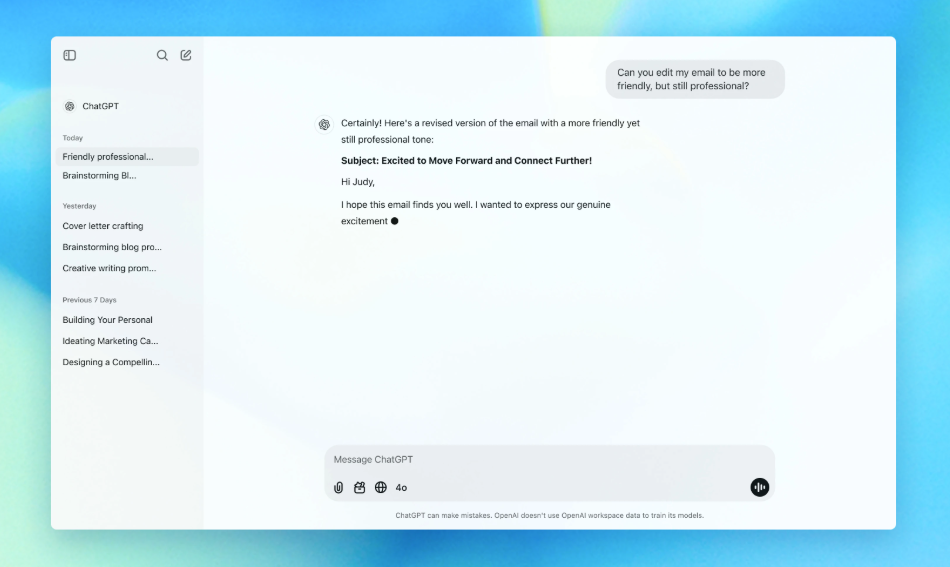
ChatGPT is not a traditional PDF editor, but it is surprisingly useful for basic document work. If your main goal is to summarize a PDF, explain a difficult section, extract key points, rewrite wording, or analyze uploaded files, it can save time.
It works best as a thinking and drafting assistant rather than a full PDF workspace. For example, it helps review reports, pulling action items from documents, or simplifying technical content. It can also help generate cleaner text before you paste that text back into a PDF editor.
Its limitation is obvious: ChatGPT does not replace a full PDF editing suite. If you need precise layout edits, page management, OCR workflows, form tools, or document signing, you will still need another tool alongside it.
4. Adobe Acrobat (Best for Business)
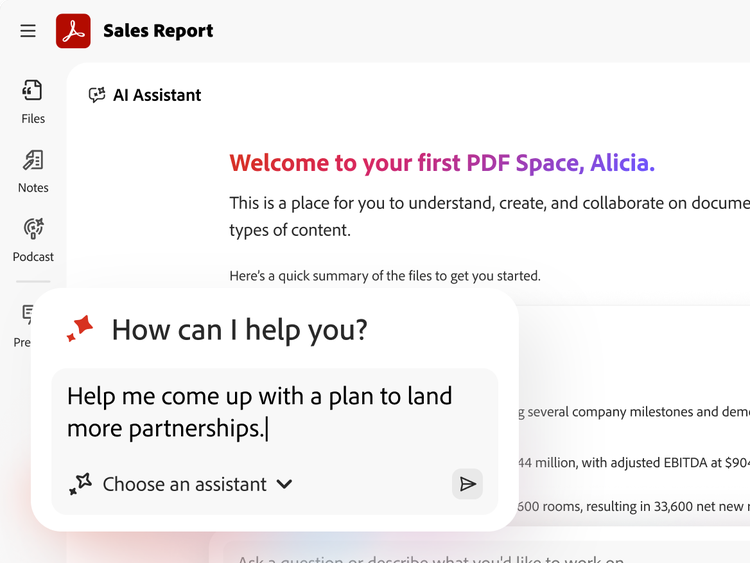
Adobe Acrobat remains a strong choice for business users who want a familiar, established PDF platform with AI layered into it. Acrobat is still one of the best-known names in PDF editing, and its AI Assistant expands that ecosystem with summarizing and question-answering support.
For businesses, Acrobat’s value is less about novelty and more about predictability. Teams already working in Adobe environments may find it easier to standardize on Acrobat for editing, reviewing, sharing, and document control.
The downside is that Acrobat can feel heavier and more expensive than some alternatives. For solo users or people who mainly want AI help with PDFs, it may be more tool than they need.
Quick Comparison Table (Features, Pricing, Best For)
| Tool | Best For | Standout Features | Pricing Overview |
|---|---|---|---|
| Wondershare PDFelement | Best overall | PDF editing, OCR, conversion, AI summarizing, rewriting, translation, forms, e-signature | Paid plans available; free trial offered |
| HiPDF | Best for web-based tools | Browser-based editing, conversion, OCR, AI chat, summarize, translate | Free and paid web plans |
| ChatGPT | Best for basic editing help | Summaries, explanations, rewriting, document analysis | Free and paid ChatGPT plans |
| Adobe Acrobat | Best for business | Mature PDF workflows, enterprise familiarity, AI Assistant, and document review | Paid subscription plans |
How We Tested AI PDF Editors
We focused on the things that matter most in day-to-day PDF work rather than marketing claims alone.
Basic PDF editing skills
A good AI PDF editor still needs strong PDF fundamentals. We looked for tools that can handle common editing tasks such as changing text, working with pages, converting files, and managing scanned PDFs without creating extra friction.
AI capabilities
We checked whether each product goes beyond basic chat. Useful AI PDF tools should help with summarizing, explaining, rewriting, translating, or extracting insights from documents in practical ways.
Accuracy
Accuracy matters more than flashy demos. We paid close attention to OCR reliability, whether edits preserve document structure, and whether summaries feel usable instead of generic.
Speed and usability
Some tools are powerful but slow or awkward. Others are fast but limited. We prioritized products that reduce work instead of adding another layer of complexity.
Key Features to Look For in an AI PDF Editor
When choosing an AI PDF editor, focus on these features:
- Reliable PDF editing: AI is useful, but the tool still needs solid editing, page management, and file conversion.
- Strong OCR: If you work with scanned files, OCR quality is a major deciding factor.
- Useful AI features: Look for summaries, explanations, rewriting, translation, or document Q&A that support real work.
- Good usability: The best tool should save time, not bury key tasks under too many menus.
- Fit for your workflow: Some users need desktop power, while others only need fast browser access.
- Reasonable pricing: Compare not just entry price, but whether the AI features you actually need are included.
Final Verdict: Which One Should You Choose?
If you want the best all-around AI PDF editor, Wondershare PDFelement is the strongest pick. It offers the best mix of traditional PDF editing, OCR, and practical AI features in one place.
Choose HiPDF if you want a flexible web-based option for lighter, faster PDF work. Choose ChatGPT if your main need is understanding, summarizing, or rewriting PDF content rather than editing files directly. Choose Adobe Acrobat if you need a business-oriented PDF platform with the familiar credibility of enterprise software.
For most users, the winning choice is simple: pick the tool that matches both your PDF editing needs and your AI workflow—not just the one with the loudest AI label.