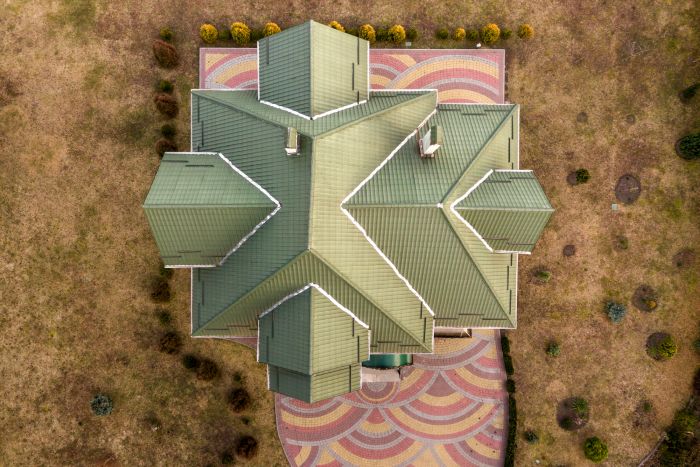
Ask any interior designer about their biggest “communication wall,” and they’ll likely point to the 2D floor plan. We spend hours refining a CAD layout, obsessed with clearances and spatial flow, only to realize the client is staring at the screen with a blank expression. To a non-professional, a bunch of black-and-white lines and door swings look more like a complex puzzle than a dream home.
The reality is that spatial imagination is a rare skill. Most people need to see depth, shadow, and texture to truly “feel” a room. In the past, bridge-building between a flat plan and a 3D reality meant a massive detour into complex 3D modeling software, adding days to the turnaround. But the workflow has shifted. By integrating the architectural intelligence of ProMeAI pro into the early concept phase, you can now extrude those flat lines into photorealistic, bird’s-eye “dollhouse” views in the time it takes to explain a contract.
Key Takeaways
- 2D floor plans often fail to communicate design concepts effectively, leading to client confusion.
- Using ProMeAI pro, designers can create photorealistic 3D aerial renders from flat floor plans in no time.
- Adopting a structured approach improves the rendering process, focusing on clean base plans and specific material details.
- 3D visualizations are crucial for real estate marketing, as they show potential buyers the true value of properties.
- The shift to 3D rendering allows designers to focus on creative decisions, enhancing client engagement and satisfaction.
Table of contents
Why 2D Plans Fail the “Empathy Test”
A technical drawing is a document of constraints; a 3D render is a document of possibilities. When you present a 2D layout, you are asking the client to do the heavy lifting of imagining how the sunlight hits the oak floor or how a velvet sofa anchors the living zone. If they guess wrong, they get anxious.
The value of an aerial 3D render—often called the “God view”—is that it provides instant spatial confidence. It allows the client to see the relationship between rooms, the thickness of the walls, and the actual “walkable” area. Using specialized tools like those found at ProMeAI pro turns your technical CAD files into a high-end marketing asset that speaks to the client’s emotions, not just their tape measure.
The Professional Playbook: How to “Render” Without Modeling
If you want to move from a flat PDF to a lifestyle visual without spending your weekend in Revit or 3ds Max, you need a structured approach. Here is the most effective workflow for modern design studios:
1. The “Clean Base” Principle
AI doesn’t need your plumbing annotations or electrical symbols. In fact, they only clutter the result. For the best outcome, export a clean version of your floor plan—just the walls, windows, and basic furniture blocks. When you upload this “clean base” to the Sketch Rendering module, the AI doesn’t just “guess” what the room looks like. It uses the line-weight logic of your CAD file to determine where the vertical structures are. This ensures the final 3D aerial view stays 100% true to your original dimensions.
2. Crafting the “Material DNA”
A 3D render is only as good as its textures. This is where many designers get frustrated with generic AI tools that hallucinate random colors. To stay in control, utilize the Style Palette feature. Instead of a generic “living room” prompt, define the specific materiality: “Hone-finished travertine floors, fluted walnut wall panels, and warm linen upholstery.” By feeding these specifics into the engine, the AI “dresses” your 2D plan with a level of material honesty that makes the project feel buildable, not just pretty.
3. Lighting: The Secret to Depth
What makes an aerial render look “expensive” is the lighting. Flat lighting makes a room look like a cardboard model. To achieve a professional finish, use the Relight tool to simulate a specific time of day. A “Late Afternoon Sun” setting will cast long, soft shadows from the windows across the floor. These shadows are the visual cues the human brain uses to understand scale and height. It’s the difference between a “flat picture” and a “3D space” you can almost walk into.
Actionable Advice: The “Multi-Vibe” Pitch
One of the best ways to utilize the speed of ProMeAI pro is to solve the problem of client indecision. Instead of asking, “Do you want a modern or a classic look?”, show them both.
- The “Scandi-Minimalist” Version: Focus on light woods, white walls, and maximum brightness.
- The “Urban Industrial” Version: Swap to exposed brick textures, dark metal fixtures, and moody lighting.
Because the AI is doing the rendering heavy lifting, generating these two vastly different “vibe checks” takes minutes, not days. Presenting these side-by-side during a concept meeting is a powerful way to “triangulate” a client’s taste and get an immediate signature on the design direction.
Beyond the Walls: The Impact on Real Estate Marketing
This technology isn’t just for interior designers; it’s a game-changer for real estate agents and developers. Selling “pre-construction” or “fixer-upper” properties is inherently difficult because you’re selling a promise. A 3D aerial render takes the “risk” out of the equation.
By showing a bird’s-eye view of a renovated space, you’re helping the buyer move past the “peeling wallpaper” and see the potential. It’s about creating a “Hero Image” that stops the scroll on Zillow or Instagram. When you can generate these high-quality visuals internally, your marketing agility skyrockets. You no longer have to wait for an external rendering agency to send back proofs; you can have a full suite of marketing images ready the same day you get the floor plan.
The Shift: From “Floor Plan Draftsman” to “Vision Curator”
We are entering an era where the technical barrier to high-end visualization has almost vanished. This can be scary for designers who have built their careers on their 3D modeling skills, but it should be seen as a liberation.
When you offload the technical “grind” of rendering to a high-speed engine, you are freed up to do what you actually get paid for: making aesthetic and functional decisions. You spend less time wrestling with light bounces and more time thinking about the “red thread” of the design. You are no longer just the person who “draws” the house; you are the curator of the client’s future lifestyle.
Final Summary: Embracing the Instant Render
The move from 2D to 3D isn’t just a trend; it’s the new baseline for professional delivery. Clients no longer have the patience for “Phase 2” renders of floor plans that arrive two weeks after the meeting. They want to see the vision now.
By adopting a “3D-First” communication strategy, you remove the friction from your sales process. You and the client stop talking in “abstracts” and start talking in “realities.” When you show someone a photorealistic, 3D aerial view of their future home, the conversation changes from “I don’t get it” to “When can I move in?” That is the ultimate goal of any design presentation, and the path to getting there has never been shorter.