
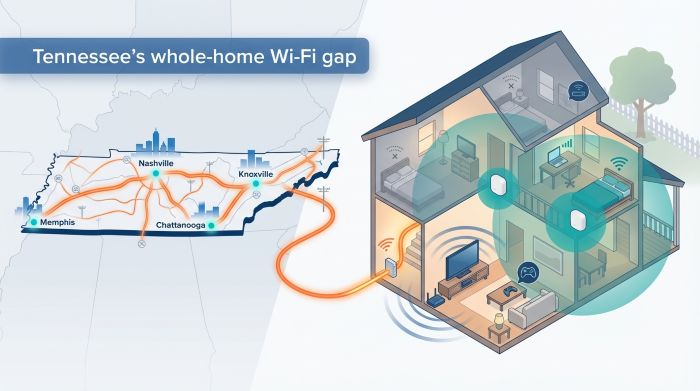
Chattanooga shocked the broadband world with a 25 Gbps municipal network, and crews are now threading fresh fiber through Memphis, Knoxville, and even the state’s backroads—boosted by another $813 million in BEAD funds (Light Reading). But indoors a single, overworked router can still freeze a Zoom call or rubber-band a Mario Kart race. Whole home Wi-Fi—small mesh nodes that share one network name—hands devices off as you move, so the speed you pay for reaches every room.
Over the next few minutes we’ll compare each Tennessee provider’s mesh kit, share real-world gaming and streaming stats, and map the smartest layout for your apartment, split-level, or farmhouse.
Ready to banish dead zones? Let’s dive in.
Key Takeaways
- Tennessee’s internet speeds are climbing, but many homes suffer from poor performance due to single routers.
- Whole home Wi-Fi mesh systems improve connectivity by using multiple nodes for seamless coverage.
- ISPs offer various whole home solutions, including eero by WOW!, xFi Pods by Xfinity, and AT&T’s Smart Wi-Fi Extenders.
- Mesh networks help maintain speed, reduce latency, and enhance security compared to traditional setups.
- Proper node placement and smart configurations can ensure reliable internet access throughout Tennessee homes.
Table of contents
- Tennessee’s Internet Landscape: Speeds Keep Climbing, But the Router Is Still the Bottleneck
- Mesh Wi-Fi Vs. The Old Single-Router Playbook
- Wow! Internet: Eero Mesh That Adapts to Any Floorplan
- Xfinity: Xfi Pods Extend Cable Speeds Without Drilling Holes
- AT&T Fiber: Smart Wi-Fi Extenders Ride a Symmetrical Speed Wave
- Google Fiber: Wi-Fi 6e Mesh Included at No Extra Charge
- EPB And Tennessee Fiber Co-Ops: White-Glove Wi-Fi for the Homegrown Crowd
- Performance Metrics for Whole Home Wi-Fi That Matter
- Choosing And Optimizing Whole-Home Wi-Fi for Tennessee Homes
- Conclusion
Tennessee’s Internet Landscape: Speeds Keep Climbing, But the Router Is Still the Bottleneck
Step outside almost any Tennessee city and you will spot fresh orange conduit curling along the curb. Crews run fiber at a record clip because federal and state grants require it.
More than 90 percent of metro-area homes can already order fiber, and rural co-ops narrow the gap each month. Average download speed now tops 219 Mbps statewide, and gigabit tiers are rapidly becoming the norm.
That raw throughput feels impressive until you walk upstairs and lose half of it. The problem is not the line underground; it is the lone router throttling traffic before it reaches your phone.
Cable households face a different pinch. Downloads roar past a gig, but uploads stall near 35 Mbps. Streamers drop frames, and gamers see ping spikes when a roommate backs up photos.
Device count piles on. Doorbell cameras, smart TVs, and Peloton bikes all compete for airtime. A typical Tennessee home already manages two dozen Wi-Fi clients before weekend guests arrive.
ISPs recognize the strain. Every major provider now bundles some form of whole-home Wi-Fi: WOW! includes eero nodes, Xfinity offers xFi Pods, AT&T supplies Smart Wi-Fi Extenders, and Google Fiber ships a tri-band Wi-Fi 6E kit.
Choice drives prices down, yet it also floods the market with buzzwords and vague add-ons. You deserve a clear picture of which system cures dead zones instead of masking them.
Before we compare hardware, remember one truth: your gigabit plan delivers on its promise only when the Wi-Fi inside your walls keeps pace. Everything that follows shows you how to make that happen.
Mesh Wi-Fi Vs. The Old Single-Router Playbook
Picture your current setup. One router, usually tucked beside the TV, fires a signal that weakens each time it passes through drywall. When coverage slips, many people plug in a range extender. The extender rebroadcasts the network, but it splits bandwidth and adds delay. You end up with two network names and a visible hiccup whenever a device hops between them.
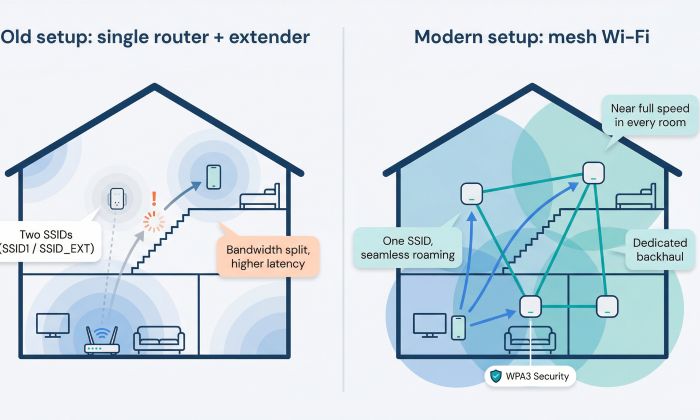
Mesh solves the core weakness. Instead of pushing power from a single point, it scatters small nodes around the house. Each node talks to its neighbor over a dedicated backhaul, so speed stays almost intact from room to room. Independent tests show modern mesh preserves nearly 100 percent of your bandwidth, while legacy extenders can cut it in half and add extra milliseconds of latency.
Seamless roaming is another win. Mesh nodes share one network name, letting your phone stick to the strongest access point automatically. Walk from basement game den to upstairs office, and the handoff stays invisible. No more pausing a Zoom call to swap Wi-Fi networks.
Security leaps ahead, too. Most mesh kits update firmware in the background and arrive with WPA3 encryption, malware blocking, and quick guest access. The eero units WOW! rents, AT&T’s Smart Wi-Fi Extenders, and Google Fiber’s tri-band router all push patches automatically, so you spend less time digging through admin menus.
Mesh also scales. Add a new wing? Plug in another node and the system recalibrates on its own. A single overpowered router seldom offers that option, and stacking extenders only compounds interference.
In short, mesh is no longer a luxury. It is the practical way to ensure your gigabit plan reaches every corner without speed loss, latency spikes, or security gaps. Next, we will see how each Tennessee provider delivers on that promise.
Wow! Internet: Eero Mesh That Adapts to Any Floorplan
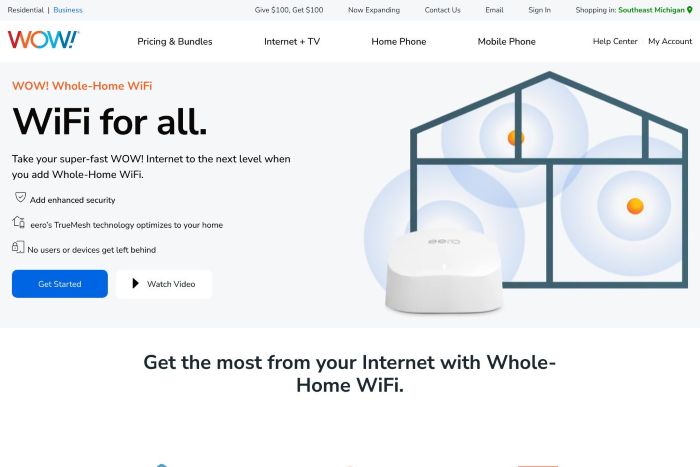
WOW! keeps things simple by bundling WOW! Whole-Home WiFi, an eero-powered mesh kit rated to blanket roughly 1,500–2,500 square feet per node.
Two satellites therefore cover the average Murfreesboro two-story, and the system arrives pre-paired to your modem.
A technician can drop the kit inside or leave it on your porch, and the app walkthrough brings every room online in minutes. Each eero covers about 1,500 square feet, so two nodes blanket an average Murfreesboro two-story. Choose the eero Max 7 bundle and the radios jump to Wi-Fi 7 speeds, ready for multi-gig plans as they arrive.
WOW! Whole-Home WiFi eero mesh service webpage screenshot
Security features start switched on. Malicious sites are blocked, firmware updates install automatically, and guest access takes two taps. The app even shows real-time bandwidth per device, useful when a roommate’s Xbox download drags your ping.
Pricing stays reasonable. Whole-home Wi-Fi rents for a few dollars per month; add another node later and it syncs in seconds. WOW!’s network reaches select pockets of Middle Tennessee, and where it does, the eero kit turns gigabit lines into wall-to-wall speed with minimal effort.
Xfinity: Xfi Pods Extend Cable Speeds Without Drilling Holes
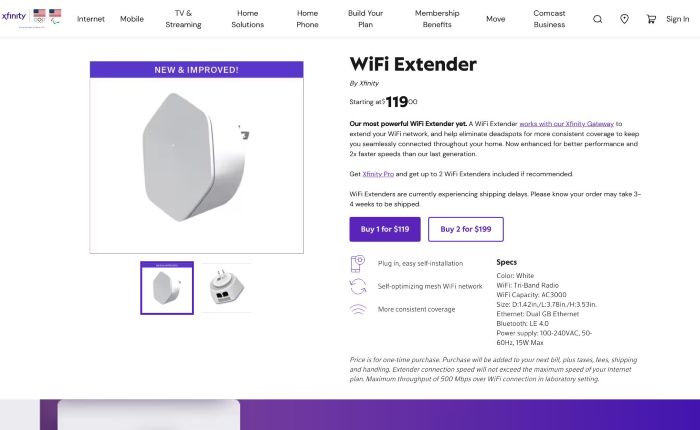
Xfinity relies on its gateway as the brain and scatters xFi Pods as the muscle. Plug a pod into any wall outlet and it creates a tri-band link back to the modem, filling nearby rooms with fresh signal. One pod often fixes a dead zone; a second covers a large bonus room or garage gym.
Xfinity xFi Pods whole-home mesh WiFi product page screenshot
Setup lives in the Xfinity app. A signal meter moves from red to green, then you name the network once. Pods steer devices between 2.4 and 5 GHz automatically, so phones stay on the fastest band without extra steps.
For gamers, latency sits in the low twenties milliseconds, and the second-generation pod’s Ethernet jack lets you wire a console in place. Uploads peak near 35 Mbps, the limit of DOCSIS today, while downloads exceed one gigabit.
Pricing stays flexible. You can buy pods outright or choose the xFi Complete bundle, which rolls hardware, unlimited data, and security scanning into one monthly fee. The trade-off is that pods only speak to Xfinity’s rented gateway, so DIY router fans lose some freedom.
If you want plug-and-play mesh that wipes out typical two-story dead spots and keeps parental controls close at hand, xFi Pods provide a neat solution.
AT&T Fiber: Smart Wi-Fi Extenders Ride a Symmetrical Speed Wave
AT&T’s gateway lands in your living room with Wi-Fi 6 radios and four Ethernet ports. Add a Smart Wi-Fi Extender, and the gateway becomes the mesh captain, sending a dedicated wireless backhaul to each node. You can deploy up to three units, enough to cover a 5,000-square-foot farmhouse with equal bars.
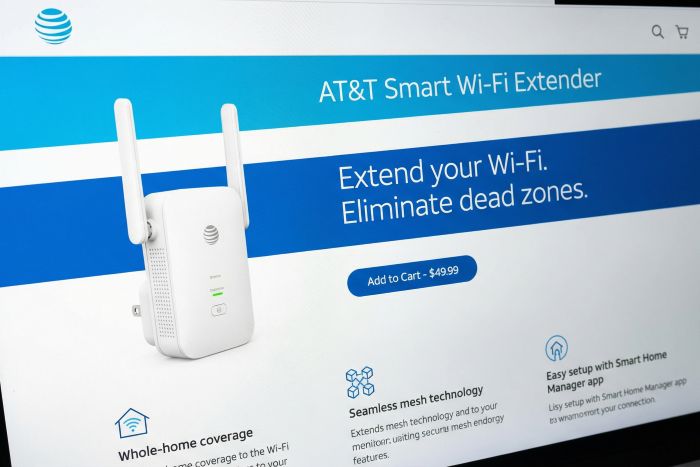
AT&T Smart Wi-Fi Extender and Extended Wi-Fi Coverage service page screenshot
Because the line is fiber, downloads and uploads share the same runway. Twitch streams stay crisp, large game clips leave your console in seconds, and latency often dips into single digits against Atlanta servers. Wire a gaming PC to an extender’s Ethernet jack, and you are almost plugged directly into the backbone.
Setup runs inside the Smart Home Manager app. A traffic-light meter guides placement and shows which device uses bandwidth. Extenders carry a one-time fee, and promotions sometimes include the first unit when you order multi-gig service.
If you need upload muscle for cloud backups or livestreams and want mesh that taps every symmetrical megabit, AT&T’s fiber plus Wi-Fi 6 extenders deliver a reliable choice.
Google Fiber: Wi-Fi 6e Mesh Included at No Extra Charge
Google Fiber removes guesswork by bundling a tri-band Wi-Fi 6E router with every plan and adding up to two mesh extenders for free. The hardware, a boosted Nest Wifi Pro, arrives pre-paired and up to date.

Google Fiber Wi-Fi 6E mesh router and extender equipment page screenshot
Setup takes about ten minutes. Connect the router to the fiber jack, scan a QR code in the Google Home app, and you are online. Need more reach? Place an extender on the stair landing, and the system auto-calibrates to cover roughly 5,000 square feet.
Performance feels wired. The 6 GHz band adds a low-interference lane, so even a dense Nashville condo stays snappy. Gamers report ping times within a hair of Ethernet, and simultaneous 4K streams play at full bitrate.
Pricing stays transparent. There is no hardware rental fee, no data cap, and no contract. If you move outside the footprint, return the kit and cancel in one click.
Availability is the only catch. Coverage reaches select Nashville neighborhoods today, with crews expanding north and west. If your address qualifies, Google Fiber’s all-inclusive mesh is the simplest way to turn multi-gig service into whole-home speed without upsells.
EPB And Tennessee Fiber Co-Ops: White-Glove Wi-Fi for the Homegrown Crowd
Chattanooga’s EPB calls its service Smart Net Plus, and it works like an on-call IT team rather than a simple router rental. A technician maps signal shadows, mounts Wi-Fi 6 nodes in the ideal spots, and leaves without an installation fee. The monthly charge of about twenty dollars covers 24/7 monitoring, automatic security scans, and house calls if a node misbehaves.
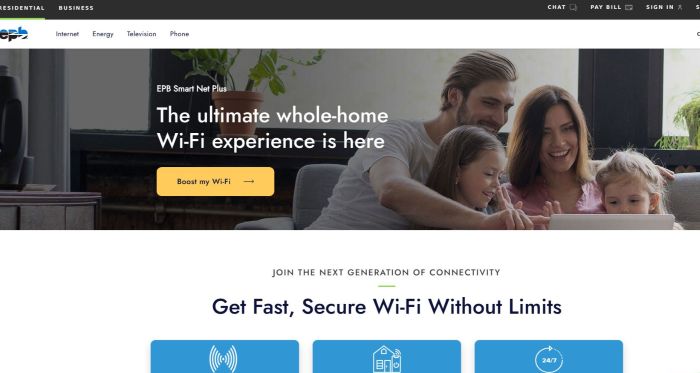
EPB Smart Net Plus managed whole-home Wi-Fi service page screenshot
Speed holds steady. EPB’s fiber already posts single-digit latency to Atlanta, so the mesh’s job is to preserve that lightning indoors. Gamers stay below ten milliseconds, streamers push 1080p without dropped frames, and local phone support resolves issues quickly.
Smaller electric co-ops follow the same playbook. United Communications in Middle Tennessee offers Premium Wi-Fi with eero hardware for roughly ten dollars per month, while Knoxville’s KUB Fiber bundles Calix nodes and free phone support. These regional providers lean on service quality as a differentiator, arriving with drills, cable testers, and patience.
If you value human help as much as raw speed, hometown providers deliver turnkey mesh that simply works, no deep app dive required.
Performance Metrics for Whole Home Wi-Fi That Matter
Latency: Every Millisecond Counts
Gamers feel latency in their gut. Press the trigger and the shot should register instantly. The signal leaves your controller, crosses miles of cable, a modem, and finally your Wi-Fi hop. If that last link is sloppy, you notice.
National tests place average fiber ping near 13 ms, cable around 23 ms, and satellite above 40 ms. Those figures set the baseline before Wi-Fi enters the story. A well-placed mesh node adds only two or three milliseconds, so play still feels wired.
Trouble starts when a node sits too far from its neighbor. Packets may bounce through several hops, doubling delay and adding jitter. The fix is simple: keep nodes in sight or wire the backhaul where walls block signal. Most mesh apps show link quality as a colored bar; move the node until the bar turns green and your leaderboard rank thanks you.
Low latency matters beyond games. Zoom calls stay in sync, smart doorbells alert faster, and cloud desktops feel native. When you compare mesh kits, favor tri-band models or those with Ethernet ports—anything that saves milliseconds.
Throughput: Speed You Can Count on When Everyone Streams at Once
Headline numbers sell internet plans, yet day-to-day joy lives in sustained speed. A mesh earns its keep when four 4K streams, a Steam update, and a doorbell cam upload all share the air without buffering.
Tri-band systems hold an edge. They reserve one radio for private backhaul, freeing the other two to serve phones and TVs. That separation keeps wireless downloads steady even when traffic travels across two hops. Dual-band kits can shine too, but only if nodes sit close enough that the single 5 GHz channel never saturates.
Placement shapes success as much as chipset. Put nodes at hallway intersections, on a shelf, and one room back from the dead zone. Aim for overlapping circles of strong signal, not a daisy chain of weak links. Your mesh app’s speed test confirms the result: run it at dinner, then again during a photo backup. Numbers should stay within ten percent.
Remember the wired wildcard. If your ranch house already has coax, add MoCA adapters and enjoy gigabit backhaul over existing cable. Many Orbi, eero, and Calix nodes detect the Ethernet run and move heavy lifting off Wi-Fi, leaving airwaves clear for devices.
When throughput holds under load, everything else clicks. Video stays sharp, smart speakers respond fast, and large game patches finish before bedtime.
Stability: Remove Jitter and Packet Loss from the Party
Raw speed means little if the signal hiccups every few seconds. Jitter is the villain here, a jumpy delay that turns voice chats robotic and drops Fortnite bullets into the void.
Mesh helps by spreading the load. When two nodes share a strong backhaul, packets arrive in smooth, evenly spaced waves. Problems appear when a node clings to a weak link and spends extra time resending lost data. You will see it as choppy audio or sudden lag spikes despite decent headline speed.
The cure is disciplined placement. Keep nodes within two rooms of each other or connect them with Ethernet. Most dashboards graph jitter in real time; shuffle a satellite and watch the squiggly line flatten.
Packet loss often travels with jitter. A microwave on an overlapping channel or foil-backed insulation can corrupt frames. Modern mesh systems scan channels at dawn when networks are quiet, hopping to cleaner air without your help.
Check stability once a week. Run a continuous ping to a nearby server while someone streams 4K and another person games. Consistent numbers mean a healthy mesh; spikes call for moving a node or adding a third satellite.
When jitter stays low and packets flow clean, video calls feel in person, cloud saves finish first try, and you forget the router even exists.
Choosing And Optimizing Whole-Home Wi-Fi for Tennessee Homes
Big pipes into the house set the stage, but node placement and a few smart tweaks decide whether that capacity performs or stalls. Over the next minutes we will tailor mesh advice to the most common Tennessee living situations, starting where neighbors and signals overlap the most.
Urban Apartments and Condos: Win the Fight Against Interference
Downtown Nashville lofts and Knoxville towers are not short on bandwidth; they are crowded with competing networks. Your laptop might see twenty SSIDs before lunch, all vying for the same 5 GHz channels.
- Select 6 GHz gear. Choose a mesh with the new 6 GHz band, such as Google Fiber’s included router or an eero Max 7 upgrade. Fewer devices occupy that lane, so one hop can feel as clean as Ethernet.
- Prioritize placement. If the main node stays in the closet by the fiber jack, you lose half your speed. Move it to the living area at eye level, as close to center as the power cord allows. Keep nodes on the same side of concrete pillars or metal HVAC chases when possible.
- Verify with signal scans. Run the provider app’s scan in each room. If only the bedroom dips, place a satellite midway down the hall, aiming for two bars of backhaul strength, then rescan to confirm.
- Schedule quiet hours. Shift cloud backups to early morning and enable automatic channel selection. A 4 am reboot lets the system find cleaner spectrum while neighbors sleep, keeping your first video call smooth.
Apply these fixes once and you can carry a rock-solid connection from coffee table to balcony without juggling extenders.
Suburban And Rural Houses: Let the Mesh Reach Every Nook and Porch
Walk into a two-story in Brentwood or a long ranch outside Cookeville and a single router quits halfway down the hall. Sheetrock, brick fireplaces, and metal ducts absorb signal, leaving bonus rooms and back decks in the dark.
- Deploy three nodes. Place the main router near the center of the ground floor, a second node upstairs above it, and a third in the far wing or finished basement. Keep roughly two rooms between nodes to preserve backhaul strength.
- Wire when walls resist. If thick insulation still mutes bars, link nodes with existing coax and MoCA adapters. Offloading backhaul to wired links frees the airwaves for phones and smart TVs.
- Extend outdoors. Set a node on a windowsill facing the patio or mount a weather-rated access point under the eave. A Titans game streamed from the smoker should match the living-room feed.
- Guard against outages. Power blips happen. A small battery backup on the router and modem carries security cameras and work calls through thunderstorms.
Follow this blueprint and you swap dead zones for full-strength signal—from attic office to porch swing and every spot between.
Conclusion
With Tennessee’s gigabit lines surging ahead, whole-home mesh Wi-Fi is the key to unlocking every last megabit indoors. Choose the system that fits your provider and layout, place nodes wisely, and your connection will feel as fast in the upstairs office or out on the deck as it does beside the modem.