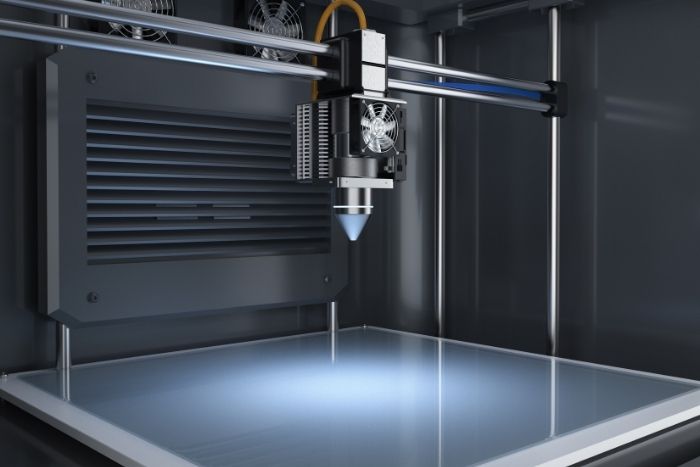
Manually levelling the Ender 3’s bed isn’t difficult, but it takes some time to get it just perfect, and I’ve discovered that the printer doesn’t stay level for more than a few prints. My Ender 3 has been a source of frustration for me. I can level it and print with it, but I’m having trouble keeping the initial layer stuck down the next time (or possibly the time after that).
I researched the auto-levelling capabilities, installed the gadget, and am now ready to share the results with you. You’ll know whether you should upgrade your 3D printer with auto bed levelling by the end of this.
Key Takeaways
- Manually levelling a 3D printer like the Ender-3 takes time and may not remain level between prints.
- Automatic bed levelling uses sensors to maintain the correct distance between the print head and bed, enhancing print quality.
- Installing auto bed levelling kits involves disassembling the printer and can be meticulous, but it is achievable with patience.
- BLTouch and EZABL are two main automatic bed levelling options, with BLTouch being preferred for its simplicity and functionality.
- Before upgrading, ensure your 3D printer is compatible with the chosen auto bed levelling sensor.
How Does Automatic Bed Levelling Work?
The concept behind bed levelling is that the printer knows exactly how far the print head is from the bed. Either the print bed is completely level with the printer gantry, or the printer adjusts itself up or down to maintain the necessary space between the print head and the print bed as it moves across the surface.
Sensors in the automated bed leveller systems are used to achieve this awareness. The sensors attached to the printer’s print head descend to the print bed (preferably multiple times across its surface), recording the height at which they detect the print bed. Installing this requires modifying the printer’s firmware to use the new sensor and adjusting printing once it receives the bed information. This auto-levelling feature allows for smoother prints, which is why 3D printing is often employed in product design.
Is the Kit Hard To Install?
A question people have when considering whether to upgrade their 3D printer with auto bed levelling is whether the kit installation is simple. It can be intimidating for people who are new to 3D printing. You’ll need to disassemble and reassemble various parts of your printer. This includes removing screws, inserting wiring clips to existing pins, and attaching a new sensor mount to your printer’s hot end.
Nothing is difficult; it’s time-consuming and meticulous. Some people become wary of the prospect of such chores. If you have the stomach for it, simply follow the steps one by one until you reach the end. If you follow the directions, successfully installing new software on the printer is easy!
What Are My Options?
There are two main options for automatic bed levelling on the Ender-3. EZABL and BLTouch are their trade names, and I chose the BLTouch. You can find this auto bed levelling sensor kit on Amazon.com. It represents one of the latest 3D printing advancements, appearing a little less complex, but if you’re going to install it yourself, the ease of installation is a viable exchange for minor functionality gains. It is important to note that the EZABL employs scanners, while the BLTouch uses a mechanical prong to measure. Ensure your printer is compatible with an auto bed levelling sensor before upgrading it. Finding this information will most likely be easy to obtain by visiting the printer manufacturer’s support website.