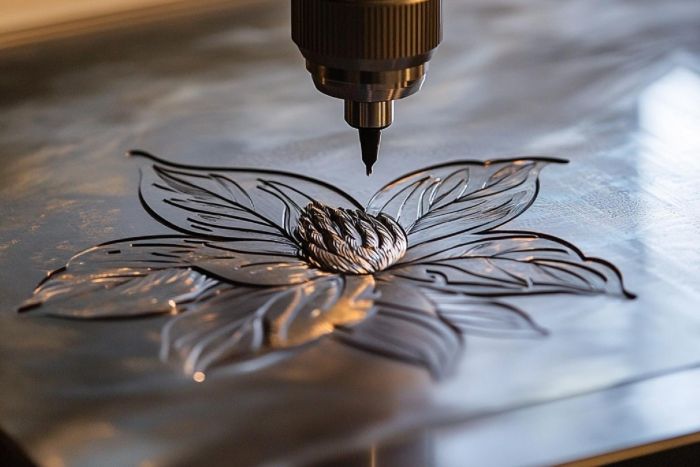
Most beginners think laser wood engraving is about getting the right settings.
They start by adjusting power, testing speed, and running sample files again and again. When something doesn’t look right, the instinct is always the same—change the parameters and try again.
But here’s what many people only realize later: the problem often isn’t the settings at all.
It’s what happens before the engraving even starts.
That’s why many beginners who move beyond trial-and-error eventually start using more controlled setups, including systems like the Xlaserlab E3, especially when they begin to care about consistency rather than just getting a result.
Key Takeaways
- Beginners often misattribute inconsistent results in laser engraving wood to incorrect settings, when the real issue lies in the material’s variability.
- Controlling surface condition, material preparation, and process consistency helps stabilize engraving outcomes.
- As expectations rise, users may need to upgrade to machines like the Xlaserlab E3, which handle material variations more reliably.
- Moving from experimental to repeatable engraving allows beginners to focus on producing custom products and consistent outputs.
- Understanding that consistency matters more than perfection is key to successfully scaling laser engraving wood projects.
Table of contents
Why Laser Wood Engraving Feels Easy—Until It Isn’t
Wood is usually the first material people try, and for good reason.
It engraves quickly. It reacts visibly. It gives instant feedback.
But after a few attempts, something changes.
You run the same design twice, and the results don’t match. One looks clean, the other slightly burned. One has sharp detail, the other feels softer.
At first, this seems random.
It isn’t.
The Real Variable Most Beginners Miss
The issue with laser engraving wood is that the material itself isn’t uniform.

Even within the same piece:
- Grain density shifts
- Moisture varies
- Surface texture changes
These differences are subtle, but they affect how the laser interacts with the surface.
For many users, this becomes the most frustrating part of the process. The machine behaves consistently—but the material doesn’t.
Why Adjusting Settings Doesn’t Fully Fix It
When results vary with wood engraving, most beginners turn to settings.
More power. Less speed. Different focus.
Sometimes that helps. But it rarely solves the issue completely.
Because the real problem isn’t incorrect settings—it’s inconsistent input.
If the surface condition changes, the output changes.
This is the point where engraving stops feeling predictable.
What Changes When You Focus on Control Instead
The shift happens when users stop chasing perfect settings and start controlling the process.
Instead of reacting to inconsistent results, they begin stabilizing what happens before engraving:
- Surface condition
- Material preparation
- Process consistency
With the right approach, results begin to align. The same design starts producing the same outcome.
That’s when engraving stops being trial-and-error.
Why Machine Choice Becomes More Important Over Time
At the beginner level, almost any machine can produce a result.
But as soon as expectations increase—cleaner detail, consistent output, repeatable work—the limitations of basic setups become obvious.
A laser engraver for wood isn’t just about power. It’s about how well it handles variation in material without forcing constant adjustments.
This is where many users begin to upgrade—not because they want more features, but because they want fewer surprises.

Where More Controlled Systems Come In
Once users reach this stage, the focus shifts from “can it engrave” to “can it do it reliably.”
Systems like the Xlaserlab E3 are often introduced at this point.
Not because they promise something radically different, but because they reduce the gap between intention and result. When the wood engraving process is more stable, the output becomes easier to predict—even when the material itself isn’t perfect.
For many beginners, this is when things start to click. The same file finally produces the same result across multiple runs.
How Beginners Start Moving Toward Real Production
At first, engraving is experimental.
Then it becomes repeatable.
And eventually, it becomes something you can rely on.
This is where many users start turning projects into something more:
- Custom products
- Small-batch items
- Consistent output across orders
The transition doesn’t come from learning more settings. It comes from reducing variability in the process of wood engraving.
Why Consistency Matters More Than Perfection
One of the biggest mindset shifts is understanding that perfection with laser cutting is not the goal.
Consistency is.
A slightly imperfect engraving that can be repeated is far more valuable than a perfect result that can’t be reproduced.
This is especially true for anyone moving toward selling or scaling their work.
What This Means for Getting Started Today
If you’re just starting out, wood is still the best place to begin.
But the key is understanding early on that engraving is not just about design or settings. It’s about how well you control everything leading up to the process.
Once you recognize that, the learning curve becomes much clearer.
Conclusion
Laser engraving wood looks simple at first, but the real challenge lies in consistency.
The difference between unpredictable results and reliable output isn’t just experience—it’s control.
For beginners who want to move beyond trial-and-error, tools like the Xlaserlab E3 help close that gap, making it easier to turn ideas for wood engraving into repeatable results.