Security virtual appliances (SVAs) are the cornerstone of the latest security models. Unlike hardware appliances that jam bandwidth and dictate where you can deploy security, SVAs allow users to be protected no matter where they work, whether at the corporate headquarters, a home office, or an airport lounge. Deployed properly in the context of Zero Trust, these virtual guardians can reduce security incidents by 40% with significant savings in deployment costs.
Here, I will present the key role that Security virtual appliances have in developing a strong Zero Trust solution in both cloud and hybrid environments. We’ll contrast how the big players, such as Cisco, Palo Alto Networks, and Fortinet, operate. Understanding how their solutions align with Zero Trust best practices can be the difference between a pain-free security transformation and a costly, grueling struggle.
Key Takeaways
- Security Virtual Appliances (SVAs) enable flexible security in hybrid and cloud environments, supporting Zero Trust principles.
- SVAs help reduce security incidents by 40% and cut deployment costs, contrasting with traditional security models.
- To implement SVAs, assess your landscape, choose the right appliances, and maintain consistent policies across on-premises and cloud systems.
- Common challenges include performance latency and management complexity; tips suggest optimizing setup and centralizing policy management.
- Cisco leads in integration and performance in the SVA market; however, competition from Palo Alto and Fortinet also exists.
Table of Contents
- What is a Security Virtual Appliance?
- Understanding the Foundation of Zero Trust Architecture
- Why Traditional Security Fails in Hybrid/Cloud Environments
- How Security Virtual Appliance Enables Zero Trust
- Example: Putting It all Together
- Common Challenges & Tips
- Cisco Security Virtual Appliance vs. Others: A Detailed Analysis
- Secure Zero Trust Future with Security Virtual Appliance
- Key Insights
- FAQs
What is a Security Virtual Appliance?
A security virtual appliance is similar to a firewall or other security tools (IDS, VPN gateway, web filter, etc.), but designed to run virtually in cloud servers or virtual machines, not just on physical hardware. Think of it like a guard post you deploy virtually in cloud setups. This is often called a cloud security virtual appliance, designed to protect workloads hosted in AWS, Azure, or GCP.” wherever you need one: in the cloud, on-premises, or in both. This flexibility makes security appliance deployment in cloud environments straightforward.
Understanding the Foundation of Zero Trust Architecture
This framework of the zero-trust architecture operates on a common rule: Never Trust and Always Verify. This strategy acknowledges that threats can come from anywhere, whether inside or out, from phished user credentials to rogue insiders to highly-skilled external adversaries who are already inside the network.
The FCC’s five principles break down the trust model into three fundamental pillars:
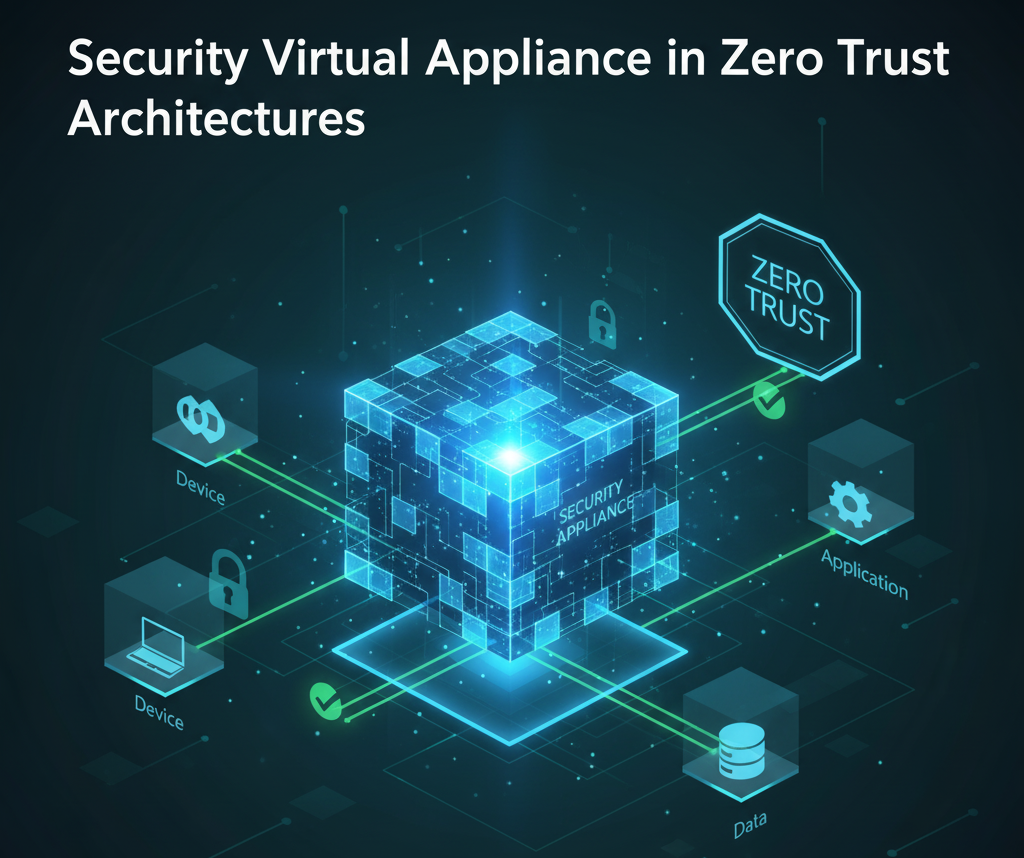
- User and Device Security guarantees that people and devices can be trusted before they connect to anywhere, regardless of where they are. This pillar takes care of validating identity, confirming device compliance, and enforcing access policies.
- Network and Cloud Security secures all network resources, whether on-prem or in the cloud, while providing secure access to every connected user. This includes encrypting data in motion, using micro-segmentation, and detecting unusual network activity.
- Application and Data Security lets you secure access across any app, wherever they are hosted. This pillar is about securing the resources that are most valuable, such as the applications and data.
Why Traditional Security Fails in Hybrid/Cloud Environments
No Fixed Perimeter
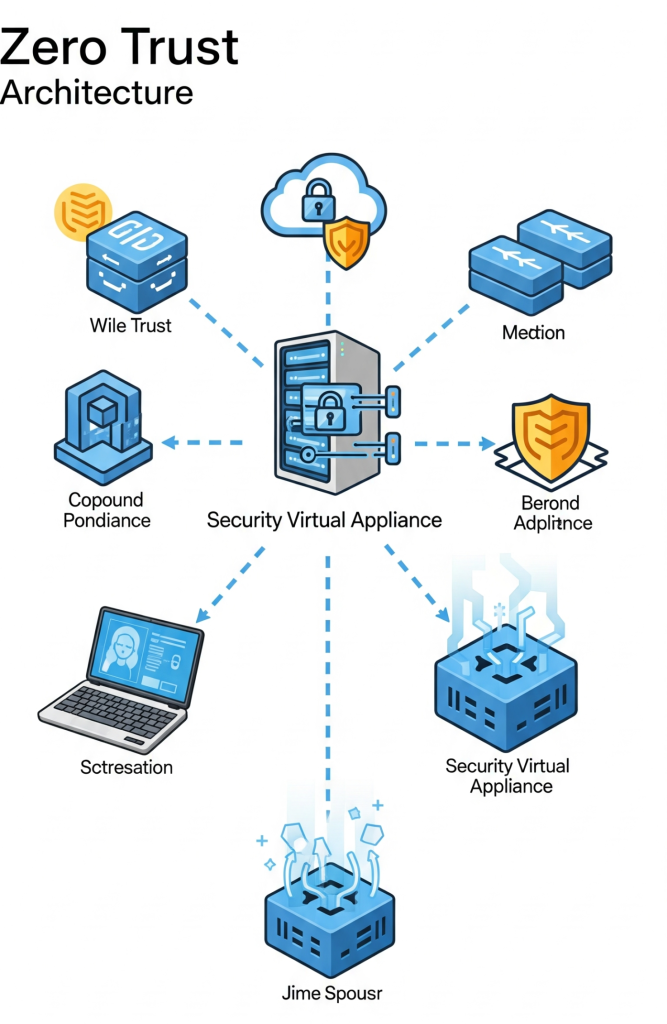
In old setups, you protect the office network, block outside intruders, and trust inside. But with cloud, remote work, and services in multiple data centers, “inside vs outside” becomes blurry. Zero Trust teaches us: you cannot trust just because someone or something is within your network.
Devices Change, IPs Change
Virtual machines spin up and down. Cloud assets move. Employees use devices from different places. If you only rely on static firewalls, you lose visibility. You need tools that move with your workloads.
Threats Move Laterally
Once a bad actor is inside, they try to move from one machine to another (“laterally”). Without segmentation and control, damage spreads fast. Zero Trust needs you to isolate and secure each segment or workload.
So, static firewalls or perimeter tools are not enough. You need flexible, virtualized security controls. That’s where SVAs enter.
How Security Virtual Appliance Enables Zero Trust
Let’s take a step-by-step look at how to use a security virtual appliance in a hybrid/cloud setup..
Step 1: Evaluate Your Landscape
- List the following user types: contractors, remote users, office workers, and Internet of Things devices
- Enumerate the following user types: contractors, remote users, office workers, and Internet of Things devices..
- Find sensitive apps and data, such as your HR system, financial records, or customer database.
You need to know what you must protect, and where.
Step 2: Determine the Security Virtual Appliance You Require
You might require multiple kinds of SVAs:
- Virtual firewalls (to regulate which traffic enters and exits segments)
- Secure gateway appliances or VPNs (for site-to-cloud connections or remote access)
- firewalls for web applications (to protect cloud apps)
- Systems for detecting and preventing intrusions (IDS/IPS)
- Appliances for access control (which are related to identity management)
Choose appliances that can be deployed both in the cloud and on-premises, or that are cloud-native but work similarly.
Step 3: Deploy SVAs to Enforce Zero Trust Principles
Here’s how an SVA helps enforce key Zero Trust features:
| Zero Trust Principle | How SVA supports it |
|---|---|
| Always verify identity/device | Appliance checks device posture and user identity before accessing resources. For example, a remote device must have an antivirus and an updated OS. SVA enforces that before allowing a connection. This process is also known as device posture verification.” |
| Least privilege access | You only allow minimal access. This practice, known as least privilege access control, ensures employees only see the apps/data needed.” |
| Micro-segmentation | This approach, often called micro-segmentation in Zero Trust, ensures that a breach in one zone doesn’t spread to others.” |
| Continuous monitoring | If something unusual happens, alerts or blocks can be triggered, supporting continuous threat detection. |
Together, these controls create what’s often called Zero Trust Network Access (ZTNA), which is the foundation for secure remote and hybrid work
Step 4: Maintain Uniform On-Premises and Cloud Policies
One difficulty is that on-premises and cloud provider tools may not be the same. If your firewall in AWS is different from your firewall appliance in your data center, policies may drift (be inconsistent). That can create gaps that attackers exploit.
Security Virtual Appliances let you apply similar rules across environments. This ensures policy consistency in hybrid cloud deployments. You can deploy the same type of appliance or use appliances that are aware of both sides.
Step 5: Examine, track, and update
Following deployment:
- Check your controls. Try to mimic misconfigurations and attacks.
- Observe the logs. Keep an eye out for unauthorized access attempts and odd traffic. This builds strong network visibility and monitoring across environments.
- As threats change, update appliance policies and software.
- Rethink zones and segmentation; as workloads or business priorities change, you might need to make adjustments.
Example: Putting It all Together
Here’s a simple story of a mid-sized US company, “Acme Corp”.
- Acme uses an on-premises data center and also some cloud services (AWS). Some employees work from home. They have a critical app that stores customer data, and another app for internal reports.
- First, Acme maps where each piece is: the customer app is in AWS; reports are on-premises.
They deploy a virtual firewall appliance in AWS in front of the customer app. They also deploy one in the data center. They also use a VPN gateway appliance for remote workers. - They set up identity verification and authentication, requiring MFA and device posture checks. Remote workers must use MFA, and their laptops must pass a device posture check (OS version, antivirus running).
- They use micro-segmentation: the app for reports cannot talk directly to the customer data app; only certain services (for example, logging or backup) have access, and only via specific paths.
- They monitor all traffic via the virtual appliances. If someone from outside suddenly tries to access the internal reports app, they get blocked and logged.
- Over time, they adjust policies when cloud services change or when they add new users.
Because of the SVAs, Acme achieves a stronger Zero Trust posture. Even if one server in AWS is compromised, lateral movement is limited. Access is controlled, devices are verified, and policies are consistent.
Common Challenges & Tips
- Performance latency: The Security virtual appliance adds inspection overhead.
Tip: scale them appropriately; use load balancing; place them where traffic paths make sense. - Management complexity: Many appliances and environments can mean many policies.
Tip: Try to centralize policy management tools if possible. - Cost: Cloud Security virtual appliance costs money (instances, data transfer, licensing).
Tip: Compare the cost of breach, regulatory fines, and loss of trust. Often, an investment pays off. - Policy drift: As environments change, rules can get outdated.
Tip: Regular audits and automated tools help. - Skill gaps: Your team needs to know network security, identity, and cloud architecture.
Tip: Provide training or hire experts.
Cisco Security Virtual Appliance vs. Others: A Detailed Analysis
The security virtual appliance market includes several heavyweight contenders, each taking different approaches to Zero Trust implementation.
Performance and Scalability Comparison
| Vendor | Max Throughput | Latency | Scaling Method | License Model |
|---|---|---|---|---|
| Cisco ASAv | 20 Gbps | <1ms | Vertical/Horizontal | Perpetual + Support |
| Palo Alto VM-Series | 17 Gbps | 1-2ms | Vertical Only | Subscription |
| Fortinet FortiGate-VM | 15 Gbps | 2-3ms | Vertical/Horizontal | Perpetual + Support |
| Check Point CloudGuard | 10 Gbps | 2-4ms | Vertical Only | Subscription |
| Zscaler Cloud Platform | Unlimited* | 5-10ms | Cloud-Native | Subscription |
Cloud-native architecture eliminates traditional throughput limitations. Cisco’s adaptive security virtual appliance leads in raw performance metrics, but performance alone doesn’t determine Zero Trust success. Integration capabilities and security effectiveness matter more.
Security Capabilities Analysis
| Feature | Cisco | Palo Alto | Fortinet | Check Point | Zscaler |
|---|---|---|---|---|---|
| Next-Gen Firewall | ✓ | ✓ | ✓ | ✓ | ✓ |
| Intrusion Prevention | ✓ | ✓ | ✓ | ✓ | ✓ |
| SSL/TLS Inspection | ✓ | ✓ | ✓ | ✓ | ✓ |
| Application Control | ✓ | ✓ | ✓ | ✓ | Limited |
| Sandboxing | ✓ | ✓ | ✓ | ✓ | ✓ |
| Zero Trust Network Access | ✓ | Limited | Limited | ✓ | ✓ |
| Cloud-Native Integration | ✓ | ✓ | ✓ | ✓ | Native |
Integration across its security portfolio is Cisco’s strong point. The Cisco Content Security Management Virtual Appliance easily integrates with identity services, network segmentation, and endpoint protection to create a single security fabric, not disparate point solutions.
Palo Alto Networks has good application visibility and control via VM-Series, but Zero Trust from Palo Alto requires separate licensing, plus even more work for integration. They have their Prisma Access offering, which delivers cloud-native security but at a higher cost.
As an alternative, Fortinet’s FortiGate virtual appliances are good for threat detection and response, especially through seamless Security Fabric. But their Zero Trust offering is one of those products that most organisations would need multiple licenses and have to do a bit of wrestling to get it configured.
Secure Zero Trust Future with Security Virtual Appliance
It may sound intimidating to initiate Zero Trust with security virtual appliances, but the journey starts with a single step. By adopting an integrated strategy and tapping into proven designs, you can create a security architecture that is strong as well as manageable. With Cisco, you can get from Cisco Adaptive Security Virtual Appliance to its Secure Internet Gateway, and you have the capabilities that enable you to apply consistent policies, eliminate complexity, and move to a true Zero Trust posture.
The question is not if you’re going to move to Zero Trust, but how fast you can adopt it. Security virtual appliances create a flexible, scalable platform for making Zero Trust ideas into operational reality.
Key Insights
- Zero Trust requires you to assume no device, user, or network is safe until verified.
- Security Virtual Appliances are essential tools: they enforce policies, segment networks, inspect data, and help you maintain visibility in cloud and hybrid setups.
- To succeed: plan carefully, deploy appliances where they make sense, enforce identity and device posture checks, keep policies consistent, monitor, and adapt.
- The investment in SVAs pays off by reducing risk, limiting damage if something is breached, and helping with compliance and visibility.
FAQs
SVAs serve as security enforcement points. They build micro-perimeters around applications and data, scrutinize traffic to make sure only the right users on the right devices get access (which is fundamentally the definition of Zero Trust), and enforce granular security policies.
Key benefit for Cisco is its deep security buying with the company. It has strong competition in the threat intelligence space from the likes of Palo Alto Networks, and excellent performance provided by vendors such as Fortinet, but Cisco can tie its policy together across user, network, and application security through things such as SecureX platforms, along with simpler management and improved threat response.
A SIG is a cloud-native security service that combines various capabilities (such as firewalls and web gateways) to safeguard users who are connecting to the internet. It is used with SVA to offer uniform security for on-premises assets and users who access the cloud directly.
By offering granular visibility, segmentation, and access control, SVAs help companies prove they’re protecting sensitive data as required by regulations like GDPR, HIPAA, and SOC 2. They generate an auditable trail of who is looking at what, when, and how.
Look beyond standalone features. Think about how well it will work with the security tools you already have, whether it can scale everywhere, including across hybrids, if its threat intelligence is up to snuff, and what the vendor’s long-term vision is for a unified Zero Trust platform.