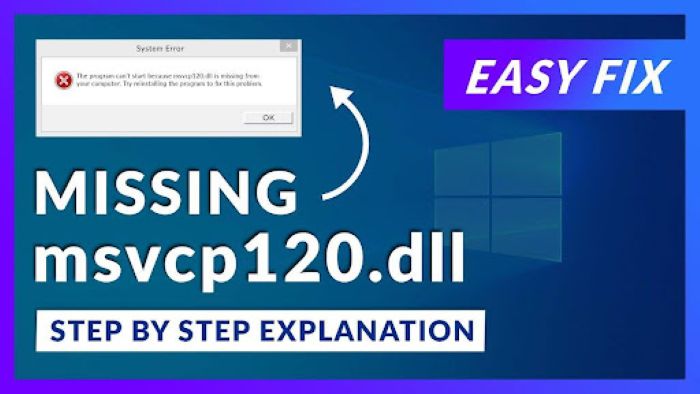
You double-click a game, Adobe app, or other program, and instead of opening, you see: “The program can’t start because msvcp120.dll missing from your computer.” Your first thought is to Google the error. You find dozens of “DLL download” sites promising instant fixes. But you wonder: is it safe? Which version do I need 32-bit or 64-bit? Where should I put it? You don’t have to gamble with sketchy downloads. There’s a safer, simpler way to fix msvcp120.dll not found errors and restore your apps without risking malware.
Key Takeaways
- Downloading msvcp120.dll from random sites is risky and often ineffective due to security threats and version conflicts.
- The msvcp120.dll is part of Microsoft Visual C++ 2013 Redistributable, which means getting it alone won’t fix the issue.
- The best official fix is to download the correct Visual C++ Redistributable installer from Microsoft.
- For a safe and efficient solution, use 4DDiG DLL Fixer which automatically repairs runtime issues without the risks of manual downloads.
- Avoid unsafe downloads and understand that the missing msvcp120.dll often indicates deeper problems with Visual C++ runtime files.
Table of contents
Part 1: Why “Download msvcp120.dll” Is a Trap
When you see msvcp120.dll missing, your first instinct is often to download the file from a website. It seems quick, but this shortcut is risky. Many sites promise instant fixes, yet they can cause bigger problems. Understanding the dangers and technical hurdles helps you avoid wasted time and system errors.
Security Risks of Random DLL Downloads
Many DLL websites appear trustworthy but often include hidden threats. Malware, adware, or trojans can come bundled with the msvcp120.dll download. Even if the file seems correct, running it can compromise your system. Downloading DLLs from unknown sites exposes your PC to potential hacks and slows down Windows performance.
Version Hell – One File Isn’t Enough
Getting the correct version is tricky. You must choose 32-bit or 64-bit depending on your system and place the file in the right folder. Often, the DLL must be registered via Command Prompt. One mistake, and the runtime library error continues, or your system becomes unstable.
Key points to remember:
- Wrong architecture = error persists.
- Incorrect folder placement = programs can’t find the DLL.
- Skipping registration = Windows won’t recognize the file.
It Doesn’t Solve the Root Problem
Even the ideal DLL file fails to correct the actual problem. msvcp120.dll falls under the category of Microsoft Visual C++ 2013 Redistributable. There are also other runtime files that are needed. One downloaded file cannot recreate the whole environment. Programs that rely on Visual C++ can also fail with an error message of fix msvcp120.dll not found.
Part 2: What Actually Causes This Error (Simple Explanation)
It is better to find out the reason that the error occurs before seeking a fast download of msvcp120.dll. The issue is hardly about the file itself. Having the cause will avoid time and anger wasted. The majority of the runtime library error problems arise due to the fact that the Visual C++ environment on your system is incomplete or lost.
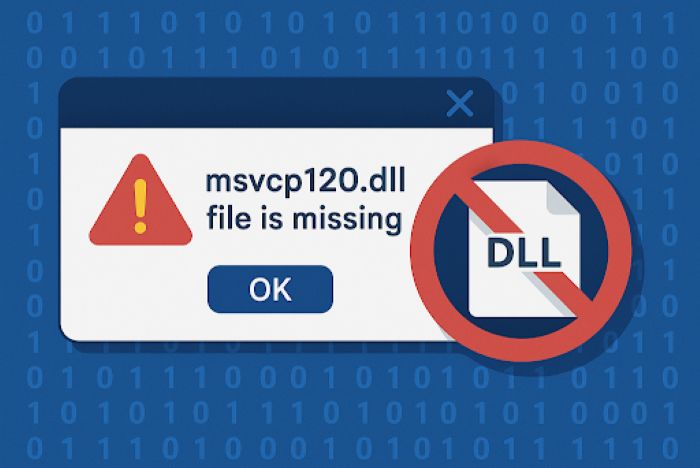
msvcp120.dll Is Part of Visual C++ Redistributable
The error of msvcp120.dll missing is explained by the fact that the file is a part of Microsoft Visual C++ 2013 Redistributable. There is a variety of runtime files that this package contains and are necessary to run programs. One DLL file does not match the entire package and that is why downloading it would not work in most cases.
Not Meant to Be Downloaded Alone
msvcp120.dll is installed as part of the complete Visual C++ runtime package. Programs expect all supporting files to be present. Manually downloading one DLL leaves other dependencies missing, so the fix msvcp120.dll not found error continues.
Important points:
- The package contains multiple DLLs, not just msvcp120.dll.
- Programs rely on all runtime files to work correctly.
- Downloading a single DLL does not repair the runtime library environment.
Causes of the Error
The runtime library error appears when the Visual C++ 2013 Redistributable is missing, corrupted, or removed. This can happen due to:
- Uninstalling programs that remove shared DLLs.
- Using cleanup tools that delete “unused” runtime files.
- Corrupted system updates or interrupted installations.
When any of these occur, your programs cannot find msvcp120.dll, triggering errors and preventing apps from running.
Part 3: The Official Fix (and Why Most People Don’t Do It)
There is an official solution to the msvcp120.dll missing in Microsoft. The proper version of Visual C++ 2013 Redistributable can be downloaded:
- vcredist_x64.exe for 64-bit systems
- vcredist_x86.exe for 32-bit systems
After installed it, restart your computer. Nevertheless, this practice is shunned by a lot of users. They are concerned with what version they should have, whether they already have it or they do not want to wait the download of a 100MB installer to get a single missing file. In some cases, the DLL is not immediately registered even after being installed and the error remains. The good thing is that there is a safer and faster method.
Part 4: The Smarter Fix – One Click, No Risks
In the event of a msvcp120.dll missing (or a runtime library 4DDiG DLL Fixer is a much safer and faster solution. This tool does not require searching the Internet to find msvcp120.dll download on the dangerous websites, instead it scans your system to find missing or damaged Visual C++ runtime files. It also automatically downloads the appropriate versions in a validated database and registers them at the appropriate location. No moving of manual files, no Command Prompt commands and no guesswork.
Steps to Fix msvcp120.dll Missing:
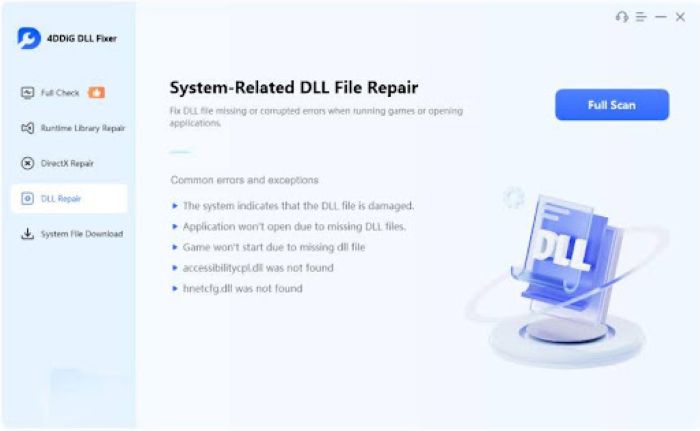
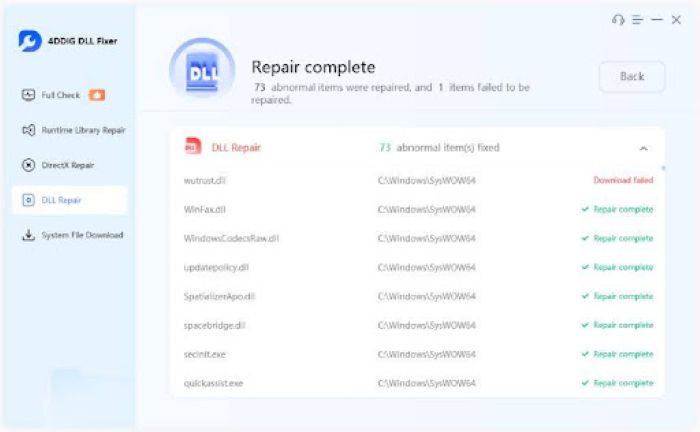
Step 1: Launch 4DDiG DLL Fixer and start a full system scan. It checks for missing or corrupted runtime files.
Step 2: Review the detected issues. msvcp120.dll and other runtime errors will appear in the list.
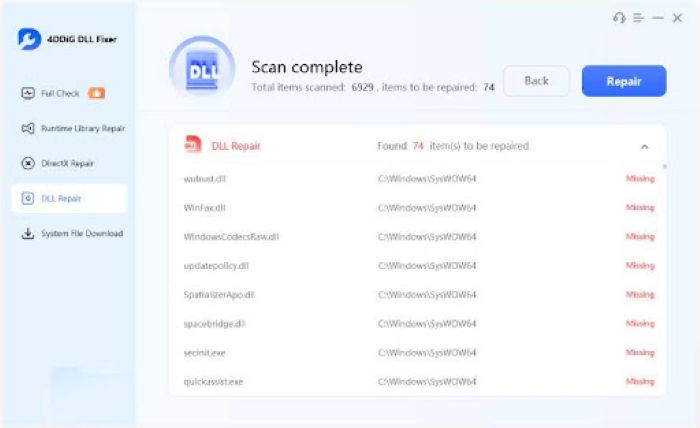
Step 3: Click “Repair.” The tool downloads the correct files and registers them automatically, resolving all runtime library error problems.
Why it’s better:
- Safe: Only verified DLL files from its database.
- Complete: Fixes the whole Visual C++ runtime, not just one DLL.
- Fast: No long downloads or reboots.
- User-friendly: One click fixes the error without confusion.
- Reliable: Prevents future runtime library error issues.
4DDiG DLL Fixer is built for exactly this moment it turns frustration into a simple, one-click repair.
FAQ
I already tried downloading msvcp120.dll from a website and placed it in System32. It still doesn’t work. Why?
Manually placing a DLL file often fails because msvcp120.dll depends on other files from the Visual C++ runtime. Without the full runtime, programs cannot run. Downloading the file alone does not register it properly or fix missing dependencies. That’s why you still see msvcp120.dll missing errors.
Is 4DDiG DLL Fixer safe? I’m tired of software that claims to ‘fix’ things but installs toolbars.
Yes. 4DDiG DLL Fixer only uses a verified database of Visual C++ files. It does not include toolbars, adware, or extra software. It is designed to fix runtime library error problems securely and efficiently.
Will this fix msvcp120.dll errors on Windows 11?
Absolutely. 4DDiG DLL Fixer is compatible with all the Windows operating systems such as windows 11, windows 10, and windows 8. It identifies and replaces missing or damaged runtime files appropriately, and apps that require the use of the msvcp120.dll would operate without errors.
Conclusion
The msvcp120.dll missing is mostly encountered by gamers and software users and downloading the DLL files at random websites is not a safe practice and does not always work. The actual cause is normally a Visual C++ Redistributable package that is not present or damaged. To repair it in the official manner, download the installer of Microsoft or a one-click repair that is not only safe but also with 4DDiG DLL Fixer. Avoid unsafe downloads. The keyword is highlighted with a yellow: fix msvcp120.dll not found, restoring your programs safely and fixing any runtime library error quickly.