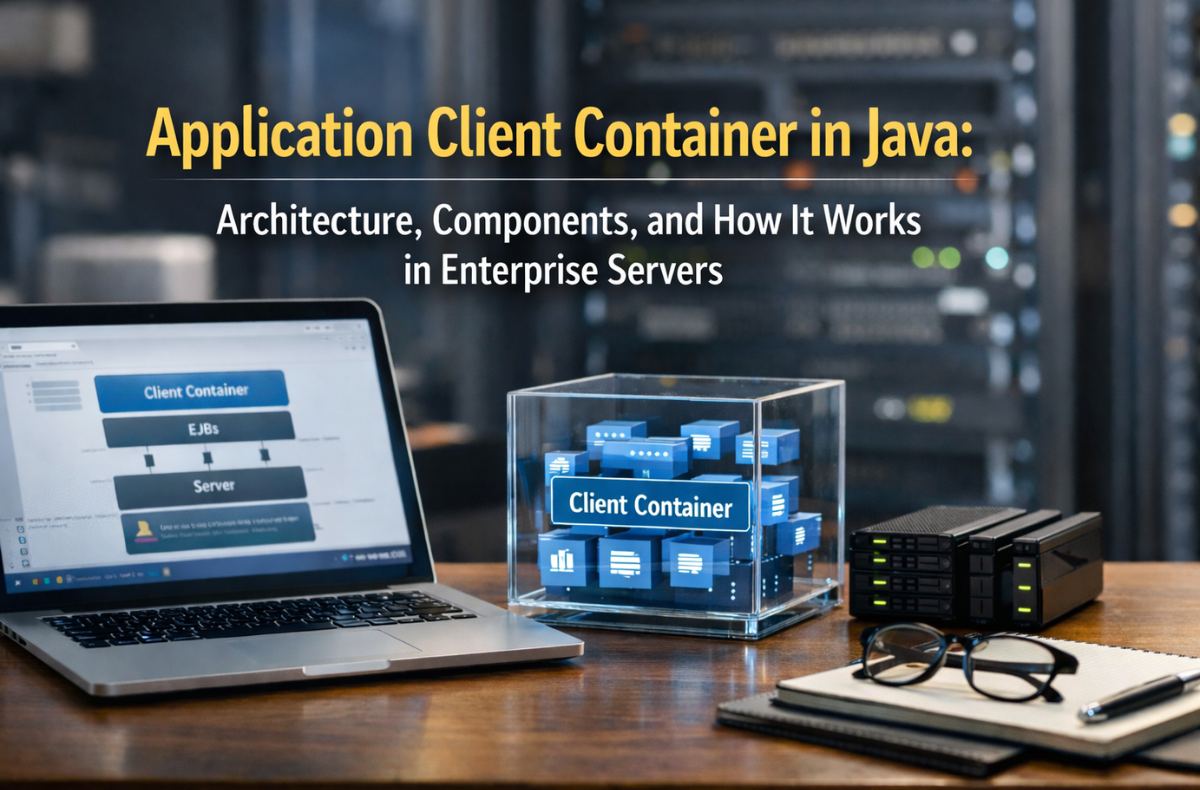
Java EE (now Jakarta EE) has served as the foundation of enterprise computing for many years, providing a reliable framework for building scalable and distributed applications. A crucial but rarely mentioned element of this ecosystem is the Application Client Container (ACC). Whether you’re building a thick client on the desktop that accesses your remote EJBs or designing a distributed system that uses JNDI lookup and the RMI-IIOP protocol, understanding the ACC is vital.
This blog explores the application client container in the Java ecosystem, its architecture, core components, runtime behavior, security model, and how it fits into the broader Enterprise Java client-server architecture.
Key Takeaways
- The Application Client Container (ACC) executes standalone Java client applications within a Java EE (Jakarta EE) compliant runtime.
- ACC architecture follows a three-layer model: client tier, middle tier, and backend tier, isolating business logic and data.
- Key components of the ACC include JNDI lookup, dependency injection, and JAAS authentication for security management.
- ACC is relevant today for internal enterprise tools, batch processing, and legacy system integration, especially in high-security environments.
- With Docker, ACC applications can be containerized for consistent deployment and scaling across environments.
Table of Contents
- What Is an Application Client Container?
- Application Client Container Architecture
- Core Components of the Application Client Container
- How It Works: Application Client Container Runtime Environment
- Application Client Container Security Features
- Application Client Container vs Applet Container
- Application Client Container Example: GlassFish Appclient Tool
- Web Container vs. EJB Container vs. Application Client Container
- Application Client Container in Modern Architectures
- Application Client Container in Distributed Systems
- Java EE Client Application Deployment: Best Practices
- Conclusion
- FAQs
What Is an Application Client Container?
An Application client container (ACC) is a Java EE (now Jakarta EE)- compliant server runtime that executes standalone Java client applications. In contrast to a browser-based thin client, an application client is a fat client, a complete Java SE application on a client-side JVM, although it still enjoys the advantages of enterprise-grade features like dependency injection, security, and remote access to EJBs.
In the distributed systems model, the application client container runs on the user’s machine and communicates with the enterprise server layer via protocols such as RMI-IIOP (Remote Method Invocation over Internet Inter-ORB Protocol).
Application Client Container Architecture
The application client container architecture uses a three-layer model that isolates presentation logic, business logic, and data. It places the ACC in the client layer of this enterprise Java client-server architecture model.
1. The Java EE Client Tier
The outermost layer of the Jakarta EE Platform is known as the Java EE Client Tier. It includes:
- Application Client Container (ACC): Standalone Java applications managed by the Application Client Container.
- Applet Container: Java programs that are run inside web browsers (no longer widely used).
- Web Clients: Browser-based clients running HTML/JavaScript, managed by the Web Container.
- EJB Container hosts Enterprise JavaBeans.
The Java EE Client Tier covers not only browser-based apps but also fat clients, such as those driven by the ACC.
2. Three-Tier Architecture Overview
In a typical enterprise Java client-server system, the application is separated into three layers.
- Client Tier: Where the Application Client Container operates, including both thin and fat clients.
- Middle Tier: This is where the web and EJB containers reside.
- Backend Tier: It has databases, legacy systems, and external services.
The ACC, which handles fat clients, operates within the Client Tier. Fat clients are independent Java programs that operate within the ACC and connect with enterprise resources.
Thin Client vs. Fat Client: A Quick Comparison
In the enterprise Java client-server architecture, there are two general patterns: the Thin Client and the Fat Client.
| Feature | Thin Client (Browser/Web) | Fat Client (Application Client Container) |
|---|---|---|
| Runtime Location | Server-side | Client-side JVM |
| UI Technology | HTML/JavaScript | Swing, JavaFX, Console |
| Resource Access | Via HTTP/REST | Direct JNDI, RMI-IIOP |
| Security | HTTP session, tokens | JAAS, IIOP credential propagation |
| Deployment | URL access | appclient or Java Web Start |
| Use Case | Public-facing apps | Internal enterprise tools |
The main distinction is that thin clients offload most processing to the server and require only a browser. On the other hand, fat clients run in their own JVM within the ACC and directly access backend services through JNDI and RMI-IIOP.
Core Components of the Application Client Container
Understanding the application client container components helps developers configure and leverage the full power of the enterprise application client environment.
1. Client-Side JVM
The ACC runs on a Client-side JVM installed on the user’s machine. This JVM is the main class of a Java enterprise application client. Moreover, its work includes loading classes, handling memory, and communicating with the operating system.
2. Deployment Descriptor (application-client.xml)
All Java EE client application deployments are made based on a Deployment Descriptor (application-client.xml):
- The main class entry point
- JNDI references to EJBs, JMS resources, and data sources
- Security roles and callback handler class
- Client-specific environmental entries.
The client application’s .jar file includes this XML descriptor, making it a necessary element of the Java EE client application deployment.
3. JNDI Lookup
JNDI Lookup (Java Naming and Directory Interface) is the process by which a client application locates remote enterprise resources, such as EJBs or JMS queues. ACC creates a JNDI environment to bootstrap against the enterprise server’s naming service, after which the application can request remote objects by their logical names.
4. Dependency Injection (DI)
Existing Java EE application client containers support dependency injection through annotations such as @EJB, @Resource, and @Inject. This will eliminate boilerplate in JNDI code and streamline enterprise Java client application development.
5. RMI-IIOP and Remote Method Invocation
The ACC uses the RMI-IIOP Protocol (Remote Method Invocation over Internet Inter-ORB Protocol) to interact with remote EJBs in the application server. This is the default protocol for Remote Method Invocation in the Java EE stack, which makes it interoperable with heterogeneous platforms.
6. JAAS Authentication
The ACC has security managed by the JAAS Authentication (Java Authentication and Authorization Service). The ACC has a configured callback handle that collects user credentials and authenticates them against the enterprise server’s security realm. This is one of the fundamental components of the application client container’s security features.
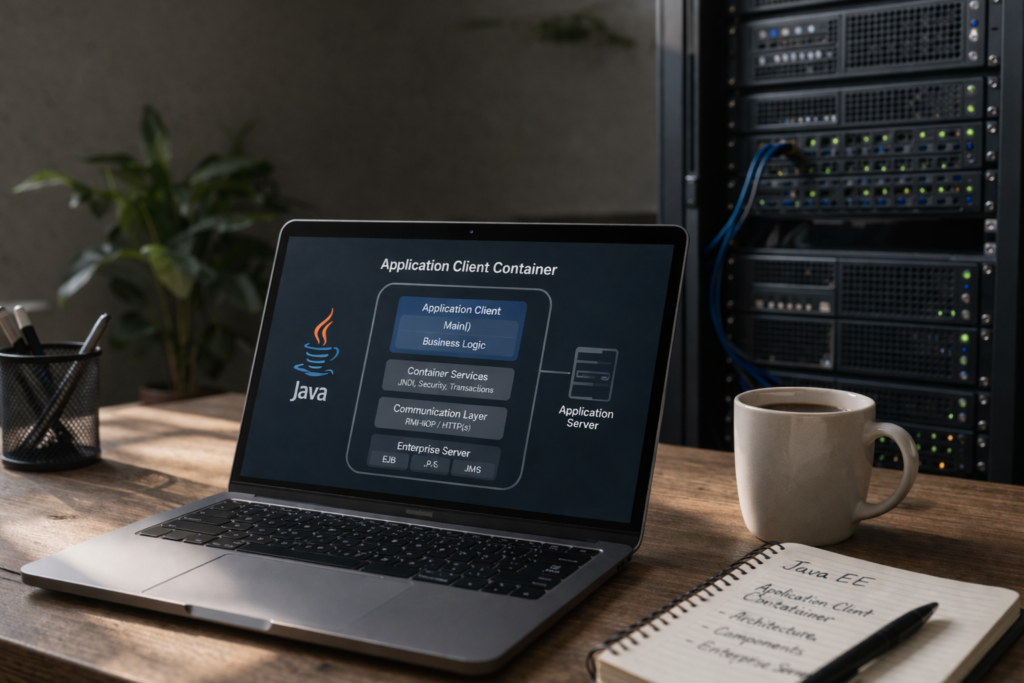
How It Works: Application Client Container Runtime Environment
Here’s a step-by-step walkthrough of the Java EE client container explained in action:
- Packaging: First, the developer packages the client application as a .jar file that includes the application-client.xml descriptor. This .jar is usually bundled within an Enterprise Archive (EAR) file.
- Deployment: The EAR file is then deployed to an enterprise application server, such as GlassFish. The server identifies the application client module and provides the necessary resources.
- Client Launch: The developer opens the client through the GlassFish appclient tool (or a similar tool) with the following command:
appclient -client myApp-client.jar - Container Bootstrap: Next, the ACC initializes the client-side JVM environment, configures the JNDI InitialContext, and performs dependency injection on the client class.
- Authentication: If security is configured, JAAS prompts the user to log in and establishes the appropriate security context.
- Remote Communication: The developer bundles the client application as a JAR that contains the application-client.xml descriptor. This jar is commonly included in an Enterprise Archive (EAR) file.
- Response Handling: Finally, the server processes the request, returns a response, and the ACC deserializes the result back to the client.
Application Client Container Security Features
Application client container security features are of first-class concern in security. The ACC provides:
- JAAS-Based Login: Credentials are collected by a configurable CallbackHandler and securely transmitted to the server.
- SSL/TLS Transport Security: With the right certification, communication with the server is encrypted.
- Propagated Security Context: Upon authentication, the client’s security principal is propagated to the EJB container, enabling role-based access to server-side EJBs.
- Resource Authorization: The resources referenced in application-client.xml can be configured to map to security roles, ensuring access is granted with the least privilege.
Such characteristics render ACC appropriate to enterprise-internal tools where strong identity management is necessary.
Application Client Container vs Applet Container
Often, people confuse the application client container with the applet container. Here’s a quick comparison:
| Aspect | Application Client Container | Applet Container |
|---|---|---|
| Execution | Standalone JVM process | Runs inside a browser plugin |
| Access to EJBs | Full, via RMI-IIOP | Limited, mostly HTTP-based |
| Status | Still in use (Jakarta EE) | Deprecated and removed |
| DI Support | Yes | No |
| Use Case | Admin tools, batch jobs | Interactive browser-embedded UIs |
The applet container is largely a historical artifact, while the enterprise application client environment powered by the ACC continues to serve critical back-office and enterprise integration needs.
Application Client Container Example: GlassFish Appclient Tool
A practical application-client container example is the GlassFish appclient tool, the reference implementation launcher for ACC-based applications. GlassFish, as a Jakarta EE-compliant application server, ships with a tool called appclient that bootstraps the container environment for a packaged client JAR.
How to Run a Client Application:
bash
appclient -client MyAppClient.jar
This command:
- Starts the client-side JVM with the proper classpath
- Reads the application-client.xml descriptor
- Sets up JNDI, security, and DI services
- Calls the main() method of the specified client class
The client JAR itself is packaged as part of an Enterprise Archive (EAR) file and deployed to the server. The server makes the client JAR available for download and execution, enabling managed deployment of Java EE client applications.
Web Container vs. EJB Container vs. Application Client Container
To learn the full picture of the application client container, it is helpful to compare it with other container types in Jakarta EE Platform:
| Feature | Web Container | EJB Container | Application Client Container |
|---|---|---|---|
| Location | Server | Server | Client machine |
| Manages | Servlets, JSPs | Session Beans, MDBs | Standalone Java apps |
| DI Support | Yes | Yes | Yes |
| Security | Yes | Yes | Yes (JAAS) |
| Protocol | HTTP | RMI-IIOP | RMI-IIOP |
| Thin vs. Fat | Thin Client | N/A | Fat Client |
Developers typically hold the Web Container vs. EJB Container discussion on the server side, but only the application client container runs as a managed runtime on the client machine.
Application Client Container in Modern Architectures
With the rise of microservices and REST APIs, one might question the ACC’s relevance. However, there are still strong use cases:
When to Use the ACC Today
- Internal enterprise tools that require direct EJB access without a web layer
- Batch processing clients that need transactional integrity
- Legacy system integration where RMI-IIOP is already in use
- High-security environments where JAAS and container-managed security are required
Docker Containerization and the ACC
Docker Containerization has changed how Java EE clients are deployed. Today, it is possible to package an ACC-based application in a Docker container, along with the required libraries and the GlassFish appclient tool. This allows the client application to be:
- Distributed as an immutable image
- Deployed consistently across environments
- Scaled horizontally for batch or background processing workloads
However, it is not a typical desktop usage scenario; it demonstrates how the application client container runtime environment can evolve to a contemporary DevOps workflow.
Application Client Container in Distributed Systems
In a client container in distributed systems, the ACC enables scenarios like:
- Point-of-sale terminals communicating with a central EJB-based inventory management backend
- Desktop reporting tools fetching aggregated data from remote stateless session beans
- Internal enterprise tools integrating with JMS Resources for asynchronous messaging
The ACC provides the glue that enables these fat-client applications to participate in the same enterprise transaction and security model as components running on the server. This is the defining characteristic of the Java enterprise client application architecture: the boundary between client and server becomes logical rather than technical.
Java EE Client Application Deployment: Best Practices
Here are the best practices to remember when dealing with the deployment of a Java EE client application:
- Prefer DI to JNDI lookups; it is cleaner and container-managed.
- Separate configuration by entering environment entries in application-client.xml instead of hardcoding server addresses.
- Authenticate and always extend your security context to calls across remote locations using JAAS.
- Package carefully, including all required stubs and interfaces in the client jar.
- Test with the appclient tool before integrating into production pipelines.
Conclusion
The application client container is an important but niche component of the Jakarta EE Platform. The ACC is a proven enterprise Java client application architecture that needs direct access to EJBs, JAAS-based security, RMI-IIOP communication, and JNDI lookup. Moreover, its design clearly isolates the issues of resource discovery, security, and communication with the business logic, the same principles that have made the Java EE platform successful.
By 2026, with microservices and RESTful APIs taking over most new development, old enterprise systems and controlled-industry desktop-based applications will still use the application client container runtime environment. Knowing its elements, such as application-client.xml, the GlassFish appclient tool, JAAS Authentication, and the RMI-IIOP Protocol, helps Java enterprise developers maintain, extend, and modernize these systems with confidence.
FAQs
Yes, it remains relevant in regulated industries (banking, healthcare, government) where rich desktop fat clients require direct EJB access, JNDI lookup, and JAAS-based security. However, for most new development, REST APIs, gRPC, and WebSockets have largely replaced it in cloud-native and microservices architectures.
No, GlassFish is just the reference implementation. Any Jakarta EE-compliant server supports the ACC, including Payara, WildFly (JBoss), IBM OpenLiberty, and Apache TomEE. Each provides its own app client launcher tool with equivalent functionality.
If JAAS authentication fails in the ACC, it throws a LoginException, preventing the client application from reaching its main() method. As a result, it completely blocks all remote connections, including EJB calls and JNDI lookups.
Yes, since Java EE 5, annotations such as @EJB, @Resource, and @RolesAllowed have made the descriptor optional in most use cases. However, developers still recommend application-client.xml for complex deployments that require explicit resource references, security role mappings, or environment entry overrides.
A regular Java app that calls a REST API has no container; it handles everything manually (HTTP, auth, config). The ACC automatically provides JNDI lookup, JAAS security, RMI-IIOP communication, and Dependency Injection as managed container services.