In SAP Process Integration (PI) and Process Orchestration (PO), handling file content is a common task that impacts integration quality and performance. In either an SFTP sender adapter or a receiver scenario, file content conversion is the key central point in the conversion and transfer of data between systems. Properly converting file content would be time-saving, error-free, and would make your integration flows simpler to maintain.
Here are the practical strategies for improving file content conversion in SAP PI/PO. We will look at key concepts, common challenges, and actionable steps to achieve faster, cleaner output. You will also get guidance on using conversion parameters in SAP PI, best practices for SAP adapters, and how to optimise conversion logic for modern use cases such as chatbots.
Key Takeaways
- File content conversion is essential for transforming flat files into XML and vice versa in SAP PI/PO.
- Proper conversion boosts data integrity, performance, maintainability, and error handling in integration flows.
- Best practices include planning file structures, using consistent recordset definitions, and selecting proper delimiters.
- Common challenges involve incorrect delimiters, encoding issues, adapter errors, and performance concerns.
- File content conversion is also important for modern applications, enabling seamless integration with tools like chatbots.
Table of Contents
- What Is File Content Conversion?
- Why File Content Conversion Matters
- How File Content Conversion Works in SAP PI
- File Content Conversion Parameters in SAP PI
- Special Case: SAP PI SFTP Sender Adapter File Content Conversion
- Best Practices for File Content Conversion
- Best File Content Conversion for Chatbots and Modern Apps
- Common Challenges and How to Avoid Them
- Conclusion
- FAQs
What Is File Content Conversion?
Before diving into best practices, it’s important to define what file content conversion means in the SAP PI/PO context.
In simple terms, file content conversion can be defined as the conversion of a non-XML file (such as a CSV or TXT) to XML format, which is readable by SAP PI/PO and the other way around. This occurs in the adapter layer. You do not have to write specific code or intermediate conversion steps, but you can take advantage of the adapter features offered by SAP.
In the case of SAP PI, file content conversion may also be performed by the sender and receiver adapters.
In the SAP PI case, conversion can be performed in both the sender and receiver adapters. At the sender adapter, the flat input file is analysed and transformed into an XML message that PI can process. PI can receive an internal XML message and reform it into a flat format and send it to the receiver side.
Why File Content Conversion Matters
Inadequate file content conversion may cause integration failures, data discrepancies, and manual re-work. Accuracy and performance are important when systems pass important business information.
Key reasons to focus on file content conversion include:
- Data Integrity: Ensuring the content structure remains intact during transformation.
- Performance: Reducing processing time for large files.
- Maintainability: Building reusable logic that is easy to update.
- Error Handling: Reducing runtime exceptions and improving logging.
Without clearly defined best practices for converting file content, even simple interfaces can become fragile.
How File Content Conversion Works in SAP PI
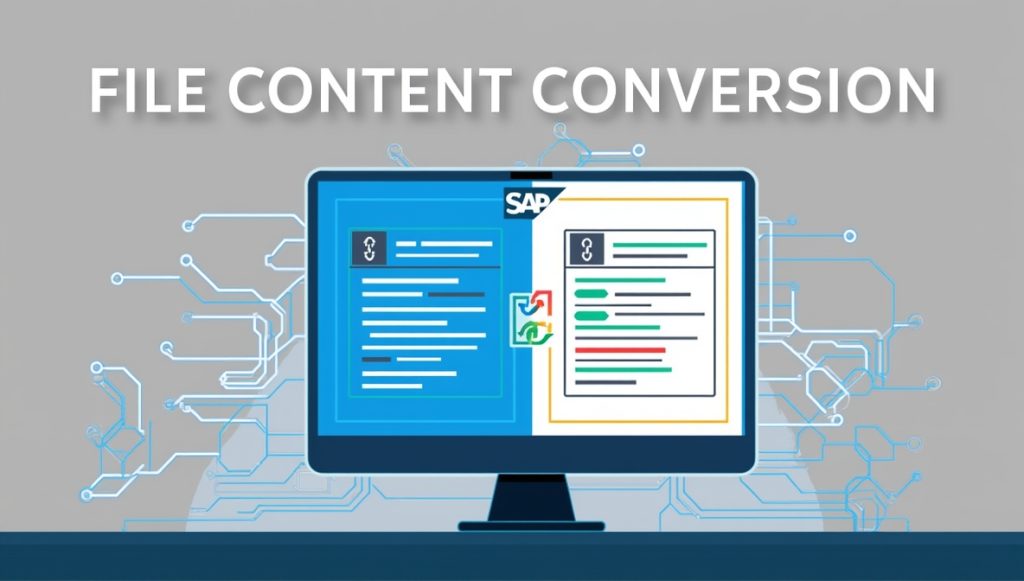
SAP PI uses adapter-specific message attributes (ASMA) and conversion modules to convert file formats. Mostly, you use the Message Protocol of the communication channel and establish it to File Content Conversion, and after that, establish the corresponding parameters such as separator and record structure, and the field names.
You will usually configure:
- Recordset Structure to define how the data is grouped
- Field Separator to define how columns are separated
- End Separator to define how lines or records end
- Field Names to map each column in the flat file to a named field in an XML node
Once configured, SAP PI can automatically convert the file during runtime without additional mapping logic.
File Content Conversion in SAP PI Sender Adapter
When the source system sends a flat file (for example, via SFTP), the file content conversion in the SAP PI sender channel helps you translate that flat file into XML so that SAP PI can use its message mapping and routing capabilities.
Here’s how it typically works:
- A flat file, like a CSV or tab‑delimited text file, arrives at the sender.
- The sender communication channel is configured with Message Protocol = File Content Conversion.
- You enter content conversion parameters such as field names, separators, and end markers.
- SAP PI reads the file and constructs an XML message that is passed into the Integration Engine.
This process is particularly helpful when you are dealing with legacy systems or external partners that cannot send XML. You avoid manual conversion steps and reduce transformation errors.
File Content Conversion in SAP PI Receiver
Just as you can convert data in the sender adapter, file content conversion in the SAP PI receiver allows you to deliver files in a required flat format after processing. For example, you might need to generate a CSV file for a partner system or for loading into a downstream application.
In this scenario:
- SAP PI produces an XML message after transformation.
- The receiver channel Message Protocol is set to File Content Conversion.
- You set parameters to define how your XML should be flattened into CSV or text format.
These parameters define how XML nodes map to records and fields in the output file.
File Content Conversion Parameters in SAP PI
These are the options you define at the adapter level or in integration flow configuration to control how data is interpreted and transformed. Typical parameters include:
- Encoding type (UTF‑8, ASCII, etc.)
- Line delimiter handling
- Header and footer rules
- Record separators
- Field delimiters and text qualifiers
Setting these parameters accurately ensures that SAP PI interprets the file in the same way the source system sent it. Mistakes here can lead to malformed payloads or even failures in downstream systems.
Special Case: SAP PI SFTP Sender Adapter File Content Conversion
In many real‑world scenarios, you receive files through secure protocols like SFTP. SAP PI supports SFTP sender adapter file content conversion, where the SFTP adapter directly handles flat file input and content conversion.
In this setup:
- The SFTP sender adapter pulls a flat file from an SFTP server.
- It triggers the conversion before the message enters the SAP PI processing pipeline.
- This allows you to integrate secure file transfers with conversion in one seamless flow.
This approach is especially useful if you want to minimise custom logic and make the integration smoother between external systems and SAP PI.
Best Practices for File Content Conversion
Now let’s move into practical, actionable guidance to make your file content conversion implementations faster and cleaner.
1. Plan Your File Structures Carefully
Before you begin channel configuration, it is good to know the files you will receive or produce. Understand the delimiters, fixed (or variable) field length requirements, presence (or absence) of headers, and the style of line termination (Unix vs Windows). The correct planning eliminates failures of conversions or wrong field mapping.
2. Use Recordset Definitions Consistently
Whether you are doing file content conversion in the SAP PI sender or receiver, define your recordset structures clearly. Creating consistent recordset definitions ensures PI interprets repeated data correctly and generates predictable XML or flat outputs during conversion.
Recordset definitions should exactly match the real structure of the files you expect. If you miss a field or reorder field names, conversion errors are likely.
3. Choose the Right Delimiters
Flat files come in many delimiter varieties: commas, pipes, tabs, or even semicolons. Use the fieldSeparator parameter correctly to avoid parsing errors. For tab‑delimited files, you may need to specify the tab character in hex (e.g., 0x09) as the field separator.
Accurate delimiter settings are especially important for internationalisation, where CSV formats might vary.
4. Test Your File Content Conversion Settings
Always check your settings to the end before taking them into production. Create some simple test files that represent actual data and make sure that your file contents conversion logic is generating the right XML or flat file results. Testing is useful in identifying errors at the initial stage of design and not after implementation.
5. Handle Exceptions and Edge Cases
File content conversion errors may occur if incoming files contain unexpected characters, inconsistent line endings, or missing fields. Monitor message logs in SAP PI/PO to catch exceptions like “Incomplete Field” errors in SFTP adapters and adjust your parameters accordingly.
Handling these exceptions proactively makes your integration more robust.
6. Think About Performance
For high‑volume scenarios, avoid unnecessary conversions or mapping steps. If your files are simple flat files that do not require deep transformation, let the adapter perform file content conversion directly instead of heavy mapping logic.
Where performance matters, using custom Java mapping or MessageTransformBean modules can sometimes outperform default FCC behaviour, especially when transforming large files.
Best File Content Conversion for Chatbots and Modern Apps
File content conversion isn’t just for traditional enterprise systems. When integrating SAP PI with modern applications, especially AI‑driven tools like chatbots, proper conversion ensures data quality.
For example, the best file content conversion for chatbots means delivering data in a format the chatbot backend expects, such as JSON or structured text. You often need to convert raw files to JSON before sending them to a natural language processing (NLP) engine or chatbot platform.
This matters when services rely on structured inputs for intent recognition, sentiment analysis, or dynamic responses. Incorrectly formatted data can lead to poor chatbot performance or errors in responses.
By integrating file content conversion into the SAP PI flow, you ensure that even legacy system data can feed modern conversational interfaces reliably.
Common Challenges and How to Avoid Them
1. Incorrect Delimiters
If you don’t set the right file content conversion parameters in SAP PI, the system may misinterpret fields or records. For instance, using a comma when the file uses tabs will lead to incorrect data parsing. Always inspect sample files before defining separators.
2. Encoding Issues
Many flat files use varied character encodings. If the PI adapter expects UTF‑8 but the file is ASCII or ISO‑8859‑1, you’ll see invalid characters or errors. Test with sample payloads.
3. Adapter Errors
In some PI versions, SFTP adapters using file content conversion may show errors like “Incomplete Field.” This can happen when file formats don’t fully match the configured parameters. In those cases, review your recordset and separators.
4. Performance Concerns
Heavy use of conversion on large files can affect performance. If you are converting very large datasets, consider splitting the load with techniques such as multiple channels or pre‑processing.
Conclusion
Effective file content conversion in SAP PI/PO is essential for modern enterprise integrations. It ensures data integrity, supports diverse systems, and enables automation like chatbot data feeds. By choosing the right adapters, carefully configuring conversion parameters in SAP PI, and following best practices, you can build integrations that are faster, cleaner, and more reliable.
Whether you’re dealing with flat files, secure SFTP transfers, or emerging automation needs, mastering file content conversion in SAP PI positions your team for success. Apply these insights to your next integration project and enjoy smoother, error‑free data flows.
FAQs
File content conversion turns flat files like CSV or TXT into structured XML and vice versa for processing in SAP PI/PO. It uses the file Conversion message protocol built into file adapters.
Use it when an external partner sends flat files that need parsing before mapping, or when XML must become a flat file for a receiver. It simplifies integration without custom code.
Yes, enabling conversion in an SAP PI SFTP sender adapter lets PI convert incoming files from SFTP directly into XML. This helps process files without preprocessing.
Key parameters include recordset structure, field separator, end separator, and field names to map flat data into XML correctly. These guide how the adapter parses and generates file content.
Incorrect separators or mismatched encoding can cause conversion failures or malformed output. To avoid this, always test with real sample files to catch these issues early.