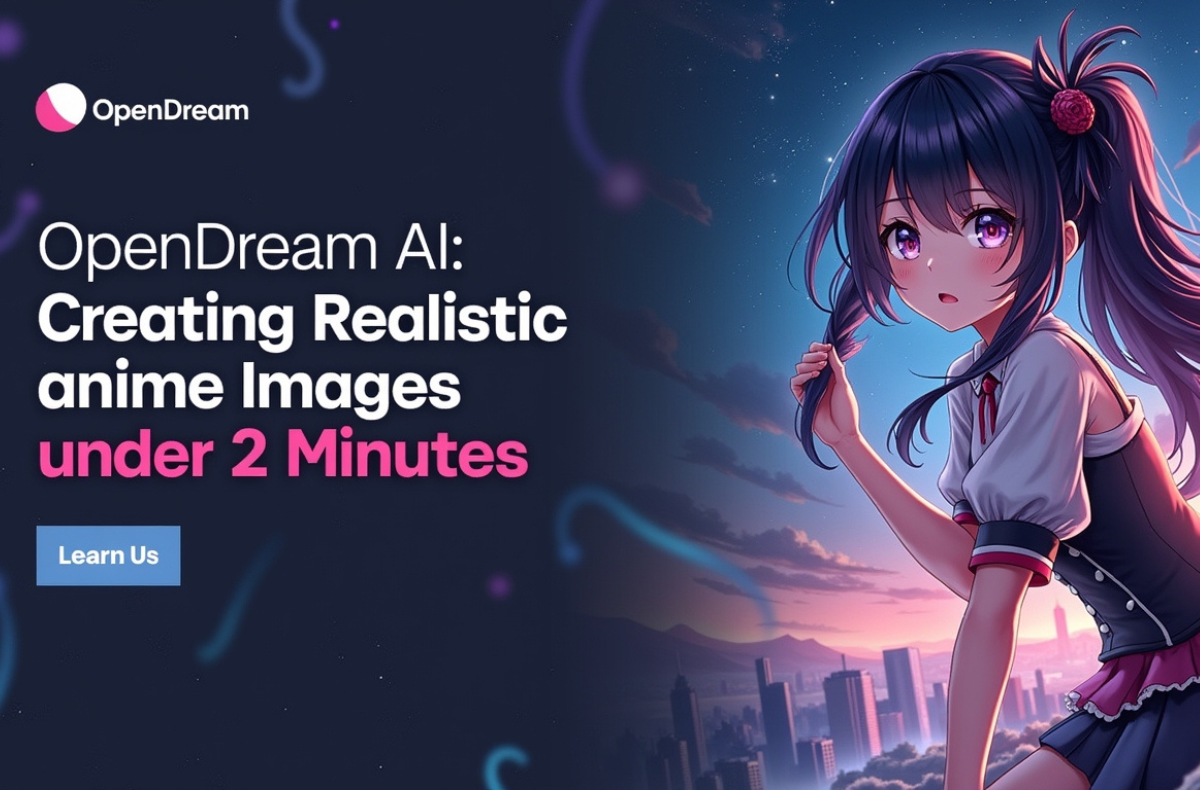
If you’re into art, technology, or just curious about what artificial intelligence can do in the world of creativity, OpenDream AI is one of the tools that deserves our attention. This AI art generator lets us generate beautiful and cute digital art. As you know, using the power of AI, we can now create high-quality and attractive images without having to possess advanced design skills, but OpenDream AI has become an essential tool for all artists, creators, and those who want to discover what the future of digital art will bring.
In this blog, we will discuss what OpenDream AI is, what it offers, and why I believe it will influence digital art in the future. This guide can help you to be the best out of OpenDream AI and its amazing powers, whether you are new to the area of AI-generated art or are interested in enhancing your creative activities.
Key Takeaways
- OpenDream AI is an accessible art generator that creates digital art based on user prompts, requiring no advanced design skills.
- Key features include text-to-image generation, a variety of styles, a user-friendly interface, customizable prompts, and fast processing times.
- It caters to a range of users, including artists, content creators, writers, and marketers looking for high-quality visuals.
- To achieve optimal results, users should craft specific prompts, choose style presets, and utilize reference images.
- OpenDream AI positions itself as a competitive alternative to other generators like Midjourney and DALL-E, focusing on ease of use and affordability.
Table of Contents
- What is OpenDream AI?
- Key Features of OpenDream AI Art
- Who Uses OpenDream AI Art?
- How to Get Started with OpenDream AI: A Step-by-Step Guide
- How to Create the Best Results from OpenDream AI\
- Comparison with Other AI Art Generators
- OpenDream AI Review
- Tips for Getting the Best Results with OpenDream AI
- Conclusion
- FAQs
What is OpenDream AI?
So, what exactly is OpenDream AI? It is an artificial intelligence-based application that generates personalized digital art based on what you write or think about. You can write what you want to visualize, whether it is a portrait, a landscape, or an abstract piece of work, and the AI will draw you a similar picture to what you visualize.
I was amazed by the way it comprehends even the tiniest details and transforms them into high-quality pieces of art. It is like you have your own personal artist at your beck and call, making artwork depending on your imagination.
Key Features of OpenDream AI Art
OpenDream AI has several key characteristics that make it outstanding among other AI-based art tools:
1. Text-to-Image Generation
You can write a description of what you desire, and the OpenDream AI will make a visual representation based on the text. Consequently, this ease enables any person to produce art quickly, regardless of any drawing experience.
2. Variety of Art Styles
OpenDream AI can be used with other art styles. You can create anything, starting with photorealistic to more stylized and even abstract images. Also, it provides the freedom to the user to experiment with various appearances and other creative methods.
3. Ease of Use
The platform is very simple to operate, and the user interface is friendly and does not demand that one has background knowledge in technical matters. Creating art immediately upon registration is what makes it the best tool to use by both amateurs and professionals.
4. Customizable Prompts
The AI works based on how specific or broad your prompt is. You can explain your vision to any extent that you wish, and OpenDream AI will use this to draw one of the images that will fit your description.
5. Fast Processing Time
The speed is also one of the best aspects. OpenDream AIs can create a piece of art within a few minutes, which is best when one wants to see the results fast, without sacrificing the quality.
Who Uses OpenDream AI Art?
OpenDream AI is an open-source platform that can be employed by a vast audience:
- Artists who want to explore new ideas or create speedy sketches for their projects.
- Content Mechanics who require original quality imagery in their blogs, social media, and videos.
- Likewise, Writers and Storytellers who want to visualize characters or scenes from their stories.
- Moreover, Game Developers require concept art or visual designs of new games.
- Marketing Teams who need unique images to use in adverts and online promotions.
How to Get Started with OpenDream AI: A Step-by-Step Guide
It is simple to begin with OpenDream AI and does not require any technical background. Here’s how you can begin generating your own AI art:
- Visit the Website or Download the App: OpenDream AI can be accessed through the web or opened with the OpenDream AI app in the App Store (iOS) or Google Play (Android).
- Sign Up or Log In: Register a free account or log in if you have an account. The free version of the OpenDream AI has many features to begin with. opendream ai art.
- Craft Your Prompt: Consider what you desire to make, an open dream AI girl character, a drawing of a black girl, etc., and use the prompt box to type out your description.
- Choose Your Style: Select a style preset like Soft Cartoon or Pastel Dream that best suits your artwork.
- Generate and Download: Now, by clicking on generate will get the AI to respond to your request. When the picture is complete, you can save it in high resolution.
How to Create the Best Results from OpenDream AI\
Here is how you can get the most out of OpenDream AI.
Step 1: Crafting Effective Prompts
OpenDream AI to generate high-quality images even when it comes to complex topics, such as OpenDream AI black girl or little girl characters. But remember, effective prompts play an important part in the achievement of high-quality and most accurate outcomes of the OpenDream AI.
Thus, it is essential to create effective prompts. Your point is to be particular and clear in your description. The more information you give, the closer the AI will come to what you wanted. For example, rather than general words, be more specific about what you want from the AI by specifying details such as character traits, colors, or expressions of emotions.
Step 2: Choosing Style Presets
OpenDream’s AI offers various style presets to help refine your artwork. Some of the most popular ones include Soft Cartoon, Pastel Dream, and Simple Anime. These presets allow you to adjust the overall look and feel of your image, whether you prefer a soft, cartoonish aesthetic, a dreamy pastel vibe, or an anime-inspired style. Selecting the right preset ensures that the image aligns with your desired aesthetic.
Step 3: Adjusting Output Settings
For faster generation and consistent quality, use the following settings:
- Resolution: Opt for 512×512 or 768×768 for quick processing times without compromising on quality.
- Steps: Choose a medium setting to reduce processing time while still achieving great detail.
- Batch Generation: Generate 4–6 variations at a time to see different versions of your artwork.
To get higher-resolution illustrations, use the OpenDream AI download, which handles larger outputs reliably.
Comparison with Other AI Art Generators
How does the OpenDream AI compare to competitive 2026? According to the recent analysis, we can compare it to giants such as Midjourney and DALL-E.
1. OpenDream AI vs Midjourney
Midjourney is better at artistic quality and emotional nuance and tends to generate more diverse results with a single prompt. But OpenDream AI is more approachable; it has a web-based interface, yet does not require the use of Discord, and the free version lets you start cute image generation instantly. In terms of pricing, its plans are the most affordable, costing around $12/month, which is lower than the subscriptions of Midjourney.
2. OpenDream AI vs DALL-E
DALL-E 3 is also user-friendly because it focuses on timely precision and compatibility with other technologies, such as ChatGPT, therefore suitable for specific requests. However, OpenDream AI is faster and can be generated on its own as well as made extensible through open-source, which is interesting to tinkerers using OpenDream AI GitHub. To get cute anime styles, it has specialized models that give an advantage compared to the broader approach of DALL-E.
3. OpenDream AI vs Stable Diffusion
Although Stable Diffusion is a potent open-source application that allows the highest level of control and customization, it is more technical and requires a higher installation and setup. Compared to that, OpenDream AI is a user-friendly, plug-and-play platform that is simple to operate without the necessity of local setup or complicated configurations. It suits people who are in a hurry to get fast results and create an image without having to get into technical details.
OpenDream AI Review
Reddit user pyrpaul shared his experience using OpenDreams AI to generate profile pictures for game characters, noting the results enhanced immersion to the point where he forgot they weren’t real players. Fellow commenter ColinZealSE praised the excellent results, though he humorously sympathized with one character’s early balding depiction.
Overall, these insights highlight the platform’s strength in creating realistic and engaging visuals quickly. Positive feedback often centers on its speed and ease for hobbyist applications.
Bellingcat’s Yoann Boedec and Nick Waters reported earlier moderation gaps that allowed users to generate inappropriate content. While resolved by 2025, this underscores the need for vigilant use. Critics note that limited free credits can hinder heavy testing. Despite these, the intuitive design earns favor in review discussions.
Tips for Getting the Best Results with OpenDream AI
To get the best out of OpenDream AI, it is possible to recommend the following:
- Be Specific with Prompts: The more you explain well, the more you will get out of the result that you will imagine. As an example, in place of a cat in a field, use a fluffy orange tabby cat lying in a field of wildflowers with a clear blue sky above it.
- Experiment with Styles: Try generating the same prompt with different styles (realistic, cartoonish, abstract) to see how the AI interprets it.
- Use Reference Images: If you have a desired style or reference image, it can be beneficial to include such as well and have the AI interpret your vision in a more meaningful way.
- Iterate: Don’t be afraid to refine your prompts or adjust the results. AI art is a collaborative process, and tweaking your description can lead to better outcomes.
Conclusion
OpenDream AI is an effective and new tool that is transforming digital art. Whether you want to make realistic portraits, surreal landscapes, or something different, such as a little. OpenDream AI has the means and abilities to make your creative thoughts come true. Moreover, with its user-friendly interface, customization deliverables, and amazing outputs, it is transforming how we think about creativity in the digital era.
With the development of AI, such applications as OpenDream AI will surely be the key to the future of art, making it more accessible and accessible than it has ever been. Why not take a chance and use OpenDream AI today and get your imagination going!
FAQs
Yes, there is a free version of OpenDream AI that provides access to the key functionality so that a person can create art without any fee. However, a core plan at $12/month and a Pro Plan at $24/month are also offered to those who require more features, such as higher processing or high-resolution downloads.
Absolutely! OpenDream AI allows you to create a wide range of artwork, from portraits and landscapes to anime-style and abstract art. The platform supports various themes and artistic styles, giving you full creative flexibility.
For the best results, keep your prompts clear, concise, and descriptive. Focus on key features like colors, expressions, and style without making girl descriptions overly complex.
OpenDream AI offers several style presets like Soft Cartoon, Pastel Dream, and Simple Anime. These presets help customize the look of your artwork, whether you’re going for a children’s book style, magical fantasy, or anime-inspired designs.
Yes, OpenDream AI produces high-quality artwork suitable for professional use. For illustrations, social media, or marketing, the tool offers a versatile solution for personal and commercial use.