Let’s cut the philosophical fluff about the “future of AI.” If you are running a Shopify store, a TikTok Shop, or a dropshipping business by yourself, you don’t care about theory. You care about survival. You know that video is the only currency that matters for driving traffic, and you know that you need to test 3 to 5 video variations a day to find a winning product. The problem? Making one good video from scratch takes hours. Sourcing footage, writing the script, recording voiceovers, and messing around with CapCut timelines is a guaranteed path to founder burnout. You don’t need a motivational speech; you need a highly actionable, automated system for building a complete video workflow.
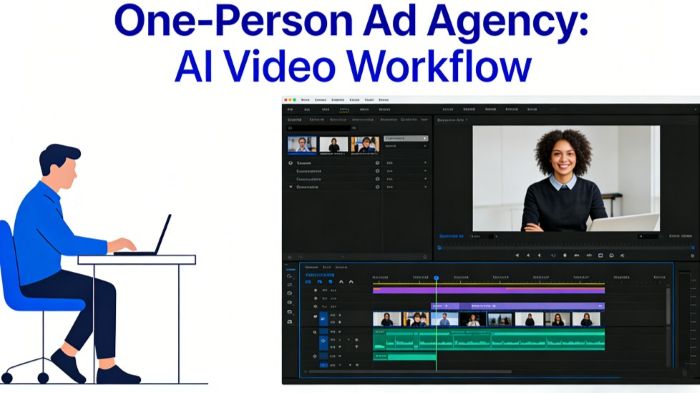
If you are still doing the “SaaS shuffle”—bouncing between ChatGPT for scripts, Midjourney for images, and complex video editors to stitch it all together—you are wasting your most valuable asset: time. To actually scale as a team of one, you must consolidate your workflow. By routing your entire production pipeline through an AI director like CrePal, you stop acting as a stressed-out video editor and step into the role of a creative director. You give the instructions; the agent executes the multi-step process.
Here is the exact, step-by-step workflow you can use today to generate a week’s worth of high-converting ad creatives in under an hour.
Key Takeaways
- Running a successful e-commerce business requires an efficient complete video workflow to create high-quality ads quickly.
- Use AI tools like CrePal to streamline video production, acting as a creative director rather than an overwhelmed editor.
- Leverage ‘Story Mode’ for scripting, Model Orchestration for visual generation, and Director Mode for conversational editing.
- Rapid A/B testing allows you to test different hooks efficiently without reshooting footage.
- The Ad Remix feature lets you recreate trending videos using your product, ensuring you stay relevant in the market.
Table of contents
Step 1: Nailing the Hook and Script with “Story Mode”
The biggest mistake solo-preneurs make is starting with a blank page or a vague prompt like “make an ad for a chair.” AI needs constraints to give you commercial-grade output.
Instead of writing the script yourself, open the AI Story Mode. This acts as your dedicated copywriter and storyboard artist. Feed the agent a highly specific, constraint-based prompt.
Actionable Prompt Example: “Create a 30-second TikTok ad for an ergonomic posture-correcting desk chair. Target audience: WFH professionals experiencing lower back pain. Hook: ‘Are you tired of your back screaming at 3 PM?’ Tone: Urgent problem-solving transitioning to relief. Call to action: ‘Click the link to save 20% today.'”
Within seconds, the agent doesn’t just give you a block of text. It breaks the ad down into a professional storyboard: Scene 1 (The Hook), Scene 2 (The Problem), Scene 3 (The Solution/Product Reveal), and Scene 4 (The CTA). It separates the visual generation prompts from the voiceover script, setting up the blueprint for the entire video.
Step 2: Visual Generation (Without Prompt Engineering)
Here is where traditional AI video generation usually falls apart. You try to generate a clip of a person sitting in a chair, and the AI renders someone with three legs or a melting face. Learning to prompt-engineer for five different video models is a full-time job.
You bypass this completely by leveraging the platform’s Model Orchestration. You don’t need to know if Google Veo is better for cinematic lighting or if Kling is better for human movement. The AI agent analyzes the storyboard it just created and automatically assigns the best underlying engine for each specific scene.
Your actionable step here is simply to review the generated storyboard. If a specific scene doesn’t match your brand vibe, you don’t rewrite complex code. You just adjust the plain-text description: “Make the lighting in Scene 2 warmer, like a cozy home office at sunset, and ensure the desk looks modern.” The agent handles the technical rendering.
Step 3: Fixing Mistakes via Conversational Editing
AI is rarely 100% perfect on the first render. Maybe the pacing is too slow, or the music doesn’t fit. In a traditional workflow, fixing this means exporting the clip, dragging it into CapCut, cutting the audio waveforms, and re-rendering.
To maintain a high-speed workflow, you must abandon the timeline and use Director Mode. This replaces complex editing software with a simple chat interface. You watch the draft video, spot the issue, and literally type your edits into the chatbox as if you were Slacking a human editor.
Actionable Edit Commands:
- “The first 3 seconds are too slow. Trim the intro and make the transition to Scene 2 faster.”
- “Change the background music to an upbeat, viral electronic track.”
- “Make the AI voiceover sound more energetic and less robotic.”
The agent recalculates the project, adjusts the audio sync, and renders the fix. This is how you iterate rapidly without ever touching a video editing timeline in a complete video workflow.
Step 4: Rapid A/B Testing for the Hook
In e-commerce, the first three seconds of your video (the hook) dictate your cost-per-click (CPC). Once you have a finalized “base” video, do not stop there. The true power of a one-person ad agency is using AI to scale your testing variables instantly.
Instead of shooting new footage, use the chat interface to duplicate your project and ask the agent: “Keep the main body of the video the same, but generate three different variations of the first 5 seconds. Use different visual hooks and different voiceover opening lines.” In a matter of minutes, you now have three distinct ad creatives ready to load into Facebook Ads Manager or TikTok. You can test a “Pain-Point Hook,” an “Educational Hook,” and a “Trend/Meme Hook” simultaneously to see which one the algorithm favors.
Step 5: The “Cheat Code” – Ad Remixing
If you are completely out of ideas and need to launch a product today, use the specialized Mini Apps, specifically the Ad Remix feature.
Find a high-converting video from a competitor or a big brand in your niche. Upload that video as a structural reference. Then, upload a static, high-quality image of your own product. The AI will extract the camera movements, pacing, and visual DNA from the reference video and rebuild that high-end scene starring your product. It is the fastest, most actionable way to ride a trending video format without needing a production crew.
The Bottom Line in Complete Video Workflow
Running a one-person e-commerce business is hard enough; you shouldn’t be spending your nights fighting with video editing software. By shifting from fragmented tools to a unified AI agent complete video workflow, you automate the heavy lifting of content creation.
Your job is no longer to push pixels or manage timelines. Your job is to understand your customer’s pain points, feed the right angles to the AI, and let the system build the assets. Stop editing, start directing, and get your campaigns live.