It seems unbelievable how quickly AI has become an integral part of daily life already. No matter which industry you look at, you can see artificial intelligence being used one way or the other. However, while there are many benefits of AI, there are also numerous downsides to this rapid growth. For students, the rise of AI-generated content means that they have to double and triple-check their assignments before submitting them, just to make sure that their work doesn’t get flagged as AI by the best AI detectors, even if they’ve written everything themselves.
Often, it turns out that their work is too polished and, therefore, gets tagged as artificially generated. This can have very negative consequences on their grades, which is why it’s essential now to make sure your content doesn’t get flagged. The good news is that several AI detection tools are available for students to use before submitting their tasks for grading. This not only gives them peace of mind but also the opportunity to make small changes to their writing style and avoid the risk of getting a bad grade.
Table of contents
- How Do AI Detection Tools Work?
- The Top AI Detectors For 2026
- 1. Winston AI — Accurate and User-Friendly
- 2. EduBrain AI Detector — Supports Learning with Multiple Features
- 3. GPTZero — Simple and User-Friendly
- 4. ZeroGPT — An Excellent Free Tier Available
- 5. Smodin — Fairly Accurate with Additional Features
- 6. QuillBot AI Detector — The Best Free Tool Available
- 7. CopyLeaks — Trusted Results for a Price
- 8. isFake.ai — Multimodal AI Detection
- Final Words — Which Tool Is the Best AI Detector for You?
How Do AI Detection Tools Work?
In simple terms, AI detectors look for specific patterns in a text that point toward it being written by artificial intelligence. While different writing tools like ChatGPT and Claude have their own blend of technologies, there are some common concepts and characteristics used to detect AI in any piece of content. Here are a couple of the most important ones:
Perplexity – The Unpredictability of Text
Text written by AI usually has a low perplexity. This makes it easier to predict the words that come next. Human writing, on the other hand, is much more perplexed, with curious and unique word choices, including typos. This is why the unpredictability of the text is among the most common things AI detection tools check for.
Burstiness – Variation in Length and Structure
AI-generated content usually comes with lower burstiness, meaning that most sentences follow a similar length. There’s much more variation in text written by humans, including a higher use of passive voice and longer sentences.
So, most AI detectors rely on checking for perplexity and burstiness to predict whether a piece of text is written by a human or some software. The results are not always 100% accurate, because it is AI looking for AI after all, but they do give you a good idea of where you should adjust your writing style to make sure your professors don’t think you’ve cheated on an assignment.
The Top AI Detectors For 2026
Here are some of the best AI detector tools you can use to check if your tasks are a little too polished or robotic and might get tagged as AI-generated.
1. Winston AI — Accurate and User-Friendly
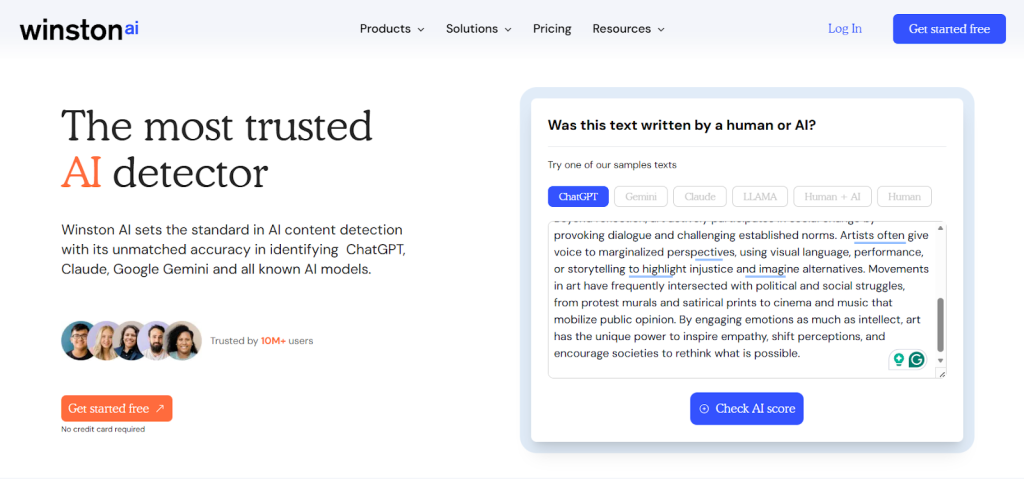
For an AI detection tool that comes with plenty of additional features, Winston AI is a good option. Other than checking for artificially-generated content, it also lets you check for plagiarism. There’s also an image detection feature for even deeper testing. Winston AI works by using a combination of pattern detection, data training, and linguistic analysis. Once you check your text, you get the following three results:
- Human Score: Showing you how much human-generated content there is in your task.
- Plagiarism: Telling you whether there’s any plagiarized content in your work. Note that this is available only in the paid plans.
- Readability Score: Helping you see whether your text is too easy or too difficult to read, so you can adjust accordingly.
You also get an AI prediction map with the following highlights:
- Red highlights mean that the text is likely AI-generated.
- Yellow highlights mean that the text is possibly AI-generated.
- Green highlights mean that the text is unlikely to be AI-generated.
To use Winston AI for any serious tasks, you would have to spend some cash. The free tier comes with only 2,000 credits, which translates to 2,000 words. It also requires you to sign up. You can pay $29 per month to get 200,000 credits/month, including additional features like plagiarism detection and PDF reports.
2. EduBrain AI Detector — Supports Learning with Multiple Features
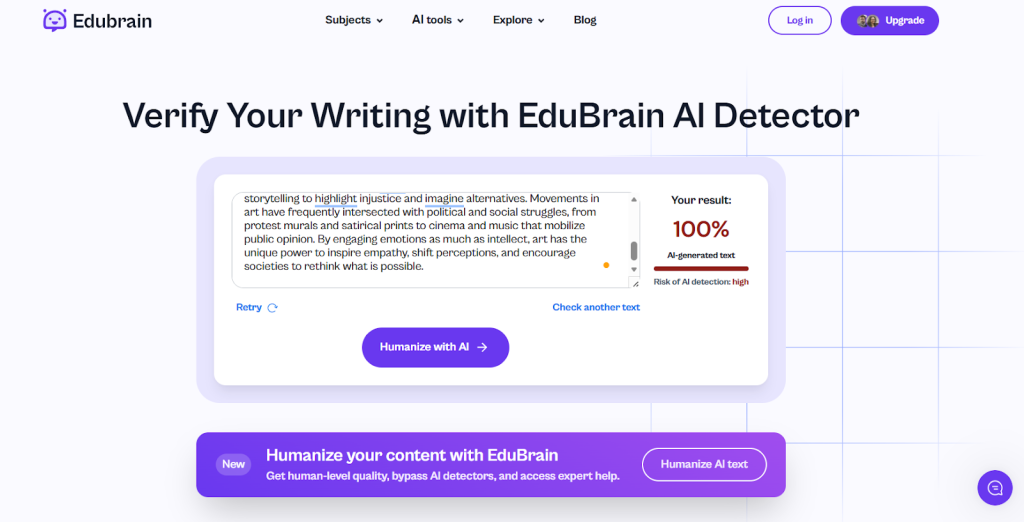
EduBrain is a tool that not only detects AI content for students but also promotes learning with its wide array of tools designed to make education easier. Using the software for AI detection is very easy. Simply paste your text in the text box or upload your file in one of many supported formats. The results will be shown within seconds, and you’ll see how much human-generated text there is in your assignment. You’ll also get a little indication of whether the risk of AI detection in your task is Low, Medium, or High.
The results produced by EduBrain are 99% accurate, thanks to its reliance on Natural Language Processing. But that’s not where it truly stands out. The AI-detection tool is part of a larger suite, so you can also use some of the following features to enhance your assignments:
- AI Humanizer: Lets you see exactly why your content is being flagged and how you can make it more ‘human’.
- AI Notes Generator: Lets you quickly generate easy-to-remember notes from your content.
- AI Research Assistant: Helps you research any given content at any education level to make working on writing tasks easier.
As for pricing, you can start using EduBrain’s detection tool for teachers for free, without having to sign up. Creating an account gives you access to more scans, whereas opting for a paid plan unlocks the entire platform for you.
3. GPTZero — Simple and User-Friendly
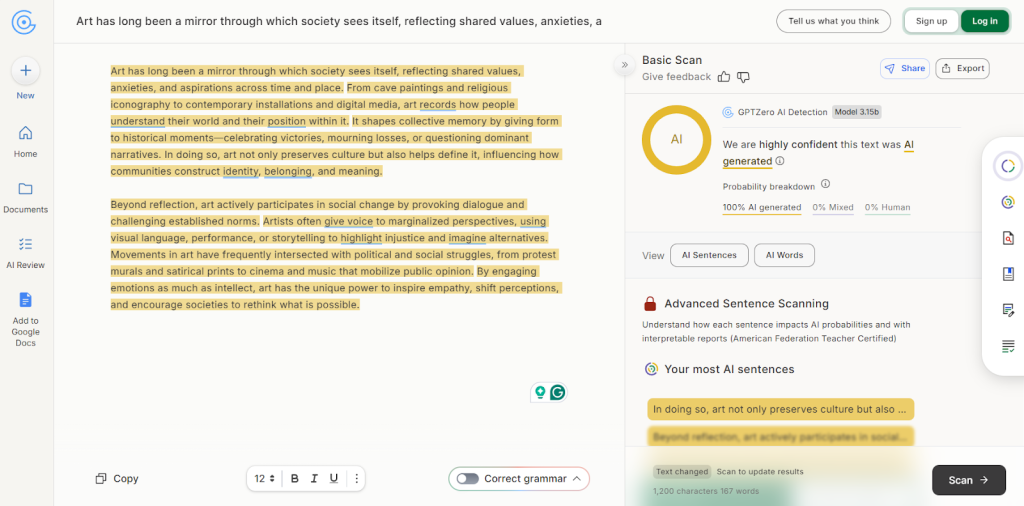
Known for its generous free plan, GPTZero is very popular among students who don’t want to spend anything just to check their tasks quickly. The tool has some of the best accuracy scores in the market, especially for an option that has such a good free tier.
GPTZero relies on very simple and straightforward metrics, namely perplexity and burstiness, to detect AI-written text. The user interface of the software is clean and simple. Your text is analyzed quickly, and a probability of AI-generation is shown, with problematic sentences highlighted for your review.
The free tier of GPTZero gives you the option to check up to 10,000 words per month, which should be enough for most students. However, if you have a lot of writing tasks or want to check something like a dissertation with more words, you can opt for the paid plans that start from just $10/month. These also come with advanced features, such as plagiarism testing.
4. ZeroGPT — An Excellent Free Tier Available
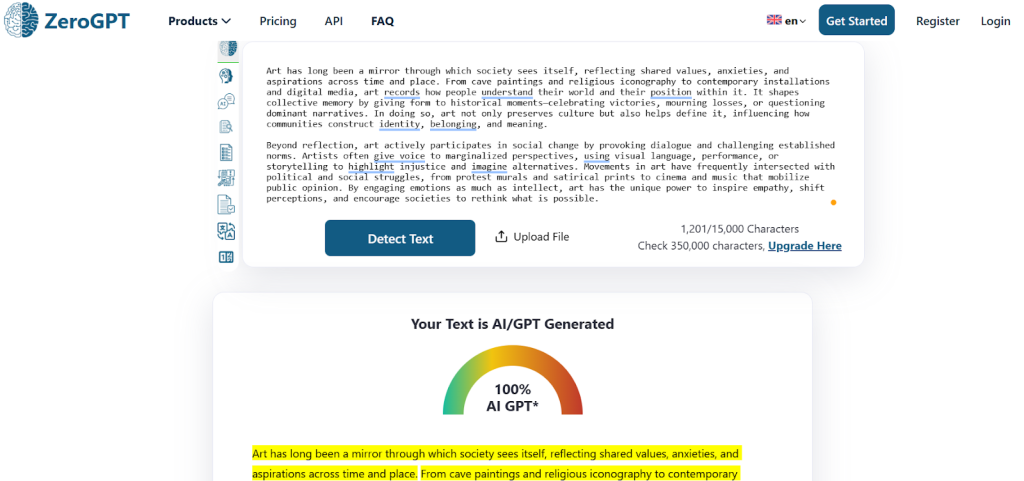
Talking about generous free tiers, it’s hard not to mention ZeroGPT. Perhaps the best free service out there, this tool relies on its DeepAnalyse Technology that analyzes texts on multiple levels. The results generated by ZeroGPT are pretty accurate, but they do sometimes flag human-generated content as AI, so it’s worth running the test a few times with little tweaks to make sure you’re getting the full picture.
The best thing about ZeroGPT is that it’s pretty much free to use. It does impose a 15,000-character limit for each detection, but you can use the tool multiple times. If you want to check longer documents and don’t want to test them in parts, you can pay $9.99 per month to increase the detection limit to 100,000 characters. You also gain access to other features such as summarization and paraphrasing.
5. Smodin — Fairly Accurate with Additional Features
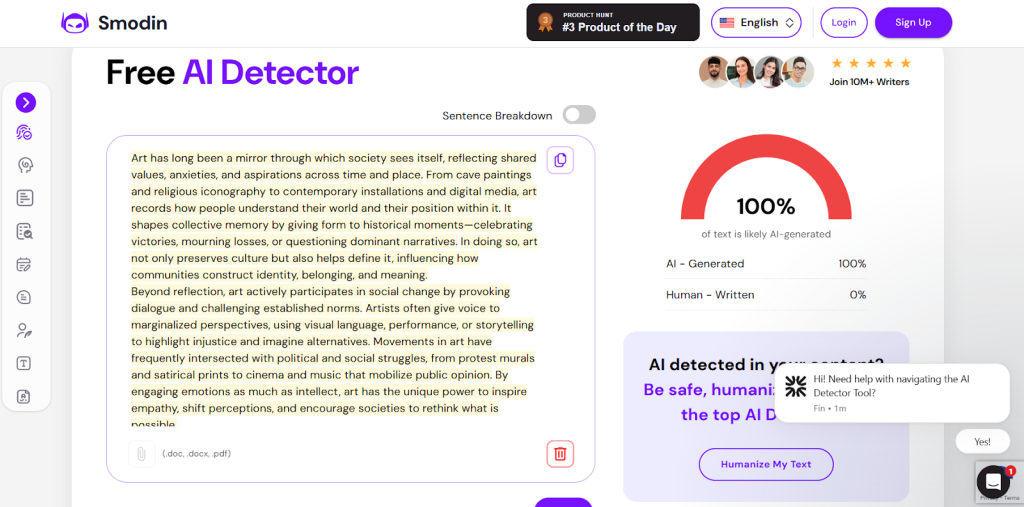
Smodin is quite popular among students who don’t have too many tasks to check, as its free tier is limited. It uses advanced algorithms to check text from various sources like ChatGPT and Gemini. Some of the main things Smodin checks for include language consistency, factual errors, and writing complexity. Based on these, it decides whether your task has AI-involvement or not.
Even though the interface is outdated, it works perfectly fine. Students can also use the following additional tools to ensure their assignments are as good as possible:
- Grammar Checking: To fix any spelling mistakes or issues with phrasing.
- Text Improvement Suggestions: To see how your writing can be improved by changing some words or sentences.
While the tool does have a free plan, it’s not very generous. Users can check up to 5 texts per week only, with a character limit of just 5,000. This means that for more serious tasks, you’ll probably have to pay the $15/month for the Essential plan, which comes with advanced features such as API access and unlimited usage.
6. QuillBot AI Detector — The Best Free Tool Available
A highly generous free detection tool, QuillBot is great for students who need to check their writing tasks frequently. It not only tests writing for AI-involvement but also analyzes text refined by grammar checkers or paraphrasing tools. The main indicators that this software checks for include:
- Repeated words
- Awkward phrasing
- Unnatural Flow
The results are shown in the form of a detailed report with highlighted text. It gives a clear picture of which parts of the text may be fully AI-generated, AI-generated and AI-refined, Human-written and AI-refined, or fully Human-written.
Even though the results aren’t always 100% accurate, the highly generous free tier is well worth your time. QuillBot allows students to check up to 1,200 words at a time, however many times they wish. There’s essentially no limit here, other than the maximum word count.
7. CopyLeaks — Trusted Results for a Price
CopyLeaks mainly started off as a plagiarism detector but has quickly found its footing as one of the most reliable AI detection tools for students and professionals alike. Where it truly stands out is not only in its accuracy but also in the fact that it works with 30+ languages, making it a universally-loved software.
The interface of the website is very well-designed and polished. It works quickly and gives you a detailed breakdown of the results so you know exactly where you need to make some edits to improve your score. It also works well with writing tools like Google Docs and MS Word, so you can make it a part of your current workflow without too much effort.
The one area where CopyLeaks severely lags behind the competition is its very limited free tier. It doesn’t show anything other than the percentage of AI in your text, so you don’t really know which areas to edit. The paid version costs $13.99 per month and gives you access to multiple additional features like a Google Chrome extension, 100 scans of up to 25,000 per month, and plagiarism detection in 100+ languages.
8. isFake.ai — Multimodal AI Detection
Most AI detectors focus on written content alone, but modern AI-generated material increasingly spans images, audio, and video as well. isFake.ai takes a multimodal approach, allowing users to analyze text, visuals, audio recordings, and video files in one place.
The platform checks for patterns commonly associated with tools like ChatGPT, Gemini, Stable Diffusion, and deepfake voice generators. Instead of providing only a percentage score, isFake.ai, free AI detection platform, highlights suspicious sections using explainable signals such as text markers, image heatmaps, audio waveforms, and flagged video frames. This makes it easier for users to understand why content may be synthetic, not just whether it is.
For students, journalists, editors, and anyone working with mixed-format content, multimodal detection can offer additional reassurance in situations where text-only tools may fall short.
Key strengths:
- Multimodal detection for text, images, audio, and video
- Explainable results with visual and structural indicators
- Useful for modern content reviews and deepfake awareness
Final Words — Which Tool Is the Best AI Detector for You?
With so many similar tools out there, it’s not easy to pick just one. This becomes even more difficult when you consider that not all tools look for the same patterns and characteristics when deciding whether a text was written by a human or an algorithm. The right software for you depends on your particular needs.
If you want something simple and free, you may want to stick to QuillBot or ZeroGPT. If you want access to a full suite of learning tools to really improve your writing in the long run, EduBrain might work better. If you work with multiple languages, investing in CopyLeaks may be your best bet. Before you decide on anything, it’s important to list down your actual needs and test a few different tools to see which one works for your needs.