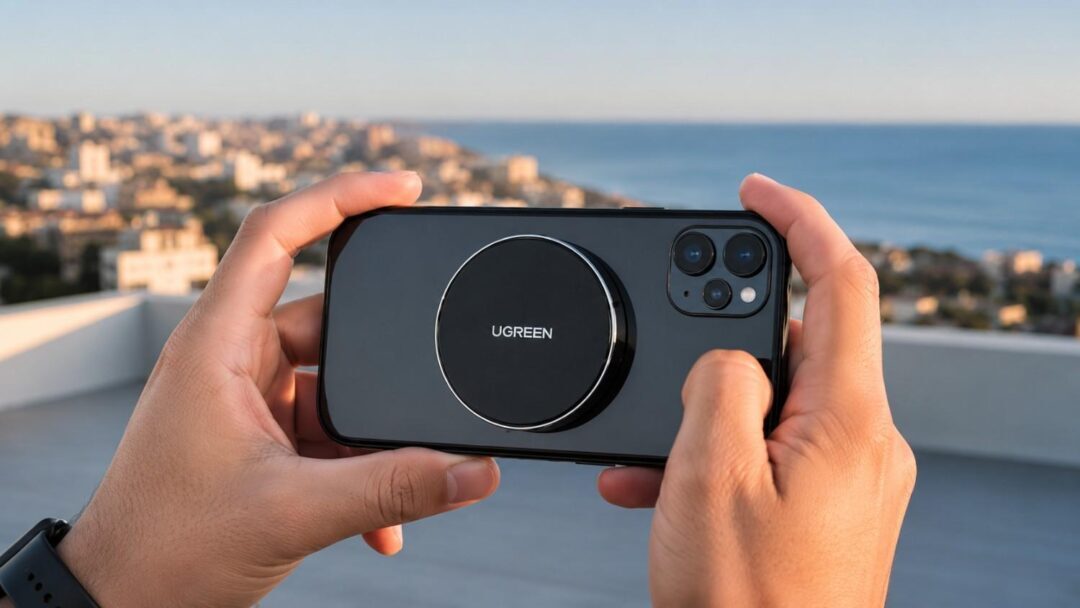
4K content has changed the way people think about storage.
A few years ago, external storage was something people bought after their laptop ran out of space. Today, it is part of the workflow from the very beginning. Creators shoot on iPhones, mirrorless cameras, drones, action cameras, tablets, and laptops. A single project may move across three or four devices before it is edited, delivered, posted, or archived.
Storage is no longer just about capacity. It is about speed, portability, compatibility, and control.
For 4K creators, mobile filmmakers, and hybrid workers, the right external storage setup can prevent missed shots, slow transfers, messy folders, and over-reliance on cloud subscriptions. The best setup is not always the most expensive one. It is the one that matches how you actually create, move, and protect your files.
Table of contents
- Why Creators Need a Smarter Storage Workflow
- The Three-Layer Storage Setup Every Creator Should Use
- Setup 1: The Mobile Filmmaker’s Storage Kit
- Setup 2: The 4K Camera Creator’s Storage Kit
- Setup 3: The Hybrid Worker’s Portable Storage Setup
- What to Look for in a Portable SSD for Creators
- Portable SSD vs. Cloud Storage: Why Creators Still Need Local Storage
- Common Storage Mistakes Creators Should Avoid
- Recommended Storage Setup by Creator Type
- Final Takeaway: The Best Storage Setup Keeps You Creating
Why Creators Need a Smarter Storage Workflow
4K video is demanding. So are RAW photos, high-resolution design files, podcast recordings, client decks, product videos, and social media edits. The more mobile the workflow becomes, the more fragile it can feel.
The global creator economy market size was estimated at USD 205.25 billion in 2024 and is projected to reach USD 1,345.54 billion by 2033, growing at a CAGR of 23.3% from 2025 to 2033. This rapid expansion reflects how photography, videography, and digital content creation have become core revenue-driving segments of the modern economy, which is why the tools and workflows behind them have become increasingly complex and data-heavy. A creator may shoot on an iPhone in the morning, review footage on an iPad at lunch, edit on a laptop in the afternoon, and upload final clips from a hotel room at night. A hybrid worker may move large folders between home, office, and client meetings. A photographer may finish an event with multiple SD cards and no time to sort them until the next day.
In all of these situations, poor storage creates the same problems:
- Phone storage fills up during a shoot.
- Camera cards become the only copy of important footage.
- Laptop drives get overloaded with active and finished projects.
- Cloud uploads stall on weak Wi-Fi.
- Slow drives make editing and file transfers painful.
A good storage setup solves these issues before they interrupt the work.
The Three-Layer Storage Setup Every Creator Should Use
A practical creator storage system has three layers: capture, working, and backup. Each one plays a different role, and most workflow problems happen when one of these layers is missing or under-equipped.
Primary Capture Storage
This is where files are saved while you are shooting.
For camera users, this usually means SD, microSD, or CFexpress cards. For mobile filmmakers, it may be the phone’s internal storage or an external drive connected directly to the phone. For drone and action camera users, microSD cards are still the everyday standard.
Capture storage needs to be reliable and fast enough for the file format being recorded. A card that works fine for casual photos may not be enough for long 4K video sessions.
Fast Working Storage
This is where active projects live while you are editing, sorting, backing up, or transferring files.
For most creators, this is where a portable SSD becomes essential. It gives you a dedicated place for footage, project files, exports, and backups without overloading your laptop or phone. A fast, portable SSD also reduces the time spent waiting for large files to transfer between devices.
Long-Term Backup Storage
This is where finished projects, old footage, client archives, and personal media libraries are stored.
Some creators use large external drives. Others combine physical storage with cloud backup. The safer approach is usually a combination: one local copy for fast access and one secondary copy in another place.
The rule is simple. Never let one card, one phone, or one cloud account become the only home for important files
Setup 1: The Mobile Filmmaker’s Storage Kit
Who This Setup Is For
Mobile filmmaking is no longer a casual category. Many creators now shoot short films, product videos, travel content, behind-the-scenes footage, tutorials, and social campaigns directly from their phones.
The iPhone has become especially important for creators because it combines strong camera performance with a lightweight shooting setup. But high-resolution video fills storage quickly. When a phone becomes the main camera, storage becomes part of the camera rig.
Recommended Gear
- A USB-C smartphone
- A compact external SSD
- A direct connection or magnetic attachment
- A second backup location after each shoot
- A laptop or tablet for editing and review
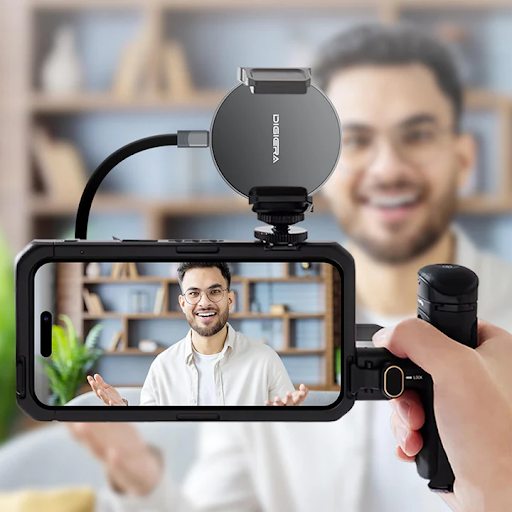
For creators who shoot directly on their phones, a magnetic phone SSD can make the workflow easier by keeping external storage close to the device while filming. The whole rig stays compact, and the drive moves with the phone instead of dangling from a cable.
Why Magnetic Attachment Changes the Workflow
In real shooting situations, small ergonomic details have outsized effects. A creator should not have to stop filming, delete clips, move files manually, or wonder whether there is enough internal storage left for the next shot.
One-Handed Shooting
One hand may be holding the phone. The other may be adjusting focus, framing a subject, or steadying movement. A drive that snaps directly to the back of the phone removes the third-hand problem most cable-based setups create.
Fewer Cables in the Frame
Short USB-C cables work, but they can swing into frame, catch on bags, or pull free at the worst moment. A magnetic drive sits flush with the phone and stays out of the shot.
Setup 2: The 4K Camera Creator’s Storage Kit
Who This Setup Is For
Not every creator films on a phone. Many still rely on mirrorless cameras, DSLRs, drones, and action cameras. These setups usually start with SD cards or microSD cards, but the storage workflow should not end there.
Recommended Gear
- High-speed SD cards or microSD cards for capture
- A portable SSD for same-day backup
- A laptop or tablet for file review
- A second drive or cloud copy for important projects
Creators building a complete workflow pair reliable camera cards with broader creator-focused storage solutions. A two-step routine shoot to card, back up to a fast SSD before the day ends, keeps a single corrupted card from ending a project.
Why a Two-Step Backup Routine Matters
Camera cards are excellent for recording, but unreliable as a final resting place. Cards can be lost, overwritten, damaged, or accidentally formatted. After a shoot, footage should move to a dedicated drive as soon as possible.
For event shooters, wedding videographers, travel creators, and YouTubers, this is not optional. It is part of the job. Shoot on the card, back up to an SSD, review the footage, then create a secondary copy when possible.
Setup 3: The Hybrid Worker’s Portable Storage Setup
Who This Setup Is For
Hybrid workers may not think of themselves as creators, but many of them handle creator-sized files every week.
A marketing manager may carry product videos, campaign assets, and sales decks. A designer may move large folders between a home workstation and an office laptop. A consultant may need offline access to client files while traveling. A small-business owner may keep product photos, financial files, and brand assets across several devices.
Recommended Gear
- A portable SSD for active files
- Cloud storage for sharing and collaboration
- Laptop storage for current daily work only
- A backup drive for sensitive or finished files
The goal is to keep files easy to access without letting every important asset live only on a laptop. A portable SSD gives hybrid workers a simple way to carry large files, work offline, and move between devices without depending on Wi-Fi.
What to Look for in a Portable SSD for Creators
Not all external drives are built for the same user. A casual backup drive and a creator-ready portable SSD behave differently in the field, which is why a focused portable SSD lineup for creators is worth evaluating against the four factors below. Speed, capacity, compatibility, and portability in that order decide whether a drive earns a spot in your kit.
Speed
Speed matters because creators move large files often. It is not just a spec line; it shapes the day-to-day rhythm of work.
Everyday File Movement
A few photos may transfer in seconds on any modern drive. The difference shows up when the file count grows, and the formats get heavier.
4K and RAW Workloads
4K footage, RAW image folders, project files, and exports can quickly become dozens or hundreds of gigabytes. A faster drive means less time waiting and more time shooting, editing, or delivering work. For working storage, a 2000MB/s drive sits in a different league than a typical USB 3.0 unit; the gap is hours over the course of a project, not seconds.
Capacity
The right capacity depends on how often you shoot and how long you keep raw files before archiving.
Matching Capacity to Workflow
Most creators outgrow their first drive because they bought for last month’s projects instead of next quarter’s. Plan with headroom.
512GB and 1TB Lighter Production
512GB suits students, casual creators, and light backups. 1TB is the practical middle ground for everyday creators who shoot regularly but archive often.
2TB and 4TB Heavy Production
2TB makes more sense for people who shoot weekly and want fewer mid-project file moves. 4TB is built for power users, long trips, and professionals who would rather not think about storage for an entire production cycle.
Compatibility
A good creator drive should work across the devices you actually use: iPhone, iPad, MacBook, Windows laptop, Android device, or camera workflow. USB-C has made this easier, but check format, speed, and device support before buying. The more devices in your workflow, the more compatibility matters.
Portability
Storage for creators should not feel like desk equipment. A portable SSD should fit in a bag, pocket, camera pouch, or travel case. For mobile creators, fewer cables and a smaller footprint can decide whether the drive gets used daily or left at home, especially for travel creators and mobile filmmakers working out of cars, airports, hotels, studios, and outdoor locations.
Portable SSD vs. Cloud Storage: Why Creators Still Need Local Storage
| Feature | Portable SSD | Cloud Storage |
|---|---|---|
| Speed | Very fast | Internet-dependent |
| Offline Access | Yes | Limited |
| Best For | 4K editing & large files | Backup & collaboration |
| Cost | One-time purchase | Subscription-based |
| Reliability | Works anywhere | Needs internet |
| Main Advantage | Real-time performance | Easy file sharing |
Cloud storage is useful. It helps with sharing, collaboration, remote access, and long-term file management. For creators, it should not be the only solution.
Three reasons. First, 4K files are large, and uploads take time on travel Wi-Fi. Second, cloud storage depends on internet access, limited to a location, on a flight, or in a low-signal area. Third, cloud storage usually comes with recurring fees that scale with library size.
Local storage gives creators control. It works offline. It keeps files physically available. It speeds up transfers. It also provides a backup option that does not depend on a monthly subscription.
The best workflow is not cloud versus SSD. It is cloud plus SSD. Use the cloud for sharing and remote access. Use local storage for speed, ownership, and daily production.
Common Storage Mistakes Creators Should Avoid
Even experienced creators make storage mistakes. Most of them are easy to avoid with a better system.
Relying on One Card for the Entire Project
A single SD card should not be the only copy of important footage. After a shoot, files should be backed up to another device as soon as possible, ideally the same evening.
Waiting Until the Phone Is Full
Mobile creators should not wait for the “storage almost full” warning. By the time it appears, the workflow is already at risk. External storage should be ready before the shoot starts, not after.
Editing from a Slow Drive
Slow drives create lag, dropped frames, and frustrating exports. If the drive cannot keep up with the file size, the editing experience suffers, and the workflow stretches into evenings that did not need to happen.
Using Cloud Storage as the Only Backup
Cloud storage is helpful, but it is not always fast or available. Important files should also exist in a local copy. The 3-2-1 rule still applies: three copies, two media types, one off-site.
Buying Storage Based Only on Price
Cheap storage can cost more in lost time, failed transfers, limited compatibility, or poor durability. Buy based on workflow, not just capacity per dollar.
Recommended Storage Setup by Creator Type
| Creator Type | Recommended Setup | Why It Works |
| iPhone filmmaker | Phone + magnetic SSD + secondary backup | Keeps the rig mobile and cable-light |
| YouTuber | Camera card + portable SSD + laptop backup | Supports regular shooting and editing cycles |
| Wedding videographer | Multiple SD cards + 2TB/4TB SSD backup | Reduces risk during high-volume shoots |
| Travel creator | Phone SSD + portable backup drive | Works offline and on the move |
| Hybrid worker | Portable SSD + laptop + cloud sharing | Balances speed, portability, and collaboration |
| Photographer | SD card + SSD archive + cloud gallery | Keeps originals safe and easy to organize |
| Social media manager | Phone storage + external SSD + shared cloud folder | Handles large volumes of short-form content |
Final Takeaway: The Best Storage Setup Keeps You Creating
The best external storage setup is not just about buying a bigger drive. It is about building a workflow that supports the way you create.
For mobile filmmakers, that may mean a phone-friendly SSD that stays close to the camera. For 4K camera creators, it may mean fast cards paired with a portable backup drive. For hybrid workers, it may mean a lightweight SSD that keeps large files accessible between home, office, and travel.
Storage should not be the reason a shoot stops, a project slows down, or a file goes missing. The right setup keeps the work moving from capture to edit to backup, with fewer delays and fewer surprises.