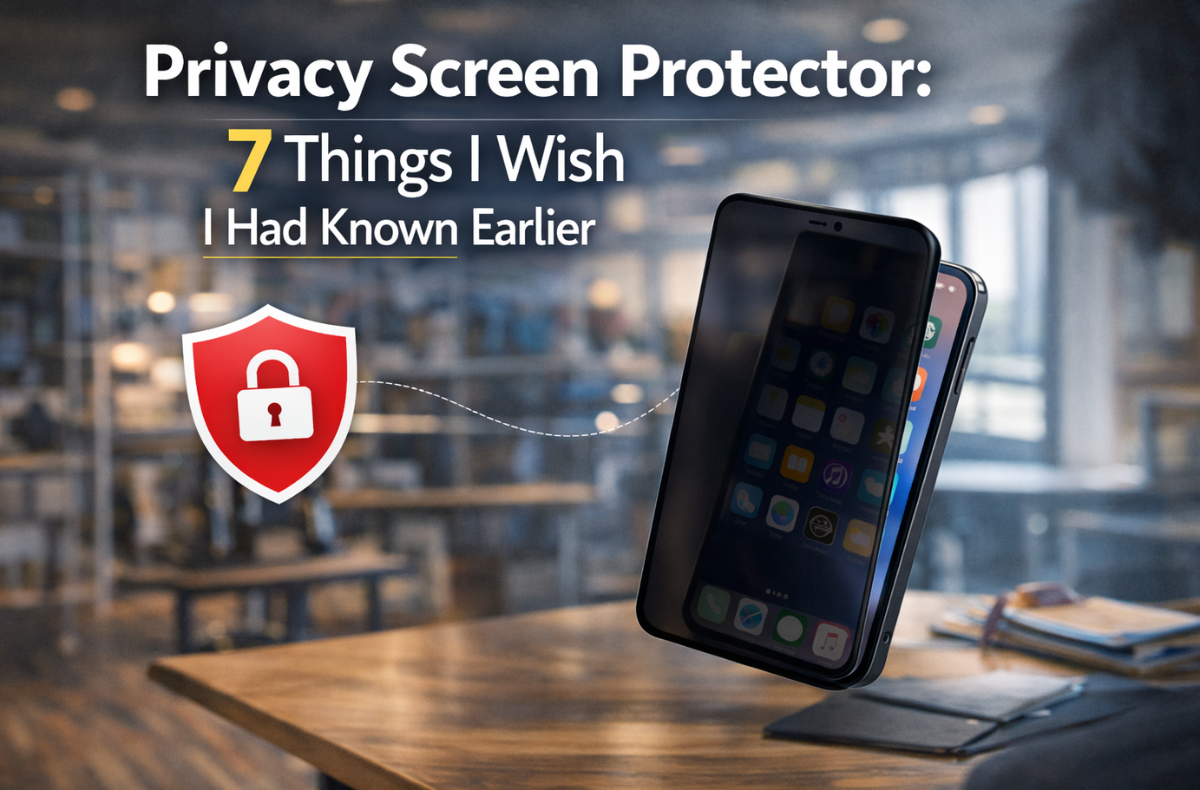
I used to think my phone display was strictly my business. That changed during a crowded flight when I noticed a stranger read a highly confidential work email right over my shoulder. The very next day, I decided to put on my first privacy screen protector.
Adding a phone privacy screen protector completely changed how I use my device in public. We can check personal messages and review sensitive documents without worrying about wandering eyes. Finding the right smartphone screen privacy protection was much more difficult than I expected. Initially, I bought the wrong type, drained my phone battery, and even locked myself out of my own biometric sensors.
To save you from making those same mistakes, I have put together this complete guide. You will know exactly what a privacy screen protector is, how the technology works, and which features to must look for before upgrading your device.
Key Takeaways
- A privacy screen protector prevents onlookers from viewing your screen by using micro-louver technology that blocks light at oblique angles.
- Choosing the right privacy screen protector involves considerations such as impact on brightness, biometric compatibility, and material durability.
- Check for features such as anti-glare coatings and proper sensor cutouts to ensure optimal performance and usability.
- Installation tips include working in a dust-free environment and using an alignment frame for a bubble-free application.
- Overall, investing in a quality privacy screen protector is worthwhile for those handling sensitive data in public.
Table of Contents
- Understanding the Tech: How Micro-louver and Polarization Actually Work
- Privacy Protectors vs. Standard Clear Glass
- 7 Things I Wish I Knew (The Hard Truths)
- 1. The “Brightness Tax” and Impact on Battery Life
- 2. Biometric Blues: Ultrasonic vs. Optical Fingerprint Sensor Compatibility
- 3. The Face ID Struggle: TrueDepth Sensor Interference
- 4. 2-Way vs. 4-Way Privacy: Portrait vs. Landscape Security
- 5. Screen Graininess and Color Tinting (The Editor’s Nightmare)
- 6. Material Matters: Tempered Glass vs. PolyArmor vs. Film
- 7. Viewing Angles: Why 28-Degrees is the Golden Standard
- Data Deep Dive: Comparing Top Models
- Final Verdict: Is the Privacy Trade-off Worth It for You?
- FAQs
Understanding the Tech: How Micro-louver and Polarization Actually Work
Before purchasing, it helps to understand how privacy screen protectors work. The secret lies in micro-louver technology.
If you are asking, “What is a privacy screen protector and how does a privacy screen protector work?”, think of it like tiny vertical window blinds built into the glass. When you look at the screen straight on, the blinds are “open,” allowing light to pass through. When viewed from an angle, these microscopic louvers block the light. Onlookers just see a dark or distorted screen.
High-quality models rely on advanced anti-spy screen protector technology and polarization to restrict visibility without ruining our display. Whether we need a privacy screen protector for computer monitors or a smartphone screen privacy protection layer, the underlying science is the same.
Privacy Protectors vs. Standard Clear Glass
To help you decide between standard glass and a privacy glass screen protector, review this phone screen protector comparison data.
| Feature | Privacy Screen Protector | Standard Clear Glass |
|---|---|---|
| Viewing Angle | 30 degrees from the center | 180 degrees (fully visible) |
| Light Transmission | 75% to 85% | 99% |
| Screen Security | High | None |
| Battery Impact | Moderate (requires higher brightness) | None |
| Scratch Resistance | 9H Hardness available | 9H Hardness available |
7 Things I Wish I Knew (The Hard Truths)
Not all privacy filters are created equal. Choosing the best privacy screen protector features requires checking a few specific details. Here are the seven things I wish I knew before making my first purchase.
1. The “Brightness Tax” and Impact on Battery Life
Does a privacy screen protector reduce brightness? Yes. Because privacy filters physically block light at certain angles, they also reduce the overall light transmission. You will likely need to turn up your screen brightness to see clearly.
Since our screen is the biggest drain on our device battery, running it at higher brightness shortens battery life. We should look for a privacy glass screen protector that advertises high light transmission (around 85%) to minimize this “brightness tax.”
2. Biometric Blues: Ultrasonic vs. Optical Fingerprint Sensor Compatibility
If we need a privacy screen protector for Android devices, pay attention to the fingerprint scanner. Optical sensors use light to read our print. Because a screen protector blocks light, it can interfere with the sensor.
Ultrasonic sensors, like those on newer Samsung phones, use sound waves. They are highly sensitive to the thickness of a tempered glass privacy screen protector. We should always look for a fingerprint sensor-compatible privacy protector and re-register our fingerprints after installation.
3. The Face ID Struggle: TrueDepth Sensor Interference
Apple users often face a different issue. If you use a privacy screen protector for iPhone devices, make sure it has a proper cutout for the TrueDepth camera. A thick or tinted iPhone screen protector layer can block the sensor, causing Face ID to fail.
4. 2-Way vs. 4-Way Privacy: Portrait vs. Landscape Security
When choosing an anti-spy screen protector for a laptop, we must pick the 4-way version styles:
- 2-Way: Blocks views from the left and right when held vertically. Ideal for a privacy screen protector for iPhone 15 Plus or similar phones used mainly in portrait mode.
- 4-Way: A 4-way privacy screen protector blocks views from the top, bottom, and sides. This is excellent for landscape viewing or when using a screen protector laptop filter.
5. Screen Graininess and Color Tinting (The Editor’s Nightmare)
Lower-quality filters can make our screen look grainy or pixelated. Some introduce a gray or brown tint. If you edit photos on your phone, this color shift is frustrating.
An anti-glare or matte privacy screen protector reduces reflections in bright sunlight, but it can also soften text crispness. Always check real reviews to find the best protector features that balance clarity with security.
6. Material Matters: Tempered Glass vs. PolyArmor vs. Film
Privacy screen protector durability depends on the material:
- Tempered Glass: The standard for impact resistance. A tempered glass privacy screen protector often features a 9H hardness rating to prevent scratches.
- PET/TPU Film: A privacy filter for smartphones made of film is thinner and fits curved screens better, but offers minimal drop protection.
- PolyArmor: Absorbs shock without shattering, offering a great alternative to standard glass.
7. Viewing Angles: Why 28-Degrees is the Golden Standard
When evaluating privacy screen protector viewing angles, narrower is usually better. A 28-degree to 30-degree viewing angle on either side (a 60-degree total cone) is the sweet spot. Anyone standing outside that 30-degree range will just see a black screen.
Data Deep Dive: Comparing Top Models
To help you shop, I put together a comparison of phone screen protectors. Finding the right fit for your specific model is crucial for edge-to-edge protection.
| Device Model | Key Feature to Look For |
|---|---|
| iPhone 16 Pro Max | Precise Face ID sensor cutout |
| iPhone 16 Pro | 9H tempered glass durability |
| iPhone 15 Plus | 2-way privacy for portrait mode |
| iPhone 15 | High light transmission |
| iPhone 14 Pro Max | Scratch-resistant oleophobic coating |
| iPhone 14 Pro | Edge-to-edge coverage |
| iPhone 14 | Case-friendly design |
| iPhone 13 | TrueDepth compatibility |
| iPhone 12 Pro Max | Shatter resistance |
| iPhone 12 | Anti-glare coating |
| Samsung S25 Ultra | Ultrasonic fingerprint compatibility |
| Laptops/Desktops | 4-way privacy viewing |
Note: Whenever you need a privacy-focused iPhone screen protector, always double-check your exact device dimensions.
Installation Tips: Avoiding the Dreaded Bubbles
Proper installation prevents bubbles and ensures the touch screen remains responsive. Follow these simple privacy protector installation tips:
- Install your protector in a dust-free environment, like a bathroom, after running a hot shower.
- Use the included alcohol wipe and microfiber cloth to remove all oils from your screen.
- Use the dust removal sticker right before placing the glass.
- Use the plastic alignment frame, if included, to ensure a perfect fit.
Final Verdict: Is the Privacy Trade-off Worth It for You?
Are privacy screen protectors useful? Absolutely. The privacy glass screen protector benefits easily outweigh the downsides if you regularly commute, travel, or protect sensitive data.
While you do sacrifice a bit of screen brightness, the peace of mind is invaluable. Just make sure you invest in a quality product that supports your phone’s biometric sensors and offers a tight 30-degree viewing angle.
FAQs
A privacy screen protector is a protective layer of glass or film that restricts the viewing angle of our device. It keeps onlookers from reading our screen while protecting the display from scratches and cracks.
They use microscopic vertical blinds called micro-louvers. When we look straight at the screen, the light passes through. When someone looks at the screen from a side angle, the louvers block the light, making the screen appear black.
No. In fact, many privacy screen protectors include blue light filtering and anti-glare coatings. These features can actually help reduce digital eye strain during long hours of use.
No, you should never double-layer screen protectors. Placing a screen protector over an existing protector will severely reduce touch sensitivity, distort screen clarity, and prevent the adhesive from bonding correctly.
The underlying technology is the same, but a privacy screen protector laptop filter is often removable (using magnetic strips) and features 4-way privacy. A phone privacy protector is usually permanently adhered with a 2-way privacy design for portrait use.