White spots on our mobile screen make it hard to fully enjoy our gadget. Whether it’s a small dot or a bright patch, these spots can be annoying. You might wonder: Is this a manufacturing defect? Could it be a sign of something more serious? And, most importantly, how do we fix it? Knowing the causes behind these spots and how to address them can save both time and capital.
This guide will discuss the various causes of white spots on mobile screens and offer easy and efficient DIY solutions. Whether you have an Android or a Samsung phone, you will find a few handy solutions to restore your display to its previous brilliance.
Key Takeaways
- White spots on mobile screens stem from various causes, including physical damage, stuck pixels, pressure points, water damage, and software glitches.
- You can address white spots on mobile screens with DIY fixes, such as soft resets, cleaning, software updates, and using pixel-fixing apps.
- If issues persist, seek professional help, especially if the spots are large or worsen over time.
- Prevent white spots by using a screen protector, avoiding moisture, and checking software regularly for updates.
- Knowing the causes and solutions for white spots on mobile screens allows you to tackle the problem effectively.
Table of Contents
What Are White Spots on Mobile Screen?
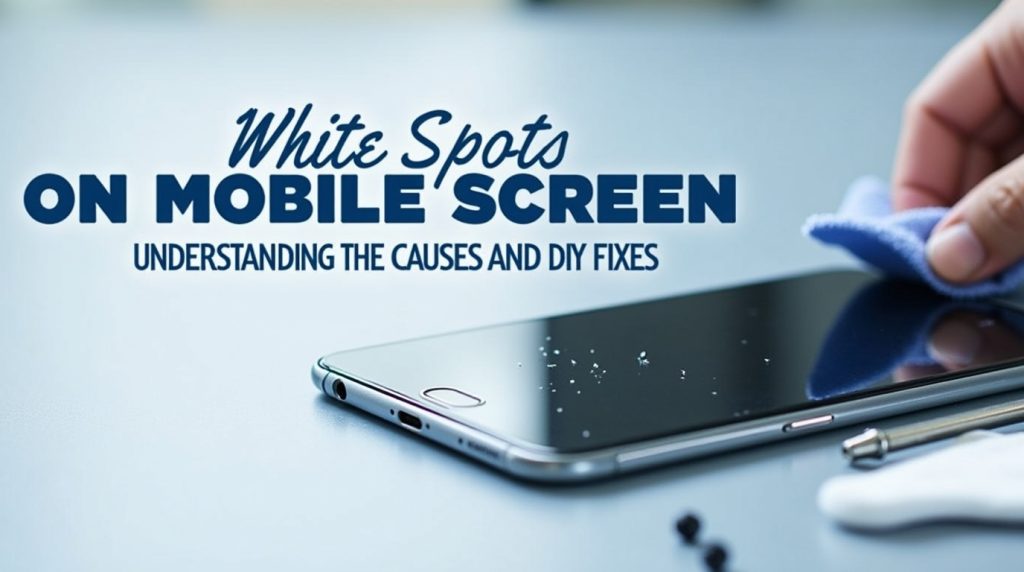
White spots on mobile screen are light areas, mostly circular in shape, and they appear on the phone screen. Such spots are even more prominent when the screen is dark or when viewing an image with a solid-color backdrop. The most frequent cause of white spots on mobile screen is a malfunction of the hardware; however, they may also arise after screen damage.
Even while they are not typically dangerous, these areas can be extremely bothersome, especially when they get in the way of using a phone. In some cases, white spots on cell phone screens may indicate underlying issues that might require professional help.
Common Causes of White Spots on Mobile Screen
The white spots on the mobile phone screens might be caused by several reasons.
Here are some common causes:
1. Physical Damage or Impact
Sometimes, white spots on mobile screens are caused by physical damage. The internal layers of the screen can be damaged if you have dropped your phone or done any physical impact, even minor ones. This may cause spots or discolouration. At first, the damage may not be visible, but in the long run, you may begin to notice a bright spot on mobile screen as the LCD or OLED layers on your phone begin to malfunction.
2. Pressure Points
Another cause of the white spots on mobile screens is pressure points. Too much strain on certain sections of the phone could cause tiny cracks or internal screen breaks that leave a white spot. For example, when your phone is fitted with a too-tight cover, the cover can stretch over the screen, making these dots.
3. Stuck or Hot Pixels
A stuck pixel is where a pixel is stuck on a single color, like white, and does not move with the rest of the screen. The hot pixel, however, never goes out, and it is seen on the screen as a bright spot. These two kinds of pixels can appear as white spots on Android or mobile phones. Although often caused by manufacturing defects, stuck and hot pixels can also develop over time due to normal use and device aging.
4. Water Damage
Another potential cause of white spots on the screen of mobile devices is water or moisture damage. Excessive water, humidity, or condensation will cause your phone to leak through the screen and discolour the spots, making them appear white. This damage can deteriorate with time and even lead to complete failure of the screen.
5. Software Issues
Software bugs or glitches may, in rare cases, lead to problems with how the display renders some colors or parts of the screen. This may be the problem, in case your white spot on samsung mobile screen or Android device showed up after a software update. The software problem is not permanent and can be solved by simply restarting the system or updating the software.
6. Screen Protector or Dirt
A less threatening reason for white spots on mobile screen may be dirt, dust, or a problem with your screen protector. When the protector is not fitted well, or there are bubbles, dirt, or debris under the protector, then it can give an illusion of white spots. Likewise, dust particles may accumulate on the screen, resulting in the same problems.
7. Manufacturing Defects
Sometimes, the cause of a white spot on mobile screen Android device may be a production fault. A white spot may appear if the screen was not set correctly or if there was a problem during construction. In such situations, it is often possible to resolve the issue under warranty, particularly when the defect is detected early.
How to Remove White Spots on Mobile Screen: DIY Fixes
Before you visit the repair shop, some DIY repairs for the white spot on your mobile screen are worth doing. Some ways you can try a DIY white spot on mobile screen fix are listed below.
1. Soft Reset or Restart Your Phone
Sometimes, a software glitch may induce white spots on the mobile screen. A soft reset or reboot of your phone will come in handy in this case. Soft restart will restart your phone and shut down the apps that may be the issue. Here’s how you can
- On Android phones, hold the power button until the restart option appears. Select “Restart” or “Reboot.”
- On iPhones: Press and hold the power and the volume buttons together and swipe to turn off. When the device is switched off, switch it on again.
Through this process, temporary problems with software that lead to white spots on screens can be resolved.
2. Clean Your Screen
White spots on mobile screen may also be caused by dirt, dust, or moisture under the mobile screen. Dust off your screen with a microfiber cloth. However, rough cloths or hard chemicals should not be applied as they would also destroy the screen.
So, if you find your mobile screen to be dirty or wet, the only thing you have to do to save yourself is to get the screen cleaned first. If the problem persists after cleaning, proceed to the next step.
3. Check for Software Updates
A software glitch might be why you see bright white spots on mobile phone screen. Upgrade the mobile phone’s software version, and that will solve the problem. Manufacturers typically issue updates to fix bugs and other issues, such as screen rendering issues.
To check for updates:
- On Android, go to Settings > Software Update.
- On Samsung, go to Settings > Software Update > Download and Install.
4. Use a Pixel Fixing App
When you think that the white spots on mobile phone screen are caused by old or stuck pixels, a pixel-fixing application should be able to fix them. Applications like Pixel Fixer, Dead Pixel Test, and Fix and JScreenFix (online) display a series of rapidly flashing colours in order to revive dead pixels.
Here’s how to use them:
- Get the app or visit JScreenFix online.
- Follow the on-screen instructions.
- Let the app cycle through colors to fix the stuck pixels.
This method is most effective for dead or stuck pixels, but it won’t help if the issue is due to physical damage.
5. Adjust Screen Settings
Sometimes, changing the brightness, contrast, or resolution of the screen may be an effective solution to the occurrence of a white spot on mobile screen android. When the spots are weak and not very annoying, adjusting these settings can help ensure they are less visible.
6. Pressure Method (For Pressure Points)
If you suspect that the white spots on mobile screen are due to a pressure point, you may try to massage the area to relieve the pressure. Apply a soft or microfiber cloth to rub the affected area, taking care not to tear the screen further. This procedure can be effective when the white spot is caused by a small pressure point.
7. Remove the Screen Protector
If you have a screen protector, check to see whether it is causing the white spot in your mobile screen. Sometimes, the white spots can be caused by pressure points of the display, occasioned by air bubbles or irregular protectors. Try to remove the screen protector and see if the issue disappears.
8. Factory Reset (Last Resort)
If none of the above white spots on mobile screen fixes have worked and you believe that the problem is software-related, then a factory reset can be helpful. It will reset your phone to its default settings and clear any software glitches causing the white spots. Before a factory reset, it is important to back up all important information, as all data on the phone will be erased.
To perform a factory reset:
- Go to Settings > System > Reset.
- Select Factory Data Reset and follow the prompts.
- After the reset, check if the white spot is gone.
When to Seek Professional Help
If you still have a white spot on your mobile screen after all DIY solutions, then it could be time to seek professional help.
Here are some of the symptoms that you need to go to a repair center:
- The white spots on the mobile phone display are huge or are still increasing in size.
- The spots do not disappear when all the troubleshooting is done.
- You observe the other problems, such as flickering or color distortion on the screen.
- You think of physical injury or water exposure.
In cases of white spot on Samsung mobile screen or other devices, it’s best to consult the manufacturer or a certified repair technician. If the phone is still under warranty, a repair or replacement may be covered.
Preventing White Spots on Mobile Screens
Even though it is impossible to fully prevent the risk of white spots on mobile screen, there are several ways in which you can prevent them initially:
- Use a Screen Protector: This can help prevent scratches and pressure marks.
- Be Careful with Moisture: Do not leave your phone in water or a humid climate. You should consider waterproof protection if you live in a region where spills or even rain are common.
- Physical Impact: Do not leave your phone in an unsafe location, e.g., in tight pockets, your bag, or anything whatsoever that is loose in your pocket.
- Check Software regularly: This will keep your phone in good condition and keep the software up to date, so you do not experience glitches that can lead to display problems.
Conclusion
Although it might be annoying to have white spots on mobile screens, it is often fixed through some simple procedures. Starting with the dead pixel checker and moving to the soft touch, there are a hundred ways to bring back the sharpness of your screen. In case the problem is critical, do not be afraid to seek professional assistance.
Knowing the cause and solutions to the white spots on mobile screen display, you would be in a better position to deal with this widespread issue, be it Samsung, Android, or any other smartphone. Therefore, the next time you find one of these white spots, whether big or small, you will know exactly how to eliminate white spots on your mobile phone and resume using your gadget without a hitch.
FAQs
The white spots on the mobile screen may be caused by some of the following reasons: dead or stuck pixels, pressure, screen damage, dust, software glitches, or cut screen protectors. Every cause is resolved differently, from simple software patches to large-scale fixes.
To fix dead or stuck pixels, you can try apps like Pixel Fixer or JScreenFix, which rapidly cycle through colors to “unstick” the pixel. You can also gently rub the area with a soft cloth to see if that resolves the issue.
If the white spots persist after a restart or software update, they’re likely caused by hardware issues. If they only appear in specific apps or after an update, it could be a software problem.
To resolve a white spot on samsung mobile screen, restart the phone and update the software. If the issue persists, try using pixel-fixing apps or seek professional repair for hardware issues.
Not necessarily. White spots on the mobile screen can be repaired with software patches or by cleaning them, or in some situations, with some slight modification on most occasions. Screen replacement is mostly needed when the damage is serious or when the problem persists.